60-second summary
Quick answer
Expand thin lessons, remove placeholders, add examples and learning activities, upload trustworthy presentation assets and resolve every readiness or review message before resubmitting.
Before you start
What you need
- Open the existing course marked In review and record each displayed review reason.
- Inspect its lessons for placeholders, very short sections, unsupported claims and missing practical examples.
Procedure
Complete the task step by step
- 01
Expand thin lessons
A course should teach, demonstrate and apply a concept rather than list brief AI summaries.
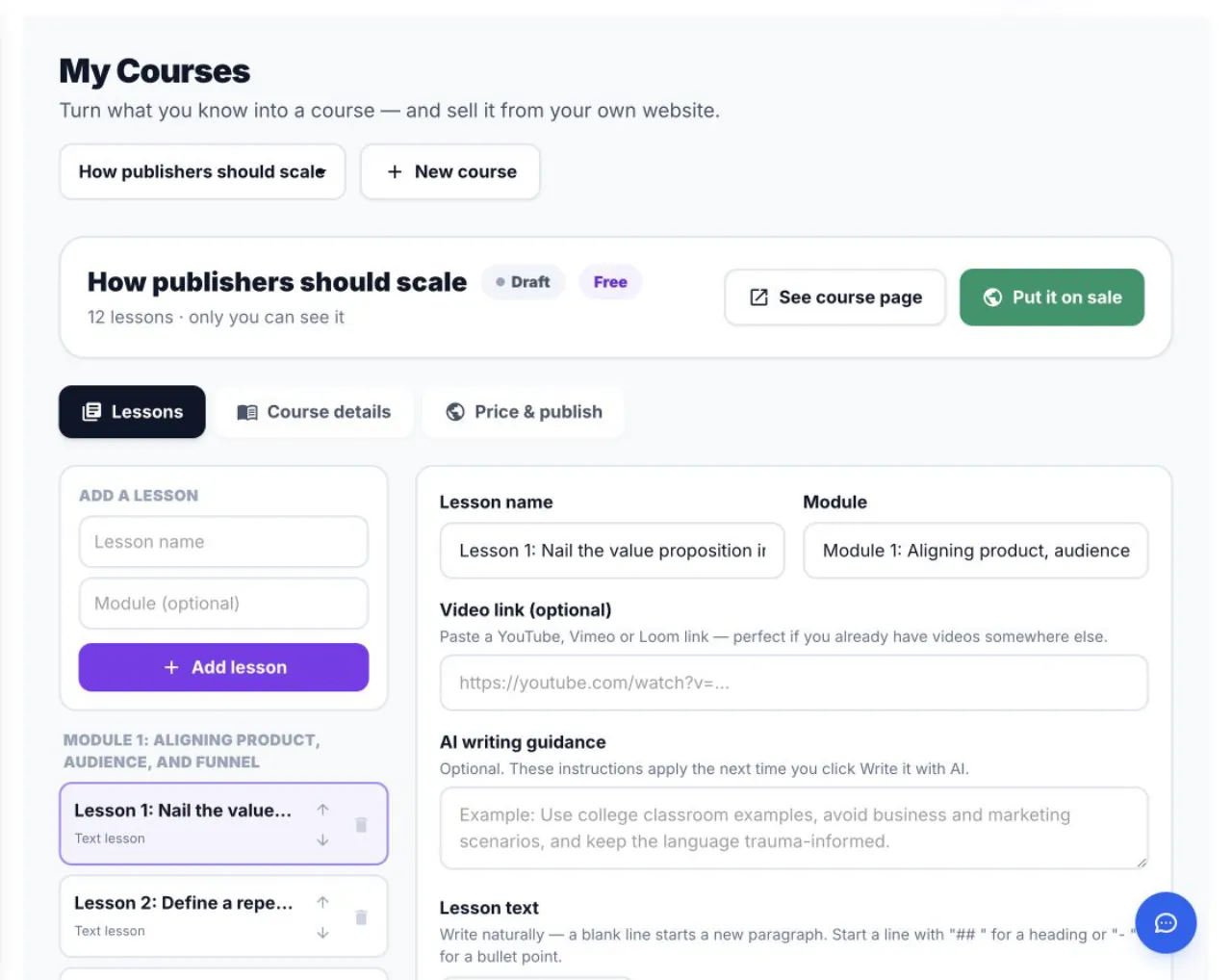
Quality work happens in Lessons and Course details before the Price & publish review. - 02
Remove unfinished content
Delete placeholders and complete every visible module.
- 03
Add learning activities
Use quizzes, assignments or practice prompts where they support the outcome.
- 04
Add trustworthy presentation
Use a relevant cover, author profile and clear preview.
- 05
Review restricted claims
Health, financial, legal and other sensitive topics require careful accuracy and compliance checks.
Success check
Confirm that it worked
- Lessons contain substantive explanations, steps and examples instead of placeholders or lightly edited draft text.
- After Re-submit for review, the course becomes On sale or receives a new specific and actionable review reason.
Important notes
- A course cover, author photo, quizzes and assignments can strengthen quality even though they are not all hard publishing requirements.
- Health, legal, financial and other sensitive claims need additional accuracy and policy review before resubmission.
Troubleshooting
If it still does not work
The same quality reason appears after resubmission
Edit the exact flagged lessons and replace thin or repeated material with course-specific explanations and examples rather than padding the word count.
A paid course still reports that it lacks sufficient value
Confirm that the video lesson is present and that the text lessons teach distinct, usable outcomes instead of repeating the course description.