60-second summary
Quick answer
Create an account at ai.automateed.com/register, complete the CAPTCHA, then open the verification email before logging in. Registration alone does not sign the new account in.
Before you start
What you need
- Use an email address you can open; registration must be confirmed from that inbox.
- Enter a first and last name of 2–30 characters, a valid email, and a password of 8–100 characters. Web registration also requires the CAPTCHA.
Procedure
Complete the task step by step
- 01
Open registration
Go to the Automateed registration page and enter the requested account details.
Current app screenOpen full size: Automateed account registration form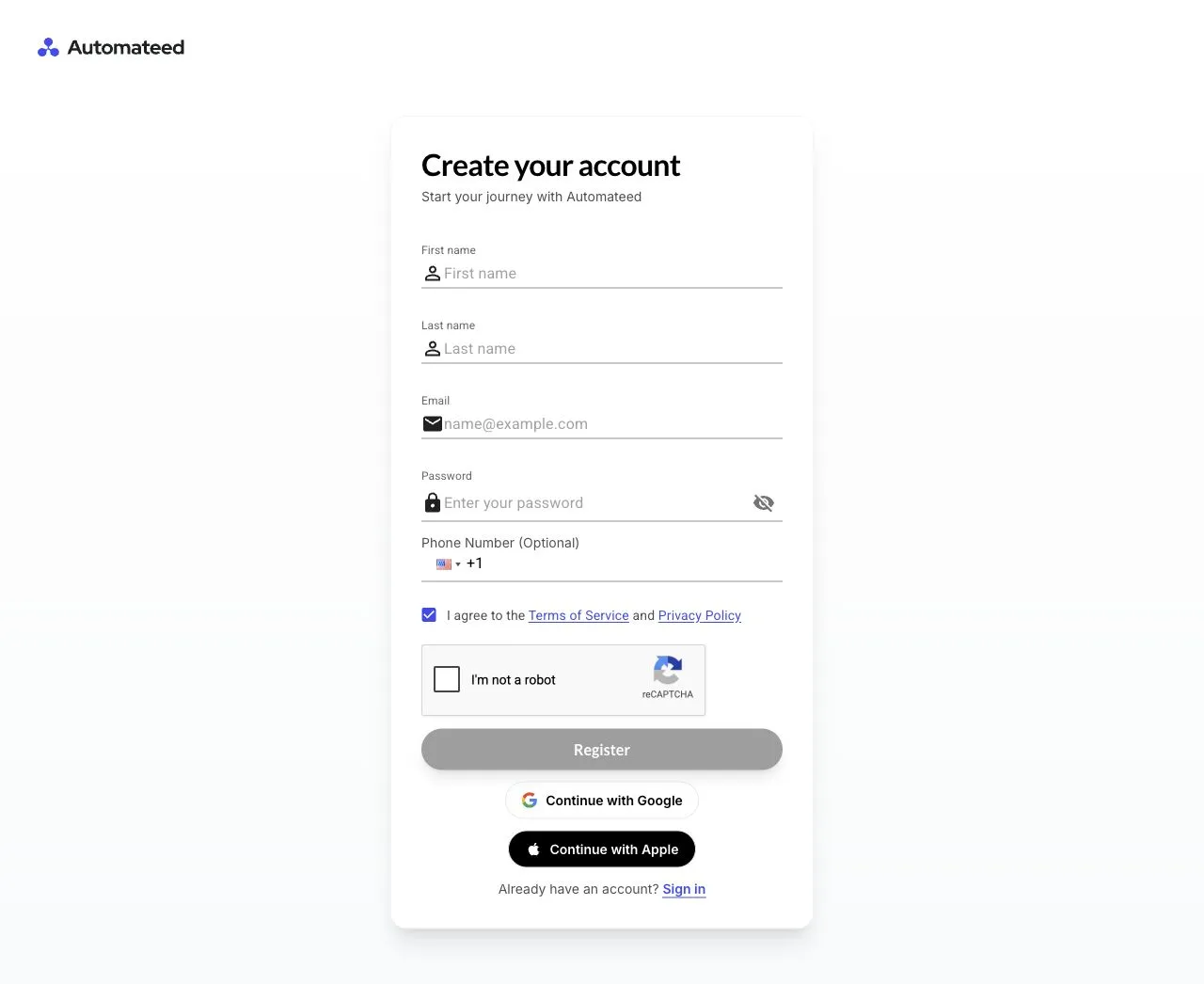
Enter a valid name, email and password, complete the CAPTCHA and submit; the next required action is verification from the account inbox. - 02
Submit valid account details
Enter a first and last name of 2–30 characters, a valid email, a password of 8–100 characters and complete the CAPTCHA.
- 03
Verify the email address
Open the Automateed verification message and choose Verify Email before trying to sign in.
- 04
Complete sign-in
Return to Log in with the verified account and wait for the main dashboard to load.
- 05
Check your profile
Open the account menu and confirm that your name and email are correct.
Success check
Confirm that it worked
- The screen says “Check your email to verify your account.”
- After opening “Verify Email” or the verification link, you can return to Log in and access Automateed.
Important notes
- Email verification is required; submitting the registration form does not sign you in immediately.
- If the message is missing, check Spam, Junk, and Gmail Promotions, and search the inbox for “AutomateED”.
Troubleshooting
If it still does not work
The registration form will not submit
Correct any field errors and complete the CAPTCHA. The password must contain 8–100 characters; an optional phone number must use a valid international format.