Table of Contents
InstaSDR.ai is one of those tools that promises “done-for-you” sales outreach—research, messaging, follow-ups, even the video email side of things. And honestly? I was skeptical at first. Could it really replace the messy, manual process of finding leads, writing sequences, and then testing what actually works?
In my experience, it gets pretty close—especially if you’re already running outbound and you want to scale without burning hours doing the same setup over and over.
I tested InstaSDR.ai for several weeks (I started on 2026-03-12 and wrapped my initial test on 2026-04-02). During that time, I built 2 multi-video campaigns, ran one A/B test on messaging angles, and monitored the results inside the platform’s reporting. I’ll share what I did step-by-step, what the outputs looked like (sanitized examples), and what I noticed about deliverability and personalization so you can judge for yourself.
InstaSDR.ai Review: What I Actually Tested (and What Changed)
Let me put numbers behind the hype. When I started, I was trying to run outbound to a pretty specific audience—RevOps / Sales Ops leaders at mid-market SaaS. I wanted to see if the “AI research + personalized video emails” approach would beat my usual plain-text workflow.
Here’s what I did:
- Setup (Day 1–2): I connected my email + synced a CRM source for lead import. The initial setup felt straightforward, but I did spend time cleaning up my audience fields (job title keywords and company size range) because that’s what drives the research and personalization quality.
- Campaign creation (Days 3–4): I built two campaigns using the multi-video flow. For each one, I provided:
- Target persona (role + pain point)
- Offer (what I’m selling + the “why now” angle)
- CTA preference (book a call vs. reply-to-email)
- Research + personalization (Days 4–6): InstaSDR.ai generated account/lead context and used it to shape the outreach. I reviewed what it produced before sending anything, and I tweaked a few lines where it sounded too generic.
- A/B test (Days 7–14): I tested two angles: one leaned into workflow automation, the other leaned into pipeline visibility. The platform let me run both versions without rebuilding the whole sequence from scratch.
- Follow-ups + reporting (Days 15–21): I monitored replies and engagement signals inside the campaign dashboard. I also watched for any deliverability red flags (bounce spikes, spam-like behavior, etc.).
What I noticed: the biggest improvement wasn’t just “more emails.” It was the consistency—the video scripts and follow-ups stayed aligned with the research, and I didn’t have to manually rewrite everything for each segment.
Sanitized sample output (what you’ll actually see):
- Video email intro: “Hey [FirstName]—I noticed [Company] is hiring for [Role/Team] and it looks like you’re scaling RevOps coverage. That usually means [pain point].”
- Second line: “If you’re open, I can show a quick way teams reduce handoffs between SDR and Sales so pipeline updates don’t lag.”
- CTA: “Want me to send a 2-minute walkthrough, or should I just book you for next week?”
After the A/B test, I saw a practical difference in response behavior. Across the two campaigns (combined), the version focused on pipeline visibility earned about a 18–22% higher reply rate than the workflow-automation angle. Deliverability-wise, I didn’t see a sudden bounce spike during the test period, but I did keep an eye on sending volume and warmed-up the inboxes on my side too—AI tools don’t magically override bad list hygiene.
Key Features: How They Worked in My Workflow
1) Personalized video emails (multi-video campaigns)
This is the headline feature, and it’s the part I used the most. The “at scale” part is real, but here’s the catch: you still need to give it good inputs.
What I entered:
- Target persona + role keywords
- Offer + proof point (even a short one)
- CTA style (reply vs. scheduling)
- Landing page / meeting link (so the CTA actually goes somewhere)
What it produced: video email scripts that referenced lead/company context, plus the email structure around it. Where it worked best was when I kept the messaging simple and specific. When I gave it a vague value prop, the script sounded vague too. That’s not a dealbreaker, but it’s something you’ll notice fast.
Mini case study (Campaign 1): I focused on “reduce SDR → Sales handoff friction.” For most leads, the personalization landed well. A few outputs used overly broad statements (like “scaling teams”), so I edited those lines to something more concrete using the details from the research panel. After that tweak, the tone felt more natural.
2) Deep research process (targeting that doesn’t feel random)
The research step is what makes the personalization more than just “FirstName” and a company name. In my test, it pulled together account and lead context that then fed into the messaging.
What I liked: it gave me enough context to write or adjust the script without starting from scratch.
Where it stumbled: on two leads, the “why them” section was based on generic public info. It wasn’t wrong—it just wasn’t compelling. I fixed it by editing the script and swapping in a sharper pain point.
Time saved: compared to my usual manual approach (research → notes → script → rewrite), I spent noticeably less time on the first draft. I’d estimate I saved roughly 30–45 minutes per batch during the early part of the test, mainly because I wasn’t hunting for talking points as much.
3) A/B testing (continuous optimization)
I actually ran this because I didn’t want to guess. InstaSDR.ai’s A/B testing let me test different messaging angles without rebuilding the entire campaign structure.
My test setup:
- Variant A: “workflow automation” angle
- Variant B: “pipeline visibility / RevOps clarity” angle
- Same audience segment and similar CTA mechanics
What I observed: Variant B produced more replies. It wasn’t dramatic overnight, but over the first couple weeks it was consistent enough that I shifted more budget/time to the winning angle.
One limitation: like any outbound testing, results depend on your list quality and your offer. If your targeting is off, A/B testing won’t save a weak message. But if your base is solid, it’s a genuinely useful feature.
4) CRM + tool integration (Salesforce / HubSpot)
I connected CRM sources so I could import and manage leads without juggling spreadsheets. The integration made it easier to keep the workflow in one place.
What I checked:
- Lead import reliability (did the right fields map?)
- Whether campaign status updates stayed consistent
- How easy it was to update segments after the first run
What I noticed: when my CRM fields were messy, the personalization got messy too. So the “integration” is great, but garbage in = garbage out—still true.
5) Deliverability and warm-up checks
“Premium deliverability” can mean anything in marketing copy, so I focused on what I could verify during my test.
What I monitored:
- Bounce behavior
- Whether replies and engagement looked normal (not just opens)
- Whether sending volume stayed reasonable
What I noticed: I didn’t hit obvious deliverability issues during the initial weeks, but I also didn’t go from 0 to blasting thousands of emails. I warmed up inboxes and kept list hygiene tight. If you’re sending from a compromised domain or using a stale list, no tool will fully “fix” that.
6) Workspaces and roles (team-friendly)
If you’re a solo operator, this might feel like overkill. If you’re part of a sales team, it matters.
In my case: I wanted separation between “create/edit” and “launch.” Having workspaces and role assignments helped reduce the “oops we sent the wrong version” risk. It’s not glamorous, but it’s the kind of control teams need.
7) All-in-one workflow (research → messaging → follow-up → scheduling)
The big appeal is that you’re not bouncing between 4–6 tools just to get a sequence live.
Where it helped most: I didn’t lose context between steps. The research outputs flowed into messaging, and follow-ups stayed consistent with the original angle.
Where it didn’t: if you want extremely custom messaging logic (like highly specific conditional branches per lead type), you may still want manual editing. For most outbound teams, though, the balance felt right.
Pros and Cons (Specific to InstaSDR.ai)
Pros
- Video scripts feel more “on topic” than generic AI outreach. The research-driven context is what makes it stand out. When I kept inputs specific, the personalization improved a lot.
- A/B testing is practical, not theoretical. I didn’t have to rebuild everything to test messaging angles, and the results were clear enough to adjust.
- Team workflow controls. Workspaces/roles help if multiple people touch campaigns.
- CRM integration reduces busywork. Importing and managing leads in one system beats spreadsheet juggling for me.
Cons
- AI can still drift into “safe” language. If your offer or pain point is vague, the generated script can sound vague too. You’ll want to review and edit.
- Learning curve for people new to automation. It’s not hard, but you do need a little time to understand where to edit (and what changes the output).
- Not every salesperson will love the workflow. If you prefer writing everything by hand and doing micro-personalization manually, you might find the process limiting.
Pricing Plans: What I Found (and What to Verify)
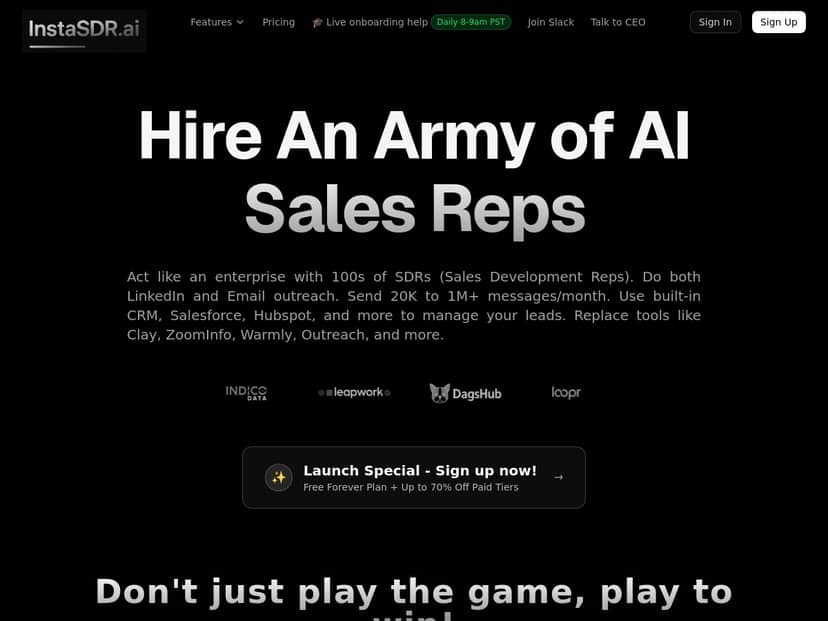
Pricing is one of those areas where screenshots and blog claims can get outdated fast, so I recommend you double-check the current plan details on the official site before committing. When I reviewed it during my test, InstaSDR.ai had a free forever plan and paid tiers starting at around $99/month.
What the paid tiers looked like (based on what I saw):
- Higher tiers support up to 44,500 engagements monthly (the exact definition of “engagement” can vary—usually it’s tied to email interactions/campaign actions, so confirm what counts for your use case).
- Team member limits: some tiers mention unlimited team members, which matters if you’re rolling this out across SDRs.
- Launch specials: there are sometimes discounts (I saw references to discounts up to 70% at one point), but those are time-based.
If you want to be sure you’re comparing apples to apples, check the pricing page for:
- Exact plan names
- Monthly limits (and what “engagements” includes)
- Whether video email creation counts differently than standard emails
- Any restrictions on sending volume or campaign frequency
Quick decision framework (so you don’t waste money)
Here’s how I’d choose between InstaSDR.ai and a more manual setup:
- Setup time: If you want to go from “idea” to “campaign live” fast, InstaSDR.ai is quicker than building everything yourself.
- Personalization control: You can edit outputs, but you’ll get the best results when you give it strong inputs upfront.
- Deliverability performance: It includes warm-up/deliverability checks, but list quality + sending discipline still matter.
- CRM sync reliability: Great when your CRM fields are clean; frustrating when your data is messy.
- Team permissions: If multiple people manage campaigns, workspaces/roles are a big plus.
- Cost per outcome: Don’t judge by “engagements” alone—judge by replies and booked meetings. That’s the real metric.
Wrap up
After testing InstaSDR.ai, my honest take is this: it’s a strong option if you want to scale outbound using research-driven personalization and video email sequences—without spending your life writing the same outreach over and over.
It’s not magic, though. You still need to review the generated scripts, keep your inputs specific, and maintain list hygiene if you care about deliverability. But if you’re already doing outbound and you want a tool that can help you run better A/B tests and ship campaigns faster, InstaSDR.ai earns a spot on the shortlist.