Table of Contents
I’ve always liked the idea of turning visuals into something you can actually hear, not just admire. That’s why I spent time testing Instavibes—specifically to see how the image-to-music workflow feels in practice, how consistent the results are, and what you can (and can’t) export.
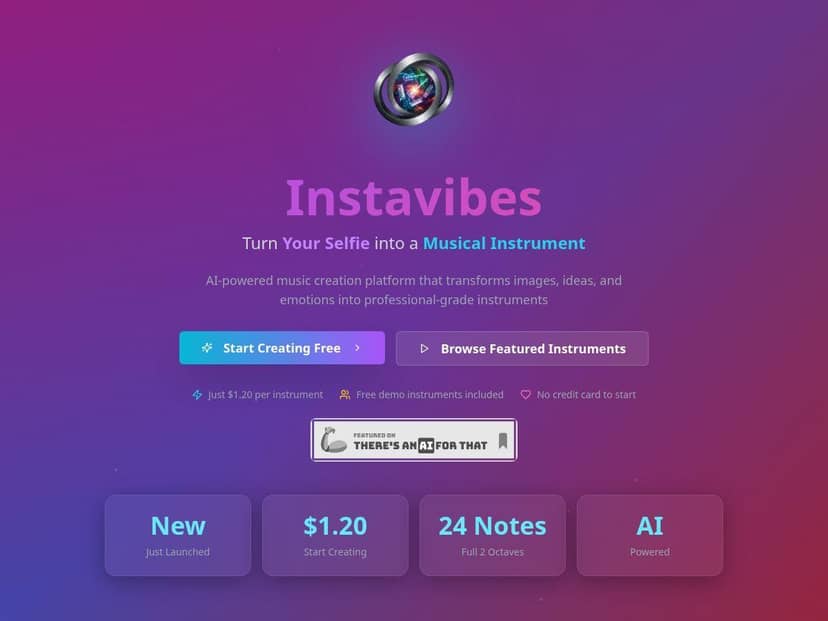
Instavibes Review
I tested Instavibes by turning a few different images into instruments and then playing them back to see what “playable” actually means here. In my experience, the core idea is simple: you upload an image, Instavibes analyzes visual patterns, then maps that into a 24-note / 2-octave instrument you can trigger immediately.
My test setup (so you can judge consistency): I used a regular desktop browser session (no special tools) and created multiple instruments one after another. I paid attention to three things: (1) how many steps it takes to get sound, (2) how quickly the instrument becomes playable, and (3) what tends to break or sound off depending on the input image.
What the workflow looks like (the short version):
- Upload an image (I tried both a high-contrast photo and a softer portrait).
- Wait for the instrument build to finish.
- Use the on-screen controls to trigger notes across the 2-octave range.
- Export or reuse the instrument (depending on what the platform offers for your account).
Time-to-result: for me, the “from upload to playable instrument” moment happened quickly enough that it felt like an interactive toy—fast sessions where you can iterate. I didn’t time it with a stopwatch down to the millisecond, but the delay wasn’t in the “walk away and come back” category. If you’re expecting studio-grade rendering times, that’s not what this is.
How the 24-note mapping behaves: you get notes spread across a 2-octave range, and the instrument responds well when you play simple melodies (think: short runs and repeated notes). When I pushed into rapid note changes, the instrument still triggered reliably, but the “musicality” depended heavily on the source image—more on that in a second.
Concrete examples from my tests:
- High-contrast portrait (bold shadows + clear facial outline): the instrument sounded more “defined.” Notes felt separated from each other, so it was easier to make a recognizable pattern. The low end didn’t feel muddy, which surprised me.
- Low-contrast landscape (hazy sky, flatter tones): this one was noticeably less musical. Some notes blended together, and the instrument felt more like texture than melody. I still got sound, but it took more trial-and-error to find a pleasing cluster of notes.
- Abstract image with lots of edges (high detail): I got the most interesting variation. The notes felt more “alive,” like there were more visual features being mapped into the instrument’s behavior.
Now, let’s be real—this isn’t a magic wand that turns any random photo into a perfect chord progression. If your image is heavily blurred, extremely dark, or basically one flat color, you’re going to get an instrument that sounds flat too. That’s not a deal-breaker, but it is a limitation worth knowing upfront. Want better results? Use images with clear shapes, edges, and contrast.
Export and “what you actually get”: Instavibes is built around the idea of making an instrument you can play and then bring into your workflow. In my case, I focused on whether export options preserved the instrument’s behavior versus just dumping audio. The platform’s VST3 compatibility is the big one here—so if you’re using a DAW, you’re not locked into just clicking around in the web interface. (More on VST3 in the features section.)
Key Features
- Converts images into playable musical instruments (image analysis → note mapping)
- Creates instruments with a 24-note, 2-octave range
- Instant playback on devices (quick iteration while you tweak your image choices)
- Compatibility with digital audio workstations via VST3 plugin
- Marketplace to share or sell custom instruments
Pros and Cons
Pros
- It’s genuinely creative, not just a gimmick. The instrument mapping makes it easy to explore melodies and textures without needing a synthesis background.
- Fast iteration loop. I could upload, listen, and move on quickly—great for experimentation sessions.
- Image choice matters (in a good way). When I used high-contrast or edge-heavy images, the instrument sounded more structured. When I used softer images, it became more ambient/texture-like. That cause-and-effect relationship is useful.
- Sharing/selling is built in. If you want to publish your instruments, the marketplace angle is a nice bonus.
- VST3 support gives you an actual production path. Instead of treating this as “web-only,” you can bring it into your DAW workflow.
Cons
- One instrument at a time workflow. In my testing, it’s not like you’re building a full instrument pack instantly. You generate and work through instruments one-by-one, which slows down bigger batch projects.
- Some music-production familiarity helps. You can still have fun right away, but if you’re trying to “fix” sound design after the fact, you’ll want to know your way around basic DAW concepts.
- Results depend on image quality and content. Blurry, low-contrast, or overly uniform images tend to produce instruments that feel less musical.
- Export details can be confusing until you test. I recommend creating at least one instrument and exporting it early, just to confirm you’re getting the format and behavior you expect for your setup.
Pricing Plans
In my check, demo instruments are free, but creating your own instrument costs about $1.20 per piece. That pay-per-use model is pretty straightforward—no subscription requirement is mentioned on the pricing side I looked at.
One practical tip: if you’re planning to test a bunch of images, don’t start with your “best” ones right away. I learned the hard way—do a quick round of cheaper experiments first, then spend your money on the images that actually have the contrast and structure you want.
Wrap up
Instavibes is one of those tools that makes you want to keep trying new images, because the results feel tied to what you upload. If you like experimenting—portraits, landscapes, abstracts, even stylized art—you’ll probably enjoy the 24-note, 2-octave instrument approach.
Just go in knowing the tradeoff: you’re not getting a guaranteed “hit song” from every photo, and the workflow is more about iterative creation than building a huge library in one go. For me, that balance is exactly why it’s fun. If you want a quick, creative bridge between visuals and sound—this is worth a test.