Table of Contents
What Is KraftCV?
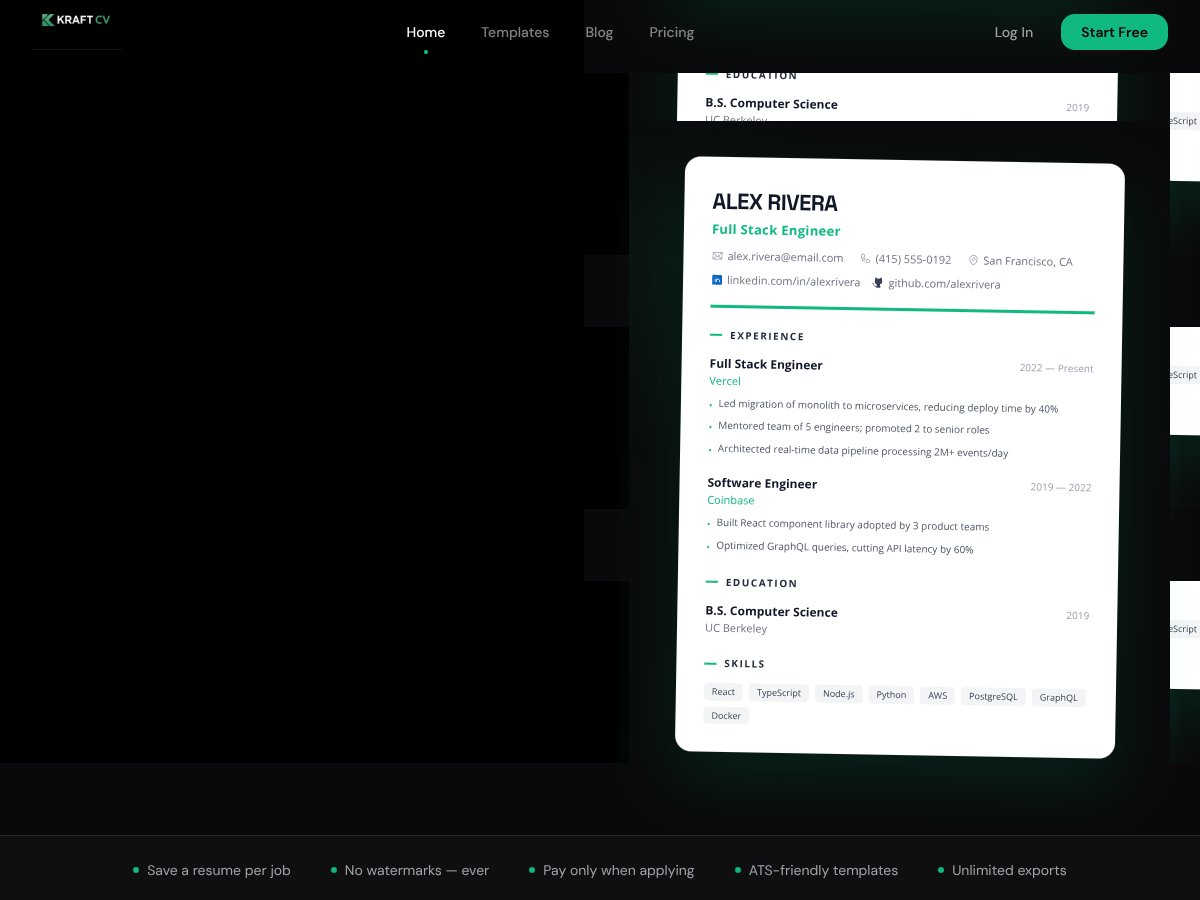
Honestly, I was pretty skeptical when I first heard about KraftCV. The whole idea of a resume builder that tailors itself automatically to a specific job sounded both convenient and a little too good to be true. So naturally, I decided to give it a spin and see if it lives up to the hype—or if it’s just another tool that overpromises and underdelivers.
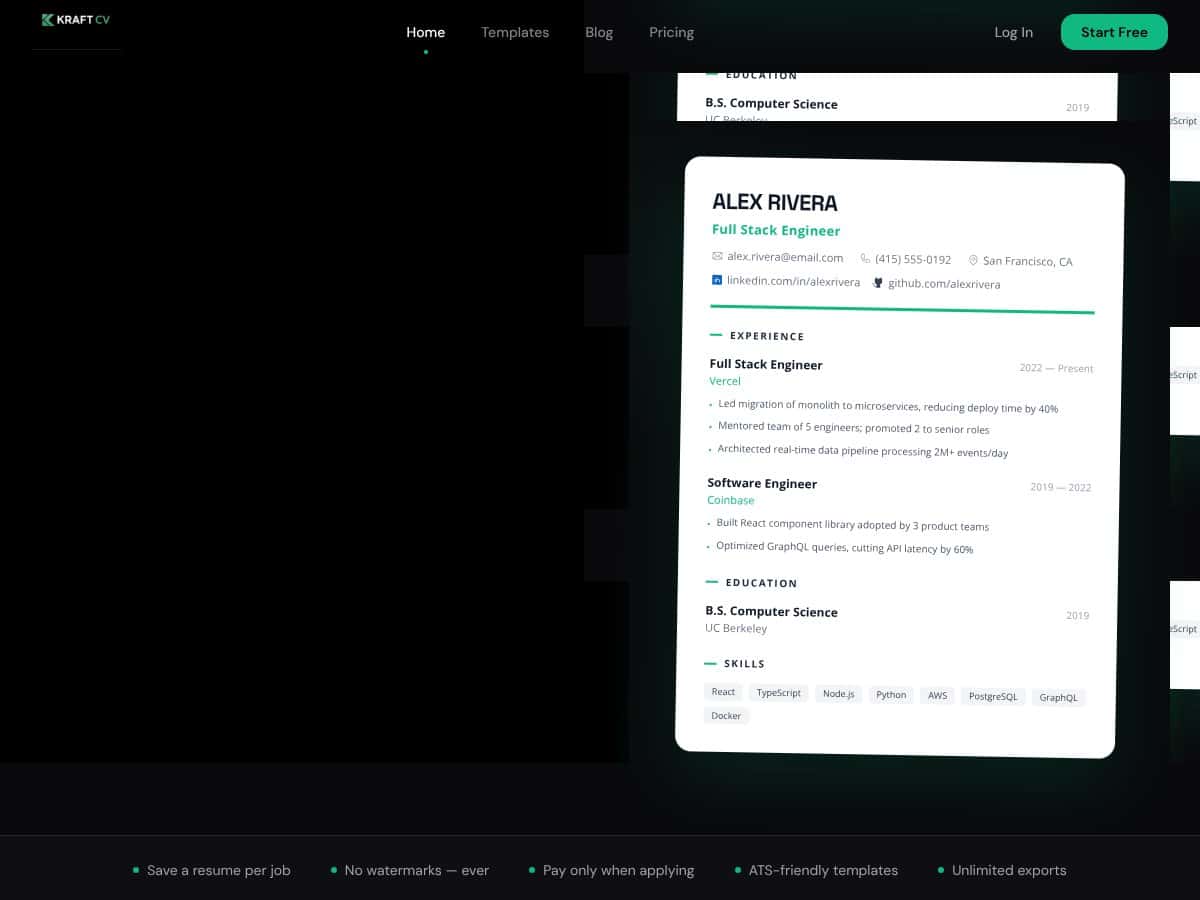
At its core, KraftCV claims to solve a common headache: creating multiple, tailored resumes for different jobs without spending hours copy-pasting or fiddling with formatting. Instead of building a resume from scratch or using generic templates, you save a job posting from LinkedIn or Indeed, and the tool uses AI to generate a version of your resume that’s optimized for that specific role. The idea is to make your application more attractive to ATS systems and recruiters, all while saving you time.
What I noticed was, the company behind KraftCV isn’t a household name—it's a newer player in the resume tech scene, and their website doesn’t give much info about the team or their background. That’s a bit of a red flag in my experience, but I suppose it’s still early days for them. They do seem focused on serving tech professionals with developer-centric features like GitHub integration and ATS checks.
My first impression? The promise of tailored resumes at just $1 a day or free exports without watermarks sounded tempting enough to try out. And honestly, for what it’s worth, the basic idea is as advertised: you can import a LinkedIn profile or PDF, save a job, and generate a tailored resume. But don’t expect a fully polished, drag-and-drop editor with tons of customization options—this isn’t a Canva or a traditional resume builder. It’s more of a specialized tool aimed at streamlining the process for tech applicants.
That said, it’s important to manage expectations: KraftCV isn’t a comprehensive resume platform with a lot of bells and whistles. It does what it claims—mainly, generating a tailored resume for a specific role—but beyond that, it doesn’t have a ton of extras like detailed templates, multi-page layouts, or a mobile app. It’s focused, perhaps too narrowly, on the use case of job-specific tailoring for developers and tech folks.
Who Is KraftCV Actually For?
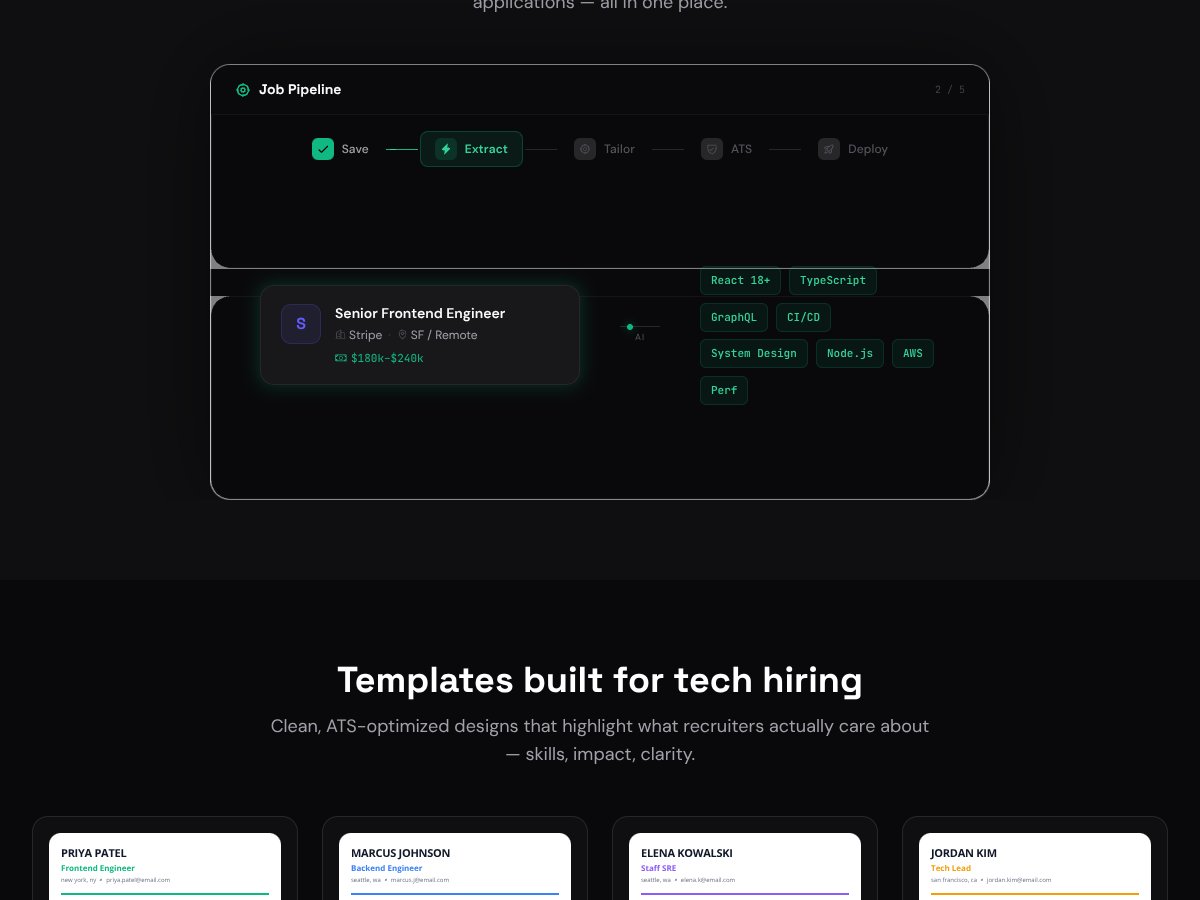
The ideal user for KraftCV is a tech professional, especially developers, who frequently apply for roles requiring tailored resumes. If you’re managing multiple job applications and want to quickly generate ATS-friendly, impactful resumes that highlight your projects, skills, and impact, this tool fits perfectly. It’s especially useful if you already have a strong GitHub portfolio and want to leverage that in your resume effortlessly. Solo engineers, startup founders, or even technical managers who need a fast way to produce role-specific resumes without fussing with templates will find KraftCV a real time-saver.
For example, imagine you’re a full-stack engineer applying to several startups. You save each job posting from LinkedIn, tweak the AI tailoring, and generate customized resumes in minutes. The ATS scanner helps ensure your resume isn’t just pretty but actually gets seen by recruiters. The version history allows you to compare different iterations or roles, and the metric coach helps quantify your impact, making your resume more compelling.
That said, if you’re not technically inclined or your application process is more traditional (e.g., HR roles, non-tech fields), KraftCV might be overkill or not as helpful compared to simpler builders or even just Google Docs.
How KraftCV Stacks Up Against Alternatives
Canva
- Canva is primarily a design tool, offering a wide variety of visually appealing resume templates, but it doesn't focus on ATS optimization or tailored content. It’s great if you want a flashy visual, but less ideal if you need a recruiter-friendly resume that hits keywords.
- Pricing-wise, Canva offers a free tier with basic templates, then premium plans start at around $12.99/month for access to all features.
- Choose this if you prioritize design and visual impact over ATS optimization or customization for specific roles.
- Stick with KraftCV if you want tailored, ATS-ready resumes specifically for tech jobs, especially if GitHub integration and keyword optimization matter to you.
Google Docs
- Google Docs is free, simple, and offers basic templates. It’s flexible but requires manual editing to tailor resumes and doesn’t include AI or ATS features.
- Price: Free.
- Choose this if you want total control and are comfortable customizing your resume without automation.
- Stick with KraftCV if you want AI-driven tailoring, ATS scans, and easier project bullets generation—saving a lot of time.
FlowCV
- FlowCV offers modern templates with a focus on simplicity and ease of use. It includes some automation but lacks the deep AI tailoring and GitHub integration of KraftCV.
- Pricing is around $10/month, with one free resume limit per month.
- Choose this if you want quick, stylish resumes without fuss but don’t need extensive customization or developer-specific features.
- Stick with KraftCV if you’re a developer needing project bullets from GitHub or tailored AI suggestions for tech roles.
ResumeBuilder.com
- This platform provides guided resume creation with step-by-step prompts, aiming at beginners or those needing a quick resume. It’s less focused on ATS optimization or customization for specific roles.
- Pricing starts at around $2.95 for a trial, then approximately $23.95 every 4 weeks.
- Choose this if you prefer guided input and simple templates over automation and role-specific tailoring.
- Stick with KraftCV if you want AI-driven customization, especially for tech-specific resumes with project details pulled from GitHub.
Final Verdict: Should You Try KraftCV?
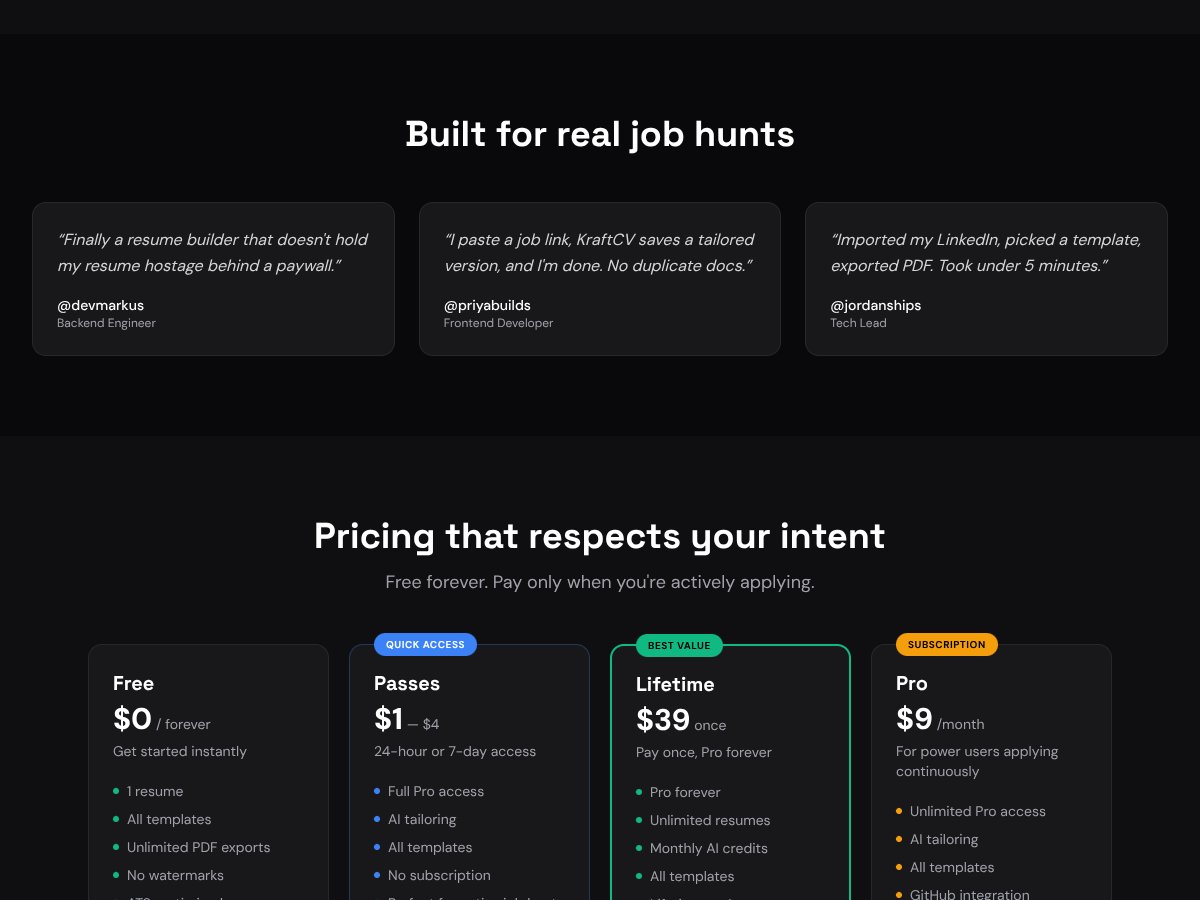
Overall, I’d give KraftCV a solid 7/10. It’s a tool that’s clearly built with developers and tech pros in mind, especially thanks to GitHub integration and ATS-optimized templates. It’s not perfect — the mobile experience is limited, and some features are behind paywalls — but for the price, it offers a lot of value.
If you’re a software engineer or developer regularly applying for roles, especially if you want quick tailoring and project bullets from your repositories, KraftCV is a good bet to streamline your process.
However, if design is your main concern or you prefer a drag-and-drop builder with lots of visual flair, Canva or FlowCV might suit you better. Also, if you’re on a tight budget and only need something simple, Google Docs remains a solid free option.
For most tech folks, the free tier is worth trying since it offers unlimited PDF exports and ATS checks. Upgrading to paid is worthwhile if you want AI tailoring or GitHub integration to save even more time. Personally, I’d recommend giving it a shot if you’re comfortable with a desktop-first tool and want a resume that’s ready for ATS screening. If you need a highly visual or mobile-optimized resume, you might look elsewhere.
If you’re a developer or tech professional wanting to cut down resume prep time and improve your match rate, give KraftCV a try. If your focus is on design, visual impact, or budget-friendly simplicity, explore other options.
Common Questions About KraftCV
- Is KraftCV worth the money? – For tech professionals who value AI tailoring and GitHub integration, it’s a worthwhile investment, especially at its affordable prices. If you only need basic resumes, free tools might suffice.
- Is there a free version? – Yes, the free tier allows you to create one resume, access 6-8 templates, export unlimited PDFs without watermarks, and use basic AI features.
- How does it compare to Canva? – KraftCV is more focused on ATS optimization and developer-specific features, while Canva emphasizes design and visual appeal. Choose Canva if you want a stunning visual resume; pick KraftCV for role-specific, optimized content.
- Can I use KraftCV on mobile? – It’s primarily desktop-focused, with limited mobile support, so for best experience, use a desktop.
- Does KraftCV offer refunds? – Refund policies are not explicitly stated, but most paid plans can be canceled at any time. Check their support for specifics.
- Can I get project bullets from GitHub? – Yes, if you link your GitHub account, KraftCV can pull repositories and generate project bullets automatically.
- Is it suitable for non-tech roles? – While it's tailored for developers, the core resume building features can work for other fields, but the focus on GitHub integration and tech templates makes it ideal for tech roles.