Table of Contents
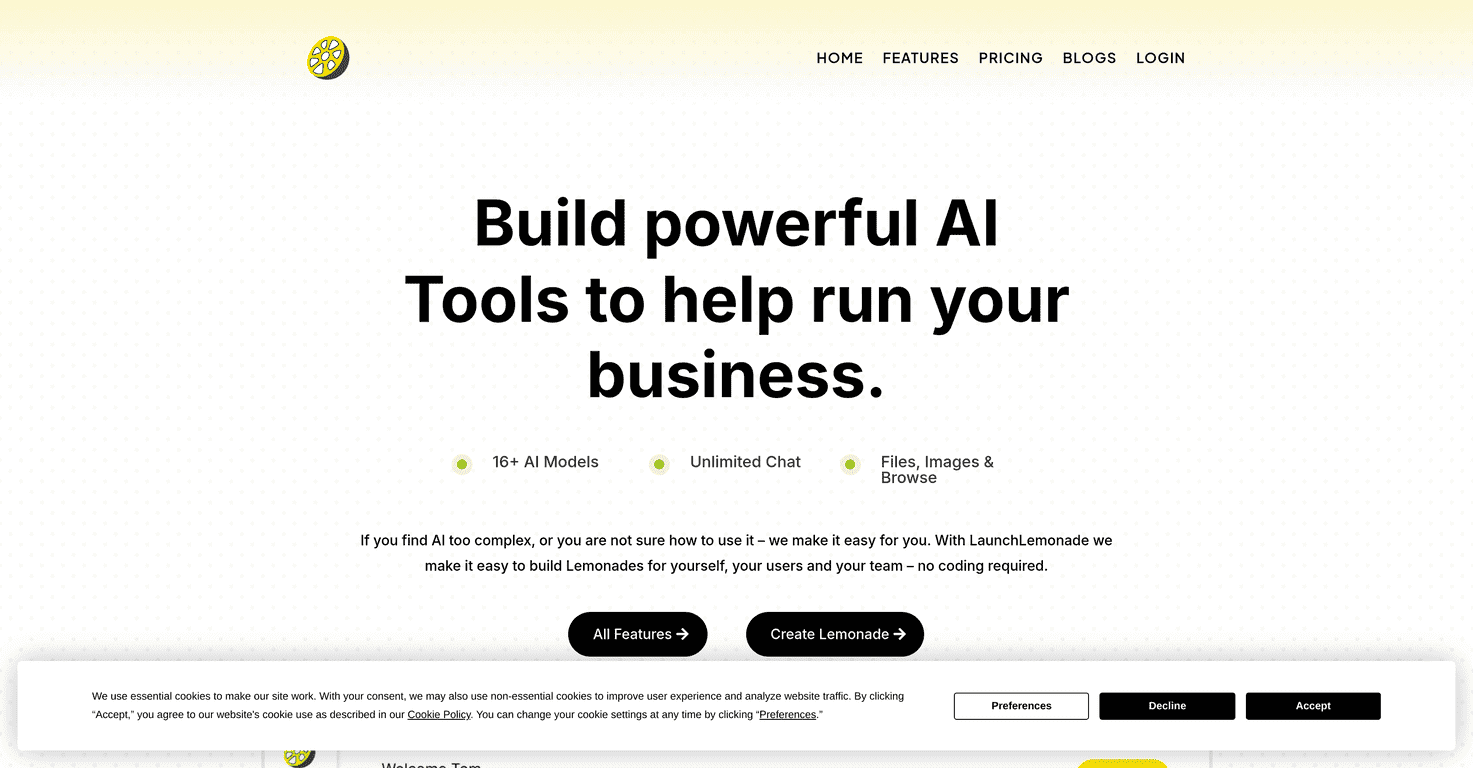
If you’ve ever looked at AI tools and thought, “Cool… but do I really need to learn code to use this?” you’re not alone. I felt that exact frustration when I first started testing AI for my own workflows. LaunchLemonade is built for people like me—non-techies who still want real results without spending days wrestling with setup.
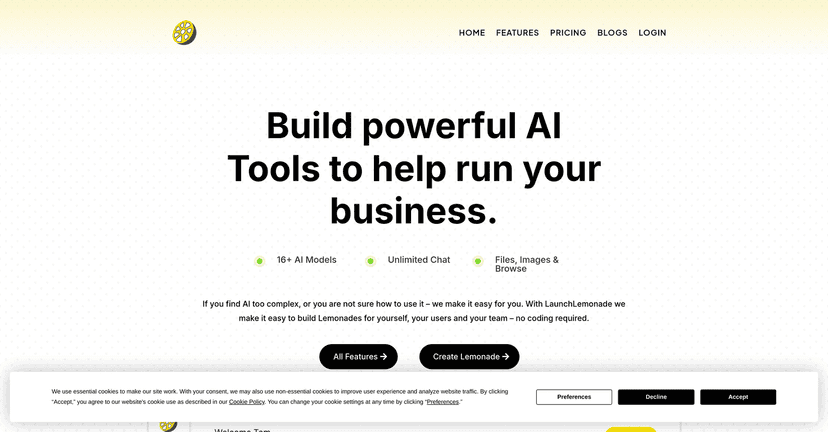
In simple terms, LaunchLemonade helps you create AI assistants and co-pilots through an interface that doesn’t assume you’re a developer. You pick a model, connect it to your use case, and you’re off. No complicated prompts buried under ten tabs. And yes, I actually tested the “how fast can I get something working?” angle—what surprised me was how quickly I could go from blank page to an assistant that could hold a conversation and handle basic tasks.

LaunchLemonade Review: AI Assistants Without the Tech Headache
LaunchLemonade’s whole pitch is “make AI accessible.” And honestly, that’s what it felt like when I used it. The platform is aimed at small business owners, marketers, and creators who want an assistant that can answer questions, help draft content, or support customer-facing tasks—without needing to understand model hosting, API keys, or prompt engineering jargon.
One thing I liked right away: the flow doesn’t feel like you’re building a rocket ship. You’re basically configuring an assistant. You choose from 16+ AI models, which matters because different tasks often do better with different model styles. For example, I noticed faster “brainstorming” style responses with some models, while other models felt more structured when I asked for outlines, checklists, or step-by-step plans.
Setup also felt quick. I didn’t time it with a stopwatch, but I was able to get a working assistant up in about 15 minutes—and that includes the part where I was testing prompts and tweaking the basics. If you’re the kind of person who wants results today (not “sometime next week”), that’s a big deal.
Also, the support side is not just marketing fluff. When I ran into a couple of “wait, where do I change X?” moments, it was clear there’s help available rather than leaving you to figure everything out alone. That’s often the difference between “cool tool” and “tool I’ll actually keep using.”
So who is LaunchLemonade best for? In my experience, it’s a strong fit if you want:
- A simple way to turn your business needs into an AI assistant
- Chat-based workflows (support, lead follow-ups, FAQs, content drafts)
- Something you can brand or share with your team
- Less setup time and fewer technical steps
Key Features I Actually Looked For
- 16+ AI Models for diverse project options
I tested a few different prompts—brainstorming, rewriting, and structured outputs—and I could feel the difference between models. It’s not magic, but having options helps you avoid the “why does this model keep giving me the wrong style?” problem. - Unlimited Chat sessions for enhanced interaction
This is the kind of feature that matters once you start iterating. I didn’t want to worry about hitting a limit right when I was refining prompts or testing variations for different customers. - Ability to upload Files and Images to improve engagements
This is one of the most practical features for non-tech users. Instead of only pasting text, you can upload things like screenshots, documents, or reference material. I found it especially useful when I wanted the assistant to base answers on a specific piece of info rather than generic knowledge. - Seamless Integration without coding skills required
I’m not trying to build an engineering stack—I just want the assistant working. LaunchLemonade keeps the process straightforward so you can focus on the assistant’s purpose instead of plumbing. - Whitelabel Solutions for branding your AI tools
If you’re using AI for client work or want your business name on the experience, whitelabel is a big plus. It’s the difference between “using a tool” and “offering a branded service.” - Team Collaboration features for shared access
This matters more than people think. I like being able to collaborate instead of having one person own everything. Even small teams benefit when multiple people can review or build on the same assistant. - Flexible Model Switching for easy changes
Being able to swap models without starting over is a nice quality-of-life feature. If you try a model and it’s not the right fit, you don’t have to rebuild your setup from scratch.
What it feels like to use day-to-day
When I used LaunchLemonade, the biggest advantage was speed. The platform makes it easier to go from idea to assistant. Instead of spending hours planning architecture, I could test prompts, adjust instructions, and see results quickly.
That’s also why it’s a good tool for “marketing + operations” tasks. For example:
- Drafting landing page copy from a few bullet points
- Turning messy notes into a clean FAQ-style response
- Creating internal SOPs/checklists (then refining for clarity)
- Helping with customer support replies in a consistent tone
One more thing: the “co-pilot” concept makes sense here. It’s not just a chatbot you talk to once—it’s something you can keep using as part of a workflow.
Pros and Cons (Straight From My Testing)
Pros
- User-friendly interface for non-technical users — I didn’t have to hunt through tutorials just to get started.
- Time-efficient deployment process — I got a working assistant up fast, and iteration didn’t feel painful.
- Good variety with 16+ AI models — it’s easier to match a model to the task style you want.
- Support feels available — when questions came up, it didn’t feel like I was stuck alone.
- Whitelabel is a practical feature — useful if you’re providing AI services to others or want a branded experience.
Cons
- You can still hit the “model mismatch” problem — if you pick the wrong model for the job, the output won’t be what you expect. Switching helps, but it’s still something you have to manage.
- There’s a learning curve for non-technical users — not a coding curve, but a “how do I structure my assistant instructions?” curve. Once you get that right, things improve a lot.
- File/Image uploads may require trial and error — depending on what you upload, you might need to adjust how you ask the assistant to use that material.
Pricing Plans: What to Expect
Pricing can vary based on what you need, so I’d suggest checking the current details directly on the LaunchLemonade pricing page (it’s the most reliable way to confirm the latest tiers). That said, in the market, LaunchLemonade is often positioned as an affordable option.
In general, individual tools tend to land around £20–£30, which is competitive when you compare it to more complex AI setups. If you’re a freelancer or small business owner trying to get value quickly, that price range is usually easier to justify.
Quick tip: before you subscribe, think about your “minimum viable assistant.” What’s the one task you want it to do every day? If you can get that working, pricing becomes a lot easier to evaluate.
Wrap-up
For non-techies who want an AI assistant without building a whole system from scratch, LaunchLemonade is genuinely worth a look. I like that it’s fast to set up, offers 16+ AI models, and supports practical features like file/image uploads and whitelabel branding.
It’s not perfect—model selection and figuring out the best assistant instructions can take a little experimenting—but that’s normal with AI tools. What matters is that LaunchLemonade makes that experimenting easier, not harder. If you want something you can actually use in your business this week, it fits that goal.