Table of Contents
What Is NoteThisDown?
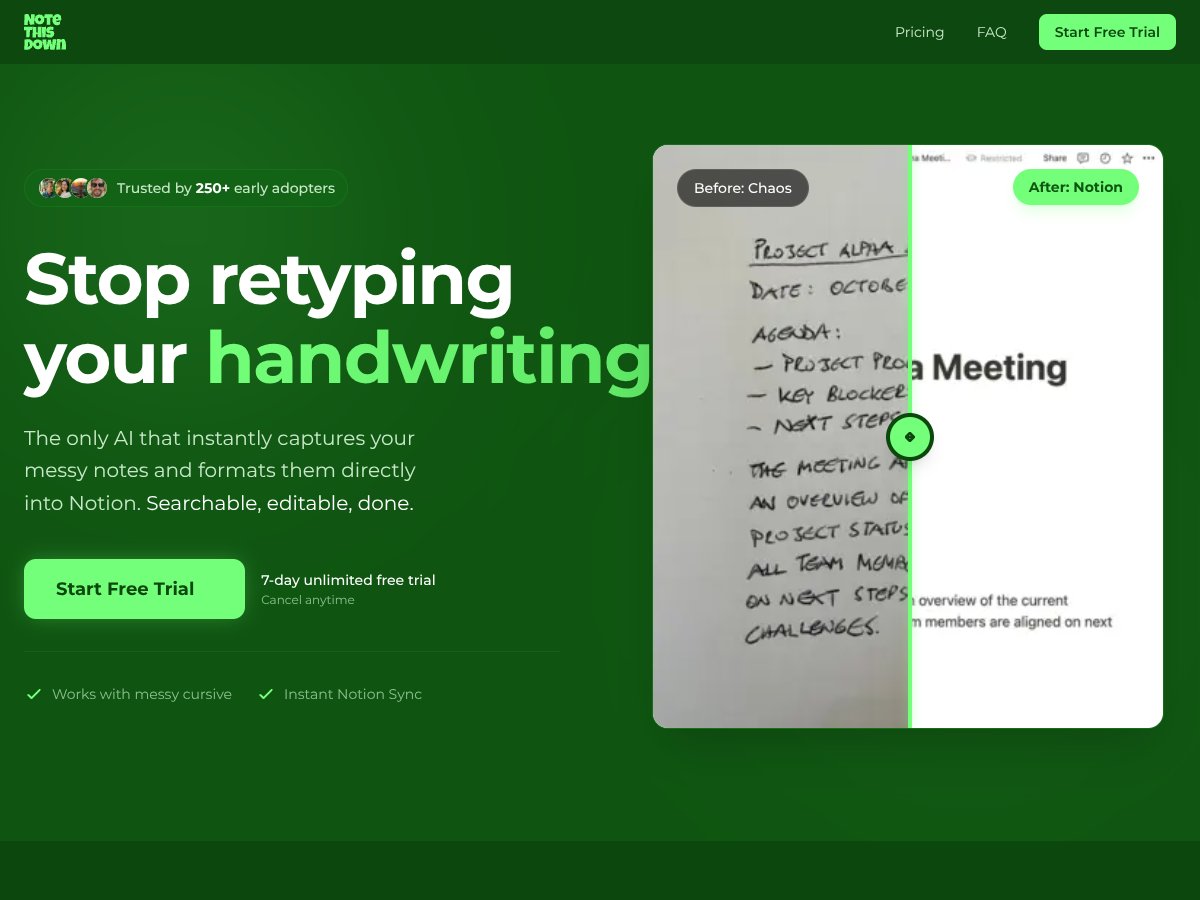
Honestly, when I first heard about NoteThisDown, I was pretty skeptical. The idea of snapping a photo of messy handwriting and having it magically appear as a formatted, editable page in Notion? It sounds too good to be true. But I was curious enough to give it a shot, especially since I’ve wasted a ton of time retyping handwritten notes over the years.
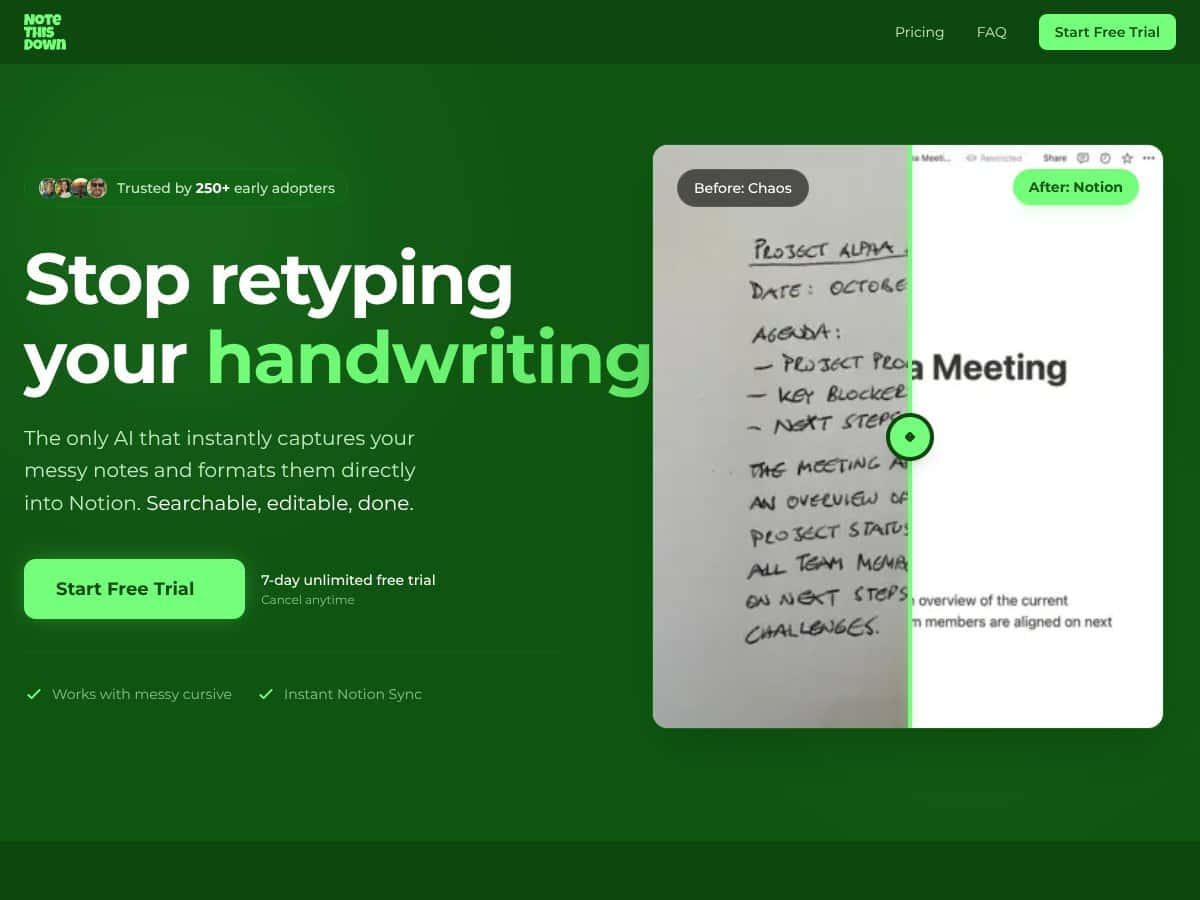
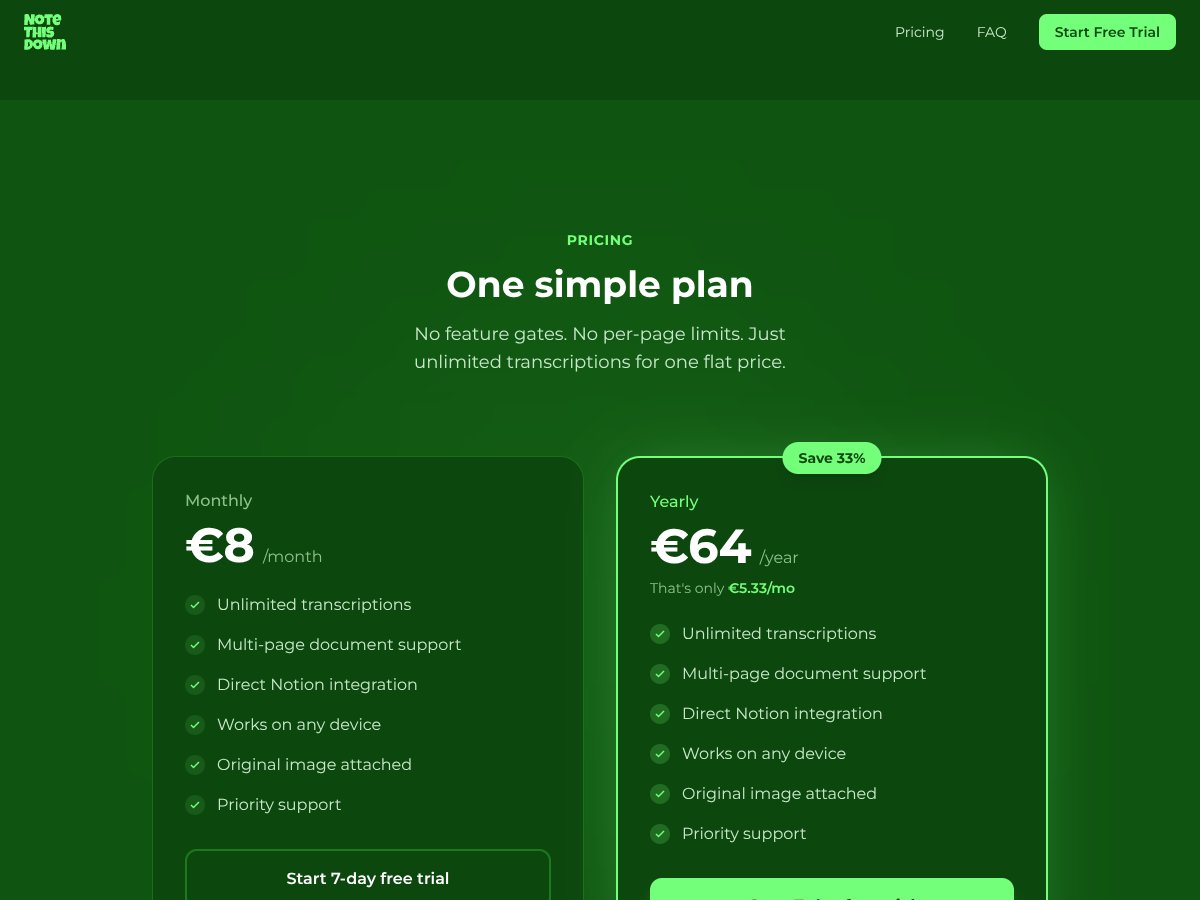
So, what does it actually do? In plain English, NoteThisDown is a web-based app that lets you take a picture of your handwritten notes—whether they’re messy cursive, faded ink, or whatever—and then it transcribes that handwriting into digital text. The twist is, it then creates a nicely formatted page directly inside your Notion workspace, complete with date stamps, tags, and the original photo attached. It’s basically trying to automate the boring part of going from paper to digital, with minimal fuss.
The main problem it’s trying to solve is the time sink and hassle of manually retyping or copying notes from paper into your digital tools. If you’re like me, you’ve probably got a box of notebooks filled with scribbles, and the thought of digitizing all that is daunting. NoteThisDown aims to make that process instant and effortless.
As for who’s behind it, the company isn’t a household name, but they seem to focus heavily on productivity and note-taking niches. Their website doesn’t spill a lot of details about the team, which is a bit of a red flag for credibility. But the product itself looks polished, and the features match what they promise. That said, I didn’t find any extensive info about the developers or a support team, so I’d say it’s a small operation or startup.
My initial impression was that it’s as advertised—at least in terms of what it claims to do. I was able to upload photos and see the transcribed text appear in Notion within seconds. But I also noticed that it’s not magic; the quality of the results depends heavily on how clear your handwriting and photos are. It’s not perfect, but it’s surprisingly good for messy notes.
What I need to clarify upfront is what NoteThisDown isn’t: it’s not a full note-taking app, nor does it offer a broad set of editing tools or integrations outside Notion. It’s really focused on handwriting transcription and direct Notion export. So if you’re hoping for a one-stop digital notebook, this isn’t it. Also, there’s no mention of support for other platforms like Evernote or OneNote, which might be a dealbreaker if you use those.
NoteThisDown Pricing: Is It Worth It?
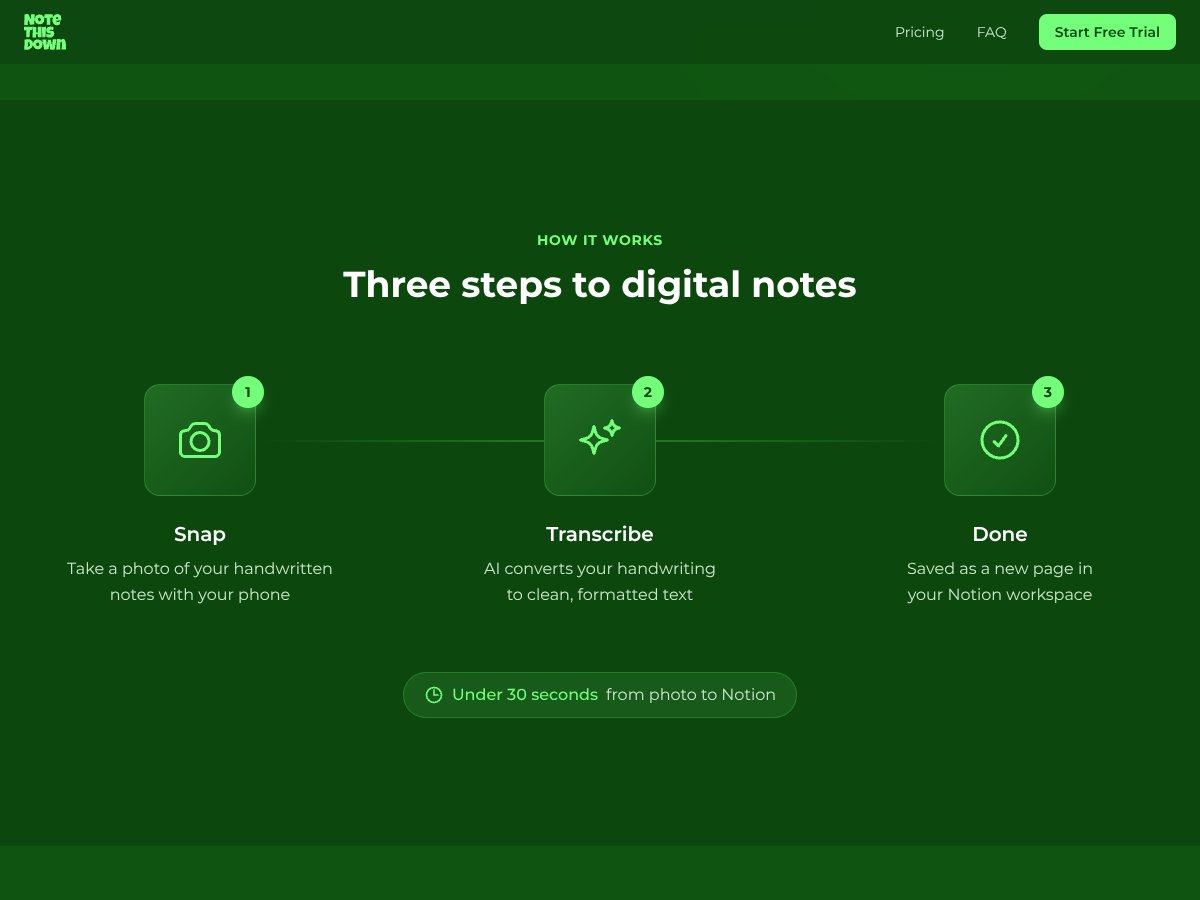
- Unlimited transcriptions
- Multi-page document support
- Direct Notion integration
- Works on any device
- Original image attachment
- Priority support
- Start with a 7-day free trial
- All monthly features
- Cost savings compared to monthly billing
- Same unlimited transcriptions and support
- Start with a 7-day free trial
| Plan | Price | What You Get | My Take |
|---|---|---|---|
| Monthly | €8 / month | Fairly priced for what it offers, especially considering unlimited usage and seamless Notion integration. The flat rate simplifies budgeting—no per-page fees or feature gates. But be aware that after the trial, you’re committed to €8/month, which adds up over time. | |
| Yearly | €64 / year (~€5.33/month) | This is the better deal if you're planning to use it long-term. At roughly €5.33/month, it’s quite competitive—especially if you’re a heavy user of handwritten notes and rely on Notion as your digital workspace. Just keep in mind the recurring subscription, and consider if your note-taking needs justify the investment. |
Here's the thing about the pricing: it’s straightforward and transparent, which is refreshing. Unlike some tools that lock features behind tiered plans or charge per page, NoteThisDown offers unlimited transcriptions for a flat fee. That’s a big plus if you’re someone who takes a lot of handwritten notes. However, it’s worth noting that the pricing seems to vary slightly depending on the source—some mention $16/month, others €8. So, watch out for regional differences or promotional pricing. What they don't tell you on the sales page is whether there are any hidden costs—like add-ons or limits on the number of images per upload. From what I’ve seen, there aren’t any explicit restrictions, but if you’re uploading hundreds of pages weekly, it’s worth confirming there's no cap on total uploads or storage that could affect you. This plan makes sense for students, researchers, or professionals who need to digitize large volumes of handwritten notes regularly. If you’re only transcribing occasionally, the monthly plan might feel like overkill—consider whether the subscription cost aligns with your usage. Fair warning: if your handwriting is extremely messy or you often upload low-quality photos, you might not get the results you expect, which could make the subscription feel less worthwhile. Also, if you need support for platforms other than Notion, this tool won’t serve you—it's pretty much a Notion-only solution.
The Good and The Bad
What I Liked
- Seamless Notion integration: The way it automatically creates formatted pages with tags, dates, and attached images saves me time and keeps everything organized without extra work.
- High accuracy with messy handwriting: Even cursive or faded ink gets deciphered well enough that I rarely have to manually edit the transcriptions.
- Multi-page support: Upload a batch of notes, and it compiles them into one cohesive document—huge time saver for lecture notes or meeting summaries.
- Works on any device: The progressive web app is smooth on phone, tablet, or desktop. I can snap a photo on my phone and have it in Notion seconds later.
- Unlimited transcriptions at a flat rate: No per-page or per-upload charges, which is a relief for heavy users who hate paying extra for each note.
- Original image attached: Keeping the photo alongside the text helps if I need to verify handwriting later or share the original note.
What Could Be Better
- Limited platform support: It only works with Notion, so if you’re not already using Notion or don’t want to, this isn’t the tool for you.
- Dependence on photo quality: If your lighting is poor or your handwriting is extremely illegible, accuracy drops, and you might end up doing more manual correction than expected.
- Pricing transparency issues: Some sources mention different prices, which can be confusing. Plus, there’s no info on what happens if you exceed a certain amount of uploads or storage—though that’s probably not an issue now.
- No free tier beyond the trial: After the 7-day free trial, you’re paying if you want to keep using it—no forever-free plan for light users.
- No mention of OCR customization or accuracy tweaking: If you have very particular needs or handwriting styles, there’s no way to fine-tune the AI’s performance.
Who Is NoteThisDown Actually For?
This tool is best suited for students, researchers, or professionals who frequently take handwritten notes and want to streamline their digital workflow—specifically, those who use Notion. If you’re in a meeting-heavy role, like a project manager or consultant, and you’re tired of retyping scribbled action items or meeting minutes, NoteThisDown can save you hours each week. It’s also ideal for anyone who’s comfortable with their handwriting but doesn’t want to spend time manually transcribing or formatting notes. For example, a medical student who takes notes during lectures, or a researcher with a mountain of handwritten lab notes, will find this particularly useful. Conversely, if you tend to write in very faint ink, or your notes are heavily diagrammatic with lots of sketches, the AI might struggle. Also, if you’re not already using Notion, or you prefer other platforms like Evernote or OneNote, this isn’t the right tool for you. In essence, if your workflow involves a lot of handwritten notes that you want to organize and search easily within Notion, and you’re okay with the subscription model, NoteThisDown is worth considering.
Who Should Look Elsewhere
If you’re someone who only transcribes notes once in a while, or if you prefer free tools and are willing to do manual formatting, then NoteThisDown might be overkill. The paid plan, while fair, is an ongoing expense that doesn’t make sense for occasional users. People who need support for platforms other than Notion—like Evernote, Google Docs, or OneDrive—will be disappointed. This tool is very much tied to Notion’s ecosystem, so if you’re not committed to that, look elsewhere. If your handwriting is very inconsistent or you often write in highly stylized or decorative scripts, the AI’s accuracy might not meet your expectations. In such cases, a dedicated handwriting OCR app like MyScript Nebo or Microsoft OneNote’s handwriting recognition might serve you better. Finally, if you’re looking for an all-in-one note-taking app that handles typing, drawing, and multimedia notes within one platform, this isn’t it. NoteThisDown is specifically about digitizing handwritten notes into Notion, so if your needs extend beyond that, consider other options.
How NoteThisDown Stacks Up Against Alternatives
Microsoft OneNote
- OneNote is free and offers basic handwriting recognition and note organization, but it doesn’t specialize in quick digitization of handwritten notes via photos. Its OCR is decent but less seamless when converting physical notes directly into well-formatted digital pages.
- Price comparison: Free for basic use; Microsoft 365 subscription (around $69.99/year) unlocks more features, but the handwriting-to-text feature isn’t its main selling point.
- Choose this if... you want a free, highly versatile note app that integrates well with Office tools, and don’t mind manual transcription or less optimized handwriting conversion.
- Stick with NoteThisDown if... your main goal is quick, accurate digitization of handwritten notes directly into Notion without extra effort.
Notability
- Notability offers excellent handwriting recognition and note annotation, but it’s primarily focused on iOS and macOS. It doesn’t natively export to Notion, so you'd need an extra step to get your notes into your workspace.
- Pricing: Subscription-based at around $14.99/month or $99.99/year, making it pricier if you need only the handwriting recognition feature.
- Choose this if... you want a top-tier handwriting app on Apple devices and don’t mind exporting notes manually or using third-party tools.
- Stick with NoteThisDown if... you prefer seamless, automatic transfer of handwritten notes into Notion, especially on any device.
Pixno
- Pixno focuses on enhancing handwriting recognition and offers integrations with NoteThisDown for better conversion accuracy. It’s more of a complementary tool rather than a direct alternative.
- Pricing varies; some features are free, but full access is usually subscription-based, around $10-15/month.
- Choose this if... you want to improve handwriting conversion accuracy and already use NoteThisDown for Notion integration.
- Stick with NoteThisDown if... you’re after a straightforward, all-in-one solution for digitizing handwritten notes directly into your digital workspace.
Evernote
- Evernote offers OCR and note organization, but its handwriting recognition isn’t as advanced or specifically targeted at quick photo-to-text workflows. It’s more general-purpose.
- Pricing: Free tier available, with premium plans around $7.99/month or $69.99/year.
- Choose this if... you prefer a mature note app with broad features and don’t mind manually copying handwritten notes or using separate tools for quick transcriptions.
- Stick with NoteThisDown if... your focus is on fast, automated transfer of handwritten notes into Notion, saving you time and effort.
Bottom Line: Should You Try NoteThisDown?
Overall, I’d give NoteThisDown a solid 7/10. It’s a straightforward, time-saving tool that works well if your handwriting isn’t a complete mess and you mainly want to get notes into Notion fast. The accuracy is good enough for most casual needs, and the seamless Notion integration is a big plus. However, it’s not perfect—photo quality and handwriting style do matter, and you’re locked into a subscription after the trial.
It’s best suited for students, professionals, or anyone who takes lots of handwritten notes and wants to digitize them without fuss. If you’re okay paying €8/month or $8/month, the paid plan is worth it for the convenience. But if you need a free alternative or want to use other platforms besides Notion, you might want to explore other options.
If your main goal is to quickly turn handwritten notes into searchable, formatted pages in Notion, give NoteThisDown a shot. If you need a more flexible or free solution, your money might be better spent elsewhere.
Common Questions About NoteThisDown
- Is NoteThisDown worth the money? It’s a good value if quick, accurate digitization into Notion is your priority. It saves time and effort, but isn’t free.
- Is there a free version? There’s a 7-day free trial, but no permanent free tier. After that, you’ll need a subscription to keep using it.
- How does it compare to other OCR tools? It’s more focused on handwritten notes and integrates directly with Notion, which makes it more seamless than general OCR apps.
- Can I use it on multiple devices? Yes, it works on any device as a web app—phone, tablet, or desktop.
- What about privacy and security? Your data stays in your Notion account; the app doesn’t store your notes elsewhere.
- Is the accuracy reliable for messy handwriting? It’s quite good, even for messy notes, but photo quality and handwriting clarity still matter.
- Can I get a refund? Refund policies depend on the platform where you subscribe, typically Stripe or similar, so check their policies.