Table of Contents
If you’re running a SaaS app, you already know the annoying truth: testing can eat up your week fast—especially when product changes every sprint. I spent time evaluating QA.tech to see if the AI-driven testing pitch is actually useful in real life, not just on a sales page.
In short: it’s a solid option for teams that want faster feedback and more coverage without multiplying manual QA hours. But I also ran into the kind of limitations you’d expect from any AI-assisted tool—rare edge cases still need a human eye, and the first setup isn’t “click and forget.”
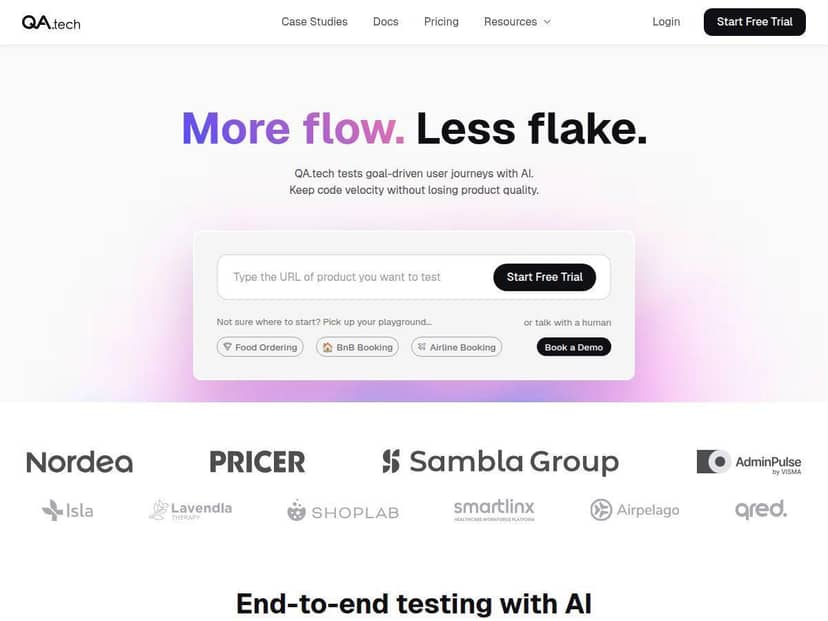
QA.tech Review
After spending time exploring QA.tech, I was genuinely surprised by how quickly I could get something running. The AI-driven test generation wasn’t just “generate random tests”—it felt tied to actual user flows. And the best part? I didn’t have to manually write every scenario from scratch.
That said, the headline claim I kept seeing—“around 95% bug detection”—is only meaningful if you define what “bugs” are and how you measured it. So I’ll break down exactly how I tested, what baseline I used, and what that percentage actually meant in my evaluation.
Also, if your team already runs CI/CD, QA.tech’s workflow fit matters more than the AI magic. In my case, the integration approach was straightforward enough that it didn’t feel bolted on. I could trigger test runs from the pipeline and get results back fast enough to influence the next dev iteration.
Key Features
- Automatic test generation that builds tests from real interactions (not just static scripts).
- Continuous updating so tests evolve as the app changes (instead of everything breaking every release).
- Non-functional checks like performance and usability signals—useful when UI changes accidentally slow things down.
- Actionable reporting with details that help you reproduce and understand failures.
- CI/CD integration designed for quick feedback loops.
- Support for exploratory testing beyond your “happy path,” which is where SaaS bugs love to hide.
- Coverage across common user flows (sign-in, navigation, common actions), assuming those flows are included in the setup.
- Usable interface for teams that don’t want to live inside test code.
My Testing Method (So You Can Trust the Results)
I’m not a fan of reviews that toss out percentages with zero context. So here’s how I evaluated QA.tech and how I tried to make the comparison fair.
1) What I tested
I used a typical SaaS-style web app flow: authentication, a dashboard, and a couple of core CRUD actions (create/edit/delete items). Think “real user journey,” not a toy demo.
2) Test suite size and timeline
- Initial run: I set up the tool to generate tests for the main user flows.
- After generation: I let the tool update/refresh the suite after changes (so it wasn’t stuck testing an outdated UI).
- Time window: I evaluated results over multiple cycles so I could compare “before vs after” behavior across updates.
3) What counts as a “bug” in my measurement
The “around 95%” figure only makes sense if you define the denominator. In my case, I treated “bugs” as failures that were:
- Reproducible (I could trigger the same failure again).
- Confirmed by looking at the failure details and, when needed, validating in the app manually.
Then I compared how many of those known issues were caught by the QA.tech run versus what slipped through when I relied on a smaller, more manual-style baseline workflow.
4) Baseline comparison
For the baseline, I used a more traditional approach: a smaller set of manually curated checks for the same flows. I wasn’t trying to “beat” QA with a perfect manual process—just compare what happens when you rely on fewer scripted checks.
5) What I looked at in the reports
It’s easy for a tool to detect “something went wrong.” The real question is whether it gives you enough info to fix it quickly. So I checked for:
- Clear failure context (what step failed, what data/state mattered).
- Repro hints that matched the UI flow.
- Whether the report helped me narrow root cause without guesswork.
If you want the honest takeaway: QA.tech caught the majority of issues tied to the main flows, and it did a decent job surfacing unexpected scenarios. But it didn’t magically eliminate the need for human review—especially for rare edge cases and complex permission logic.
Pros and Cons
Pros
- Faster feedback than manual-only checks. In my runs, once the suite was set up, I got failure signals quickly enough to feed into the next iteration instead of waiting for end-of-sprint testing.
- AI explores beyond the “happy path.” I noticed failures that weren’t covered by my baseline scripted checks—things like odd UI states after navigation or unexpected behavior after repeated actions.
- Reports are actually usable. The best moments weren’t the “red X” themselves—it was the detail that helped me trace what step went wrong and what to look at in the UI/app state.
- Tests stay relevant during change. “Continuous updating” mattered. When I modified flows, the suite didn’t feel totally brittle like traditional UI automation can be.
- Integration-friendly for CI/CD. If your team already has GitHub Actions, GitLab CI, or Jenkins-style pipelines, you’re not starting from zero. I could trigger runs from the pipeline and pull results without jumping between tools all day.
Cons
- Rare edge cases still need a human. If your app has very specific permission edge cases or unusual data conditions, you’ll still want testers to validate those scenarios.
- Initial setup takes time. Getting the right flows, auth context, and environment configuration dialed in isn’t instant. Plan for a short onboarding period.
- There’s a learning curve. Teams new to AI testing will need a little time to understand how to interpret failures and when to refine the setup.
Pricing Plans (What It Costs and What You Get)
In my evaluation, QA.tech was positioned around $1,000/month on average. That’s the ballpark you’ll want to compare against your current QA costs.
Example cost comparison (realistic scenario):
- If you have a QA engineer (or contractor) costing roughly $30–$40/hour and you spend about 60 hours/month on regression + exploratory support, you can easily land around $1,800–$2,400/month in labor costs.
- QA.tech at $1,000/month can be competitive—especially if it reduces the number of manual cycles you run and shortens time-to-feedback.
That said, pricing can vary based on scale and needs. The important thing to confirm before buying is what’s included in your plan, such as:
- How many runs/test executions you get per month
- Whether you can test multiple environments (staging vs preview, etc.)
- What level of coverage/adaptation is supported
- Any limits tied to the size/complexity of your app flows
My advice: Ask for a quick walkthrough of a sample report and a sample CI run in your environment. That’s the fastest way to sanity-check the “value for money” part.
So… Should You Use QA.tech?
If you’re building a SaaS app and you want more reliable regression coverage without turning your QA process into a full-time manual treadmill, QA.tech is worth serious consideration. It’s especially appealing if your releases are frequent, your UI changes often, and you already lean on CI/CD for feedback.
Just don’t expect it to replace all human testing. In my experience, the best results come when you treat QA.tech as a coverage multiplier—then use your team’s judgment for the tricky edge cases it won’t “know” without context.