Table of Contents
If you’ve ever watched a visitor land on your pricing page and then… disappear, you already know how painful that is. Most of the time it’s not that they don’t want your product. It’s that they don’t get an answer fast enough.
That’s why I’ve been looking closely at Reply.io’s Sales AI Chatbot. In my experience, a sales chatbot only earns its keep when it does two things well: (1) it responds quickly with relevant questions, and (2) it moves the conversation toward a real next step (like booking a meeting). This one is built for exactly that.
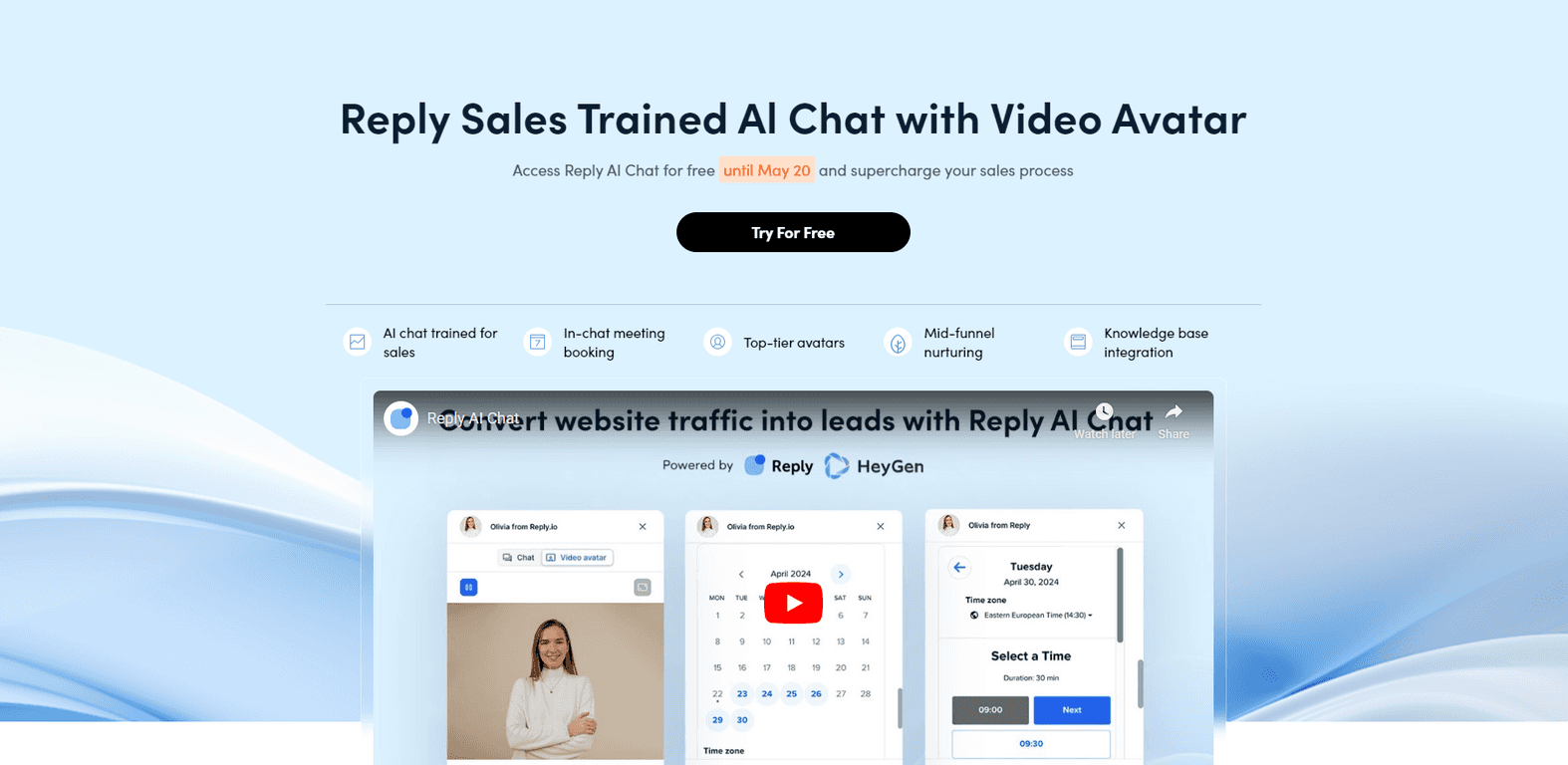
Reply.io’s bot is designed specifically for sales teams, so the conversations aren’t generic “how can I help?” filler. It’s geared toward guiding people to outcomes—booking meetings, requesting info, and getting your team the right lead details. And when you’re trying to convert website traffic, that matters. People don’t want to wait around for email replies, and they definitely don’t want to hunt for contact forms.
One detail I actually liked: it uses video avatars from HeyGen. I know, it sounds a little futuristic, but in practice it helps the chat feel more human than a wall of text. It also makes it easier to keep visitors engaged instead of letting the chat fade out after the first couple messages.
Another thing I noticed is the mid-funnel angle. A lot of chatbots only work at the “quick question” stage. This one is meant to nurture leads as they’re still deciding—so you’re not just capturing emails, you’re helping prospects move forward.
Setup is also positioned as straightforward, especially if you already have sales tools in place. The bot is trained for sales-specific questions, and the goal is pretty clear: keep conversations focused on booking demos and collecting contact info efficiently. That’s the kind of structure that usually makes the difference between “cool bot” and “actually helps sales.”
Sales AI Chatbot Review (What It’s Actually Like to Use)
Here’s the practical version of what Reply.io’s Sales AI Chatbot is trying to do. When someone opens your site chat widget, the bot should quickly identify what they’re looking for and then guide them toward a next step—without you manually chasing every visitor.
In my experience, the best sales chatbots don’t just “answer questions.” They ask the right follow-ups. This bot is trained for sales-specific conversations, which means it’s built to handle things like:
- “Do you integrate with my CRM?”
- “What’s the pricing and what do I get at each tier?”
- “Can we book a demo?”
- “I’m evaluating—what’s the fastest way to get started?”
And yes, it also supports booking meetings right in the chat. That’s huge, because every extra step (like sending someone to a separate calendar page) can drop conversion rates. If your website traffic is already high-intent, meeting booking inside the chat is exactly where you want the friction to be lowest.
Another thing that stood out to me is how “personal” it feels compared to a basic text bot. Between the video avatar experience and the sales-focused flow, it’s easier to keep prospects talking long enough to qualify them. If your current chat experience is mostly static FAQs, this feels like an upgrade.
That said, no chatbot is perfect. The quality will depend on how you set it up—especially your knowledge base and the types of questions your leads actually ask. If your product pages are vague or your FAQs are outdated, the bot can only work with what it has.
Key Features
- AI chat trained specifically for sales so conversations stay on track for lead capture and conversion
- In-chat meeting booking capabilities (so prospects don’t need to leave the chat to schedule)
- Advanced video avatars by HeyGen for more engaging interactions than text-only scripts
- Mid-funnel lead nurturing to keep undecided visitors moving toward evaluation
- Bespoke Knowledge Base integration for tailored responses based on your info
- Goal-oriented conversations designed around specific targets (like demos and contact capture)
- Seamless integration with existing sales tools to fit into your current workflow
Pros and Cons (My Honest Take)
Pros
- 24/7 availability means you can capture leads even when your team isn’t online.
- More personalized conversations than typical website bots—especially with the video avatar approach.
- Meeting booking inside the chat can reduce drop-off. People are already there; let them schedule right away.
- Integration options should make it easier to connect captured leads with your CRM and follow-up processes.
- Setup feels approachable compared to chatbots that require heavy technical work just to get started.
Cons
- It can miss on complex questions if your training/knowledge base doesn’t cover the nuance. (I’ve seen this pattern with most AI chat tools.)
- Initial configuration may take some effort—especially if you want the bot to sound right and answer like your team would.
Pricing Plans
For accurate pricing information, check the official Reply.io pricing page. Prices can change based on features and usage, so it’s best not to guess.
Wrap up
Overall, I think Reply.io’s Sales AI Chatbot is a solid option if you want a sales-focused chatbot that actually pushes toward outcomes. The combination of sales-trained conversations, in-chat meeting booking, and HeyGen video avatars is designed to keep visitors engaged and move them forward—rather than just collecting a couple emails and calling it a day.
If you’re serious about improving conversion from website traffic, it’s worth evaluating. Just make sure you spend time on the setup (knowledge base, FAQs, and the questions you expect). That’s usually where the difference between “nice demo” and “real pipeline impact” shows up.
Promote Sales AI Chatbot