Table of Contents

What Is Secret Sauce 3D?
Honestly, when I first heard about Secret Sauce 3D, I was a bit skeptical. The whole premise of an AI tool that can help automate parts of the 3D pipeline sounded promising, but I wasn’t sure if it would actually be useful in real workflows or just another flashy demo. My main curiosity was whether it could genuinely save time without sacrificing control, especially since most AI-assisted 3D tools I’ve tried before tend to produce results that are either too rough or too locked-in to their own ecosystem.
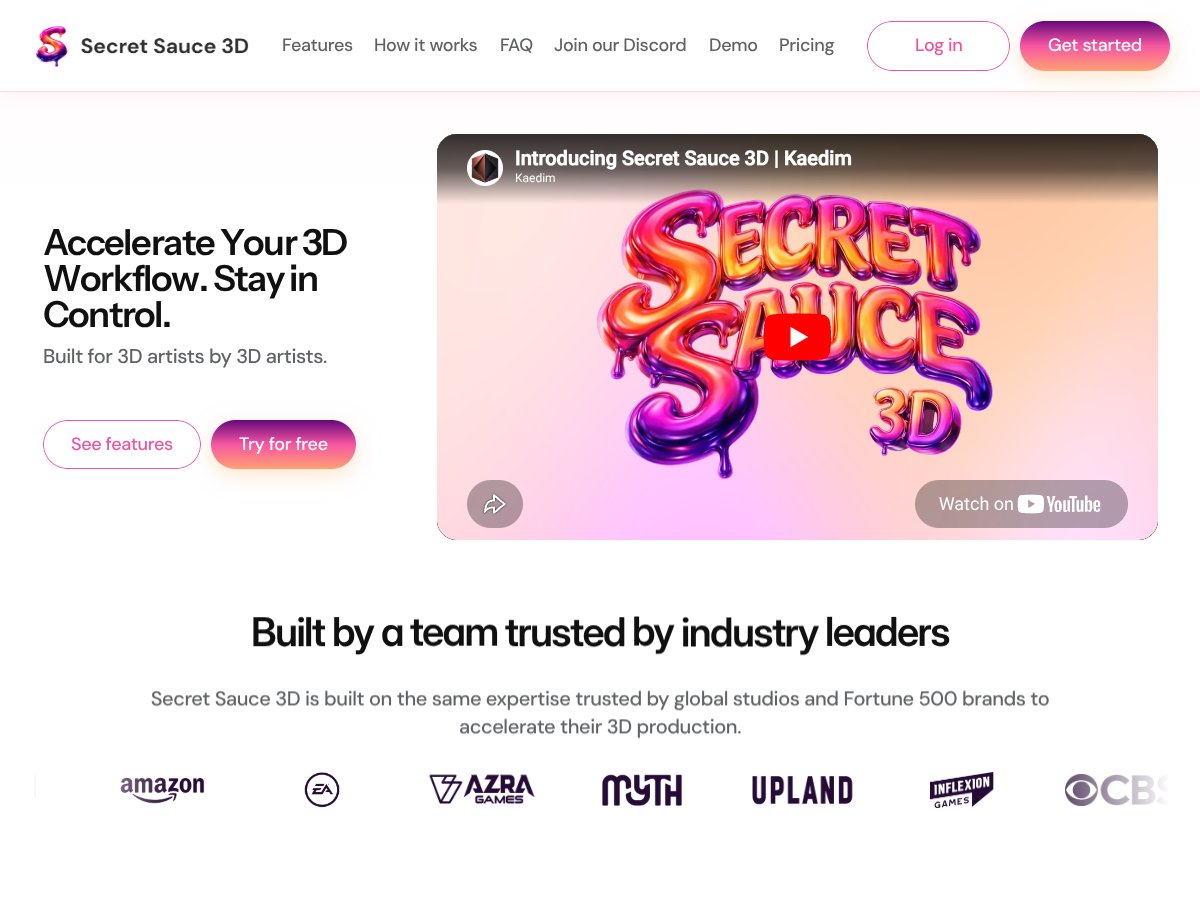
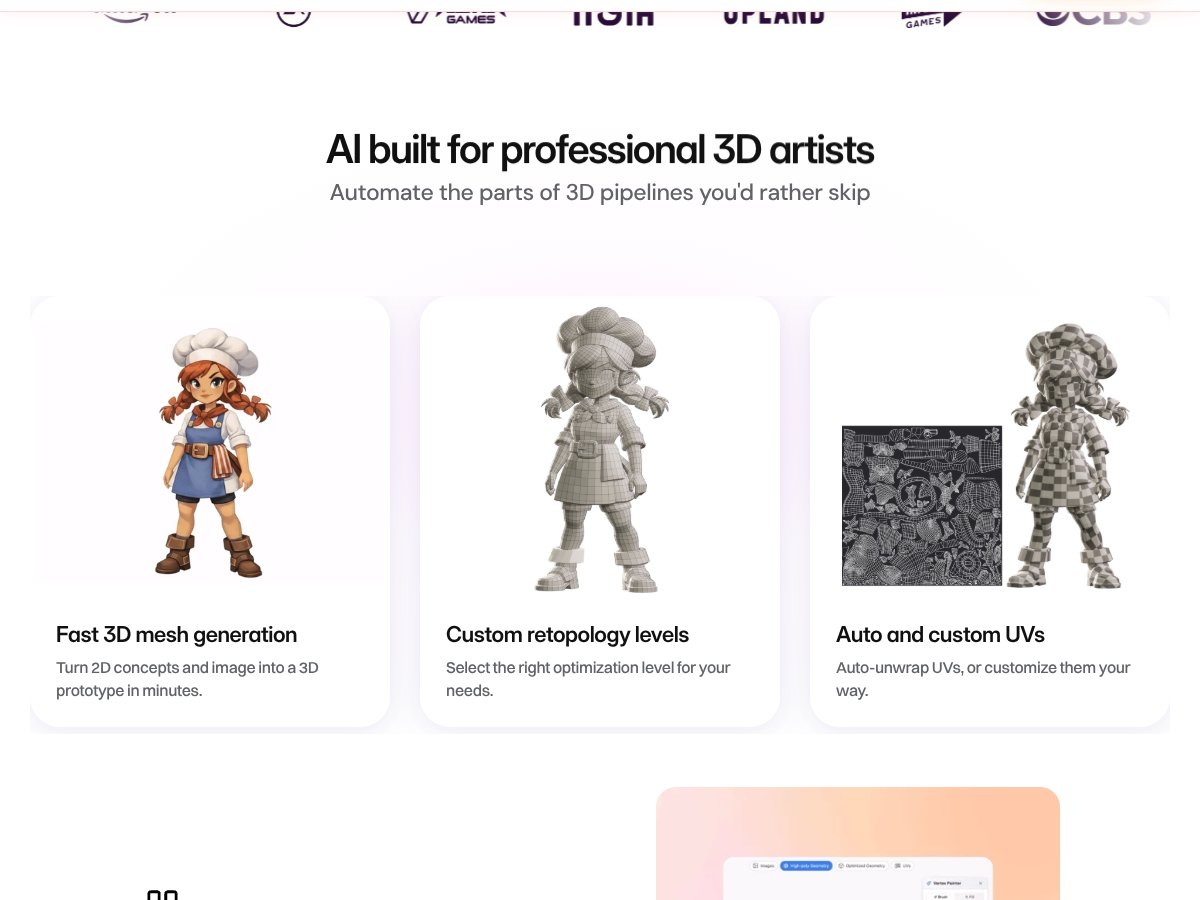
So, what does Secret Sauce 3D actually do? In plain English, it’s a sort of AI co-pilot designed for professional 3D artists. It claims to help generate high-poly models from simple images or concept art, automatically unwrap UVs, segment meshes into parts, and even create textures—all from a prompt-driven interface. The idea is to let you start with a rough idea or a 2D concept, and then quickly get a usable 3D asset that you can refine further—without having to do all the tedious, repetitive work manually.
The problem it’s trying to solve is pretty clear: 3D production can be slow and full of repetitive tasks. Whether it’s retopology, UV unwrapping, or segmentation, these steps eat up a lot of time, especially when you need to iterate fast. Secret Sauce 3D aims to speed that up by automating or assisting those parts of the pipeline, so artists can focus on what really matters—creative refinement.
Behind the scenes, this tool was developed by Kaedim, a company that’s trusted by some big names in the industry and has experience building AI tools for 3D workflows. They’re positioning Secret Sauce as an “industry-grade” assistant, not just a toy or experimental tech.
My initial impression? It seemed to deliver on its core promise. The interface is straightforward enough—upload your image, type a prompt, and see what happens. But, to be upfront, I want to manage expectations: It’s not a magic wand. You won’t just upload a concept and get a perfect model. The results still require manual cleanup, especially for complex assets. Think of it more as a helpful starting point rather than a complete solution.
Also, I should mention what it’s NOT. It’s not a full replacement for traditional 3D tools or a one-click creator of final assets. It’s designed to accelerate certain stages—especially early prototyping and retopology—but you’ll still need a good understanding of your DCC (Digital Content Creation) pipeline and manual skills.
Secret Sauce 3D Pricing: Is It Worth It?

- Basic access to core features
- Limited credits (50 per month)
- Basic export options
- Community support
Great for experimentation and seeing if it fits your workflow.
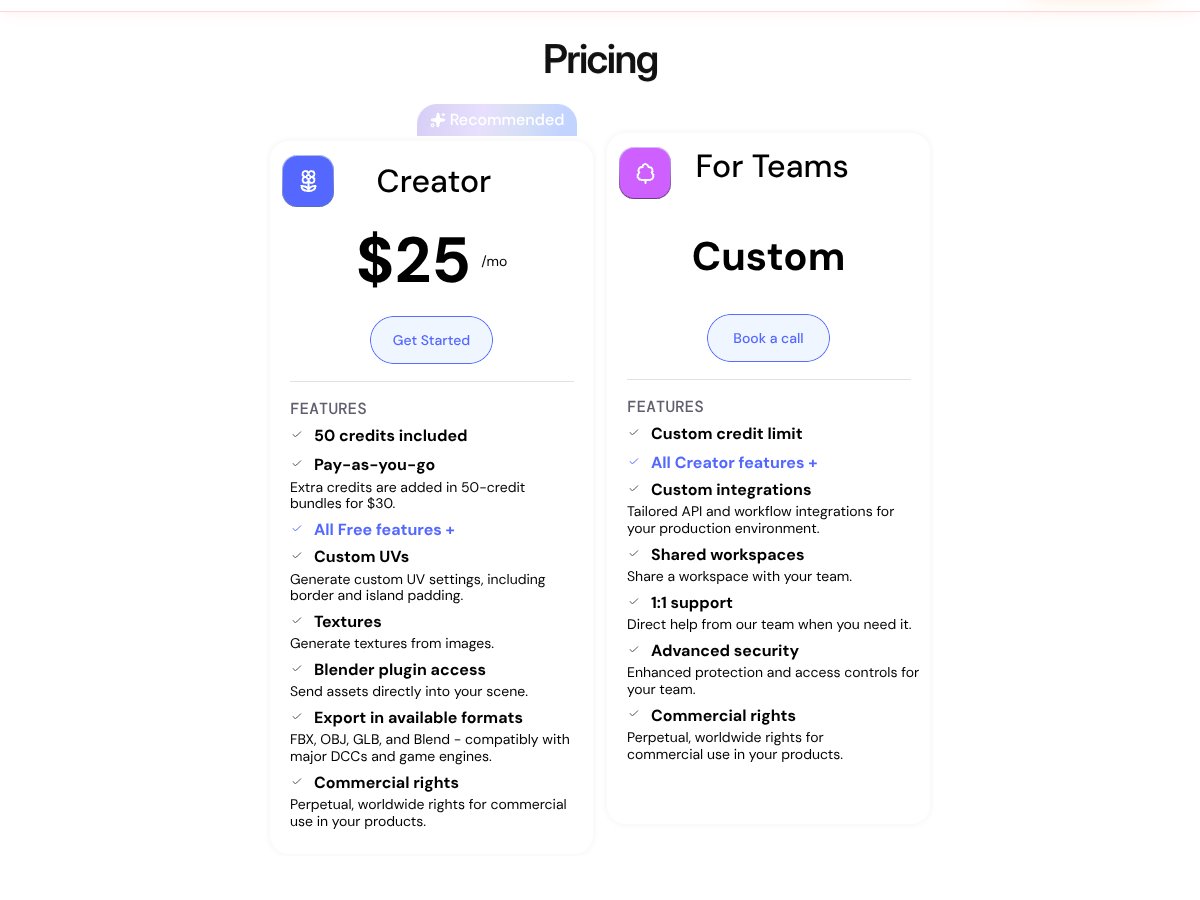
- 50 credits included
- Pay-as-you-go credits bundles at $30 per 50 credits
- All free features plus custom UVs, textures, Blender plugin access, and commercial rights
- Export in formats like FBX, OBJ, GLB, and Blend
This seems aimed at serious hobbyists or small studios needing more flexibility.
| Plan | Price | What You Get | My Take |
|---|---|---|---|
| Free Tier | Free | ||
| Creator Plan | $25/month |
Honestly, here’s the thing about the pricing...
What they don’t tell you on the sales page is whether there are any hidden costs or limitations on usage beyond the credit system. The Creator plan at $25/month sounds reasonable, but once you hit your 50 credits, you'll need to buy more bundles at $30 for 50 credits. That can add up quickly if you’re generating lots of assets. Fair warning: if you’re a high-volume studio or work on large projects, this might become expensive fast.
Also, keep in mind that the free tier is pretty limited. If you want to really integrate Secret Sauce 3D into your pipeline, the paid plans are probably necessary. But without clear tier distinctions beyond the credits and features, it’s hard to compare it directly to other tools in terms of value. I was honestly expecting more detailed tier breakdowns or enterprise options, but it seems geared more toward individual professionals or small teams.
Which plan makes sense? Honestly, if you’re just testing the waters or doing small projects, the free tier might suffice. For ongoing professional work, the $25/month plan could be worth trying out—just be prepared for potential extra costs if your project scales.
The Good and The Bad

What I Liked
- Integrated pipeline: It covers multiple stages—from mesh generation to UV unwrapping—so you don’t need a bunch of separate tools. That can speed things up significantly.
- Editable outputs: Unlike some AI tools that produce final meshes you can’t modify, Secret Sauce 3D keeps your outputs editable, which is crucial for professional workflows.
- Blender plugin: One-click import into Blender is a big plus. It minimizes friction and makes it easier to incorporate into existing pipelines.
- Texture generation: Creating textures from images helps jumpstart material work, saving at least 15-20 minutes per asset compared to manual methods.
- Prompt-based editing: The chat-style interface makes refining models intuitive, especially for artists familiar with prompt-driven workflows.
- Game-ready assets: For developers working in Unreal Engine or similar, the ability to generate game-ready models directly is a big plus.
What Could Be Better
- Limited transparency on pricing: Without clear plans beyond the Creator tier, it’s hard to gauge long-term costs, especially for larger projects.
- No detailed feature comparison: The site doesn’t specify what features are exclusive to certain plans, which could lead to surprises.
- No mention of limits on credits: Are there daily or monthly caps? Is there a maximum size for meshes? These details matter for serious users.
- Lack of sample assets or demos: Seeing more examples or videos of the outputs would help assess quality and usability.
- Focus on pipelines, not creative flexibility: If you’re an artist looking for full creative control, AI-generated assets might still need heavy manual editing, which could negate the time savings.
Who Is Secret Sauce 3D Actually For?
If you’re a professional 3D artist or a small studio working in game development, film, or e-commerce, Secret Sauce 3D could be a valuable tool in your arsenal—especially if you’re looking to accelerate repetitive tasks like mesh retopology, UV unwrapping, and initial model generation. It’s particularly effective if your workflow involves starting from 2D concepts or images and moving quickly into 3D prototypes that are ready for further refinement or integration into engines like Unreal.
For solo artists or studios handling a handful of assets, this tool offers a way to boost productivity without completely overhauling your existing pipeline. Think of it as a copilot that handles the boring, time-consuming parts, so you can focus on the creative aspects.
However, if you’re someone who prefers total creative control or works on very high-detail assets requiring manual sculpting and texturing, this might only serve as a starting point rather than a complete solution.
Who Should Look Elsewhere
Fair warning: if you’re a hobbyist or just dabbling in 3D without a clear pipeline, Secret Sauce 3D may be overkill. Its focus on professional, pipeline-ready outputs means it might be less intuitive for newcomers or those unfamiliar with 3D concepts.
Similarly, if your work involves very high-poly sculpting, detailed texturing, or artistic control that AI can’t yet match, relying on this tool might lead to frustration. It’s designed to accelerate, not replace, skilled manual work.
And if you’re looking for a fully automated, end-to-end solution that produces final assets with minimal manual input, you’ll probably find this insufficient. Alternatives like ZBrush, Blender, or dedicated texturing tools might serve those needs better.
Finally, beware if your budget isn’t flexible—AI tools often have hidden costs in the form of credits or subscriptions that can add up over time, especially if you scale up your projects.
How Secret Sauce 3D Stacks Up Against Alternatives
Autodesk Maya with AI plugins
- What it does differently: Maya is a staple in the industry with a vast ecosystem, and when combined with AI plugins (like Zygote or others), it offers more traditional, highly customizable 3D modeling and animation tools. It doesn’t have built-in AI for starting assets but relies on third-party integrations for automation.
- Price comparison: Maya costs around $215/month (subscription), plus additional costs for plugins. Secret Sauce 3D's pricing isn’t public, but it’s likely a one-time or subscription fee that could be comparable or higher depending on features.
- Choose this if... you need a comprehensive, industry-standard tool with deep customization and already have a pipeline around Maya. It’s better for complex animation, VFX, and high-end workflows.
- Stick with Secret Sauce 3D if... you want quicker asset generation, AI-assisted starting points, and a more streamlined pipeline without diving into full-blown Maya complexity.
Blender + AI Add-ons
- What it does differently: Blender is free and open-source, with a growing ecosystem of AI add-ons for mesh generation and retopology. It’s highly customizable but requires setup and manual integration of AI tools.
- Price comparison: Free, but you might spend time and effort on configuring AI add-ons. Secret Sauce 3D offers an integrated solution, likely saving time and effort.
- Choose this if... you’re comfortable with Blender’s interface and want a free, customizable setup that you can tweak as needed.
- Stick with Secret Sauce 3D if... you prefer an out-of-the-box, pipeline-ready solution that accelerates your workflow without manual plugin management.
ZBrush with Decimation and Retopology Tools
- What it does differently: ZBrush specializes in high-detail sculpting with powerful retopology and decimation tools, but it doesn’t natively support AI-assisted mesh generation or UV mapping.
- Price comparison: Around $895 for ZBrush (perpetual license). Secret Sauce 3D might be more cost-effective for early-stage asset creation and pipeline integration.
- Choose this if... you need detailed sculpting and manual retopology, and you’re okay doing the initial AI or auto-generation in another tool.
- Stick with Secret Sauce 3D if... you want a more automated, AI-assisted pipeline that handles multiple stages from concept to game-ready asset.
Meshmixer / Meshy
- What it does differently: Meshmixer is free and good for quick mesh repairs and modifications but lacks AI-driven generation or advanced pipeline features. Meshy is more recent and focuses on simple mesh creation with less complexity.
- Price comparison: Free, but limited in scope. Secret Sauce 3D offers more integrated features and AI assistance at a likely higher cost.
- Choose this if... you’re doing quick repairs or simple modifications and don’t need full AI pipeline support.
- Stick with Secret Sauce 3D if... you want an integrated AI-assisted pipeline from concept to asset, rather than piecemeal tools.
Tripo or 3D-Agent
- What they do differently: These are newer AI-driven 3D generation tools focusing on rapid mesh creation from prompts, often with less emphasis on pipeline integration or detailed editing.
- Price comparison: Pricing varies, often subscription-based or usage-based; generally less expensive but less comprehensive than Secret Sauce 3D.
- Choose this if... you need quick, simple meshes from prompts with minimal editing, mainly for concept or placeholder assets.
- Stick with Secret Sauce 3D if... you want more control, editable outputs, and pipeline features suitable for professional production.
Bottom Line: Should You Try Secret Sauce 3D?
Overall, I’d rate Secret Sauce 3D around 7/10. It’s a solid tool for those who want to streamline their 3D pipeline with AI assistance, especially if you’re already comfortable with traditional DCC tools and need a way to cut down on repetitive tasks. The fact that outputs remain editable is a big plus—it means you’re not just stuck with black-box meshes, which is crucial for professional work.
It’s perfect for the 3D artist or studio looking to accelerate early-stage asset creation without sacrificing control. But if you’re casually tinkering or on a tight budget, it might feel a bit overkill or costly, especially considering the lack of transparent pricing details publicly.
If you’re a professional in game development, film, or e-commerce who needs faster turnaround times, give it a shot. If you’re just exploring 3D as a hobby, you might want to start with free tools like Blender first.
Personally, I’d recommend trying the demo or any free tier if available—see if it fits your workflow before committing. For full-scale production pipelines, it’s worth considering the paid plan if the features align with your needs.
If your goal is rapid, editable asset generation integrated into your existing pipeline, Secret Sauce 3D is worth a serious look. But if you need full sculpting detail or complex animation, sticking with traditional tools might be better.
Common Questions About Secret Sauce 3D
- Is Secret Sauce 3D worth the money? It can be, if you need to speed up early-stage modeling and value editable AI-generated assets. But without clear pricing, it’s hard to judge affordability upfront.
- Is there a free version? Not publicly advertised. It’s likely a paid product with a demo or trial, but the details are limited.
- How does it compare to competitors? It’s more integrated and pipeline-focused than tools like Meshmixer or standalone AI mesh generators, which are often less flexible or less professional.
- Can I get a refund? Refund policies depend on the vendor or platform you purchase from; check their terms before buying.
- What file formats does it support? It exports standard formats like FBX, OBJ, and others, compatible with common DCC tools and game engines.
- Does it require internet connection? Likely yes, for AI processing and cloud-based features, but some parts may be offline once generated.
- Can I customize prompts or workflows? Yes, the chat-style interface allows for prompt-driven edits, giving some flexibility in shaping outputs.