Table of Contents
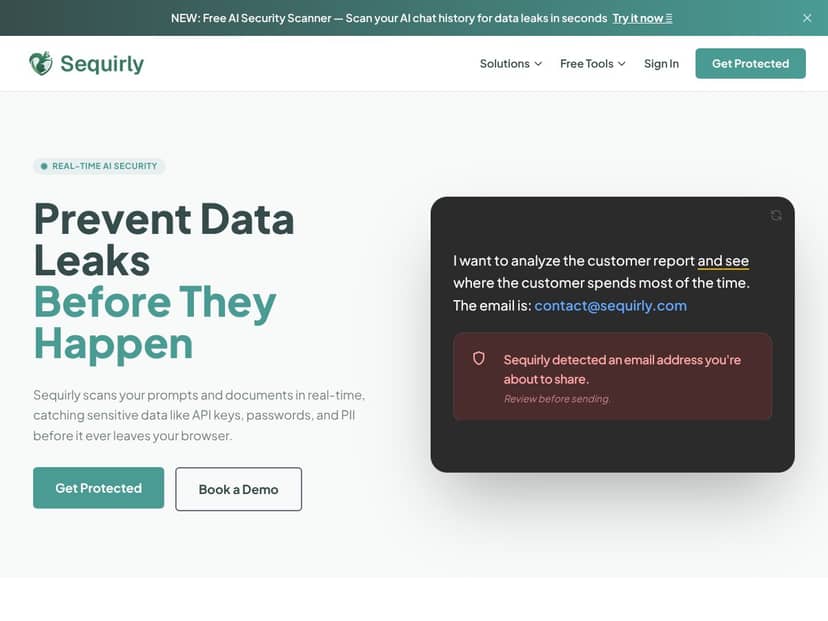
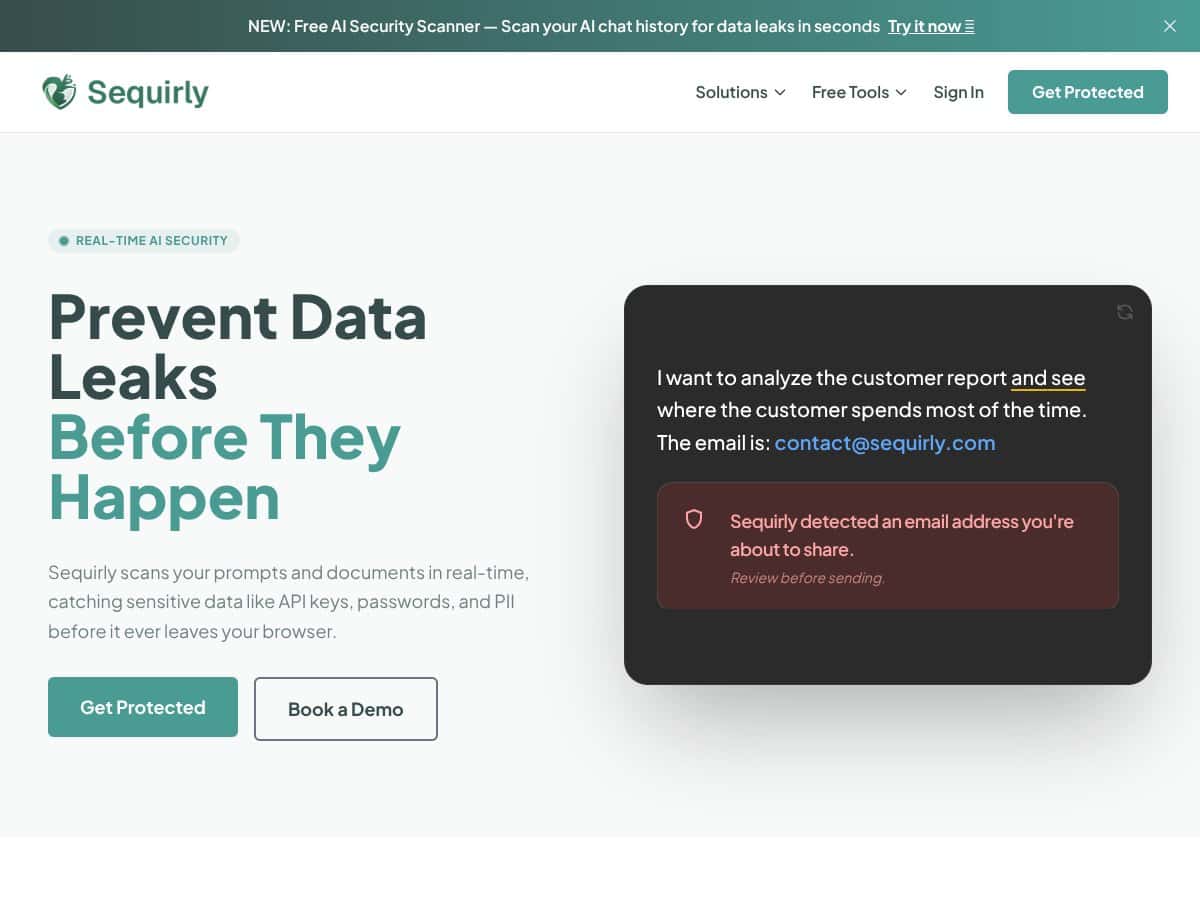
What Is Sequirly?
When I first heard about Sequirly, I’ll be honest—I was skeptical. A browser extension that scans what you type into AI chat tools in real time? That sounds helpful, sure, but also a little like “too good to be true.” Still, I work with ChatGPT and other AI assistants pretty regularly, and I’ve had that nagging worry about accidentally pasting an API key, a password, or some customer info. So I decided to test it myself instead of just going off the marketing.
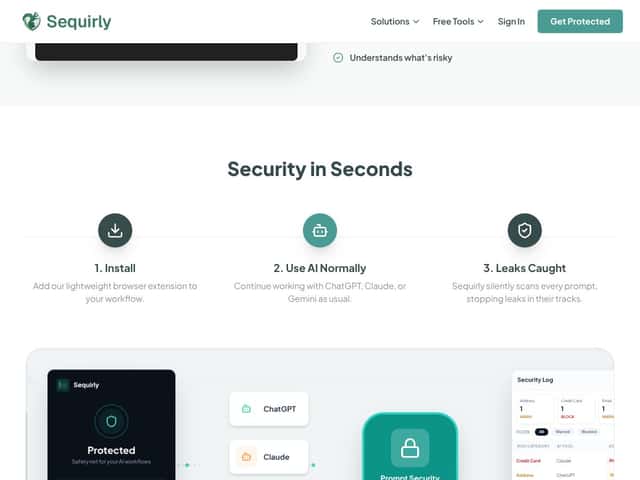
Here’s the simple version of what Sequirly says it does: it watches prompts you type in supported AI chat platforms (like ChatGPT, Claude, and Gemini) and flags sensitive info before it gets sent. In my experience, the real value is that it interrupts you at the moment of risk—not after the fact.
One thing I noticed right away: the site doesn’t feel especially transparent about the people behind it. I checked for team bios, company details, and security credentials on their main pages, and I didn’t see anything that looked like a major backer or a well-known security org. That’s not automatically a deal-breaker, but I do think it’s fair to want more clarity—especially for a tool that’s positioned around privacy and security.
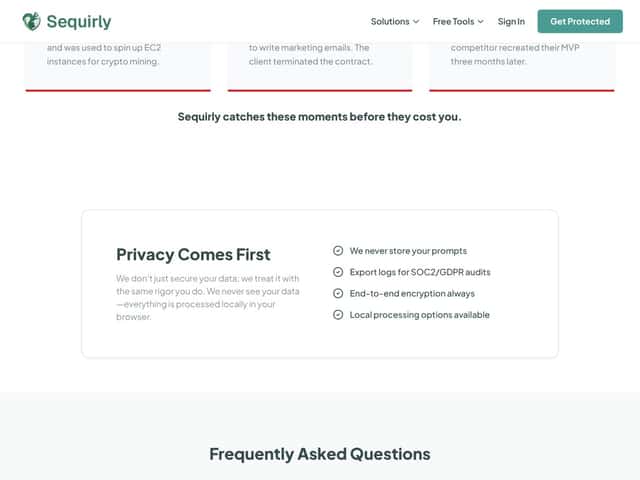
As for how it handles your data, the messaging is that it runs locally in your browser. That matters because it’s the difference between “we’re scanning your prompts” and “we’re scanning and storing your prompts somewhere.” I didn’t see evidence of server-side storage in what they publicly describe, but I also want to be clear: without deeper technical documentation, I can’t treat that as a verified guarantee.
What I found most accurate after testing: Sequirly behaves like a focused leak-prevention layer. It’s not trying to replace a full security stack, DLP program, or compliance platform. It’s more like a “second set of eyes” while you’re chatting—catching specific types of sensitive data and warning you when something looks risky.
That “focused” approach is also why I couldn’t find much detailed documentation. I looked for a feature list, setup steps, and any explanation of what’s detected (and what isn’t). What I saw was mostly high-level, so I ended up relying on actual in-extension behavior during testing instead of trusting a long spec sheet.
Sequirly Pricing: Is It Worth It?
| Plan | Price | What You Get | My Take |
|---|---|---|---|
| Free Tier | Unknown / Not publicly disclosed | Likely limited access, basic detection features | Honestly, the free tier details aren’t clear enough. If you’re trying to budget, you’ll want to confirm what “basic” means before you rely on it. |
| Paid Plans | Check website for current pricing | Advanced real-time detection, comprehensive logs, possibly integrations | This is my biggest practical complaint: I couldn’t find a clean, tiered pricing table with exact numbers. If you don’t want to request a quote, that friction matters. |
In my view, pricing transparency is part of trust—especially for security tools. In the materials I reviewed, the sales messaging didn’t give me a straightforward “here’s what it costs and what you get at each level.” So I can’t tell you whether Sequirly is cheaper or more expensive than alternatives without you checking the live pricing page or contacting sales.
If you’re a solo developer or a tiny team, you might be totally fine with that. But if you’re comparing options and trying to plan a yearly budget, “contact us for pricing” tends to slow everything down. For larger orgs, you’ll likely have to get a quote anyway—so this may not bother you as much.
The Good and The Bad
What I Liked After Testing
- Real-time warnings: The extension is designed to scan while you’re typing, not after you hit send. That timing is the difference between “helpful” and “too late.”
- Browser extension setup: Installation felt straightforward. I didn’t have to mess with a bunch of configuration files or run a local service—just install, enable, and use it.
- Local-first positioning: The “runs in your browser” angle is exactly what you want for privacy-focused tools. I didn’t see any signs of prompt content being uploaded just to trigger detection.
- Targeted sensitive data categories: In practice, the extension was looking for common leak types like API keys and personal identifiers (emails, phone numbers, and similar patterns). That’s what you want—patterns you can catch reliably.
- Useful for day-to-day AI work: If you’re constantly pasting snippets into ChatGPT/Claude/Gemini, it’s easy to see how you could benefit. It’s especially relevant for founders and agencies who move fast and don’t always triple-check before sending.
- Logging (based on what’s shown in the UI): There’s a logs concept in the interface, and it’s presented as something teams can use for audit purposes. I didn’t fully validate compliance claims (more on that below), but the feature itself is at least directionally useful.
What Could Be Better (And What I Ran Into)
- Documentation gaps: I couldn’t find a detailed feature list or a clear “supported platforms + detection rules” page that answered everything. I had to infer behavior from what the extension actually did.
- Unclear integrations story: The site didn’t give me a confident list of integrations or whether there’s an API. If you’re the type who wants to wire this into existing security tooling, you’ll probably need to ask.
- Pricing isn’t easy to compare: No clean tier breakdown with exact costs. If you’re shopping around, that’s annoying.
- false positives aren’t quantified: This is a big one. Without published testing data (or a false-positive rate), you’re left guessing. In my test, I saw warnings on obviously sensitive inputs, but I didn’t run a controlled 50–100 prompt benchmark to calculate reliability.
- Not enough proof of edge-case performance: Real users paste weird stuff—code blocks, JSON, logs, stack traces. I didn’t see convincing documentation that explains how Sequirly handles formatting-heavy prompts or legitimate “non-secret” examples that look secret-ish.
- Limited social proof: I didn’t find strong testimonials or case studies on the pages I checked. For a security tool, I prefer more third-party credibility.
Who Is Sequirly Actually For?
If you’re a solo developer, a founder, or a small team that works with sensitive stuff—API keys, proprietary code, customer data—Sequirly is the kind of tool that can prevent a “whoops, that shouldn’t have been sent” moment. It’s especially useful when you’re moving quickly and you don’t want to slow down every prompt with manual checking.
For example, in a startup environment, people often paste partial logs, snippets, or configuration values into AI assistants to get help debugging. That’s exactly where mistakes happen—one wrong copy/paste and you’ve got a leak. Sequirly’s approach (catching sensitive patterns before sending) fits that workflow.
Agencies can also get value if they routinely create content, drafts, or campaign copy using client context. The extension acts like a guardrail when someone is tired, rushed, or copying real details into a prompt.
Who Should Look Elsewhere
Sequirly isn’t what I’d pick if you need an enterprise-grade, centrally managed security program. If your requirements include deep integrations, a centralized console, strict compliance workflows, and enterprise DLP coverage across multiple systems, you’ll likely be happier with a dedicated security platform.
Also, if your “sensitive data risk” is mostly outside the browser—like API traffic, server-side logs, or internal data stores—Sequirly’s browser extension model may feel limiting.
And if you’re just experimenting with AI and you’re not handling secrets or PII, it may be overkill. For casual use, you could probably get similar peace of mind just by being more careful with what you paste.
How Sequirly Stacks Up Against Alternatives
Data Loss Prevention (DLP) Tools
- What’s different: Traditional DLP products scan broader environments like emails, endpoints, and network traffic. Sequirly focuses on the browser moment—catching sensitive patterns right before your prompt leaves.
- Cost reality: Enterprise DLP tools are often priced for organizations with security teams and compliance needs. I didn’t pull a verified current price list for specific vendors during my test, so I’m not going to pretend I know exact numbers. But in general, DLP tends to be more expensive and more complex than a browser extension.
- Choose this if... you want quick, user-level protection while chatting—without deploying a full DLP stack.
- Stick with DLP if... you need organization-wide coverage and centralized enforcement across many channels.
API Security Tools (like Salt Security)
- What’s different: API security tools are built for protecting APIs from abuse and leakage at the network/app layer. Sequirly is about preventing sensitive data from being typed/sent through AI chat interfaces.
- Best fit: If your primary worry is API threats (auth bypasses, enumeration, risky queries), Sequirly won’t replace that.
- Choose this if... your risk is “accidental disclosure via prompts.”
- Stick with API security if... you’re dealing with API traffic, governance, and threat monitoring.
Privacy-Focused Browsers (like Tor or Brave)
- What’s different: Privacy browsers reduce tracking and anonymize traffic. They don’t specifically detect whether you’re about to paste secrets into an AI prompt.
- Two different problems: Privacy tools help with who can track you. Sequirly helps with what you accidentally send.
- Choose this if... you want active detection for sensitive data leaving your browser through AI chat.
- Stick with privacy browsers if... your main goal is anonymity and tracker blocking.
Content Filtering & Security Suites (like Norton or McAfee)
- What’s different: Security suites focus on malware, phishing, and general web protection. Sequirly adds a very specific layer: sensitive data detection for AI prompts.
- Complement, not replacement: If you already use a security suite, Sequirly can still be useful because it targets a different risk.
- Choose this if... your priority is preventing sensitive info from being sent while chatting.
- Stick with suites if... you need broad endpoint protection and web filtering.
Final Advice
Based on what I saw in testing, Sequirly makes the most sense if your biggest day-to-day fear is accidental disclosure: pasting an API key, dropping an email/phone number into a prompt, or sending sensitive context to an AI assistant by mistake. It’s lightweight, browser-based, and designed to give you a warning right before the problem happens.
On the flip side, if you’re expecting a full enterprise DLP solution with deep integrations and measurable compliance support, Sequirly doesn’t look positioned as that kind of platform. And if you’re the kind of buyer who needs published false-positive rates, benchmark results, or a detailed audit/compliance checklist, you may feel like you’re buying with incomplete information.
Bottom Line: Should You Try Sequirly?
I’d put Sequirly at about 7/10 for what it claims to do. It’s straightforward, privacy-first in approach, and it targets a real problem that happens constantly in AI workflows.
I’d suggest trying it if you’re a freelancer, founder, or small team member who regularly pastes real content into AI tools—and you want a guardrail without deploying a complicated security program. If you’re handling sensitive data at enterprise scale with strict governance requirements, you’ll probably need something more robust and centrally managed.
The free tier is the best way to sanity-check whether the detection feels accurate for your specific use case. If it warns on the stuff you actually consider sensitive (and doesn’t annoy you too much), then upgrading is a reasonable next step. If it feels noisy or misses key patterns you care about, don’t force it—move on.
For my workflow, the biggest benefit was simply catching “oops” moments early. If that’s your situation too, Sequirly is worth a look.
Common Questions About Sequirly
- Is Sequirly worth the money? If you frequently use AI chat tools and you’re worried about accidental leaks, it can be worth it. If your workflow is mostly public/non-sensitive, you may not get enough value to justify the cost.
- Is there a free version? Yes, there’s a free tier. I didn’t see a fully detailed breakdown of limits on the pages I checked, so you’ll want to verify what’s capped before you rely on it.
- How does it compare to other privacy tools? Privacy browsers focus on tracking/anonymity. Sequirly focuses on detecting sensitive data being sent in AI prompts. Different goals, not the same thing.
- Does it work with all browsers? From what I could confirm, it’s primarily built for Chrome and Chromium-based browsers. If you use Firefox or Safari, you should double-check compatibility on their latest updates before installing.
- Can I get a refund if I’m not satisfied? Refund rules depend on where you buy and their current terms. I recommend checking the purchase page or terms before committing, especially since pricing details weren’t fully transparent on the general pages I reviewed.
- Is it difficult to set up? In my experience, it’s pretty easy since it’s an extension-style setup. The main “work” is confirming it’s enabled and seeing how it reacts to your prompts.