Table of Contents
If you’ve ever had 3 tabs open—ChatGPT here, Claude there, Gemini somewhere else—then you already know the annoying part isn’t just “getting answers.” It’s switching contexts, copying prompts, and trying to remember which model you used for which part of the task.
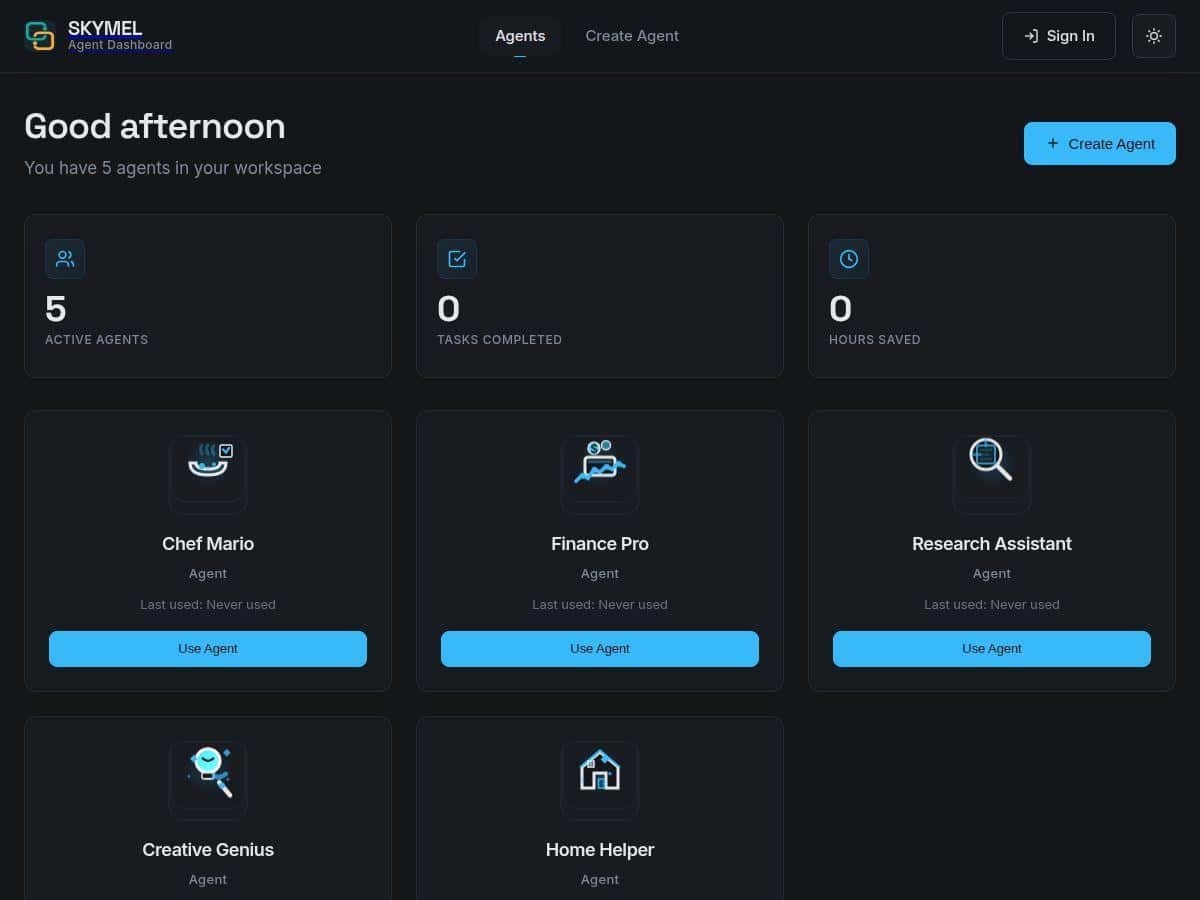
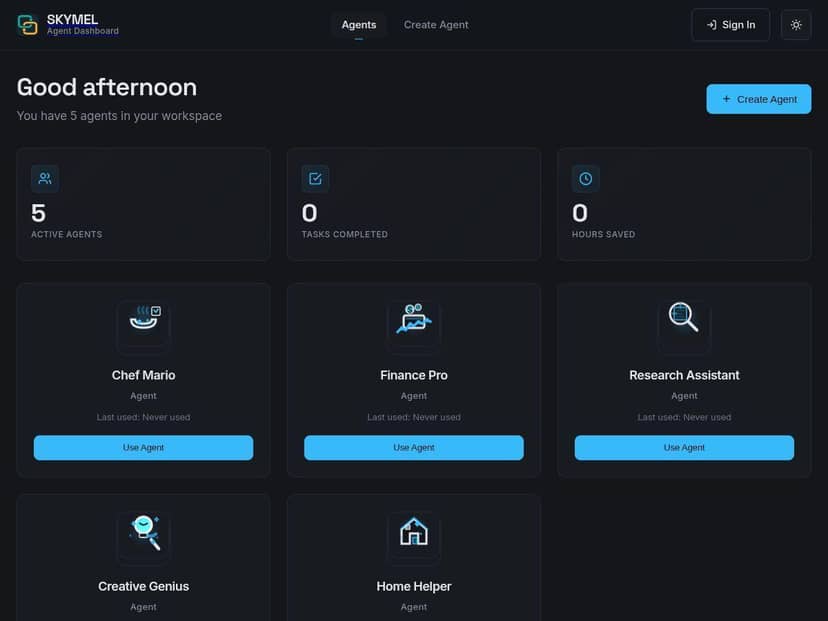
I spent time with Skymel to see if it actually makes that whole workflow easier, or if it’s just another “AI dashboard” in disguise. The short version: Skymel does feel like an all-in-one orchestration layer. But it’s not magic—there are still moments where you’ll want to intervene, and some parts depend heavily on your prompts.
Skymel Review: What I Tested (and What Actually Changed)
I tested Skymel with a few “real life” workflows instead of just asking it one question. That’s the only way to judge an orchestration tool—because if it can’t handle multi-step tasks, it’s basically just a wrapper.
Test #1: Research brief → outline → draft
I started with a prompt like: “Create a research brief for a blog post about AI orchestration platforms. Include target audience, key questions, and a bullet outline. Then draft the intro (150–200 words) in a friendly tone.”
What I noticed in the UI: Skymel didn’t just spit out one blob of text. It broke the work into steps, and the editor made it easy to see what it was doing next. The biggest win for me wasn’t “better writing.” It was fewer back-and-forth cycles. I didn’t have to keep re-explaining the goal every time.
Before (manual model switching): ~6–8 steps across multiple prompts, plus copying and reformatting between tools.
After (Skymel): about 3–4 major steps from brief to outline to intro draft. The draft wasn’t perfect on the first pass, but I got to a usable version faster.
Test #2: Content planning with constraints
I gave it a more specific instruction: “Turn this topic into a 7-section article plan. Each section needs: a hook, 3 supporting points, and a short example. Keep the tone practical, not hypey. Avoid generic phrases.”
Here’s where orchestration mattered: Skymel handled the “structure first” part cleanly. Instead of me doing the tedious formatting, it produced a plan that was already close to publishable. I still tweaked a couple of sections, but I wasn’t rewriting the entire framework from scratch.
Test #3: Code-style review workflow
I ran a smaller workflow where I pasted a snippet and asked for: “Review for readability, suggest improvements, and flag potential edge cases. Keep changes minimal.”
What I liked: the response felt more “task-oriented” than a generic chat reply. The workflow approach helped it stay on the review job rather than drifting into unrelated suggestions. What I didn’t love: if my prompt was vague (“make it better”), the output was broad. When I specified “minimal changes” and “flag edge cases,” it got noticeably sharper.
So, does Skymel “assign tasks dynamically to the best AI model”? In practice, yes—you can feel that it’s trying to route parts of the workflow to different model strengths. I didn’t see a magic label that always told me exactly which model handled each sub-step, but the results matched the idea: planning-style outputs were more structured, while explanatory parts read like they came from a model that’s better at narrative clarity.
Bottom line from my testing: Skymel is best when you’re doing multi-step work (research, planning, drafting, review). If you just want a one-off answer, you might not feel the benefit as much.
Key Features: The Stuff That Actually Matters
- Multiple AI Model Integration including ChatGPT, Claude, Gemini
- Automatic Model Selection tailored to each task (best results when your prompt includes constraints)
- Real-Time Workflow Orchestration for multi-step processes (brief → outline → draft, etc.)
- User-friendly conversational interface for easy interaction (the editor flow kept me moving)
- Customizable task-specific agents for workflows like planning or research
- Workflow visibility with clear process and result display (you can follow what it’s doing)
- Developer SDK and API for integrations (useful if you’re building on top of it)
Pros and Cons: My Honest Take
Pros
- Less prompt rework: In my tests, I spent fewer cycles correcting the “wrong format” problem because the workflow nudged outputs toward the next step.
- Multi-step tasks feel smoother: Research briefs, outlines, and intro drafts came out in a more connected sequence than I typically get when switching tools manually.
- Good for structured work: When I gave requirements (tone, length, section structure), the results were more consistent.
- Workflow visibility helps: Seeing the steps made it easier to intervene early instead of discovering issues after the final draft.
Cons
- It still depends on your instructions: If you ask something like “make this better,” you’ll get generic improvement suggestions. The tool performs best with clear constraints.
- Internet connection is a must: Like most web-based AI platforms, stability matters. During slower moments, latency felt noticeable.
- Model routing can feel opaque: I could tell it was orchestrating, but I couldn’t always see which model handled each sub-task, which makes debugging trickier.
- Workflow options can be overwhelming: If you’re new, you might need a minute to understand which agent/workflow to pick for your goal.
Pricing Plans: What I Could Confirm
Skymel does offer a free trial (and I tested it without jumping through hoops like a mandatory credit card). That’s a solid start because you can actually run a couple of workflows and see if the orchestration style fits your work.
As for paid pricing: the exact subscription prices and plan tiers weren’t clearly listed in the material I reviewed here, so I don’t want to guess. What I can say is that the platform is positioned for both individuals and teams, and the paid tiers typically relate to higher usage limits and access to more advanced workflow capabilities.
If you’re comparing plans, I’d focus on these practical questions:
- What’s the usage limit for workflows (and does it reset monthly)?
- Are there limits per model or per workflow step?
- Do team plans add admin controls, shared workspaces, or anything beyond “more credits”?
Privacy note (what I’d check before committing): when orchestration is involved, your prompts can be sent to different model providers depending on routing. I recommend checking Skymel’s privacy policy for details like data retention and whether there are controls for how your content is used. If you’re handling sensitive data, you’ll want to confirm what’s stored and for how long.
Wrap up
Skymel is genuinely useful if you’re doing multi-step AI work—research, planning, drafting, and review—because it reduces the “tool switching” headache and keeps outputs moving in a logical sequence. My biggest win wasn’t that it produced flawless text instantly. It was that I spent less time managing the process and more time steering the result.
If you like structured workflows and you’re willing to give clear prompts with constraints, Skymel will probably feel like a step up. If you mostly want quick one-off answers, you may not notice as much of the orchestration benefit.