Table of Contents
If you’ve ever tried to turn a slide deck into something people actually finish watching, you already know the pain. That’s why I gave Tapybl a real test: could it take “static training” and turn it into microlearning you can push out fast—without needing a video editor background?
In my experience, the biggest win is speed. I uploaded a PDF and a few slide pages, then used the prompts to generate an AI lesson. From there, I built a short interactive flow with a quiz and a couple of branching outcomes. The authoring is drag-and-drop, so I wasn’t stuck wrestling timelines or layers like I would in traditional video tools. The output wasn’t just a video either—it included interactive parts and tracking, which is what I care about when I’m sending content to real learners.
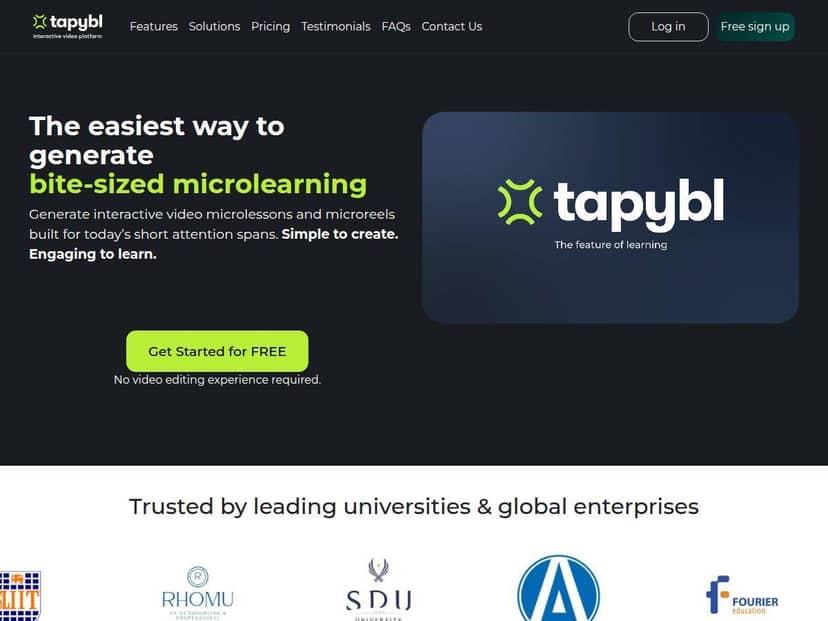
Tapybl Review: What I Built, What Worked, What Didn’t
I tested Tapybl by turning a short training PDF into a microlearning module. My goal was simple: create something interactive (not just “watch and hope”), then verify that the analytics actually tell me what learners did.
My workflow (step-by-step)
- Step 1: Upload source content — I started with a PDF and used the prompts to help the AI understand the topic. I also tried a slide-style input, and it behaved similarly (generate lesson sections from the material).
- Step 2: Generate lesson content — After generation, I reviewed the structure and adjusted where needed. The drag-and-drop editor made it easy to reorder sections without rebuilding everything.
- Step 3: Add interactivity — I added a quiz and then created a small branching scenario. For example, I set it up so that if someone chose the “correct” option, they moved to the next step; if they missed it, they were routed to a short remediation segment.
- Step 4: Publish and check tracking — I then checked the analytics view to see if completion, quiz performance, and time spent were actually captured.
What I noticed about the AI narration + pacing
The AI-generated lesson felt “ready to teach” quickly. The narration and lesson flow were generally coherent, but I did have to clean up a few spots where the wording didn’t match the exact tone I wanted. That’s not unusual—AI will make assumptions based on your source file—but it’s important to plan a quick review pass before you ship.
Interactive quizzes: easy to set up, but watch the question quality
I was able to build quiz questions without going through a complex form builder. What I liked most: I could tie quiz outcomes to next steps (branching). The one limitation I ran into was that the “best” quiz experience depends heavily on the source text. If your PDF is messy or your key points are scattered, the AI can generate questions that are technically plausible but not perfectly aligned with what you meant to test.
Analytics: useful, but don’t expect miracles
Tapybl’s analytics were the part that convinced me it’s more than a content generator. I could see learner performance signals that make sense for microlearning—things like completion status and quiz results. If you’re building training for teams, that’s the baseline you need before you start optimizing.
That said, I wouldn’t call it “deep enterprise BI.” It’s strong for training-level decisions (did they finish, did they get the questions right, where are they spending time), but if you’re expecting super granular learning science metrics, you may still need to pair it with another reporting approach.
Key Features I Actually Used
- AI-Powered Content Generation from PDFs, slides, and prompts — upload content, prompt for direction, then generate structured lesson sections.
- Interactive elements — quizzes, branching scenarios, and gamification-style engagement options.
- Personalized learning paths — route learners based on quiz answers so they don’t all follow the same track.
- Seamless LTI and SCORM integration — useful if you’re deploying through an LMS and want compatible course packaging.
- Built-in LMS — course management and learner tracking inside the platform.
- Drag-and-drop authoring — rearrange lesson blocks without timeline headaches.
- Media support — YouTube and Vimeo support for bringing in existing video content.
- Custom AI assistants — for learner support (helpful when you want a “guided” feel rather than a static lesson).
- Analytics for learner performance — completion and assessment performance signals so you can measure training outcomes.
- Team collaboration — makes it easier to manage content updates with other creators.
Pros and Cons (Realistic Take from My Test)
Pros
- Fast creation — the “get to a working microlearning module quickly” part is real. In my test, I went from source content to an interactive draft much faster than I would with manual video editing.
- Beginner-friendly authoring — I didn’t need prior design or video skills to build a quiz + branching flow.
- Engagement is built in — interactive assessments and branching make the lesson feel more like a guided experience.
- Works for multiple training types — I can see it fitting onboarding, compliance refreshers, and sales enablement modules where you want “practice + feedback,” not just lectures.
- Analytics that match what you need — completion and assessment performance signals are the right starting point for improving content.
- Integrates with LMS delivery — LTI/SCORM support is a big deal if you don’t want to run everything outside your LMS.
Cons
- Costs can add up — if you’re a solo creator or a very small team, the entry pricing may feel steep compared to simpler tools.
- Internet dependency — like most web-based creators, you’ll want a stable connection, especially when generating content.
- Customization isn’t fully “pixel-perfect” — I found that some design control is limited. If you need very specific branding tweaks or advanced layout behavior, you may hit constraints.
- Free options are limited — there’s typically a trial, but you shouldn’t expect a fully-featured free plan for long-term production.
Pricing Plans: What You’re Really Paying For
Here’s how the plans are laid out (based on what Tapybl lists publicly):
- Creator: €750/year, up to 19 learners, 5GB storage
- Business: €2,668/year, up to 99 learners, 50GB storage
- Enterprise: custom pricing with unlimited users and storage (as described)
All plans include AI-generated lessons, LMS compatibility, and analytics. The main difference I’d watch for is the learner limit and storage—because that’s what determines whether you can roll out multiple modules across teams without constantly worrying about caps.
Quick reality check on “unlimited”
“Unlimited users and storage” in Enterprise is great on paper, but I’d still ask about any practical limits (like fair-use policies, support responsiveness, or what happens when you generate large volumes of content). When you’re planning onboarding or compliance programs, you’ll want a clear answer before you commit.
Also, pricing can change. If you’re comparing vendors, it’s worth contacting Tapybl directly so you can confirm what’s included in your exact plan and whether there are volume options.
Wrap up
Tapybl is best for teams who need microlearning fast and want it to be interactive (quizzes + branching), not just “AI turns slides into a video.” After testing it, I’d recommend it if you’re building onboarding, compliance refreshers, or sales enablement modules where learners need feedback and you want tracking to prove it’s working.
If you’re a solo creator with a very small budget, the pricing may be hard to justify—especially if you only need occasional content. And if you’re picky about design customization, plan on doing some cleanup and accept that not every pixel will be fully under your control.
For me, the deciding factor was how quickly I could go from source content to an interactive lesson with analytics I could actually use. If that’s what you want, Tapybl is absolutely worth a serious look—especially if you start with their trial.