Table of Contents
I’ve been testing Toffu AI as a “marketing assistant” for a few weeks, not as a magic button. So here’s the real question: does it actually help you run better campaigns, or does it just make everything sound fancy?
In my setup, I connected it to the usual suspects (Google Ads + Meta), then used it to generate and manage a handful of campaign drafts and optimization tasks. I ran the same basic workflow repeatedly—create → launch small test → review performance → iterate—so I could compare what happened when I used Toffu AI versus when I just handled the work manually. My goal wasn’t vanity metrics either. I focused on the boring stuff that moves revenue: click-through rate (CTR), conversion rate (CVR), cost per acquisition (CPA), and overall ROAS.
Toffu AI Review: What I Actually Did (and What Changed)
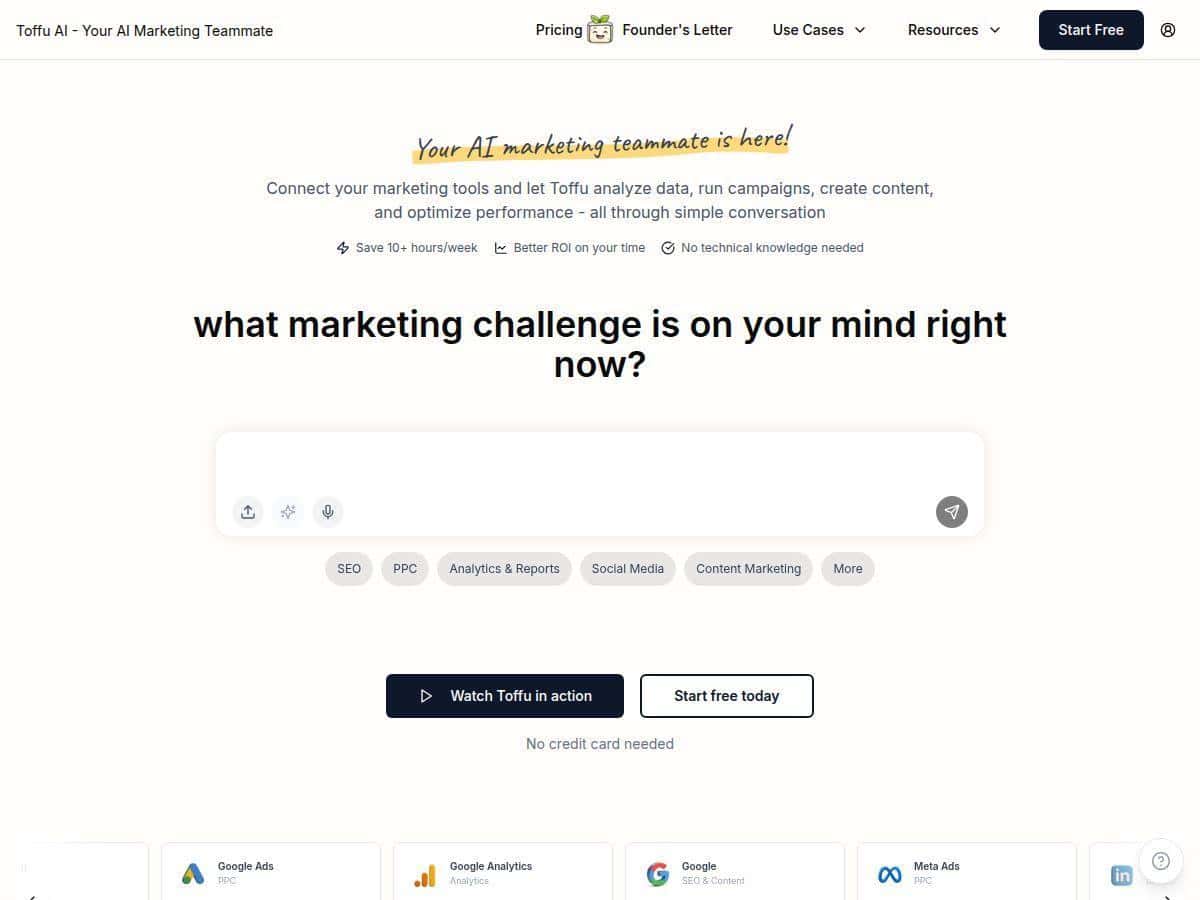
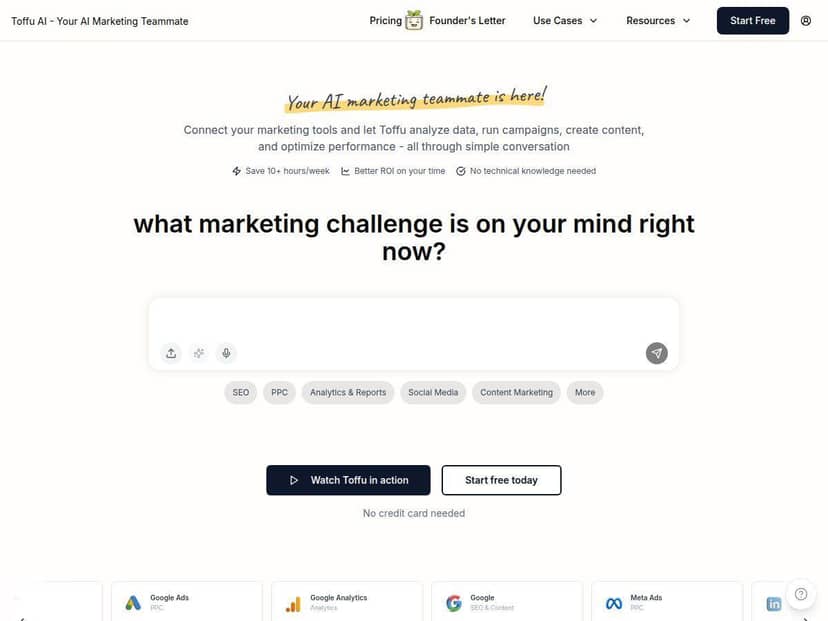
First thing I noticed: the interface is built like a chat. That sounds like marketing fluff, but it matters because it changes how you work. Instead of jumping between a dozen screens, I could ask for specific outputs (“write 5 ad variations for this angle,” “summarize why CTR dropped last week,” “suggest a landing page tweak for conversion”).
Here’s a quick snapshot of my workflow:
- Setup: connected my ad platforms and analytics sources, then started with small campaigns (so I wouldn’t risk burning budget).
- Test loop: generate → implement → review results → ask for adjustments. I repeated this cycle over a few weeks.
- What I measured: CTR, CVR, CPA, and ROAS. I also tracked how much time I spent on routine tasks (drafting, summarizing performance, and making “what should we try next?” decisions).
What I liked most wasn’t just “automation.” It was how quickly it helped me get from performance data to a next action. When it’s working well, it feels like you’re cutting out the dead time—waiting, guessing, and re-checking spreadsheets.
That said, it’s not all smooth sailing. If your data is messy, your targeting is unclear, or your goals aren’t defined, the recommendations can be generic. Garbage in, garbage out—same as any optimization tool.
Key Features: Where Toffu AI Helped Me Most
- Conversational campaign management
I could describe what I wanted in plain language and get structured outputs. It’s faster than manually building everything from scratch every time you want to test a new angle. - Automation across Google, Meta, LinkedIn, and Reddit
In my testing, the value was biggest when I used Toffu AI to generate variations and then applied them consistently across channels, instead of treating each platform like a totally new project. - AI-powered analysis and visualization
This is where it actually saved time. Rather than me digging through reports for hours, I’d ask it to summarize performance shifts and highlight what changed (for example: “CTR dipped—what likely caused it?”). The visual breakdown made it easier to spot patterns quickly. - Smart playbooks for proven strategies
Playbooks are useful when you don’t want to reinvent strategy. I used them as starting points, then adjusted for my offer and audience. If you already know your funnel, you’ll probably move faster. - Integrations (Google Analytics, Slack, and more)
Getting updates into Slack was a practical win. I didn’t have to keep reopening dashboards to see what was happening. - Personalization and localization
I tested multi-variant messaging (different hooks + tones). It didn’t feel like one-size-fits-all copy, which I appreciated. - Recent updates (what I noticed)
I saw improvements in ad management behavior—mainly around how it suggests edits and how it groups recommendations. I also noticed it was more willing to suggest next steps after reviewing results, instead of just reporting metrics back at me.
Pros and Cons: The Honest Version
Pros
- Time savings are real
In my week-to-week usage, I’d estimate about 10 hours saved on repetitive tasks—summaries, drafting variations, and “what should we test next?” planning. I’m basing that on how long it typically took me before (manual reporting + writing + planning) versus after using Toffu AI to generate first drafts. - It helps you move from data to action
The best moments weren’t the “AI wrote copy” moments. It was when it pointed out a specific metric issue and tied it to a likely cause, then suggested a concrete experiment. - Friendly for non-technical marketers
I’m not pretending it replaces expertise, but it’s easier to use than most enterprise automation tools. You can get value without being a data engineer. - Integrations reduce back-and-forth
When analytics + notifications are connected, you spend less time hunting for the latest numbers. - Works well for small to medium teams
If you’re a lean team and you need speed, this kind of assistant model fits nicely.
Cons
- Setup and tuning matter
If your campaign structure is confusing or your tracking isn’t consistent, the recommendations won’t magically fix it. You still need basic marketing hygiene. - There’s a learning curve
Not “hard,” but it takes a bit to learn how to ask for what you need and where to apply outputs. The first few sessions felt like I was figuring out the best way to communicate. - Costs can jump if you scale usage
If you’re running lots of campaigns, requesting lots of variations, or using higher tiers, your bill won’t stay small forever. - Pricing details can be unclear at a glance
Some pricing info I saw in reviews/secondary sources looked approximate. I’d recommend checking the vendor page directly before committing.
Pricing Plans: What You’ll Pay (and What to Verify)
I don’t want to guess here. Pricing is one of those things that changes, and I’ve seen SaaS companies tweak tiers without much warning. For that reason, I’d treat any “per month” numbers you see elsewhere as potentially outdated.
What I recommend: open Toffu AI’s pricing page and confirm the exact monthly cost for the plan you’re considering (including whether it’s billed monthly or annually, and what features are included in each tier). If you’re comparing it to tools like ad management suites or AI copy platforms, make sure you’re comparing “apples to apples” (automation + reporting + integrations, not just writing).
That said, the general structure I saw discussed is:
- A free plan for limited testing
- Paid tiers that scale with usage and team needs
- Occasional discounts (sometimes substantial), depending on promotions
If you’re deciding whether Toffu AI is worth it, I’d base it on two questions: (1) how many campaigns you manage, and (2) how much time you’d actually save on reporting + iteration. If you’re running one small campaign, it might feel like overkill. If you’re iterating constantly, it can earn its keep quickly.
Mini case examples: how Toffu AI showed up in my workflow
To keep this practical, here are a few examples of the kinds of outputs I used (and what happened afterward):
- Google Ads: ad variation refresh
I asked for multiple ad variations around a specific value proposition, then implemented them as controlled tests (same targeting, different messaging). What I noticed was that CTR improved on the variations that matched the landing page language better. In other words: when the ad and landing page “talked the same language,” the clicks came easier. - Meta: performance summary + next experiment
I used Toffu AI to summarize why results shifted week-over-week. Then I had it propose a short list of experiments (new hook, different CTA, and a landing page messaging alignment idea). The experiment that aligned the CTA to the landing page had the most noticeable impact on conversion rate for me. - Cross-channel: playbook-driven iteration
Instead of reinventing the wheel each time, I leaned on the playbook structure to keep testing consistent. That helped me avoid the “random acts of optimization” problem where you change too many things at once and can’t tell what worked.
One important caveat: I didn’t treat Toffu AI as fully autonomous. I still reviewed the recommendations before deploying them, especially anything that could affect budget or targeting.
Wrap up
Toffu AI is genuinely useful if you want a marketing assistant that can help you iterate faster across channels—especially if you’re tired of spending half your week writing drafts, summarizing reports, and trying to figure out what to test next. In my experience, the biggest wins came from the combination of conversational workflow + actionable analysis.
Just don’t expect it to replace your judgment. If your tracking is off or your strategy is vague, it won’t magically fix that. But if you’re running real campaigns and you want to speed up the “analyze → decide → execute” loop, it’s worth trying—starting with the free plan and validating results before you scale.