Table of Contents
If you’ve ever tried to crank out product videos for ads (and then realized you need editing time, voiceover time, and “one more revision” time), you already know the pain. Topview AI is built for that exact situation: you give it an image or a product link, and it generates a marketing-style video with captions, voiceover, and AI avatars. I tested it with a couple different inputs so I could see what’s actually automated vs. what still needs your attention.
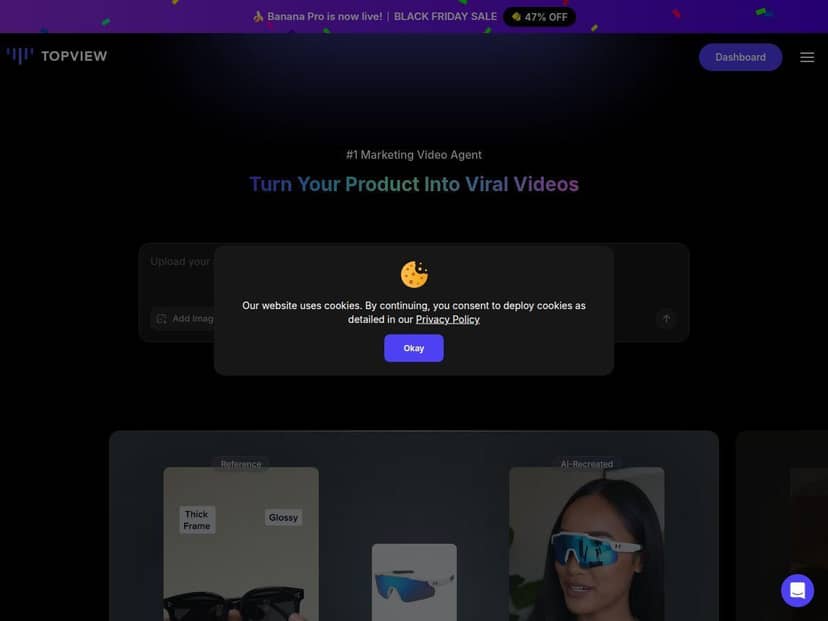
Topview AI Review: what I actually got after testing it
I didn’t want to judge Topview AI based on marketing screenshots, so I ran a quick “real workflow” test. Here’s what I did and what I noticed while generating the videos.
My test setup (inputs + settings)
I tried two inputs:
- Input type #1: a single product image (the kind you’d normally use on a product page)
- Input type #2: a product URL (so the tool could pull the basics and turn it into a promo-style script/video)
For the output style, I kept it simple at first: marketing tone, short promo format, and I selected an AI avatar + voiceover so I could see how the captions and narration lined up. Then I generated another variation and watched for the usual “AI video” tells—awkward pacing, captions that don’t match the audio, and lip-sync that looks off.
How fast it felt (time-to-first output)
In my experience, the “first render” was fast enough that I didn’t feel like I was waiting around. The exact time will vary based on load and the plan you’re on, but the workflow didn’t feel like a multi-step production pipeline. More importantly, the interface made it clear what to edit before exporting—so I wasn’t hunting through settings like it was a video editor.
What the generated videos looked like
Once the video generated, the biggest win was how quickly it turned a static product into something that looks like an ad:
- Captions: they were included automatically and generally synced to the narration. When I changed the script wording, the captions updated with it (so you’re not stuck manually re-timing text).
- Transitions: the tool adds motion between scenes. It’s not “cinematic film school,” but for social ads, it looks lively and intentional.
- Avatar + voiceover: the voiceover sounded natural enough for most marketing use. The avatar wasn’t perfect—there were moments where lip movement felt slightly delayed—but it was usable for short-form promo content.
Two specific prompts/inputs I used
Topview’s interface is built around generating from your product details, but I still had to give it direction. Here are the two examples I used (so you can see the kind of inputs that worked):
- Prompt #1 (image-based): “Create a 20–30 second product ad. Focus on the main benefit, keep it punchy, and end with a clear call to action.”
- Prompt #2 (URL-based): “Turn this product into a social media promo with 3 key talking points. Mention the top feature first and include captions for silent viewers.”
With both, I noticed the tool performs best when you tell it the structure you want (benefit first, then proof/feature, then CTA). If you’re vague, you’ll still get a video—but it won’t always match the pacing you’d use in a real ad test.
Export and practical use
After generation, I looked for what you’d actually need to publish: clean visuals, readable captions, and a format that’s easy to reuse. For marketing teams, the big practical question is: “Can I make multiple versions without redoing everything?” Topview’s value is that you can iterate quickly—new captions, new script angles, different avatar/voice choices—without starting from scratch in a full editor.
Where it struggled (real limitations)
I’m not going to pretend it’s a replacement for Premiere/After Effects. If you want full creative control—custom scene timing, precision typography, or complex brand motion rules—Topview won’t replace that.
In my test, the most noticeable limitations were:
- Customization depth: you can guide the output, but you’re still working within the tool’s templates and scene logic.
- Avatar timing: lip-sync isn’t always perfectly matched on every line, especially when the script changes quickly.
- Video length: depending on the plan, you may be limited to shorter clips (roughly the 15–25 second range in some cases). That’s fine for social ads, but not for longer product explainers.
- Watermark behavior: the free/trial output had a visible watermark in my run, so I wouldn’t ship it to customers without upgrading.
Key Features (and how they show up in real use)
- Automated Video Creation from Images or URLs
- I tested both. Image uploads are great when you already have product visuals. URL-based generation is more convenient when you don’t want to manually summarize everything—but you’ll still want to review the script it produces.
- AI Voiceovers + multi-language support
- Yes, it supports 20+ languages. What matters is pronunciation and pacing. In my tests, the voiceover was understandable and marketing-friendly, but like any AI voice, certain brand names or unusual product terms can come out slightly off—so keep an eye on the first render.
- AI Scriptwriting and prompt-driven output
- You don’t have to be a copywriter, but you’ll get better results if you give a simple structure (benefit → feature → CTA). I saw the biggest improvement when I asked for “3 key talking points” instead of just “make it engaging.”
- High-quality, engaging outputs for ads
- The overall look is polished enough for social media. The motion and caption inclusion help it feel “alive” compared to a static slide.
- Commercial use rights on paid plans
- This is important if you’re running actual campaigns. Before committing, I’d still double-check the plan terms on the pricing page you’re considering, since rights can vary by tier.
- Easy web interface (no editing skills required)
- This is where Topview really shines for marketers who don’t want to build production pipelines. I could generate, tweak, and export without jumping into a complex editing workflow.
Pros and Cons: the honest version
Pros
- Fast iteration: I was able to generate multiple variations without feeling stuck. If your job is “make 20 ad creatives,” this speed matters.
- Captions included automatically: captions were present on my renders, and they generally tracked the voiceover without me manually timing every sentence.
- Works with minimal input: image or URL in, promo-style video out. That simplicity is the core value.
- Professional look for short-form: for TikTok/IG/Reels-style ads, the motion + text overlay combo looked ready to publish (after a quick review).
- Good for catalog-style content: if you have lots of products, template-based automation is exactly what you want. I can see how this would scale better than hiring an editor for each SKU.
Cons
- Watermark on free/trial: in my test, the free output included a watermark, so it’s not usable for real campaigns without upgrading.
- Limited customization: you can adjust inputs and prompts, but you don’t get the kind of fine-grained control you’d expect from a full editing suite.
- Some advanced options are gated: features like extra avatar/variations and longer formats depend on the plan.
- Shorter clip lengths on some plans: I saw output that clustered around the 15–25 second range depending on the plan/settings. If you need 45–90 second videos, you’ll want to confirm what your tier supports.
Pricing Plans: what you should consider before you buy
Topview has a free trial option so you can test the workflow before paying. After that, paid plans start at $9.50/month for the starter tier (based on what I saw in their current presentation). Higher tiers go up to around $75/month, with enterprise/custom pricing for larger teams.
Here’s the practical way I’d think about it:
- If you’re testing: use the trial/free tier to confirm captions, voiceover, and avatar behavior work for your niche.
- If you need regular output: the Starter tier is the minimum if you want ongoing ad creatives without watermarks. You’ll want to check how many credits you get and what export options are included.
- If you need longer videos and more variation: you’ll probably want Pro or Business. In my opinion, this is the moment when it becomes worth paying for extra capabilities instead of regenerating the same style over and over.
If you want to sanity-check the latest plan details, pricing is best verified directly on the Topview site (especially credits, watermark rules, and export limits): Topview AI.
Wrap up
Topview AI is a solid option if your goal is simple: generate marketing videos quickly from product images or links, with captions and voiceover already handled. It won’t replace a real editor, but for short-form promo content, it’s genuinely efficient.
My suggestion? Start with a trial, run 2–3 videos using your actual product (not just the demo stuff), and watch for the two things that matter most: caption/voice timing and avatar realism. If those look good for your brand, you’ll probably find Topview saves you real time—and that’s the kind of “AI productivity” I can get behind.