Table of Contents

What Is Unblocked Code Review?
If you've ever had a developer sprint to get a pull request (PR) approved only to get bogged down in nitpicky style comments or missed logic errors, you'll know the pain. That's partly what drew my interest in Unblocked Code Review — a tool promising to cut through the noise and focus on what really matters in your code reviews.
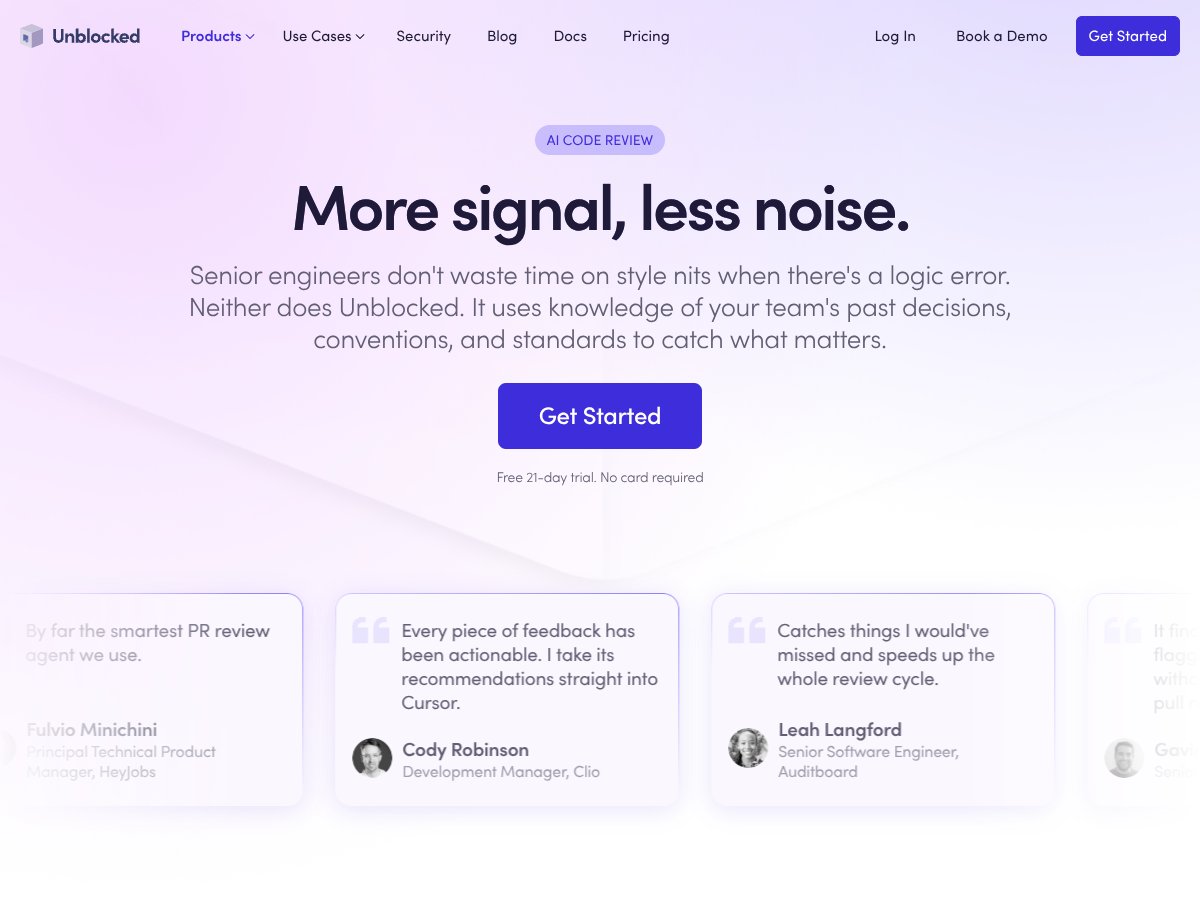
In plain English, Unblocked is an AI-powered code review assistant designed to analyze your pull requests, flag genuine issues, and provide high-quality comments based on your team’s past decisions and standards. Instead of wasting time on style nits or trivial formatting, it aims to highlight logic bugs, potential system issues, and CI failures that actually impact your product.
The problem it’s addressing is pretty clear: manual code reviews can be slow, inconsistent, and sometimes overlook critical bugs because reviewers get distracted by style or formatting debates. Unblocked claims to understand your team's unique conventions and historical decisions, making its feedback more relevant and less noisy.
As for who’s behind it, the website and marketing materials don’t go deep into the company or team behind it. From what I gathered, it's developed by a team focused on AI-assisted software development, probably with some serious machine learning and developer experience expertise. I was surprised to find little publicly available background info, which makes me cautiously optimistic but also a bit wary about how mature the product really is.
My initial impression was that it’s as advertised — at least in broad strokes. It promises to give you “more signal, less noise,” and from what I could test, it does seem to prioritize logic and system concerns over style. That said, I didn't see many concrete examples or sample PRs on their site, so I went in expecting a black-box AI that might sometimes miss context. And honestly, it’s not a full code assistant for writing new code — it’s primarily a review tool, so don’t expect it to help you generate code snippets or suggest full solutions.
One heads-up: there’s no clear information about whether it integrates with your existing tools like GitHub, GitLab, or Bitbucket — which is a bit of a letdown. I’d recommend checking that if you’re considering it for a team environment. Overall, it’s not a magic wand, but it seemed worth exploring for teams tired of style debates taking over their PRs.
Unblocked Code Review Pricing: Is It Worth It?

| Plan | Price | What You Get | My Take |
|---|---|---|---|
| Free Tier | Unknown / Not publicly listed | Limited or unspecified; likely basic features, possibly limited reviews or integrations | Fair warning: the free tier details are not clearly laid out. If you’re testing the waters, expect basic or trial features, but don’t assume full access without contacting sales. |
| Unblocked Business | Custom pricing (contact sales) | Supports teams of all sizes, extensive integrations (Slack, IDEs, Jira, etc.), API access, and advanced data sources | This plan seems tailored for growing teams or companies with complex needs. The lack of public pricing suggests it’s meant for enterprise or mid-sized orgs willing to negotiate, which might be a barrier for smaller teams. |
| Unblocked Enterprise | Custom, generally higher | Enhanced security, on-prem support, dedicated support, and custom integrations | Definitely a premium offering. If you need on-prem or very specific security requirements, this could be worth it, but for smaller teams, it might be overkill. |
Here's the thing about the pricing: Unblocked doesn’t make it easy to see a clear, transparent price upfront. That might be a dealbreaker for some who prefer predictable costs. What they don't tell you on the sales page is whether there are usage caps, review limits, or feature gates in the free tier. My honest assessment? If you’re a small team or individual developer, you’ll likely need to reach out for a quote, which makes it hard to compare directly against more transparent competitors like GitHub Copilot or Codex.
Which plan makes sense? For startups or small teams testing AI-assisted reviews, the free trial is a no-brainer. If you’re a mid-sized team needing integrations with Slack, Jira, and custom data sources, the Business plan might be worth exploring—especially if it can save you hours per week. For large enterprises with strict security and compliance needs, the Enterprise plan could be justified—but only after detailed discussions about costs and features.
The Good and The Bad
What I Liked
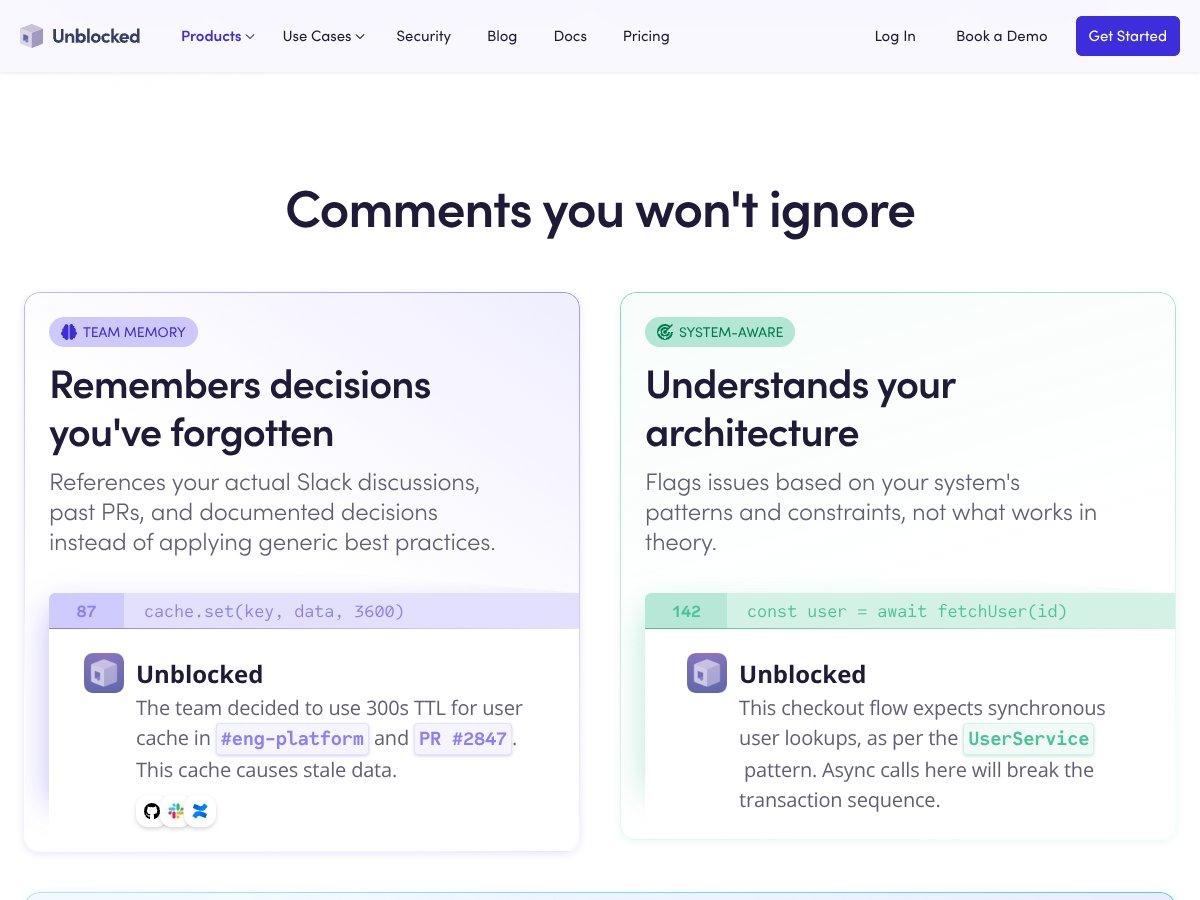
- Deep team memory: References past decisions, Slack discussions, and PRs, which means fewer false positives and more relevant feedback. That’s a game-changer for teams with complex workflows.
- System-aware analysis: It understands your architecture and flags issues based on your actual patterns, not generic best practices. This tailored approach can catch real issues that generic tools miss.
- CI failure analysis: When your build breaks, Unblocked analyzes logs and posts actionable fixes directly in your PR. That can save hours hunting down root causes.
- Integration versatility: Supports Slack, IDEs, Jira, Confluence, Google Drive, and more. This makes it easy to fit into existing workflows without disruption.
- Free trial with full features: No credit card needed. That’s a low barrier to test whether it actually improves your code review process.
- Focus on meaningful feedback: It aims to flag genuine issues, not style nits, which aligns with how senior engineers prefer to review code.
What Could Be Better
- Transparency on features and limits: The lack of public info on the free tier and exact pricing makes it hard to plan or compare. You might need to contact sales before knowing if it’s worth the investment.
- Limited public reviews or user feedback: Aside from enterprise testimonials, there’s little independent validation or user stories available online, which makes assessing real-world value tricky.
- Focus mainly on code review, not full coding assistance: If you’re looking for an all-in-one AI coding partner like Copilot, this might not be enough.
- Learning curve or setup complexity: Customizing the tool to match your team’s conventions might require some initial effort, especially without clear onboarding guides.
- Enterprise costs can be high: For large organizations, the custom pricing could add up, and the ROI depends heavily on how much time it saves your team.
Who Is Unblocked Code Review Actually For?

If you’re a mid-sized or large development team that already has complex workflows, multiple tools, and a need for smarter PR reviews, this could be a solid fit. It’s especially useful if your team struggles with legacy codebases or inconsistent standards. For example, if you’re managing a monorepo with hundreds of PRs per week and want to flag only the critical issues, Unblocked’s knowledge of your past decisions and architecture can really shine.
It’s also ideal for teams that want to reduce review fatigue—filtering out noise and focusing on the logic errors and systemic issues that matter. If you’re a senior engineer or tech lead looking to automate the mundane but important parts of code review, this tool can help you scale your review process without sacrificing quality.
On the other hand, if your team is small, or you’re just starting out, the value might be limited until you have enough volume or complexity to justify the investment. Similarly, if your team already relies heavily on manual review or prefers open-source tools, Unblocked might be overkill.
Who Should Look Elsewhere
If your main goal is a general-purpose AI coding assistant or autocomplete, tools like GitHub Copilot or OpenAI Codex are probably better suited—and often cheaper or more transparent. Similarly, if you’re a solo developer or a very small team that doesn’t need deep integration or historical context, the complexity of Unblocked might not pay off.
Also, if you’re looking for a free or open-source solution to start experimenting with AI code review, this is not the place. The limited public info and custom pricing suggest it’s aimed at organizations with a budget for enterprise tools, not hobbyists or bootstrapped startups.
{"pros": ["Deep team memory referencing Slack discussions and PR history—reduces redundant reviews","System-aware analysis that understands your architecture and flags contextually relevant issues","Automated CI failure analysis saves troubleshooting time","Rich integrations with Slack, IDEs, Jira, Confluence streamline workflows","Free trial allows testing without commitment","Focus on critical issues over style nitpicks aligns with senior engineer priorities"], "cons": ["Lack of transparent pricing details makes budgeting difficult","Limited public reviews or independent validation of effectiveness","Primarily focused on code review, not a full coding assistant","Setup and customization may require effort without clear onboarding resources","Enterprise plans could be expensive, raising questions about ROI for smaller teams"], "useCases": ["Large teams managing complex codebases with frequent PRs","Organizations needing to automate CI troubleshooting and root cause analysis","Teams seeking to embed code review insights within Slack and IDE workflows","Companies aiming to reduce review fatigue by focusing on impactful issues"]}How Unblocked Code Review Stacks Up Against Alternatives
GitHub Copilot
- Primarily an AI-powered coding assistant that suggests code snippets, automates boilerplate, and offers inline suggestions within your IDE. It’s more about helping you write code faster than reviewing PRs or analyzing legacy codebases.
- Pricing is straightforward: free for basic features, $10/month for Pro, and $39/month for Copilot+ (which offers more enterprise features). It’s clear and predictable.
- Choose this if... you want real-time code suggestions while coding and don’t need deep review insights or legacy code understanding.
- Stick with Unblocked Code Review if... you’re looking for an AI tool that automates PR reviews, handles complex codebases, or integrates with multiple project management tools.
OpenAI Codex
- Offers powerful AI models focused on generating and understanding code, often used via APIs. It’s more flexible but requires setup and customization.
- Pricing varies, with a $20/month plan for basic access and higher tiers for advanced features. It’s more technical and less plug-and-play than Unblocked.
- Choose this if... you need custom AI integrations for your own tools or want to build tailored code analysis solutions.
- Stick with Unblocked Code Review if... you want an out-of-the-box, team-ready review automation rather than building your own AI models.
GitLens (VS Code)
- Enhances Git capabilities within VS Code, including AI-powered code insights, blame annotations, and code history. It’s a developer productivity tool rather than a dedicated code review AI.
- Pro subscription costs around $50/year, offering more advanced features like code lens and advanced blame features.
- Choose this if... you mainly want better Git insights in your IDE and simple code annotations.
- Stick with Unblocked Code Review if... you need comprehensive PR reviews, cross-team collaboration, and integration across tools like Slack, Jira, etc.
Qodo
- Focuses on AI-driven code assistance with a simple interface, costing around $15/month. It offers code explanations, suggestions, and review prompts but isn’t as enterprise-focused.
- Pricing is transparent and affordable, good for small teams or individual developers.
- Choose this if... you want an affordable, easy-to-use AI helper for coding and light reviews.
- Stick with Unblocked Code Review if... your team needs deep integrations, PR summaries, and legacy code understanding that Qodo doesn’t provide.
Bottom Line: Should You Try Unblocked Code Review?
Overall, I’d say Unblocked Code Review is a solid choice for teams that want to streamline their code reviews without fuss. It’s a 7/10 — not perfect, but it’s got a lot of potential and can save a significant chunk of time, especially if you’re dealing with large, complex, or legacy codebases.
If your team is heavily reliant on PR workflows, needs quick insights, and values integrations with Slack, Jira, and IDEs, give it a shot. The free trial is generous and worth exploring before committing.
However, if you’re a solo developer or looking for a lightweight, affordable tool, something like Qodo or GitLens might be better suited. Also, if you need full-blown AI coding assistance rather than review automation, Copilot or Codex could serve you better.
Personally, I’d recommend trying Unblocked if your team struggles with lengthy reviews or legacy code. If you’re just starting out or need a simple code helper, you might want to hold off and see if a lighter tool fits your needs first.
Common Questions About Unblocked Code Review
- Is Unblocked Code Review worth the money? It can be, especially if it saves your team hours each week and improves review quality. But it’s more suited for larger teams or complex projects due to its enterprise focus.
- Is there a free version? Yes, it offers a 21-day free trial with full features. After that, pricing is customized based on your needs.
- How does it compare to GitHub Copilot? Copilot is better for inline code suggestions during development, while Unblocked excels at automating PR reviews and managing codebases at scale.
- Can it handle legacy code? Absolutely — that’s one of its main strengths. It’s designed to help understand and review large, complex, or outdated codebases.
- Does it integrate with my tools? Yes, it supports Slack, Jira, IDEs, Confluence, Google Drive, Notion, and more. Check if your tools are supported before committing.
- Can I get a refund? Refund policies depend on your plan and vendor terms, so check with sales during onboarding.