Table of Contents
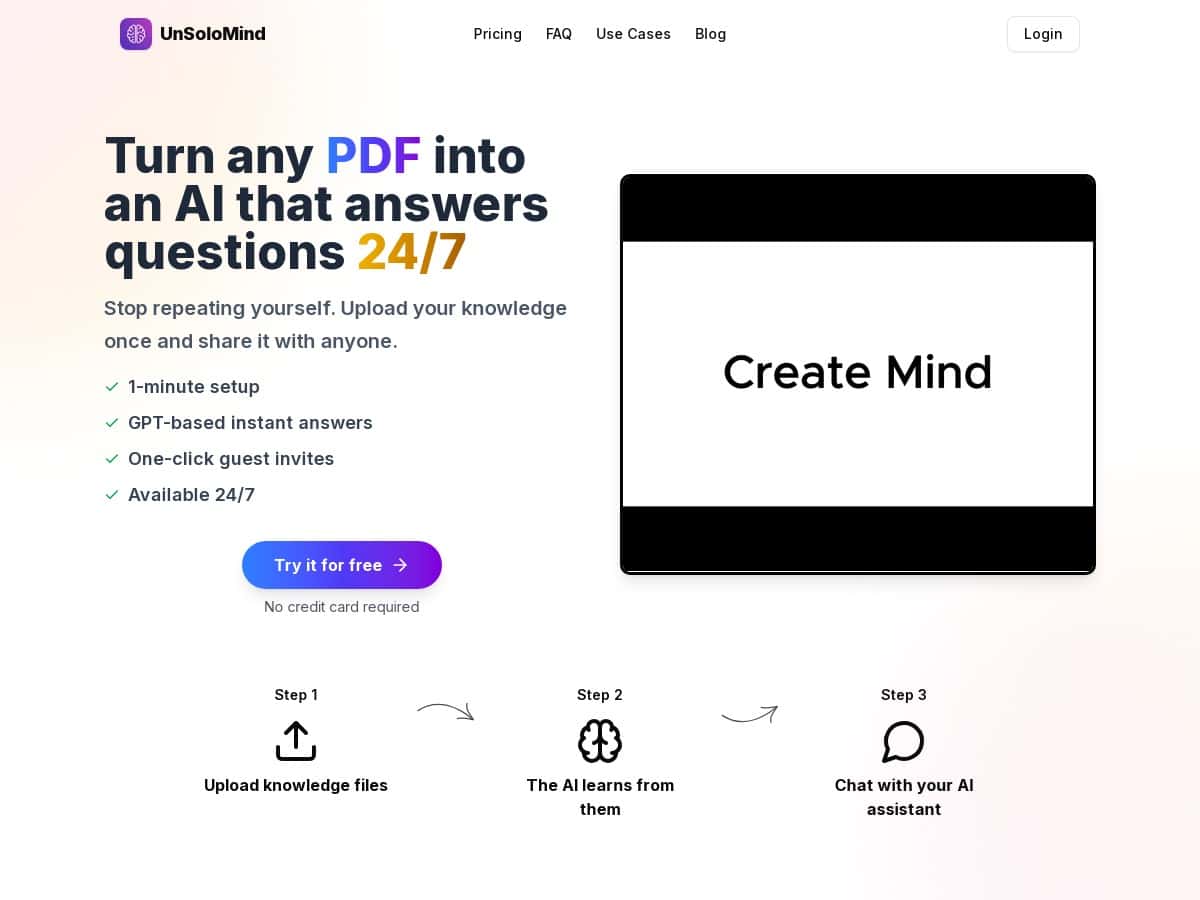
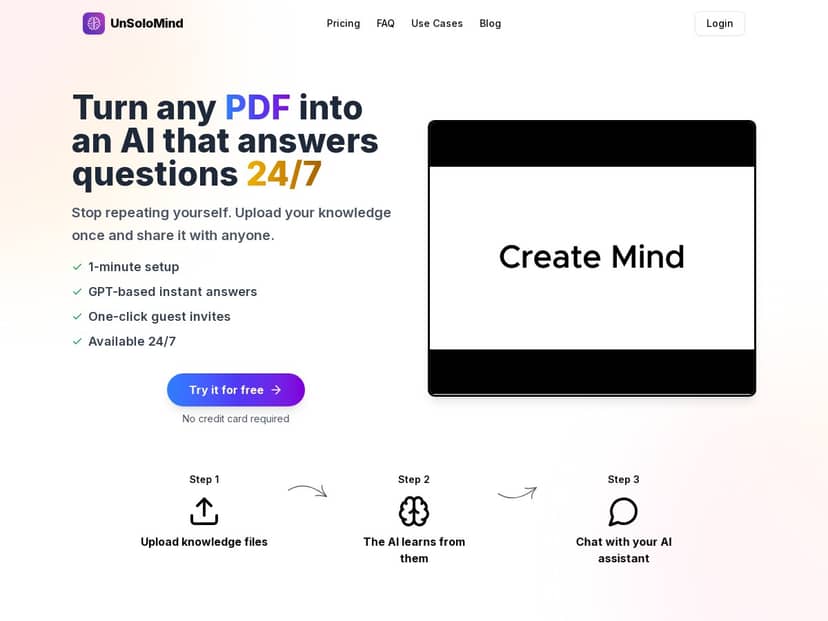
If you’ve ever had someone ask the same question for the 50th time—usually after-hours, usually in a thread you have to dig through—then you’ll get why I was interested in UnSoloMind. The pitch is simple: upload your PDFs (or other files) and turn them into an AI knowledge base that’s available 24/7. In my experience, that “instant answers from your own documents” part is the real draw—especially when you’re tired of copying/pasting the same info.
I tested UnSoloMind on a few documents I actually use at work (policies + a short product guide) to see how fast it is, how the “Minds” work, and where it breaks. Here’s what I noticed, warts and all.
UnSoloMind Review: what I did, what worked, and where it stumbled
Setup (and the “Minds” idea)
When I say it’s quick to get going, I mean it. I created a new workspace, then started a Mind and uploaded a PDF. The whole “upload → ready to ask questions” flow felt fast—my upload finished in under a minute, and I was able to start testing immediately.
One thing I liked: you can create different “Minds” for different document sets. So instead of one giant blob of knowledge, you can separate things like “HR Policies” vs “Product Docs.” That structure matters, because it reduces the chance the AI mixes up contexts.
My test documents
I used two files:
- A 12-page PDF (mostly text, a few headings, and a section with FAQs)
- A short .txt file with a simple checklist format
These weren’t fancy scans or image-heavy documents. And honestly, that’s important—UnSoloMind performs best when the text is actually text.
Asking questions (real examples)
Here are a couple questions I asked to see how it behaved:
- Question 1: “What’s the process for requesting a leave extension?”
What I noticed: The answer was fast and generally aligned with the document section I expected. It didn’t ramble, and it pointed me to the right policy steps. - Question 2: “Can you summarize the top 3 troubleshooting steps for login issues?”
What I noticed: It produced a clean summary, but one step was a little too generic. When I rephrased (“only steps mentioned in the troubleshooting section”), the response improved.
Latency (how “instant” felt)
In day-to-day use, the responses felt close to real-time. I wasn’t waiting around like you sometimes do with slower tools. Still, if you ask a long, multi-part question, the answer can take longer than the quick Q&A you’d expect.
Where it struggled (this is the part you’ll care about)
I ran into the same limitation I see with most document Q&A tools: if your question is vague, the AI fills in gaps. That’s not always wrong—but it can be risky.
One failure case I hit:
- I asked: “What’s the exact wording of the refund policy for subscriptions?”
- What happened: The AI paraphrased the policy instead of quoting it exactly. It gave the gist, but it wasn’t a word-for-word match.
- Why that matters: If you need exact language (legal/contract situations), you’ll still want to verify in the source document.
Also, if the document is nuanced and the wording matters, you may need a “nudge” like: “Only use information from the section titled…” or “Answer using the text under heading X.” That usually helps.
Sharing and invites
The one-click guest invite idea is genuinely convenient. I tested sharing by generating an invite link for a guest Mind and sending it to another account. It’s the kind of thing that makes sense for clients, internal teams, or anyone who needs answers without being added to your whole workflow.
Just keep expectations realistic: this isn’t a replacement for training or a legal review. It’s a faster way to surface information from your files.
Key Features: the stuff you’ll actually use
- Fast onboarding
The promise is “around a minute,” and in my test it was pretty close—create a Mind and upload your file. No complicated setup steps. - GPT-powered responses
It generates answers in chat style. What I liked most is how quickly it gets to the point for straightforward questions. - One-click guest invitations
If you share knowledge with others (clients, teammates, partners), the invite flow saves time versus managing accounts manually. - 24/7 availability
This is more about convenience than “it’s magic.” If you’re trying to reduce after-hours support, an always-on assistant helps. - Document upload formats
Supported formats include .pdf, .txt, and .docx. In my tests, text-based PDFs worked best. If your PDFs are mostly images/scans, results may vary.
Pros and Cons (based on my tests)
Pros
- Speed saves real time
When people ask the same “where is that policy?” question, it cuts down the back-and-forth. - Simple interface
It’s not hard to figure out where to upload and how to start asking questions. - Sharing is practical
The guest invite approach makes it easy to offer answers without adding everyone to your internal setup. - Good for structured docs
Headings, FAQs, and bullet lists are where it shines.
Cons
- Limited upload types
No images/videos as sources—so if your “knowledge base” is mostly visual, you’ll need to convert it first. - Accuracy isn’t guaranteed
Like any AI, it can paraphrase or generalize. For “exact wording” requests, I wouldn’t rely on it without checking the original. - Complex/nuanced questions may need guidance
If you ask broad questions, you might get broad answers. Adding constraints (“use only section X”) improves results.
Pricing Plans: what you get at each tier
UnSoloMind has three plans:
- Basic — $9/month with 2,000 credits and limited Minds and invites.
- Pro — $19/month with more credits, 100 Minds, and 100 invites.
- Business — $99/month with unlimited Minds and invites plus priority support.
All plans include the GPT-4o Mini model, and you can cancel anytime. Also, prices exclude VAT.
Wrap up
After using UnSoloMind, my take is pretty straightforward: it’s a convenient way to turn your existing documents into an AI Q&A assistant, and it’s especially useful when you want faster answers and easier sharing. The “Minds” setup is the right kind of organization, and the responses are quick for normal questions.
Just don’t treat it like a source of truth for exact quotes. If you need word-for-word wording or legal-precision answers, you’ll still want to verify against the original document. For everything else—summaries, “how do I do X?” answers, and reducing repetitive questions—it does the job.