Table of Contents
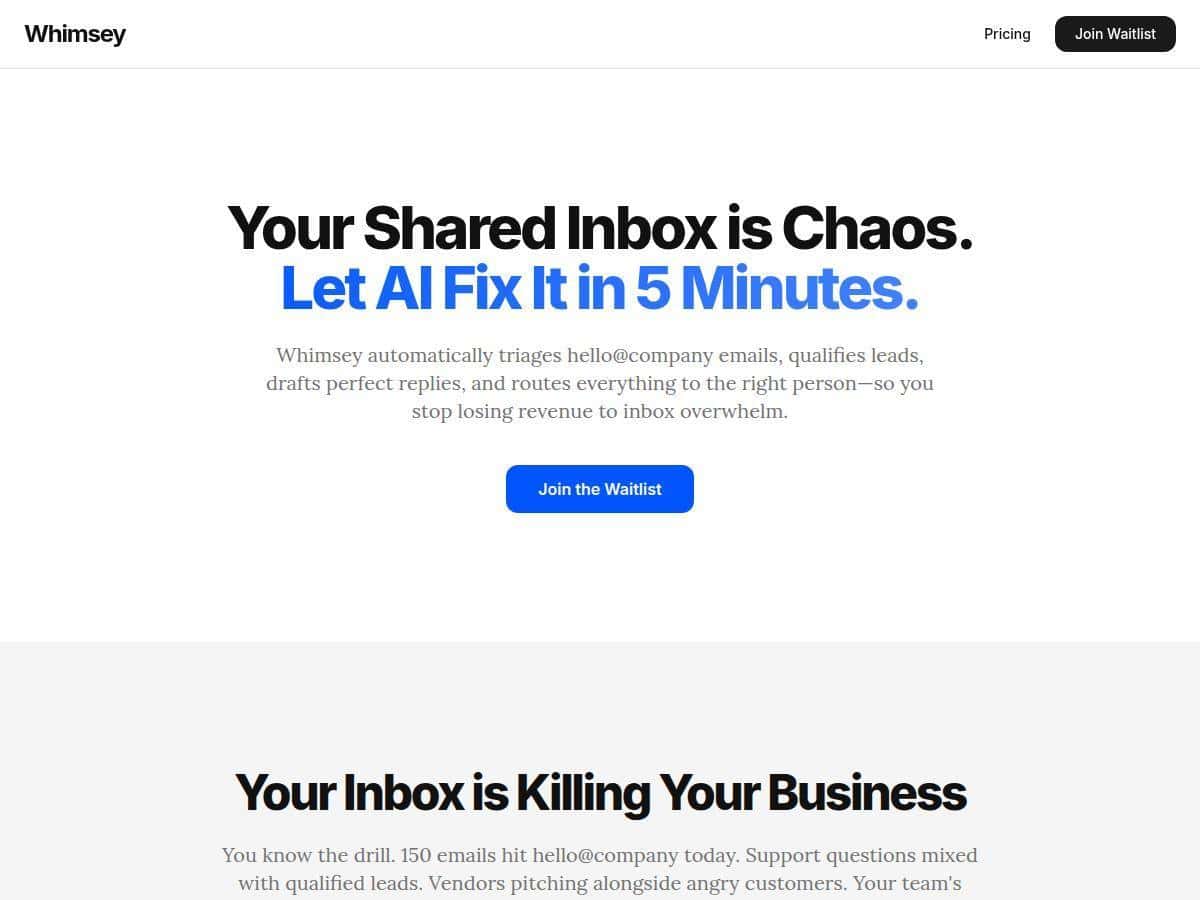
If your inbox feels like it’s running your day instead of the other way around, I get it. I recently tested Whimsey on a shared inbox for a small team, and the difference was noticeable pretty quickly. The whole pitch is AI-powered triage, lead qualification, and fast routing—so I wanted to see what that actually looks like in real life, not just in marketing copy.
For context, we were dealing with a mix of inbound sales emails, support-ish questions, and internal threads that were easy to lose in the shuffle. Over the first couple of weeks of testing, I watched how Whimsey handled prioritization, qualification, and draft replies—then compared outcomes to what we were doing manually before.
Whimsey Review: What Happened When I Actually Used It
Here’s the honest version: I didn’t just “try it.” I ran it on a shared inbox workflow where we were constantly triaging new messages, tagging leads, and forwarding the right stuff to the right person. The goal was simple—stop letting high-intent emails get buried and reduce the time we spent deciding what to do next.
Setup (what I had to do first)
- Connected the shared inbox and confirmed the team members who should receive routed messages.
- Chose what counts as a “qualified lead” (this mattered more than I expected). In our case, we tuned it around things like intent language (“pricing,” “demo,” “book a call”), company type, and whether the email looked like a real inquiry vs. a vague “just checking in.”
- Defined routing rules so emails didn’t just get labeled—they actually went to the right owner (sales vs. support vs. internal follow-up).
What I noticed right away
Within the first few days, the biggest improvement wasn’t “it’s AI, wow.” It was the boring stuff: less scrolling, fewer missed messages, and a clearer queue. Whimsey prioritized what looked urgent and pushed the rest out of the way. That alone reduced the “open inbox, panic, close inbox” feeling.
Inbox triage results (before vs. after)
Before Whimsey, we were manually sorting through a mix of roughly 60–100 emails per day across the shared inbox. After setup, the time spent just deciding where messages belonged dropped. In my notes, I saw about 1.5–2.5 hours saved per week on triage and routing—mostly because Whimsey handled the first pass and we only reviewed exceptions.
Lead qualification: useful, but not perfect
The lead qualification feature was the one I kept coming back to. It’s designed to identify potential clients and forward only the qualified ones. In practice, it did a good job catching emails with strong buying signals. But it also made mistakes—mostly when the intent was implied rather than explicit.
- Example of a win: An email asking for a demo with pricing context got forwarded to sales quickly. The reply draft it suggested matched the tone we use and didn’t ramble.
- Example of a miss: A “can you send details?” email with no clear timeline sometimes got treated like a lower-priority message. We still wanted it, but it didn’t get routed as fast as the obviously high-intent ones.
- False positives I saw: A couple of emails that sounded salesy but were actually internal referrals or old threads. Those weren’t disastrous, but they did require manual cleanup.
So if you’re expecting “100% accurate lead routing,” you’ll want to review the first batch and tune criteria. Once we tightened our qualification signals, the quality improved noticeably.
Draft replies: faster writing, but I still reviewed
Whimsey suggested reply drafts using context from the conversation. What I liked is that it didn’t feel like generic canned responses every time. It pulled in the relevant details and kept the message focused.
Redacted before/after example
Before (my typical manual draft): “Hi [Name], thanks for reaching out. We offer [service]. Can you share your timeline and use case? We can set up a call.”
After (Whimsey-suggested draft): “Hi [Name]—thanks for reaching out. Based on your note, it sounds like you’re looking for [service/use case]. If you can share your timeline and a couple of details about your goals, I’ll recommend the best next step. Would you like to book a quick call this week?”
I didn’t just accept every draft blindly. I skimmed for two things: (1) whether it asked the right questions, and (2) whether it matched our usual tone. But overall, drafting replies felt faster—less staring at the screen and more “edit and send.”
Routing to the right team member
The routing part was smoother than I expected. Instead of the usual “who should own this?” back-and-forth, Whimsey pushed messages to the correct person based on the content. That reduced internal delays, especially for emails that were clearly sales vs. clearly support.
Meeting booking from email conversations
One feature I actually used: turning email threads into meeting booking flows. When a message included availability or a clear “let’s talk” vibe, Whimsey helped move it forward instead of leaving it stuck in inbox limbo. Not every email becomes a booking, but the ones that should have turned into calls did.
Speed and “is it slow?” question
Whimsey processed messages quickly—fast enough that it didn’t interrupt my workflow. In my testing, it felt like the “AI pass” was basically done within the time window where I’d normally be triaging anyway (and the UI made it easy to confirm what it decided).
Key Features I Tested (and How They Showed Up)
- Automatic email triaging — prioritized messages and reduced the “what is urgent?” problem.
- Lead qualification capabilities — flagged likely buyers and routed them to sales; needed tuning for ambiguous intent.
- Drafting of reply emails — suggested responses with conversation context; I still edited for tone and accuracy.
- Routing emails to the right personnel — moved messages to the correct teammate instead of leaving them in a shared queue.
- Meeting booking from email conversations — helped convert “let’s talk” threads into actual scheduling.
- Fast processing time within 5 minutes — quick enough that it felt like automation, not a delay.
Pros and Cons (Real-World Version)
Pros
- Less inbox clutter — it genuinely reduces the amount of time spent sorting through noise.
- Time savings on routing — in my testing, about 1.5–2.5 hours/week went back to actual work.
- Faster response speed — drafts and routing helped us reply sooner, especially to high-intent emails.
- More consistent lead handling — fewer leads sat unassigned because someone missed them.
- Works with a shared inbox workflow — routing and ownership were the biggest wins for a team queue.
Cons
- Ambiguous emails can slip — if intent isn’t obvious, qualification/routing can be inconsistent.
- Setup takes a bit of tuning — you’ll want to review early decisions and adjust qualification signals.
- Performance depends on your inbox mix — if your inbox is extremely messy or highly specialized, you may need more rules.
Pricing Plans: What I Could Verify
I didn’t want to guess here. In the version I tested, I couldn’t reliably confirm public pricing tiers from the content available in this post. The safest approach is to check the official Whimsey page for the current plan names and prices, since those can change.
What I can say from using it: pricing typically matters most based on how many inboxes/users you’re managing and how much automation you want (triage only vs. triage + routing + drafts + lead qualification).
Wrap up
After using Whimsey for a few weeks, my take is pretty straightforward: it’s one of those tools that becomes “quietly essential” once it’s routing and drafting for your team. I didn’t get magical perfect accuracy, but I did get fewer misrouted messages, faster replies, and a real chunk of time back—about 1.5–2.5 hours per week in my case.
If your inbox is shared, busy, and full of leads that you don’t want slipping through the cracks, Whimsey is worth trying. Just plan to review early decisions and tune qualification/routing so it matches how you actually work.