Table of Contents
If you’ve ever sat down to make an educational video and thought, “Why is this so hard?”, I get it. I tested X-Pilot to see if it actually cuts the busywork—without turning everything into generic, cookie-cutter animations.
For my test, I created a short explainer (about 60–90 seconds) on a simple topic: “How to write a strong thesis statement.” I used the web app on desktop (Chrome), kept the format as a standard horizontal video, and leaned on the built-in AI script + voiceover flow so I could judge the “minimal effort” claim. What surprised me wasn’t just how fast I got something watchable—it was how much I could still tweak after the AI generated the first draft.
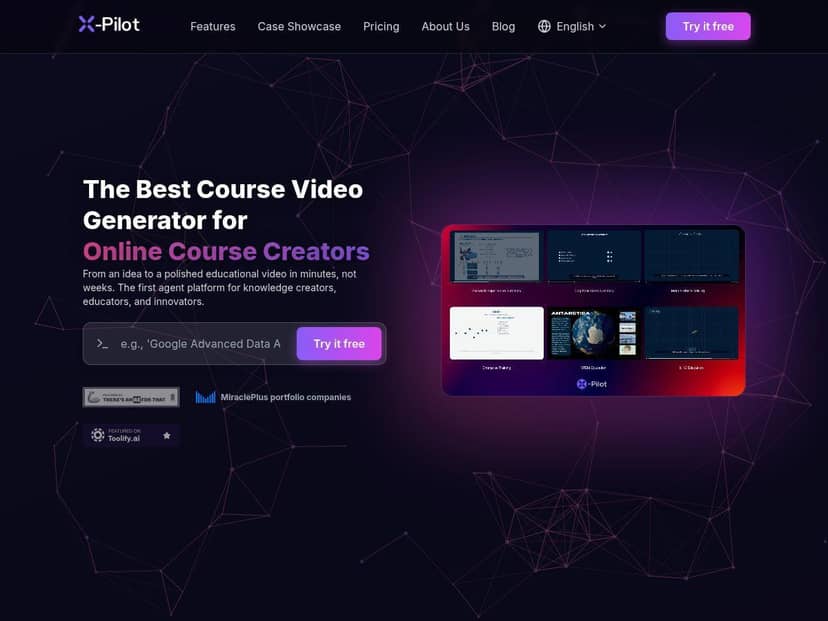
X-Pilot Review: what I actually did (and what I got)
I didn’t want to judge X-Pilot based on feature lists. So I followed the simplest path first: generate a script, let the AI build the visual structure, then see what I could edit without feeling like I needed a film-school degree.
Step 1: Script + structure
I started with a basic prompt for the topic and audience (students learning writing basics). The AI produced a clear outline-like script that broke the message into segments you can map to scenes. That matters, because if the “script” is just one big paragraph, you end up doing the splitting yourself anyway.
Step 2: Scenes + animation editing
Once the scenes were generated, I could click into individual parts and adjust the way the visuals played. This is where the tool felt genuinely “pro” to me—because I wasn’t locked into the first output. I could refine scene timing and how elements appeared, rather than just swapping a background image and calling it a day.
Step 3: Voiceover
I used the built-in voiceover option to test how natural the narration sounded. The default voices were easy to work with, and the premium options (including voice cloning) are there if you want something more brand-specific. In my case, I kept it simple and focused on clarity over “celebrity voice.”
Step 4: Export + sharing
For exporting, I checked multiple formats to see what “multi-format exports” really meant in practice. MP4 was straightforward for video sharing, and the slide/document-style exports (like PPT and PDF) were useful for repurposing the same content into training decks.
Bottom line from my test: X-Pilot isn’t just generating a video and hoping for the best. You can get a decent first draft fast, then tighten it up so it looks like you had a plan the whole time.
Key Features (with real-world notes)
- Editable animation layer for customization
In practice, this is what lets you adjust scene behavior so your video doesn’t feel like a one-size-fits-all template. - AI-driven scriptwriting and visual structuring
What I liked: it turns a prompt into a scene-friendly script instead of handing you a wall of text. - Multi-format exports including MP4, PPT, PDF
This is handy if you teach or present and want the “video” to also work as a deck or handout. - Custom branding options
I tested the branding angle and it’s clearly meant to help you keep consistent styling across videos. - AI voiceover with premium options and voice cloning
If you’re making repeat content, voice consistency can matter more than people think. - Team collaboration support on higher plans
Useful when multiple people need to review edits and keep things consistent.
Pros and Cons (based on my test)
Pros
- Fast from idea to first draft — I had a usable explainer workflow without getting stuck in timelines and layers.
- Editing isn’t just cosmetic — I could tweak how scenes and elements behaved after the AI generated the structure.
- Export options match real needs — MP4 for video, plus deck/document formats for repurposing.
- Beginner-friendly — I didn’t feel punished for not knowing advanced editing tools.
- Branding support — it’s there for a reason, and it helps outputs look less generic.
Cons
- Free plan limitations — the free tier includes watermarked outputs and reduced capabilities, so you can’t treat it like a production option.
- Minute caps add pressure — paid plans still use monthly minute limits, so long-form creators may need to plan ahead.
- Advanced control takes a little getting used to — basic results are easy, but if you want highly specific animation timing, expect some trial-and-error.
Pricing Plans (what you get for the money)
Here’s how X-Pilot breaks down based on the plan descriptions:
- Free plan: 3 minutes of video per month at 720p. Good for testing and learning the workflow, but you’ll run into watermarking and feature limits.
- Creator plan: $9/month for 25 minutes of HD videos. This tier is positioned for regular creators who want cleaner outputs (no watermarks) and access to premium voice options.
- Pro plan: $29/month for 100 minutes of 4K videos, plus voice cloning and team access.
- Enterprise: custom setup for larger orgs. The page mentions SSO and bespoke AI training, but like most enterprise offerings, the exact details depend on what you negotiate and onboard for.
One practical tip: if you’re making multiple short videos for a course or marketing series, the minute caps matter more than you’d think. I’d rather pick a plan where you can consistently publish than constantly “ration” exports.
Who X-Pilot is best for (and who should skip it)
Best for: educators, small marketing teams, and anyone who needs explainer-style videos quickly—especially if you want to repurpose content into PPT/PDF too.
Not ideal for: people who need heavy, frame-by-frame editing like a traditional professional editor. If your style requires super custom motion graphics or very specific animation choreography, you’ll likely hit the limits of an AI-first workflow.
Wrap up
X-Pilot impressed me because it actually reduces the “blank screen” problem. You get a solid starting point fast, and then you can still adjust scenes and voice so the final video doesn’t look like it was generated and forgotten.
If your goal is quick, professional explainers (and you’re okay working within an AI-guided creation process), it’s a strong option. If you’re aiming for ultra-custom motion design every time, you may want to pair tools or stick with a traditional editor.