Table of Contents

What Is Yasu?
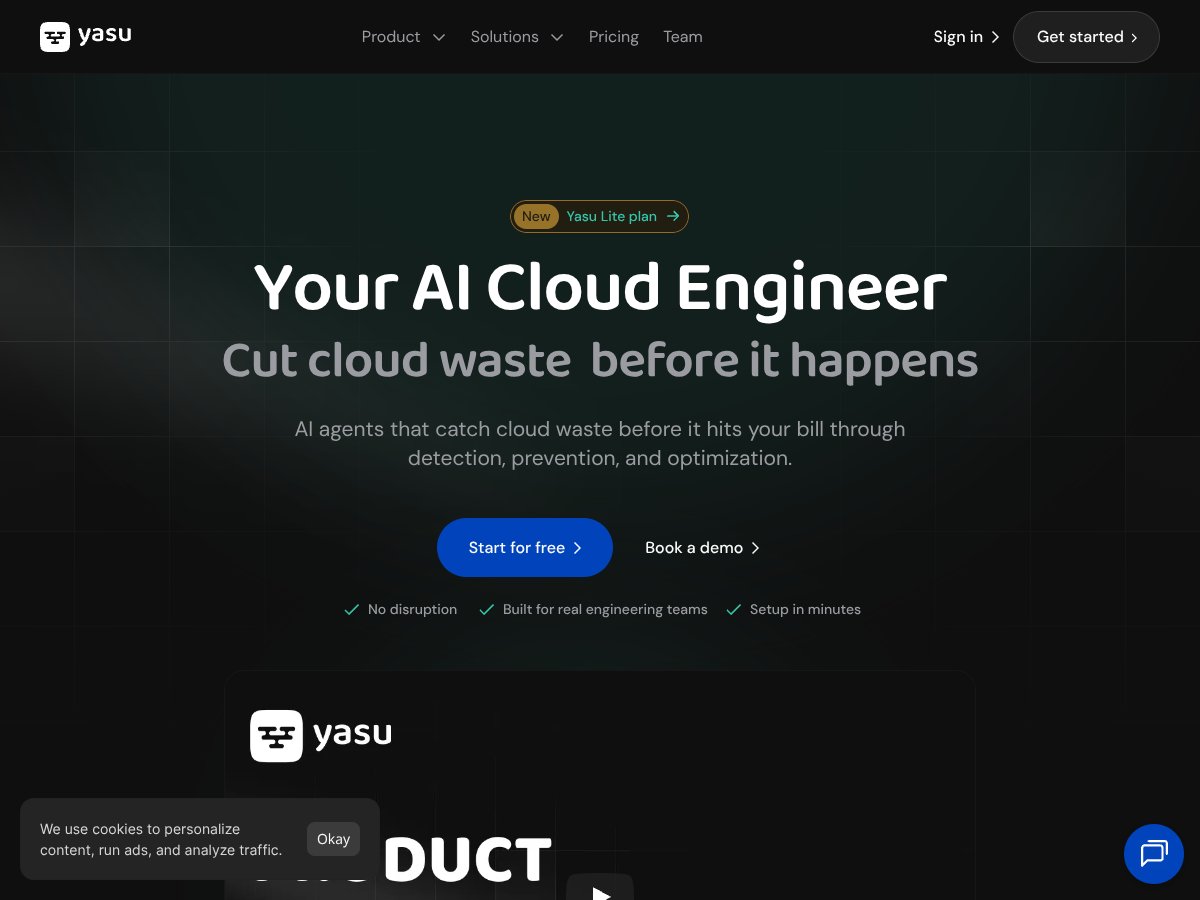
Honestly, when I first heard about Yasu, I was pretty skeptical. The whole idea of having an AI act as your cloud engineer, constantly analyzing and fixing issues across multiple clouds — AWS, GCP, Azure — sounded a bit too good to be true. But I was curious enough to give it a whirl, mainly because managing cloud costs is such a pain point, and anything promising to catch waste early on caught my attention.
So, what does Yasu actually do? In plain English, it’s a platform that claims to act like an AI-powered assistant for your cloud environment. It’s supposed to analyze your cloud usage, catch misconfigurations, and prevent costly mistakes before they hit your bill. The idea is to automate the detection and fixing of waste, ideally saving you money without you having to manually dig through logs or set up complex rules.
What it’s really trying to solve is the common problem of cloud overspending and resource mismanagement. Most teams end up with a bill that’s larger than expected because of leftover resources, oversized instances, or misconfigurations. Instead of waiting until after the fact with cost reports, Yasu aims to be proactive — catching issues during development, in pull requests, or even before deployment.
As for who’s behind Yasu, it’s a pretty fresh startup founded in 2025, with some recent funding — €850K in pre-seed led by Akka, if you’re into the funding details. The team claims to be building the "world’s first AI cloud engineer," which sounds ambitious, though I’d take that with a grain of salt. The founders are relatively new, and the product just launched publicly in April 2025, so it’s early days. I was surprised to find that it’s still somewhat lightweight in terms of community or user reviews, but that’s typical for a new product.
My initial impression? As advertised, Yasu is meant to be an easy, no-disruption setup that quickly gives you visibility into your cloud costs and waste. It does seem to deliver on that promise, at least in terms of connecting to your cloud accounts in under three minutes and showing some initial insights. However, don’t expect it to be a fully-fledged, mature platform with a ton of features. It’s more like a promising start — a glimpse of what AI-assisted cloud management could look like, but not yet comprehensive.
And just to manage expectations upfront: Yasu isn’t a replacement for your existing cloud monitoring tools or a fully automated cloud ops team. It’s more like a supplemental assistant that tries to catch issues early. If you’re looking for deep post-deployment analytics or detailed security audits, this isn’t it — at least not yet. Also, there’s no transparent pricing or detailed plans published, which is typical for young startups, but it means you’ll probably need to contact sales for exact costs.
In summary, Yasu seems to be on the right track with its core idea — proactive, AI-driven cloud waste prevention. The question is whether it can grow into a more comprehensive tool or if it remains a somewhat limited, early-stage product. For now, it’s intriguing, but definitely not a magic wand for cloud cost management.
Yasu Pricing: Is It Worth It?

Here's the thing about the pricing... Yasu doesn't make it crystal clear upfront how much you'll be paying, especially for their full platform. They do have a free tier called Yasu Lite, which is designed to give you some basic waste detection — but details like limits on resources, API calls, or how long you'll get access aren't explicitly spelled out on their website. What they don't tell you on the sales page is whether the free plan is enough to see real value or if you'll need to upgrade quickly.
Now, regarding the paid plans, the specifics are somewhat opaque. The pricing appears to be available upon request or via their sales team, which suggests this might be more geared toward mid-to-large organizations rather than solo startups. The lack of transparent pricing could be a red flag for some — especially if you're trying to budget or compare alternatives without the back-and-forth of a sales call.
- Basic waste detection in multi-cloud
- Limited AI agent insights
- Single cloud provider support
- Full AI agent automation
- Cross-cloud management
- Shift-left cost analysis in CI/CD pipelines
- Dedicated support and onboarding
| Plan | Price | What You Get | My Take |
|---|---|---|---|
| Yasu Lite | Free | Good for small teams or testing the waters, but very limited in scope. | |
| Pro/Full Platform | Pricing on request | Likely suited for larger teams or enterprise environments, but you'll need to get a quote first. |
My honest assessment? Fair warning: without transparent, published pricing, it's tough to say whether Yasu offers good value compared to competitors like CloudZero or Flexera. If you're a small team or startup, the free tier might be worth trying — but be prepared to negotiate or inquire about costs for more advanced features. This might be a dealbreaker for some if budget transparency is a priority.
In sum, expect to have a conversation with their sales team, and consider whether the potential savings (up to 35% as claimed) justify the investment — especially if you’re already using other cost management tools.
The Good and The Bad
What I Liked
- Proactive prevention: Yasu catches misconfigurations and resource waste during development, which can save a ton of money before deployment — this is a real game-changer compared to reactive tools that only analyze after the fact.
- Quick setup in under 3 minutes: The ease of connecting your cloud accounts and starting to see insights is a huge plus, especially for teams without dedicated cloud ops specialists.
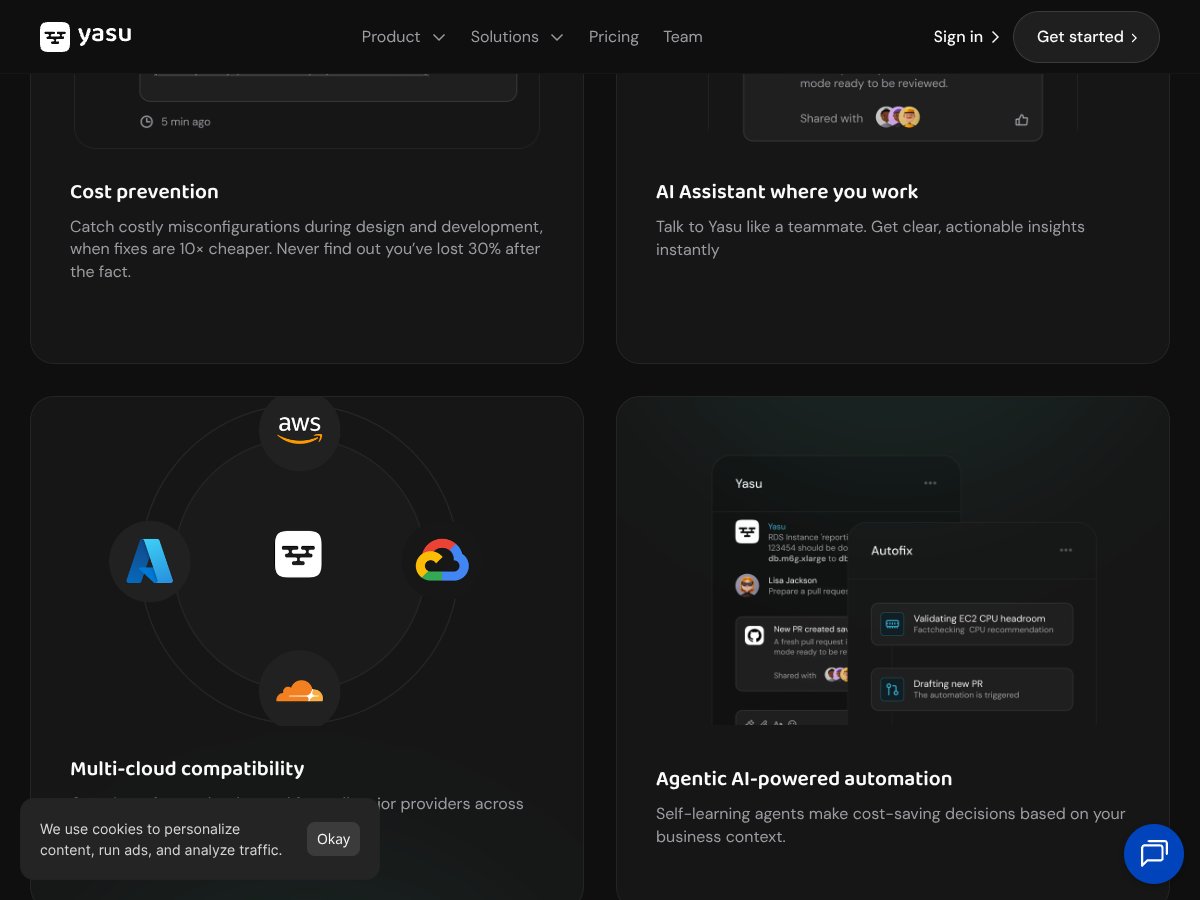
- Multi-cloud support: Being able to see your AWS, GCP, and Azure spend in one dashboard helps break down silos and gives a holistic view of cloud costs.
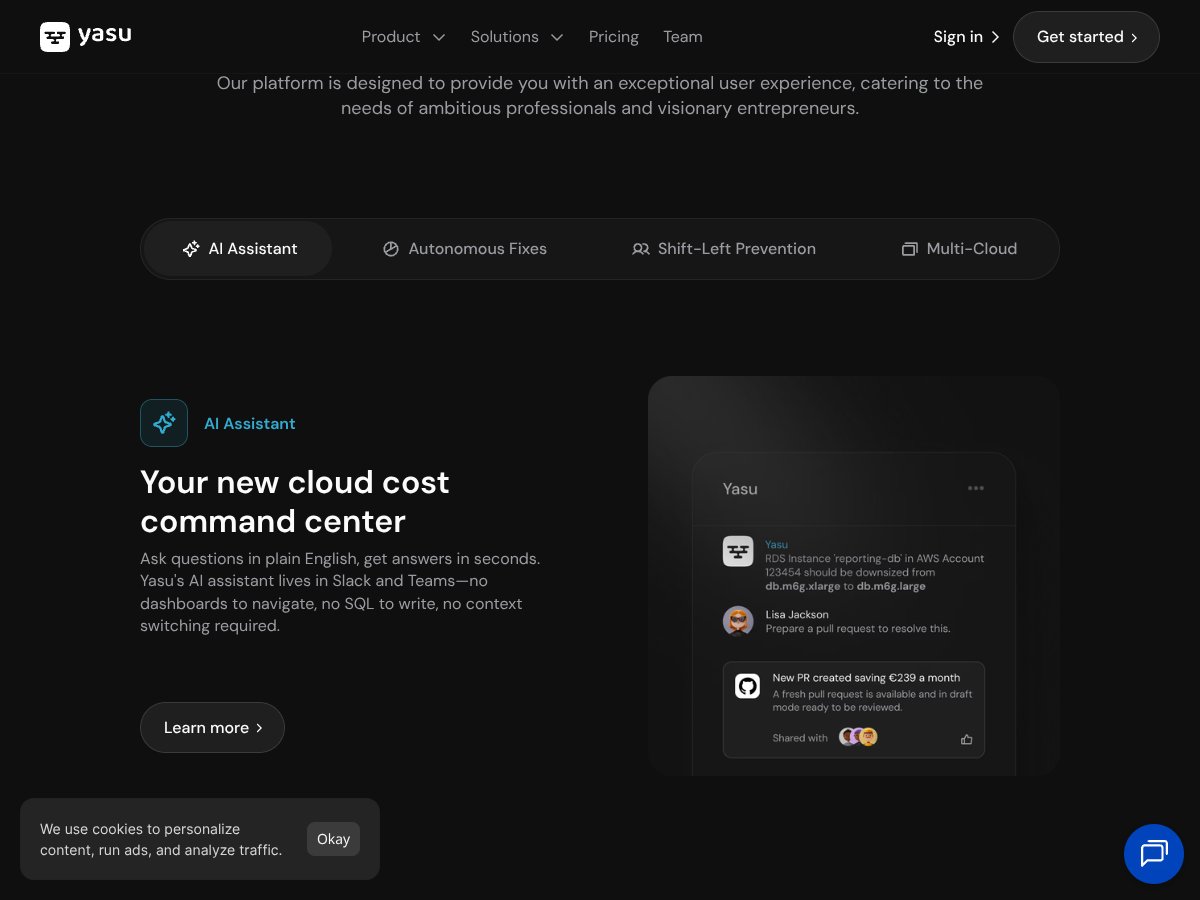
- Integration into developer workflows: The AI assistant in Slack and support for CI/CD pipelines means you can get insights where your team already collaborates, reducing friction.
- AI agents that learn over time: The self-learning automation promises continuous improvements tailored to your environment, which is pretty innovative.
- Potential for significant savings: Customers report up to 35% cost reductions, which can add up quickly for larger infrastructures.
What Could Be Better
- Lack of detailed feature documentation: The absence of a clear, public feature list or demo makes it hard to evaluate exactly what you’re getting without a sales call.
- Limited user reviews and case studies: As a relatively new product, there's not enough independent validation or long-term user feedback to gauge reliability over time.
- Pricing transparency: The opaque pricing model can be a barrier — you might end up paying more than expected if your cloud environment grows or complexity increases.
- Focus on prevention only: While prevention is fantastic, some teams may want more in-depth post-deployment analytics or historical trend analysis, which seems less emphasized here.
- Early-stage AI maturity: The agentic AI concept sounds promising, but it might still need time to mature fully, and some users might experience inconsistent recommendations or automation results.
- No mention of specific compliance or security features: For regulated industries, knowing how Yasu handles data security, access controls, or compliance standards would be important, but this info isn’t readily available.
Who Is Yasu Actually For?

If you’re a DevOps engineer, FinOps practitioner, or cloud architect managing multi-cloud environments and looking to proactively control costs, Yasu could be a strong fit. Especially if your team is already integrating CI/CD pipelines and values automation that prevents waste before it hits your bill. For example, if your organization deploys frequently and wants to avoid the typical 30% cost overruns due to misconfigured resources, Yasu’s shift-left approach offers tangible benefits.
It’s particularly suited for teams that want to embed cost control into their development workflows, rather than relying solely on post-deployment analysis. If you’re a CTO or finance lead who needs continuous visibility across multiple cloud providers, Yasu’s all-in-one dashboard and AI-driven insights can help you make smarter decisions without hiring additional headcount.
However, if your cloud environment is still small, or you’re mainly concerned with compliance or security rather than cost optimization, Yasu might be overkill. Also, if you prefer a fully transparent pricing model or need deep post-deployment analytics, you might want to explore other options that are more mature or have a broader feature set.
Who Should Look Elsewhere
If your primary goal is detailed security auditing, compliance tracking, or post-deployment performance analytics, Yasu might not meet all your needs. Its emphasis is on proactive cost prevention and waste reduction, so if you’re looking for a comprehensive cloud security platform or detailed resource utilization reports, consider alternatives like Palo Alto Prisma Cloud or CloudHealth by VMware.
Additionally, if you’re a solo developer or small startup with a tight budget and need free or very inexpensive tools, the lack of clear pricing and potential costs for full features could be a turnoff. For such users, native cloud provider tools or simpler cost dashboards might be more practical.
Finally, if you’re not comfortable with early-stage AI solutions that may still be refining their recommendations, or if your organization prefers proven, long-established tools, Yasu’s relative newness might be a downside. Waiting until it matures further or seeking out vendors with more extensive case studies could be wiser in that case.
How Yasu Stacks Up Against Alternatives
CloudZero
- What it does differently: CloudZero focuses heavily on granular cost attribution and detailed spend analysis, helping teams understand exactly where their money goes. It’s more mature in post-deployment cost tracking and offers extensive dashboards for ongoing insights.
- Pricing: CloudZero’s pricing is typically customized based on usage, often starting in the thousands per year, making it less accessible for smaller teams compared to Yasu’s newer, potentially more affordable options.
- Choose this if... you need deep, post-deployment cost analysis with extensive custom reporting and are willing to invest in a more established, comprehensive tool.
- Stick with Yasu if... you want proactive, pre-deployment cost prevention with AI-driven automation, simpler setup, and support for multiple clouds without a hefty price tag.
Flexera
- What it does differently: Flexera offers broad software asset management and hybrid cloud cost optimization, with a focus on compliance and license management, making it suitable for larger enterprises with complex environments.
- Pricing: Flexera’s solutions tend to be enterprise-tier, with pricing often on a custom quote basis, which can be costly for smaller teams or startups.
- Choose this if... your organization requires extensive license management and hybrid infrastructure support, and you have the budget for a high-end platform.
- Stick with Yasu if... you prioritize quick setup, AI-driven proactive cost control, and multi-cloud support at a more accessible price point.
Google Cloud Recommender
- What it does differently: Google’s Recommender provides tailored suggestions primarily for Google Cloud resources, focusing on rightsizing and optimizing GCP workloads directly within the Google ecosystem.
- Pricing: It’s included free with GCP, making it a no-cost option for GCP users but limited to Google Cloud environments.
- Choose this if... you only work within GCP and want integrated recommendations without extra cost.
- Stick with Yasu if... you need multi-cloud support (AWS, GCP, Azure) and proactive prevention across all platforms, not just recommendations.
CloudHealth by VMware
- What it does differently: CloudHealth offers comprehensive cloud cost management with Governance, security, and compliance features, targeting larger organizations with complex policies.
- Pricing: Usually enterprise-priced with custom quotes; can be expensive for small teams but very powerful for large enterprises.
- Choose this if... your focus is on governance, compliance, and detailed cost management with a big team and complex needs.
- Stick with Yasu if... you want a lightweight, AI-driven platform that emphasizes prevention and ease of integration without the overhead of enterprise features.
Bottom Line: Should You Try Yasu?
Honestly, I’d give Yasu a solid 7/10. It’s a promising tool especially if you’re just starting to get serious about multi-cloud cost management. The AI-driven proactive approach is a game-changer, and the quick setup means you can start seeing value fast.
If you’re a small to mid-sized team looking for affordable, easy-to-implement cost optimization with a focus on prevention, Yasu’s free tier and automation are worth trying out. I’d definitely recommend upgrading if you find it helps you cut costs and streamline your cloud governance.
However, if you’re an enterprise with complex compliance needs, detailed post-deployment analytics, or license management, you might find platforms like CloudZero or Flexera more suited to your needs. Yasu isn’t quite there yet in terms of depth for post-deployment analytics, but it’s evolving.
If your environment is primarily GCP and you want free, native recommendations, Google Cloud Recommender is a no-brainer—but it doesn’t offer the multi-cloud support or proactive prevention Yasu does.
Overall, if proactive cost control and quick setup are your priorities, give Yasu a shot. If you need enterprise-grade governance and detailed analytics, you might want to look elsewhere first.
Common Questions About Yasu
- Is Yasu worth the money?
- For small to mid-sized teams focused on prevention and automation, Yasu is a good investment. Larger enterprises might find it useful as part of a broader toolkit, but it’s not a fully mature enterprise platform yet.
- Is there a free version?
- Yes, Yasu recently launched a free tier called Yasu Lite, which offers basic waste detection. It’s limited but a great way to test the waters before upgrading.
- How does it compare to CloudZero?
- CloudZero offers more detailed post-deployment analytics and custom reporting, but Yasu emphasizes proactive prevention and easy multi-cloud setup, often at a lower cost.
- Can I get a refund?
- Refund policies aren’t publicly detailed; you’ll need to check directly with Yasu’s sales team for specific terms.
- Does it support all cloud providers equally?
- Yes, Yasu supports AWS, GCP, and Azure, with quick setup for each, making multi-cloud management straightforward.
- Is it easy to integrate into existing workflows?
- Absolutely. Yasu integrates with GitHub, Slack, and CI/CD pipelines, making it easy to embed into your developer processes.
- What kind of savings can I expect?
- Yasu claims up to 35% cost savings on average, based on their customer data, mainly through proactive prevention and real-time optimization.