Table of Contents
When we started looking at customer support tools, I wasn’t interested in another “all-in-one” promise. I wanted something that could actually handle real tickets without turning my team into part-time admins. That’s where Zendesk came in. I tested it with a pretty typical setup—email + chat, a few common request types, and enough volume that routing and macros mattered.
What I liked right away: Zendesk does bring your channels together into one workspace, but it also gives you the “support system” parts you need (ticket views, assignment, automation, reporting). The interface is clean enough that new agents can ramp up fast. And once you set up automation properly, routine tickets stop clogging the queue.
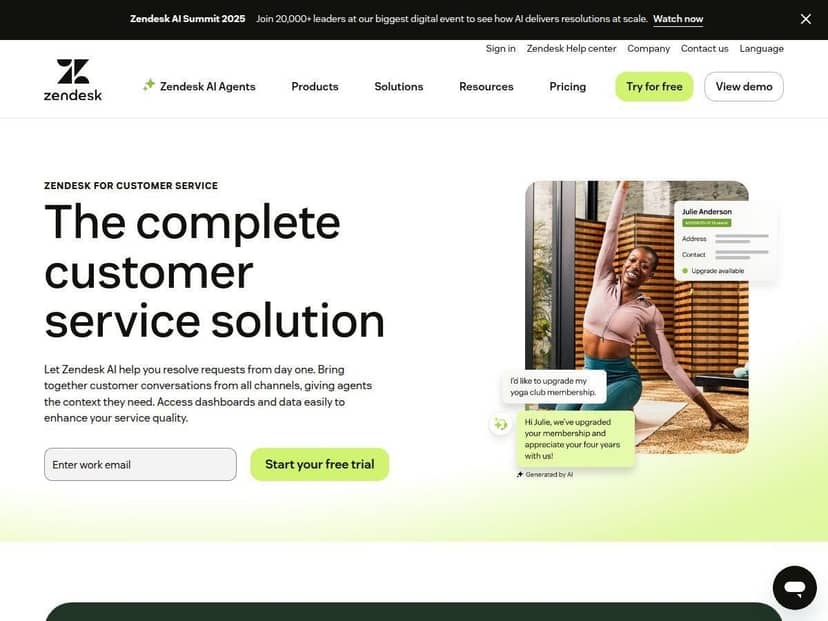
Zendesk Review
I used Zendesk for a few months in a “real world” support workflow—think a small support team, a handful of ticket categories, and a mix of email and chat. The goal wasn’t just to “store tickets.” It was to reduce back-and-forth, route issues to the right person, and make it easier for agents to respond quickly without sounding robotic.
Here’s what I set up first:
- Channels: email (core), plus chat for quick questions.
- Ticket categories: billing, account access, and product troubleshooting.
- Routing: I used basic conditions (like category + keywords) to assign tickets to the right group.
- Macros: templates for the most common responses (refund status, password reset steps, “what info do you need?” requests).
- Automation: rules to tag tickets, trigger notifications, and move tickets into the correct queue.
What I noticed after the initial setup: once routing and macros were in place, the team stopped “deciding what to do” on every ticket. We still handled edge cases manually, but the routine stuff moved faster. And the agent workspace makes it pretty hard to lose context—everything relevant to a ticket is in one place.
Now, the honest part: configuration can feel like a lot at first. Zendesk is powerful, and power usually comes with a learning curve. If you want it to work smoothly, you’ll need to spend time on the basics (views, triggers, assignment logic, and tagging conventions). The good news? After that, it runs.
Key Features
- AI-Powered Support and Automation
- In practice, the AI side was most useful for speeding up drafts and helping agents get to a solid first response faster. I didn’t treat it like “set it and forget it.” Instead, I used it as a starting point for common ticket types (especially billing questions and troubleshooting follow-ups). That cut down the time agents spent staring at a blank reply.
- Mini scenario: A customer asks why a charge happened twice. The agent sees an AI-assisted draft, tweaks it with the correct policy language, and sends. The ticket still gets reviewed, but it’s not a full rebuild from scratch.
- Omnichannel Communication Support
- Zendesk’s omnichannel approach is real—not just marketing. Once I connected the channels, I could see conversations and ticket context in the same system. That mattered because our agents were switching between email and chat constantly. Having one queue and one ticket timeline reduced the “where did that message go?” problem.
- Mini scenario: A user starts on chat with “I can’t log in,” then follows up with screenshots via email. The ticket history stays together, so the agent doesn’t ask the same questions again.
- Insightful Dashboards and Analytics
- The dashboards are where Zendesk became useful for improving our process, not just tracking activity. I focused on a few metrics: time to first response, resolution time, and ticket volume by category. After we tightened routing (and cleaned up our macro tags), the reports made it obvious which categories were causing delays.
- What I used most: category-level breakdowns to see where tickets were piling up, plus agent performance trends to spot who needed more guidance on certain issue types.
- User-Friendly Agent Workspace
- This is one of Zendesk’s strengths. The agent interface is structured in a way that keeps you moving. When you’re responding to tickets all day, the UI matters. I found it easier to triage because the ticket view shows the important details without digging through a bunch of menus.
- Mini scenario: During a busy afternoon, we could quickly sort by priority and status, then knock out the “waiting on customer” items without losing time.
- Workforce Management Tools
- If you have multiple agents and shifting workloads, workforce management becomes more valuable. I didn’t go “full enterprise” with scheduling, but I did see how Zendesk can support staffing needs when ticket volume spikes. For teams that need coverage windows (or want clearer accountability by shift), this is a meaningful add-on.
- Customizable Automation and Macros
- This is the feature that actually moved the needle for us. Macros saved time, but automation made the system consistent. I created triggers to:
- tag tickets based on keywords
- notify specific groups when certain categories came in
- auto-assign tickets to reduce manual triage
- What changed after setup: agents stopped re-reading the same ticket details and started acting faster because the right info and next steps were already attached.
- Customer Self-Service Help Center
- Our help center didn’t magically deflect every ticket, but it reduced the number of repeated “how do I reset my password?” questions. When customers can find the right article quickly, tickets drop into the “easy wins” category—meaning less time spent on basic responses.
- Mini scenario: After we published a clearer troubleshooting article, the number of account-access tickets with the same first question went down noticeably over the next couple weeks.
Pros and Cons
Pros
- Faster triage once routing is set: When assignment rules and tagging are consistent, agents spend less time figuring out where a ticket should go.
- Automation + macros actually help day-to-day: Routine tickets move faster because the “first response” path is already prepared.
- Reporting supports real improvements: The dashboards made it easier to spot slow categories and focus on process fixes.
- Scales better than many lighter tools: If you grow from a few agents to a larger team, Zendesk doesn’t feel like it’s fighting you.
Cons
- It can feel overwhelming at first: There are a lot of settings. If you’re new to help desk tools, expect a few days of tinkering before it feels smooth.
- Customization isn’t instant: Getting automation and views “right” took me a bit of trial and error (especially around triggers and consistent tagging).
- Cost can add up: Depending on the plan and add-ons you need (AI features, workforce management, deeper omnichannel options), pricing can be tough for small teams that only need basic email support.
Pricing Plans
Zendesk pricing starts around $19 per agent per month for the basic Support Team plan. More advanced options (like Support Professional and Support Enterprise) can run roughly $55 to $115 per agent per month. Suite plans for fuller omnichannel capabilities start around $55 and can go up to $169. On top of that, add-ons like workforce management and AI features may cost extra.
Here’s how I’d map plans to needs (based on what I actually cared about during setup):
- Support Team ($19/agent/month-ish): If you mainly need email tickets, basic automation, and a clean agent workspace, this can be enough to get going without overpaying.
- Support Professional: If you want stronger reporting and more flexibility for routing, triggers, and team workflows, this is usually where it starts to feel “worth it.”
- Support Enterprise / Suite: If you’re handling true omnichannel at scale (multiple channels feeding into one system), plus you care about workforce management and deeper analytics, this is where the higher tiers make more sense.
One practical tip: use the 14-day free trial to test your actual ticket types. Don’t just click around. Create 10–20 sample tickets (or use real ones if you can), then see how fast your team can triage, assign, and respond. That’s the only way to judge whether the plan you’re eyeing will pay off.
Wrap it up
Zendesk is a solid, mature support platform—especially if you’re serious about automation, consistent routing, and improving your process with reporting. The biggest win for me was how quickly the workflow became predictable after setting up macros and triggers. The biggest downside? It’s not “simple” in the sense of being plug-and-play. You’ll need time to configure it well, and pricing can climb if you want the full suite of features.
If you want an all-in-one support solution that can grow with your team and handle more than just email, Zendesk is worth a close look. Just go into it ready to set things up properly—because that’s where it shines.