Table of Contents
I spent this week bouncing between new AI releases and the stuff I actually use day-to-day—so I’m focusing on what looks real, what changed, and what you can try without wasting hours. Below is the quick roundup I’d want if I were catching up on Friday afternoon: Adobe’s latest Acrobat news, a major model update, and a translation feature tease—plus a list of AI tools I’m curious about (and a few I’d double-check before you pay).
Here are the latest breaking updates—and why they matter in practice.
- Adobe Acrobat Studio
-
Adobe says it’s rolling out Acrobat Studio, a premium subscription that lets you ask questions about up to 100 files using plain English.
What I’d try first: take one folder of “messy but important” documents (PDFs from work, scans, exports from email attachments) and ask something specific like:
“Summarize the key requirements from these contracts and list any deadlines.”
The big question is what “100 files” really means—per session, per query, or per account. Adobe’s announcement is the place to verify that detail before you commit.
Why it matters: instead of manually hunting across PDFs, you can turn a document pile into a structured answer—especially helpful when you’re preparing briefs, reviewing revisions, or extracting action items. - DeepSeek V3.1
-
The update from DeepSeek claims 685B parameters and a 128K context window. If that’s accurate in typical usage (not just in a benchmark setting), it’s the kind of context size that can reduce the “chunking” pain when you’re working with long prompts or multi-file reasoning.
What I notice with models like this: when context is big, the model can sometimes keep track of earlier constraints better. But you still have to be careful with prompt clarity—otherwise you’ll get a confident answer that’s slightly off because it latched onto the wrong detail.
My takeaway: if you do coding + reasoning in one pass, a longer context can be a real quality boost—just test it on one messy example first. - Google Translate
-
Android Authority reports Google Translate is getting two Gemini options: a Fast mode for quicker translations and an Advanced mode for more detailed output.
You might also see a practice game similar to Duolingo-style learning—however, the exact rollout details and name of the feature aren’t something I can confirm from the snippet alone. If you care about the timing, check the article for the specific APK teardown details and what it implies for availability.
Why it matters: mode switching is underrated. Fast mode is great for everyday chats; Advanced mode is better when you’re translating something that needs nuance (emails, instructions, or anything with formal tone).
I’m a big fan of “show me the workflow” tools. So for each one, here’s what I’d look for, who it’s for, and the kind of outcome you should realistically expect.
- Leania.ai
-
Leania.ai is positioned as a process-analysis tool—basically, it looks at how you work and tries to surface bottlenecks and automation opportunities.
What to try: pick one repeatable workflow (say, onboarding a new client or generating weekly reports) and ask for an optimization plan.
Who it’s for: teams or freelancers who want to reduce manual steps rather than just “use AI for everything.”
What I’d watch out for: any tool like this lives or dies on data quality. If your inputs are vague, the “automation opportunities” can turn into generic suggestions.
Measurable outcome: aim for a reduction in time spent per run (even 15–30 minutes saved on a recurring task is meaningful). - Unblur Image
-
This one’s about restoring detail in blurry photos—especially when you’ve got portraits, group shots, or something that’s slightly out of focus.
Workflow example: upload a photo you “almost” like (faces are soft, edges are mushy), then compare before/after at 100% zoom.
Who it’s for: casual users and creators trying to salvage old or imperfect images.
Limitation to expect: unblurring can improve clarity, but it won’t magically recreate missing information. If the image is heavily motion-blurred, you may get artifacts or overly sharpened textures.
Measurable outcome: look for improved legibility of text and more defined facial features—if it helps at thumbnail size but fails at zoom, it’s not a real win. - Workbookly
-
Workbookly turns YouTube content into worksheets and activity-style materials—so learners practice instead of only watching.
What to test: pick one educational video and generate a workbook. Then check whether the questions match the video’s actual structure (definitions, steps, examples).
Who it’s for: teachers, tutors, and self-learners who want “active recall” without manual work.
Limitation: if the video is fast-paced or heavily jargon-heavy, the worksheet can oversimplify or miss nuance. You’ll probably want to skim and edit.
Measurable outcome: after using it, see whether learners can answer the questions correctly without re-watching the whole video. - Renamer.ai
-
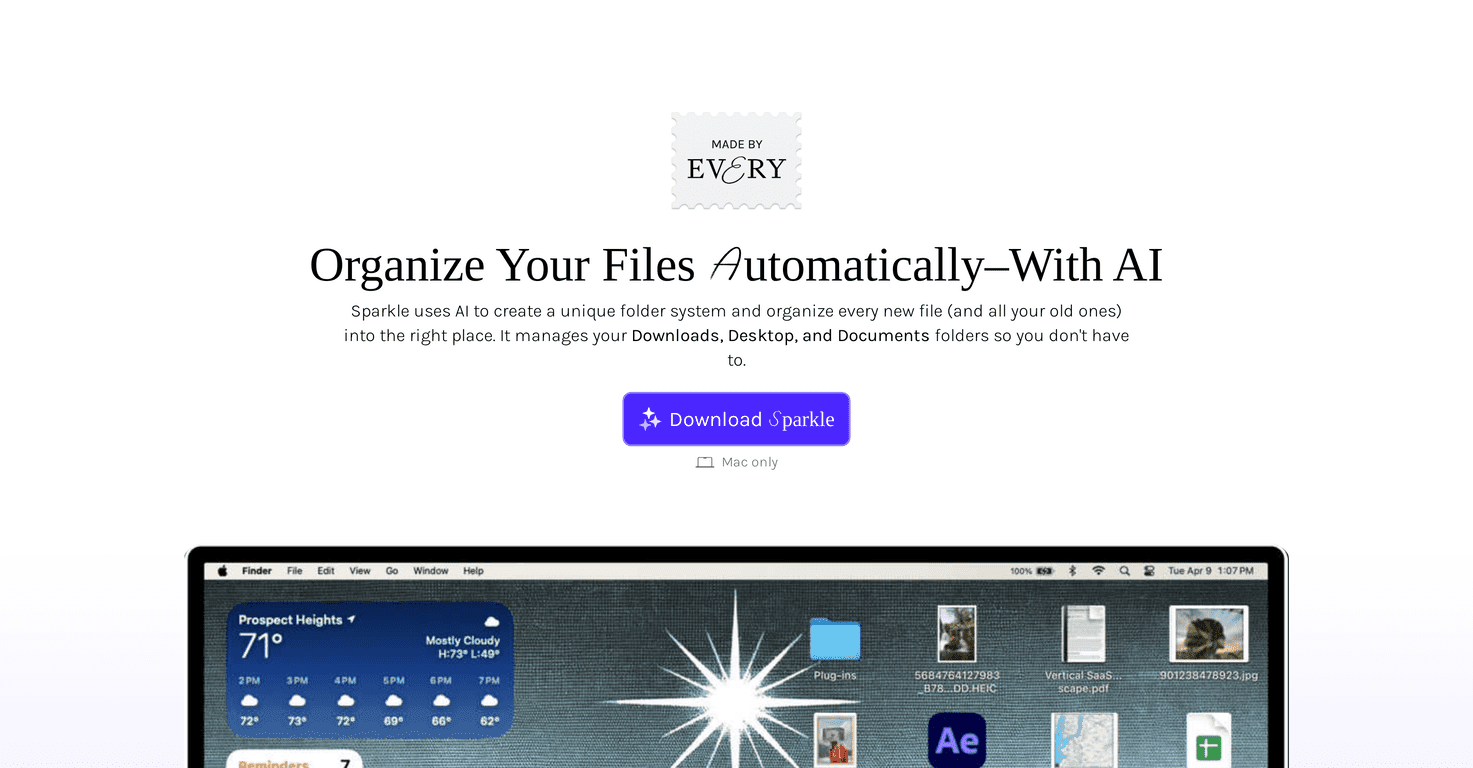
Renamer.ai focuses on bulk renaming and organizing files—great when you’re drowning in “IMG_1234” or inconsistent naming.
What I’d do: run it on a test folder first. If you have 200+ files, you want predictable patterns (dates, project names, episode titles) rather than “creative” guesses.
Privacy angle: the vague promise of “safe and private” isn’t enough for me. I’d look for concrete details like whether files are encrypted in transit, whether they’re retained, and whether uploads are used to train models. Check the site’s privacy policy and retention statements before trusting sensitive documents.
Measurable outcome: reduce manual renaming time—if it saves you even an hour on a batch, it’s already pulling its weight. - Cobot
-
Cobot is aimed at handling the “busy work” around your day: important emails, calendar actions, and meeting setup shortcuts.
Workflow example: you give it access to interpret incoming messages, and it helps draft responses or flags what needs action. Then it can help schedule or prep meeting context.
Who it’s for: people who live in email + calendar and are tired of the constant checking.
Limitation: you’ll still need to review anything it drafts. Email triage can be great, but mistakes can happen—especially with ambiguous threads.
Measurable outcome: track how many times you have to manually re-check your inbox before the day starts. - Copilot 3D
-
Copilot 3D (Microsoft Copilot Labs) is designed to help you create 3D models from a single photo—without needing to wrestle with complex 3D tools.
What I’d test: try a clear, well-lit object photo against a plain-ish background. Then compare the model quality to what you can do in a traditional 3D workflow.
Who it’s for: designers, marketers, and creators who need quick prototypes rather than production-ready assets.
Limitation: one-photo 3D has inherent depth ambiguity—expect approximation, not perfect geometry. You may still need cleanup for professional use.
Measurable outcome: time-to-first-model. If it gets you from photo to a usable draft in minutes, that’s the real win. - FrameZero
-
FrameZero is an online drawing/animation tool built for quick idea capture—no registration and no heavy software setup (at least that’s the promise).
Workflow example: sketch a concept, add simple motion, and share a link with a teammate immediately. That “instant share” part is what matters for brainstorming.
Who it’s for: anyone who wants to communicate visually without booting up a full editor.
Limitation: quick tools often trade depth for speed. If you need advanced layers, export formats, or high-control animation features, you may outgrow it.
Measurable outcome: how fast you can go from idea to shareable draft (measured in minutes, not hours). - Thumbler AI
-
Thumbler AI helps YouTube creators generate thumbnail concepts that are more click-attracting.
What to check: whether the thumbnails preserve your branding (colors, style, consistent text placement) and whether the output is readable on mobile.
Who it’s for: creators who publish frequently and need faster iteration than manual design.
Limitation: “better-looking” doesn’t always mean “better-performing.” You’ll want to A/B test thumbnails and watch CTR, not just vibes.
Measurable outcome: track click-through rate changes over the next 7–14 days after switching thumbnails. - Next Level Labs
-
Next Level Labs is described as turning gaming info into tailored advice—basically, instant stats plus recommendations to improve.
Workflow example: connect or enter your performance stats, then review the suggestions it gives for your next session. The real value is whether it points to the specific habits you can change.
Who it’s for: players who want structured improvement rather than random tips.
Limitation: if the stats source is incomplete or the model can’t interpret your playstyle, the advice can feel generic.
Measurable outcome: measure improvement with rank/score trends or objective metrics (accuracy, win rate, K/D, etc.) depending on the game.
Here’s a prompt I actually used this morning—same structure as the one you’d write, but with real specifics filled in so the output isn’t fluff.
"Generate a detailed strategy for growing a niche newsletter about personal finance for new grads in the U.S. Include actionable steps for the next 30 days, 10 content ideas with hooks, target audience insights (income range, common mistakes, what they’re anxious about), and 3 platforms to test (e.g., LinkedIn, Reddit, X). Provide 2 examples of successful implementations in similar niches and explain how I should measure effectiveness (CTR, subscriber conversion rate, open rate, and reply rate)."
What I noticed: when I specify the audience (“new grads in the U.S.”) and time window (“next 30 days”), the model stops giving me generic marketing advice and starts proposing actual campaign structure.
What didn’t work as well: if I leave out the measurement part, the plan becomes “nice ideas” instead of a strategy I can run and evaluate.