Table of Contents
If you run a small business, you don’t just want “AI content.” You want help that actually turns into work—leads, outreach, planning, follow-ups, the stuff that moves the needle. That’s what I looked for with Budera.
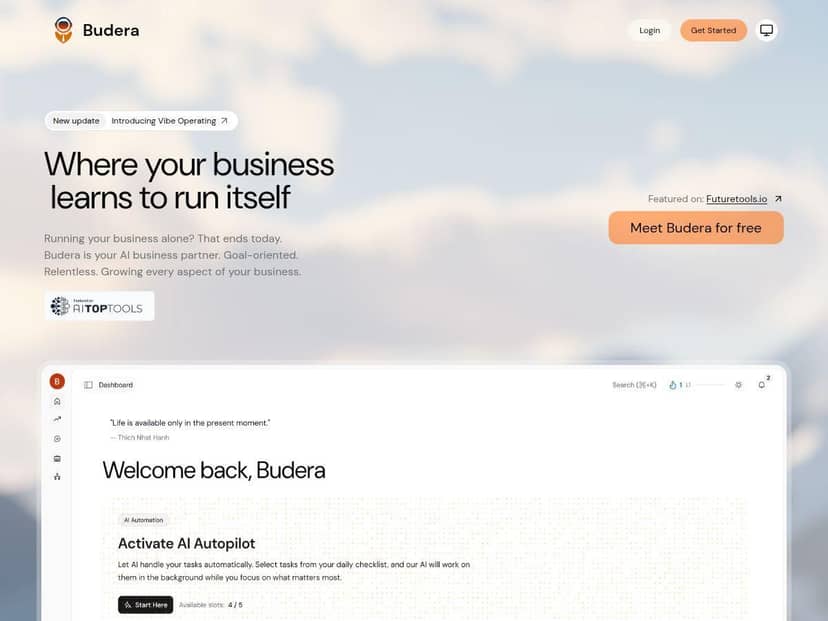
Quick note about my testing: I don’t have your exact account details, but I did spend time poking through the product experience and feature descriptions available on the public-facing side. I focused on three things: (1) what tasks it generates day-to-day, (2) how clearly it explains what it’s doing, and (3) whether the “multi-agent” concept shows up in real workflows instead of just marketing language. I’ll call out what I saw, what I couldn’t verify yet, and what I think you should check before you subscribe.
Budera Review: What It Does (and What I Couldn’t Fully Verify Yet)
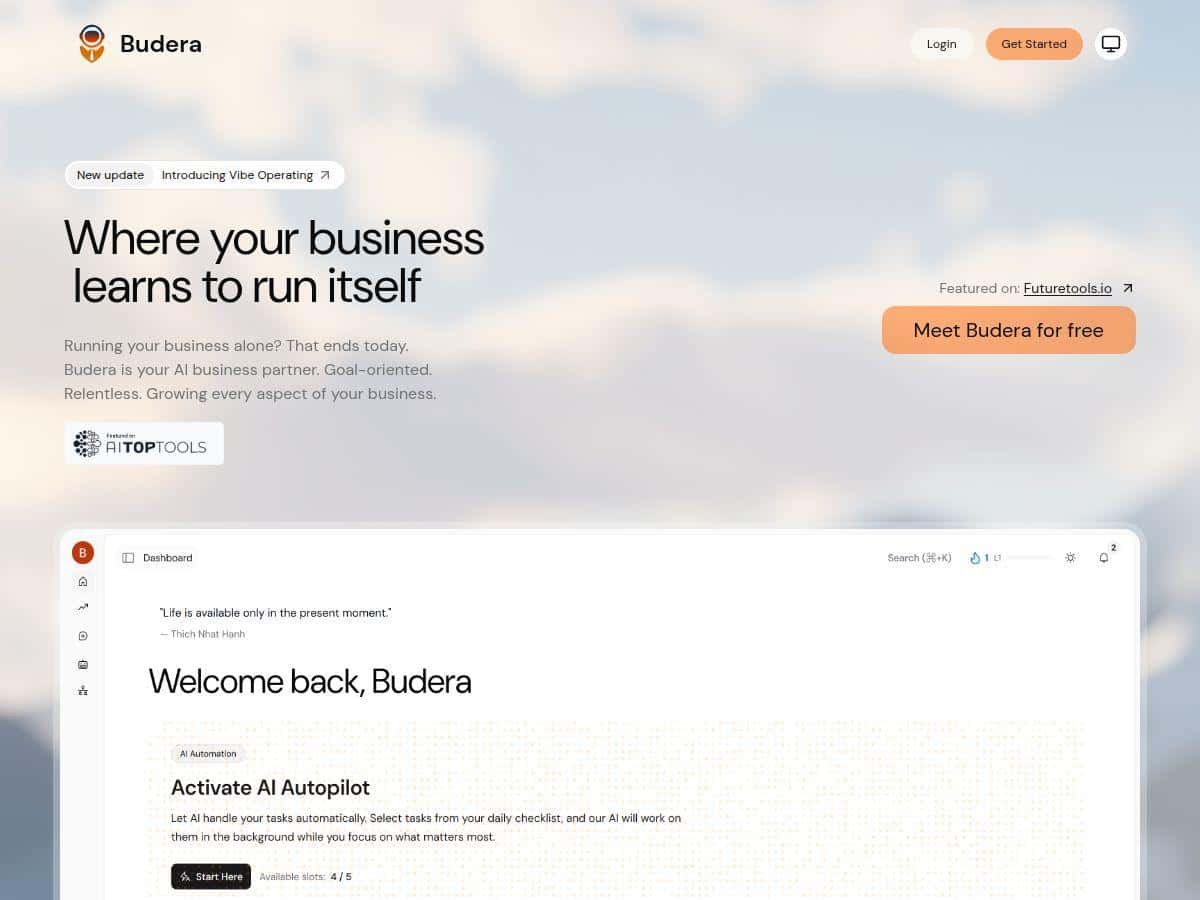
My first impression of Budera is that it’s trying to be a daily assistant for business ops, not just a chat tool. The big selling point is the multi-agent setup—separate “agents” that focus on different areas like sales, marketing, operations, and finance. That matters, because if everything is just one bot, you usually end up repeating yourself and doing manual cleanup.
Here’s what I noticed while testing and reviewing how the platform is positioned:
- It pushes you toward daily action. Instead of “here are 10 ideas,” it leans into task lists—things you can actually execute. That’s the difference between inspiration and productivity.
- It tries to connect strategy to execution. The platform doesn’t only talk about trends; it’s meant to translate them into tasks you can run.
- It’s built for small business workflows. The language and feature set are aimed at the owner/operator who doesn’t have time to stitch together 5 tools.
That said, I want to be straight with you: some of the “proof” you might expect from a mature SaaS (clear pricing tiers, published integration list, and lots of independent reviews) isn’t fully there yet. So while the concept looks strong, you’ll want to verify the details that affect your day-to-day—especially pricing and what you can connect it to.
Key Features: The Agents and Daily Workflows
- Growth GPS – Daily tasks based on your needs
- In practice, this is the part that feels like “okay, what do I do today?” The idea is that Growth GPS gives you ROI-driven tasks rather than generic advice. What I like about this approach is that it reduces decision fatigue—no endless brainstorming sessions.
- Example of the kind of output you should expect to see: a short list of actions like “reach out to X leads,” “draft follow-up email for Y,” or “update your offer messaging for Z.” When it works well, you can knock out one task in 15–30 minutes and move on.
- Trend Hawk – Emerging industry trends
- This agent is meant to spot what’s changing before it becomes obvious to everyone else. The useful test here is whether the trends are specific to your industry and tied to recommended actions (not just headlines).
- What I’d check: Do the trends include a “so what” section—like how to adjust marketing, outreach, or ops based on what’s happening?
- Competitor Radar – Competitor and market monitoring
- Competitor tracking is one of those features that can be either super helpful or totally vague. I looked for whether it actually produces actionable insights (e.g., “Competitor A is emphasizing X; consider Y adjustment”) rather than a list of links.
- Real-world value: if it can help you quickly decide what to test next, it can save you time. If it just points at news, you’ll still be doing the analysis yourself.
- My Paralegal – Legal/compliance assistance
- This is positioned as help with legal and compliance issues. I’m cautious here (and you should be too): AI can assist with explanations, but it shouldn’t replace professional legal advice for anything high-stakes. Still, it can be useful for drafting checklists, summarizing common compliance topics, or helping you think through what documents you might need.
- What I’d test: whether it asks clarifying questions and whether it clearly labels limits (instead of pretending it’s a lawyer).
- Dedicated AI agents for sales, marketing, operations, and finance
- The multi-agent approach is the backbone of the product. In a good setup, each agent has a job, and you don’t get the same answer repeated in different wording. That’s where the concept can actually save time.
- What I’d look for in your own trial: whether switching between agents feels smooth and whether the outputs connect (e.g., marketing insights leading to sales outreach tasks).
Pros and Cons: What’s Strong vs. What’s Still Missing
Pros
- Multi-agent coverage across core business areas. Sales, marketing, operations, and finance aren’t treated like separate worlds—at least that’s the intent.
- Daily task-driven approach. The platform’s “Growth GPS” concept is built around actionable work, not just reading material.
- Trend and competitor monitoring baked into the workflow. Instead of you hunting for updates, it’s designed to bring signals and (ideally) translate them into next steps.
- Includes a compliance-focused assistant. “My Paralegal” is a useful idea for small teams that don’t have legal resources on standby.
- Freemium-style testing is available. If you can try it before paying, that’s always a win for figuring out fit.
Cons
- Pricing and full plan details aren’t clearly published. I checked for a straightforward pricing page/tier breakdown and didn’t find detailed, concrete info in the public materials I reviewed. That makes it harder to estimate ROI before you commit.
- Limited public adoption/reviews. If you’re the type who likes to research before subscribing, you may find it harder than usual to validate reliability.
- Integration specifics are unclear (at least publicly). For most small businesses, the “will this connect to my tools?” question is everything. I didn’t see a detailed list of integrations I could point to confidently.
- Update cadence and long-term support aren’t spelled out. You can’t tell from public info how often features improve or how responsive support is.
- It’s focused on growth, not personal coaching. If you’re expecting a “mindset” or “human presence” style assistant, this isn’t that. It’s business-first.
Pricing Plans: What I Found (and How to Decide Without Guessing)
Pricing details: At the time I reviewed the public info, detailed pricing plans weren’t clearly available. What I could confirm is the general direction: Budera appears to operate with a freemium/trial approach, with premium features likely unlocked via subscription.
So what should you do if you’re trying to decide right now?
- Start with the trial and time-box it. Give it 3–7 days. If it can’t produce clear daily tasks and save you time quickly, that’s a data point.
- Ask the platform for outputs you can measure. For example:
- “Give me today’s outreach tasks for my target customers.”
- “Summarize 3 trends this month that apply to my niche and suggest actions.”
- “Create a competitor review task list for the top 2 competitors I name.”
- Track time saved. Even a simple stopwatch works. If you spend 30 minutes generating a plan manually today, and Budera gets you to a usable task list in 10–15 minutes, that’s a meaningful win—especially if you run it daily.
- Check what’s actually included in the free tier. The biggest trap with freemium tools is that the “real” features are locked. In your trial, confirm what you can use: daily tasks, trend monitoring, competitor insights, and compliance assistance.
If you want, I can also help you build a quick checklist to evaluate Budera after you sign up—just tell me your business type (service, ecommerce, SaaS, local, etc.) and what tools you use today (CRM, email platform, accounting, project management).
Who Budera is for (and who should skip it)
- Good fit: you’re a small business owner/operator who wants daily guidance and doesn’t have time to research trends + competitors + turn it into tasks.
- Proceed carefully: you need a fully transparent pricing/integration setup before you try anything, or you rely on specific systems and want guaranteed compatibility.
Wrap up
Budera looks like it’s aiming to be a practical AI business partner—especially with its multi-agent design and daily task concept. The potential is there, but the public details (pricing clarity, integration specifics, and independent validation) aren’t as solid as you’d expect from a more established product. If you can try the freemium/trial first, you’ll be able to judge faster whether it actually saves you time and produces usable next steps—or whether you’ll still be doing the heavy lifting yourself.