
Table of Contents
Creating courses based on your book can be a great way to share your ideas and reach more people. I know it might seem overwhelming at first, but don’t worry—I promise that if you follow a simple plan, turning your book into an online course is doable. Keep reading, and I’ll walk you through the main steps to get started and make your course both helpful and engaging.
Key Takeaways
- First, check if your book’s content is suitable for a course by seeing if it covers enough depth and can be divided into clear, standalone lessons. Not all books work well, so pick topics with practical, bite-sized sections.
- Break your book into easy-to-follow modules, starting with basics and building up to advanced topics. Use chapters or sections as a guide, focusing on logical flow and manageable content chunks.
- Create simple, engaging lessons using conversational language, real-world examples, visuals, and clear instructions. Keep explanations straightforward, especially for beginners, to make learning enjoyable and effective.
- Design your course with a professional but friendly look, ensuring it’s easy to navigate on any device. Use clean layouts, clear menus, and instructions to make students feel comfortable and focused.
- Price your course wisely by researching similar offerings. Start with an affordable rate, offer tiered options, and promote special discounts. Clearly communicate your course’s value to attract students and boost sales.
- Collect feedback early through surveys or direct messages to spot issues. Use student suggestions to update and improve your course, creating a better experience for future learners.
- Monitor how your course performs using platform analytics. Look for lessons where students drop off or struggle, and tweak content accordingly. Keep adding updates and engaging with your audience to maintain quality and relevance.

Step 1: Check if Your Book Can Become a Course
Before diving into creating an online course based on your book, it’s smart to ask yourself if the content lends itself well to a teaching format. Not every book is ready-made for a course—think about whether your book covers a topic with enough depth, variety, and teachable sections. For example, if you’ve written a practical guide on probability and statistics, you’re likely sitting on a goldmine for a course, given the high demand for such subjects on platforms like Udemy with over 450 related courses and thousands of learners. Winter writing prompts and similar evergreen topics work great for courses because they can be broken into bite-sized modules. Look through your book and see if each segment can stand alone as a lesson or module. If your content is dense or highly specialized, consider whether there’s enough material to sustain a full course without overwhelming students. The goal is to find a balance: a book that’s informative but also modular enough to support a series of lessons.
Step 2: Break Down Your Book Into Good Course Modules
The key to turning a book into a course is splitting it into manageable chunks. Think of each chapter or section as a potential module. For example, in a statistics book, you might create separate modules for basic concepts, probability theory, statistical tests, and real-world applications. When you’re turning book content into modules, focus on logical progression—start with fundamentals and build up to more advanced topics. Use bullet points to plan your modules:
- Introduction and overview of the topic
- Core concepts with clear explanations
- Practical applications or case studies
- Hands-on practice or exercises
- Summary and next steps
Breaking the book into smaller parts makes it easier for learners to digest and helps you create focused lessons. If your book is lengthy, don’t be afraid to combine related chapters into a single module or split complex topics into multiple lessons to keep things simple. Remember, the goal is to make learning manageable and engaging, not overwhelming.
Step 3: Create Clear and Simple Lessons
Once you have your modules outlined, it’s time to craft lessons that are straightforward, easy to follow, and packed with value. Use conversational language—imagine you’re explaining concepts to a friend who’s new to the subject. Break each lesson into bite-sized segments, starting with a brief overview. Incorporate real-world examples, like how probability is used in sports betting or risk assessment, to make abstract ideas stick. Include actionable tips; for instance, when teaching a statistical test, guide your learners through step-by-step instructions and sample data. Keep lessons visual whenever possible—use simple diagrams, charts, or infographics to highlight key points; platforms like best fonts for book covers can inspire how you present visuals. The clearer your lessons, the better your learners will understand and retain information. Remember, clarity is king—avoid jargon and overly complex explanations, especially if your target audience is beginners. Clear, simple lessons turn a good book into a compelling course that students truly want to take.
Step 12: Ensure Your Course Looks Good and Is Easy to Navigate
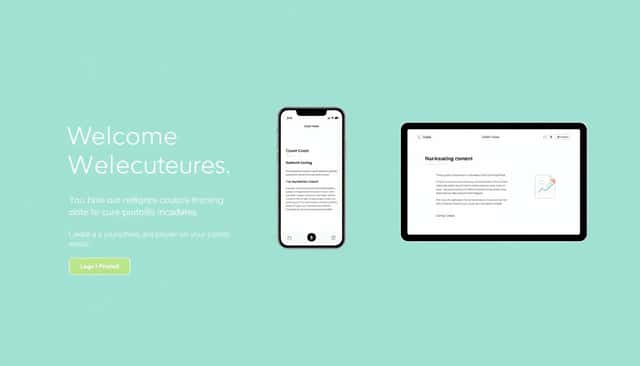
First impressions matter, so design your course to look professional but also feel welcoming and easy to use.
Use a clean, simple layout with clear headings and intuitive navigation menus.
Make sure each lesson or module is easy to find and access, avoiding confusing menus or hidden content.
Test your course on different devices—desktop, tablet, phone—to see how it appears and functions.
A cluttered or chaotic design can distract learners or even cause frustration, so keep visual elements balanced.
In platforms like website builders for authors, you can choose from many templates that are both attractive and easy to customize.
Add clear buttons for next steps and instructions to guide learners smoothly from one part to the next.
Remember, a simple yet attractive layout helps students stay engaged and focused on learning rather than fighting with the platform.
Finally, include a brief welcome message or orientation so students understand what to expect and how to get started quickly.
Step 13: Price Your Course Smartly and Mortar It Effectively
Deciding how much to charge for your course can make or break sales, so don’t just pick a random number.
Research what similar courses are asking—on Udemy, for instance, the average is around $19 to $99, depending on depth and length.
Think about your target audience—are they beginners looking for affordable content or advanced learners willing to pay more?
You can start with a lower price to attract initial students, then gradually increase as you gather reviews and improve the content.
Offering tiered pricing—like basic access versus premium modules, coaching, or extra resources—can boost your earnings.
Use promotional discounts or limited-time offers to create buzz and encourage sign-ups.
Platforms like website builders for authors often have built-in tools for setting up discount codes.
Make sure your sales page clearly communicates the value—point out the benefits, skills students will gain, and how your course solves their problems.
Don’t forget to include testimonials or preview lessons to help prospects feel confident about investing in your course.
Step 14: Set Up Feedback Loops to Catch Issues Early
Listening to your students can help you make your course better for everyone.
Add quick surveys or feedback forms at the end of modules or sections to see what works and what doesn’t.
Open a dedicated email or message thread where learners can share their thoughts or ask questions.
Encourage honest reviews and take them seriously — they can reveal bugs, confusing lessons, or missing info.
An easy way is to use platforms that embed surveys directly, like beta readers, to test your course before launching widely.
Review feedback regularly, and prioritize small changes that can make a big difference—like fixing typos, clarifying instructions, or updating outdated info.
Show your students you care by updating the course based on their suggestions, which can boost loyalty and positive reviews.
Remember, a course that evolves based on real user input tends to get better reviews and higher rankings.
Step 15: Track Your Course Success and Keep Improving
Once your course is live, keep an eye on how it’s doing.
Use analytics tools available on your platform—like completion rates, quiz scores, and engagement metrics—to see what learners enjoy most.
Identify lessons where students drop off or struggle, and tweak these parts to improve clarity or add more engaging content.
Set regular goals for adding new modules, resources, or updates—think of it like watering a plant so it keeps growing.
Encourage students to leave reviews and testimonials—they help with credibility and attract new learners.
Stay connected with your audience via email or social media to gather fresh ideas and answer questions.
Remember, even a well-designed course can benefit from small tweaks over time, keeping content fresh and relevant.
By monitoring your course’s performance and listening to your students, you set yourself up for ongoing success and satisfied learners.
FAQs
Yes, if your book has clear themes and lessons, you can transform it into a course by breaking it into modules and adding engaging content like videos, quizzes, and resources for learners.
Choose a platform based on your needs, audience size, and budget. Popular options include Udemy, Teachable, Thinkific, and Kajabi, each offering different features for course creators.
Promote your course through social media, email marketing, webinars, and collaborations. Creating valuable content and encouraging reviews can also help attract and retain students.