Table of Contents
I’ve used a bunch of AI chat tools for research, and most of them have the same problem: they’ll answer fast, but they’re pulling from the entire internet (or at least pretending to). That’s great for brainstorming, but it’s not always what you want when you’re trying to stay grounded in specific sources.
That’s why I was interested in Ergo Chat. The big idea is simple: you can chat with a tailored library of PDFs and websites instead of asking the model to “figure it out” from everything. In my experience, that shift alone makes the output feel more usable—especially when you’re working on school assignments, competitive research, or even writing product summaries.

Ergo Chat Review: A Research Tool That Stays With Your Sources
Here’s what I noticed right away: Ergo Chat isn’t trying to be “the smartest chatbot on the internet.” Instead, it focuses on precision by letting you build a curated set of sources—PDFs and websites you choose—then chat against that set.
In practical terms, that means you can keep your research consistent. For example, if you’re writing a paper on a specific topic, you can upload the exact PDFs you’re using and ask questions like “What does this report say about X?” or “Compare the arguments between these two documents.” You’re not stuck with generic answers that may drift off-topic.
Another thing I liked is the emphasis on being able to work with multiple resources at once. It’s one of those features that sounds small until you’re actually doing research and juggling ten tabs and five documents. With Ergo Chat, it feels more like you’re building a little knowledge workspace instead of constantly re-prompting for new information.
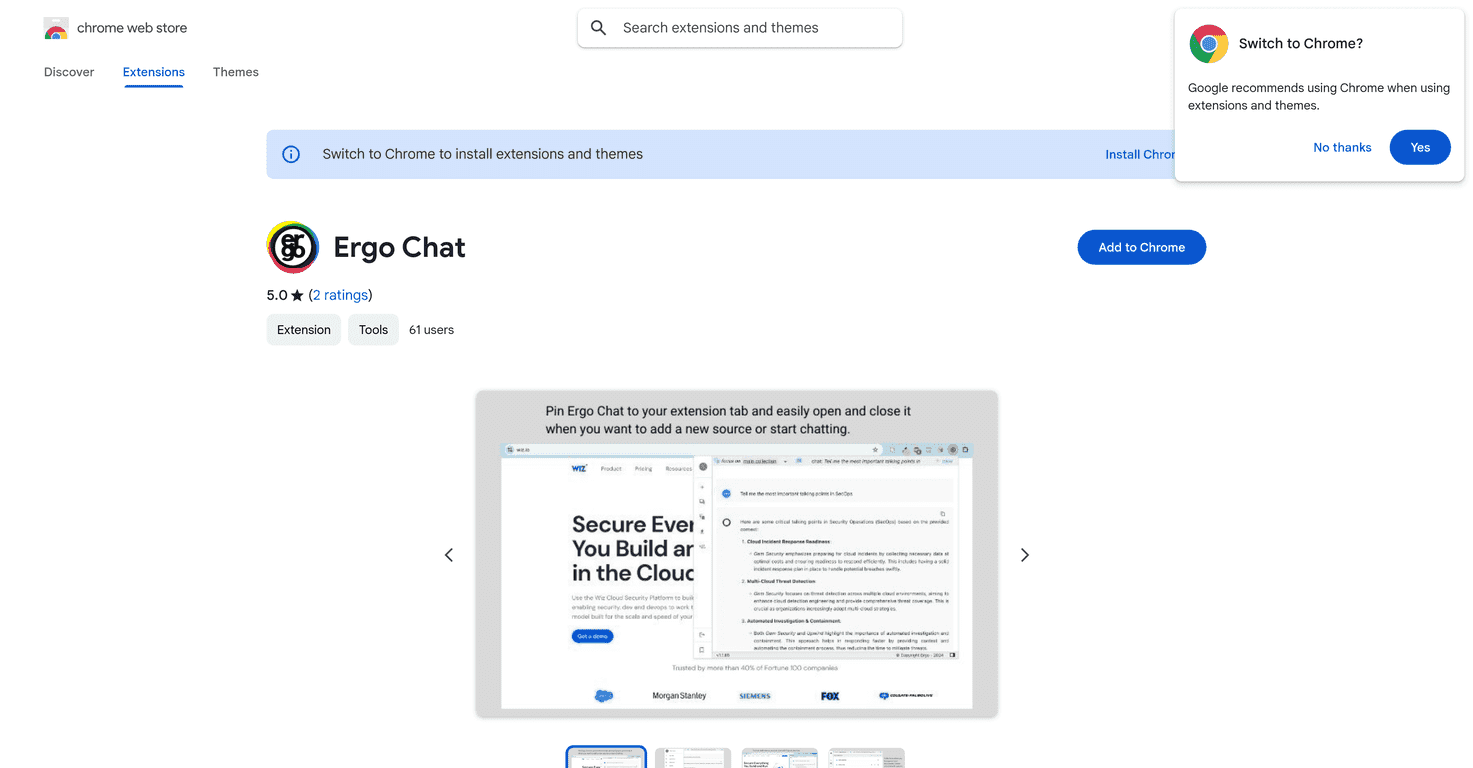
Also, the Chrome extension is a big deal for me. I don’t want to open a new dashboard every time I have a question. Being able to pop it open for quick queries—or keep it running while you review a source—makes it feel way more “in the flow.”
Now, I’ll be honest: this kind of tool works best when you do a little upfront curation. If you upload random stuff, you’ll get random results. But if you’re thoughtful about what you include, the answers tend to feel more grounded.
Key Features That Matter in Real Research
- Unlimited Uploads: You can interact with PDFs and websites without constantly worrying about hitting a cap. That’s helpful when you’re building a reference pack for a project.
- Content Analysis: It can analyze chat threads from places like Reddit and customer reviews. This is especially useful when you’re trying to understand real user sentiment, not just marketing claims.
- Precise Answers: Responses are tailored based on the sources you’ve provided. In my experience, this is the difference between “sounds right” and “actually matches what I uploaded.”
- User-Friendly Interface: The Chrome extension makes access quick. I found it easiest to use while reading articles or reviewing documents in my browser.
If you want to get the most out of Ergo Chat, try asking more specific questions than you normally would. Instead of “Summarize this,” I’d go with something like “Summarize the key findings related to pricing and switching costs” or “List the main objections mentioned in these reviews.” You’ll get cleaner results that way.
Pros and Cons (What I’d Tell a Friend)
Pros
- More accurate answers from a customized dataset: Because you’re feeding it the sources you care about, the responses are less likely to wander.
- Useful across different research types: I can see it working well for academic research, product research, market analysis, and even competitive breakdowns.
- Saves time: Instead of opening multiple documents and manually cross-checking quotes, you can ask direct questions and iterate faster.
Cons
- You have to provide the content: If you don’t upload the PDFs or link the websites you want to use, it can’t magically know your context.
- Curation takes a bit of learning: You’ll want to think about what to include and how to organize it, otherwise your “research library” won’t be as effective.
One more practical note: if a PDF is poorly scanned or has weird formatting, any AI that’s reading it can struggle. That’s not unique to Ergo Chat—it’s just the reality of working with document quality.
Pricing Plans
For the latest pricing details, please check the Ergo Chat page on the Chrome Web Store, as specific subscription options were not mentioned in the extracted data.
If you’re comparing plans, I’d pay attention to things like upload limits (even if they say “unlimited,” sometimes there are fair-use rules), how many sources you can keep active, and whether there are any restrictions on analyzing certain sites.
Wrap up
Overall, I like the direction Ergo Chat takes. It’s not trying to be a general-purpose chatbot for everything—it’s built for research where you want your answers to come from the sources you trust. If you regularly work with PDFs, articles, reviews, or forum discussions, it can cut down the back-and-forth pretty quickly.
Just remember the tradeoff: you’ll get better results when you put a bit of effort into curating what you upload. When you do that, the whole experience feels more controlled, more relevant, and honestly less frustrating than tools that “wing it.”
Promote Ergo Chat