Table of Contents
Honestly, data analysis can get messy fast. One minute you’re writing a quick SQL query, the next minute you’re switching between notebooks, spreadsheets, dashboards, and half a dozen “where did I save that?” files. That’s the stuff that slows teams down—especially when multiple people are collaborating and everyone needs the same answers.
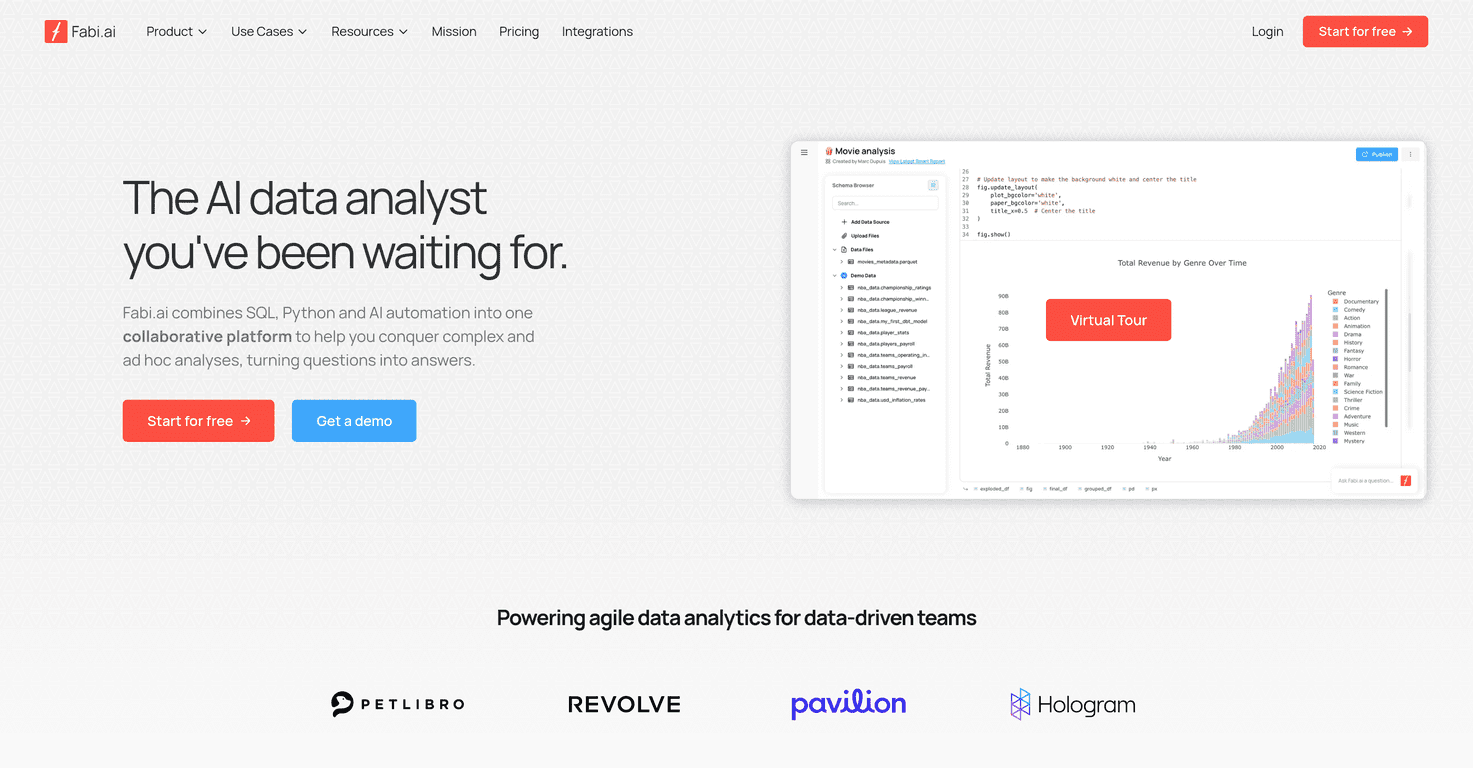
That’s why I wanted to take a closer look at Fabi.ai. It’s positioned as an AI-powered data analysis platform that brings SQL, Python, and automation into one place, with an assistant meant to help you move faster. If you’re trying to reduce context switching and keep analytics work easier to share, it’s a pretty compelling idea.
In my experience, the biggest win with tools like this isn’t just “AI magic”—it’s whether the workflow actually feels smoother. Fabi.ai leans into that by combining coding support (SQL and Python) with exploratory analysis help and more collaborative reporting. So instead of analysts hoarding insights in their own notebooks, teams can centralize what matters and iterate together.
It also claims support for projects where you need to debug code, validate queries, and generate insights faster. That’s useful for people who aren’t deep in analytics every day, but still need to contribute. I can’t pretend it removes all complexity—SQL and data modeling still matter—but it does seem built to help you get unstuck.
Fabi.ai Review: what it feels like to use
Fabi.ai is built for teams that want to do analytics without the usual patchwork. The core idea is that you can combine SQL, Python, and automation inside one workflow—then use an AI assistant to help with things like coding guidance, debugging, and exploratory data analysis.
What I like about that approach is that it tackles the “handoff” problem. In a lot of teams, one person writes the query, another person builds the report, and someone else tries to explain it later. Fabi.ai’s angle is to keep the work connected: your analysis, your outputs, and your collaboration layer all live together.
They also emphasize centralized reporting and collaboration, which matters if you’ve ever had teammates ask, “Can you resend that chart?” or “What query did you use for that number?” With a tool like this, the goal is to make insight sharing easier—and less dependent on tribal knowledge.
One more thing: if your team includes people who aren’t full-time data analysts, an assistant that helps with debugging and exploration can be a big deal. In practice, it can reduce the time spent staring at an error message or rewriting the same query patterns. Still, I’d treat it as a helper, not a replacement for understanding your data.
Key Features I’d actually use
- SQL & Python integration for advanced analysis (so you’re not stuck in one language)
- AI assistant for coding support, debugging, and exploratory analysis
- All-in-one platform that brings multiple analytics tasks into one workflow
- Analytics as Code so you can keep work version-controlled and more reproducible
- Smartbooks for interactive, customizable reports (the kind you can tweak without starting from scratch)
- Collaborative tools for centralized data sharing
- Automated reporting so insights can be scheduled instead of manually recreated
- Security & compliance including SOC2, GDPR, and CCPA
Quick reality check: features like “automated reporting” and “interactive reports” sound great on paper, but they only help if the setup fits your team’s reporting needs. If you already have a strong data model and clean definitions for metrics, you’ll probably move faster. If your data sources are messy or inconsistent, you’ll spend more time fixing inputs than building dashboards.
Pros and Cons (my honest take)
Pros
- Brings SQL, Python, and AI together, which can cut down on tool-hopping and duplicated work
- AI assistance helps with productivity—especially for debugging and speeding up exploratory analysis
- Collaboration feels more centralized since reporting and sharing are part of the workflow
- Supports ad hoc analytics, which is important when stakeholders need answers quickly (not in two weeks)
- Security/compliance posture matters for teams that need SOC2/GDPR/CCPA coverage
Cons
- There’s still a learning curve if you’re not already comfortable with SQL or Python. The AI can help, but you still need to understand what you’re doing.
- Initial setup can take time if you’re integrating multiple existing data sources or cleaning up how data is accessed.
If you’re expecting “plug it in and everything works instantly,” I’d temper that expectation. The payoff is usually better when your team has at least some structure around metrics, datasets, and how reporting should be done.
Pricing Plans: what you need to know
Fabi.ai offers a way to start for free, but I couldn’t find clear, consistent pricing details in the information available here. If you’re evaluating it for your team, I’d suggest checking the Fabi.ai website directly or contacting them to confirm current plan options and what’s included.
Why be picky about this? Because with tools like this, pricing often depends on things like team seats, usage, and data/reporting features—so you don’t want to guess and end up surprised later.
Wrap up
Fabi.ai is a solid option if your team wants a more connected analytics workflow—SQL and Python when you need control, plus an AI assistant to help you iterate faster. The collaboration and reporting focus is especially appealing if you’re tired of “version drift” across spreadsheets and disconnected notebooks.
That said, it won’t magically remove the need for good data and basic analytics knowledge. If your team is willing to invest a little time upfront (setup, integrations, and aligning on metrics), it’s the kind of platform that can genuinely make day-to-day analysis feel easier.
Promote Fabi.ai