Table of Contents

What Is Failpoint?
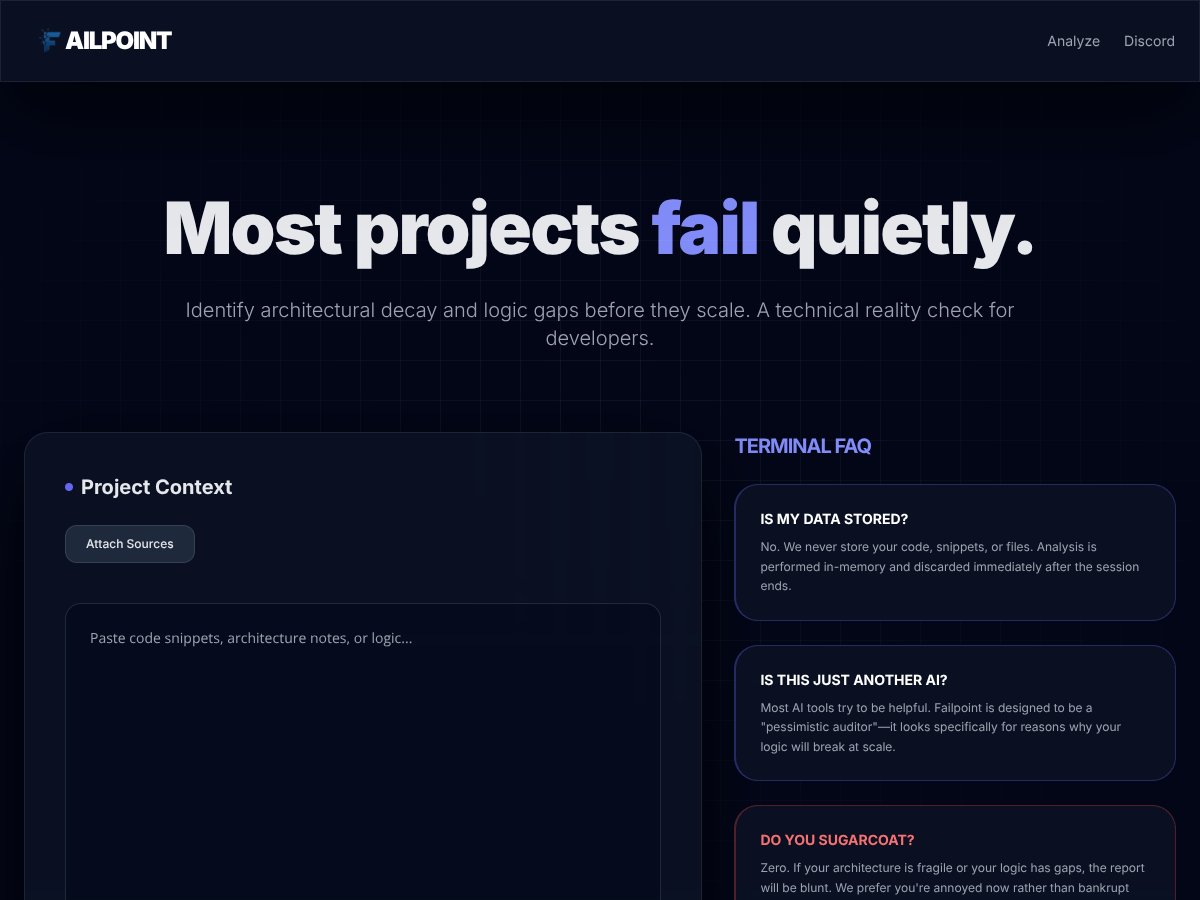
Honestly, I was pretty skeptical when I first heard about Failpoint. The pitch is that it’s this AI-driven “pessimistic auditor” for your code, projects, or startup ideas — basically a tool that tells you exactly why things might fail before you actually invest serious time and money into building them. The idea sounds appealing, especially if you’ve ever poured resources into a project only to find out later that your architecture was fragile or your logic had glaring gaps. But I wondered: does it actually deliver on that promise, or is it just another AI tool trying to sound helpful?
In plain English, Failpoint attempts to identify architectural decay, logic gaps, and scalability issues in your code or project ideas. It claims to give you a brutal, no-nonsense reality check—no sugarcoating, just the brutal truth—so you can fix problems early on. The team behind it isn’t explicitly named in the website, but it seems to be a project geared toward developers, startups, and teams wanting to avoid costly mistakes.
My initial impression? It’s as advertised — at least in concept. It’s designed to tell you why your architecture might fall apart at scale, not to help you build or improve your code directly. Think of it as a harsh but potentially useful reality check. But I also want to be upfront: it’s not a code editor, a testing platform, or a comprehensive project management tool. It’s focused solely on diagnosis, not on fixing things for you. And, to be clear, I didn’t find any concrete examples, demos, or testimonials to prove how well it works in real-world scenarios, which is a bit of a red flag.
One heads-up: since the tool’s website doesn’t detail specific features or integrations, don’t expect it to plug into your IDE or CI/CD pipeline easily. It feels more like an experimental AI service that you run once to get a sense of potential failure points. So if you’re looking for a tool that automates fixes or integrates tightly with your development environment, Failpoint might not be it. It’s more of a “second opinion” for your architecture, if anything.
Failpoint Pricing: Is It Worth It?
| Plan | Price | What You Get | My Take |
|---|---|---|---|
| Free Tier | Unknown | Limited or unspecified; likely basic analysis capabilities | Honestly, the lack of clear info here makes it tough to evaluate whether the free tier is useful or just a teaser. Be cautious—if you’re serious about testing your project’s resilience, you might need to go beyond this. |
| Paid Plans | Not publicly listed | Details not provided; presumably advanced analysis, higher limits, maybe integrations | Here's the thing about the pricing—without transparent tiers or costs, it's hard to know if you're getting a good deal. For now, I’d say it's a gamble unless you can get a demo or quote. This might be a dealbreaker for some, especially if you’re on a tight budget or want to compare alternatives. |
What they don't tell you on the sales page is how much the plans cost or what features are gated behind paid tiers. Fair warning: if you’re expecting a straightforward, affordable SaaS with clear tiers, Failpoint’s pricing info isn’t there. It’s possible they’re still refining their offerings or targeting enterprise clients willing to negotiate custom prices. Either way, proceed with caution until you can get concrete details.
In summary, the lack of transparent pricing makes me skeptical about its accessibility and value. If you’re considering this tool, I recommend reaching out for a demo or trial before committing financially. And keep in mind—if your project isn’t large or complex enough to warrant a detailed, costly audit, this might be overkill.
How Failpoint Stacks Up Against Alternatives
Failure Mode & Effects Analysis (FMEA)
FMEA is a systematic approach used mainly in manufacturing and engineering to identify potential failure modes within a process or design, then prioritize them based on their severity, occurrence, and detection. Unlike Failpoint, which aims to analyze code and project architecture in real-time, FMEA is more formalized and often involves detailed checklists and team workshops. It’s great for structured risk management but less flexible for quick, in-code analysis.
Pricing for FMEA tools varies widely—from free templates to enterprise software costing thousands per license. If you’re working in a heavily regulated industry or want a formal risk process, investing in dedicated FMEA software makes sense. Failpoint might be better if you want rapid, in-the-moment feedback on code and project architecture.
Choose this if... you need a detailed, formal risk assessment process and have the resources to implement it comprehensively. It’s ideal for mature organizations that require thorough documentation.
Stick with Failpoint if... you want quick, brutal honesty about your code’s weaknesses without the overhead of formal procedures. Failpoint is more suited for developers and startups looking for immediate, actionable insights.
Chaos Engineering Platforms (e.g., Chaos Mesh)
Chaos engineering tools are designed to test the resilience of distributed systems by intentionally introducing failures and observing how your infrastructure copes. They focus on runtime resilience, not static code analysis. Failpoint, on the other hand, offers a preemptive, static analysis that predicts potential architectural failures before deployment.
Pricing varies—some open-source options like Chaos Mesh are free, while enterprise solutions can be costly. Use chaos engineering if your system is already live and needs resilience testing; Failpoint is better suited during development or early-stage architecture planning.
Choose this if... your concern is runtime stability and you want to test how your system responds under failure scenarios.
Stick with Failpoint if... you prefer catching potential failures during development rather than testing resilience in production.
Single Point of Failure (SPOF) Analysis Frameworks
SPOF frameworks help identify critical vulnerabilities that could bring down your entire system if one component fails. They are often part of broader architectural analysis tools. Failpoint’s strength is its ability to analyze code and architecture for potential failure points, which overlaps with SPOF analysis but is more code-focused.
Many SPOF tools are free or low-cost and target systems engineers. If you already have a detailed architecture diagram and want to pinpoint weaknesses, SPOF tools are great. Failpoint is better if you want integrated, code-level failure prediction without extensive setup.
Choose this if... you’re at a stage where you have a clear architecture and want to identify single points of failure.
Stick with Failpoint if... you prefer an in-memory, immediate analysis that doesn’t require detailed system diagrams.
Traditional Fault Testing Tools
Fault injection and testing tools simulate errors to see how systems handle them, often in production. They’re excellent for testing resilience but come with risks and costs. Failpoint differs by offering a preemptive analysis, helping you identify issues before errors occur in real environments.
Such tools can be expensive and complex, often requiring dedicated environments. Failpoint is more accessible for developers wanting quick, in-situ analysis without risking system stability.
Choose this if... you need to test system robustness by injecting faults in a controlled environment.
Stick with Failpoint if... you want to prevent failures proactively rather than reactively testing after deployment.
Code Review and Architectural Analysis Tools
Tools like SonarQube or architectural diagram analyzers examine code quality and system design for issues. They’re widely used and integrate into CI/CD pipelines. Failpoint complements these by providing a specific focus on potential failure points and architectural decay that might be overlooked in traditional code reviews.
Most of these tools are free or have free tiers, with paid options offering deeper insights. Use them if you want comprehensive code quality checks. Failpoint is better if you want targeted, failure-oriented analysis that can catch architectural decay early.
Choose this if... you’re already doing regular code reviews and want an additional layer of failure prediction.
Stick with Failpoint if... you’re early in development or want a dedicated failure analysis without cluttering your review process.
Bottom Line: Should You Try Failpoint?
Honestly, I’d say Failpoint is a solid tool if you’re deep into development or architecture planning and want to avoid costly mistakes down the line. It scores around 7/10 in my book because it offers blunt, honest feedback that can save you from architectural disasters, but it’s a bit limited in scope and lacks independent reviews or pricing transparency.
If you’re a startup founder or developer who’s tired of vague advice and just wants to know the real risks lurking in your code, give Failpoint a shot. It’s especially useful if you’re working on complex systems and need to catch structural flaws early.
However, if you prefer a more formal, process-driven approach or need resilience testing in live environments, other tools like FMEA or chaos engineering platforms might be better suited. Failpoint isn’t the best choice if you need comprehensive, production-level resilience testing or detailed risk documentation.
So, my honest take? Try it if you’re in the early to mid-stage of development and want that raw, unfiltered truth. Skip it if you need formal compliance or are looking for a broad risk management framework.
Common Questions About Failpoint
1. Is Failpoint worth the money?
It depends on your needs. If you want quick, honest insights into potential failure points early in development, it can be worth it. However, without transparent pricing, it’s hard to judge if it’s cost-effective for everyone.
2. Is there a free version?
There’s no publicly available free tier or trial mentioned, so you may need to contact them or explore other options for testing without commitment.
3. How does it compare to FMEA?
Failpoint offers real-time, code-focused analysis, whereas FMEA is more structured and process-oriented. If you want rapid feedback, Failpoint is better; if you need formal documentation, FMEA might be more suitable.
4. Can it analyze all programming languages?
There’s limited info on supported languages. It likely works best with popular languages like Python, Java, or JavaScript, but details aren’t clear.
5. Does it integrate with IDEs or CI/CD pipelines?
No clear info available, so it might be a standalone tool for now. Integration could be a future feature or require custom setup.
6. Can I get a refund?
No specific refund policy is publicly available; contact support if you need assistance.