60-second summary
Quick answer
Paperback production uses a Lulu-ready interior PDF and wraparound cover PDF sized for the chosen print preset. These differ from the reader PDF; use the Lulu file check for interior, cover size and status. This workflow does not show a control for ordering a physical proof through Automateed.
Before you start
What you need
- Have a completed book whose formatted reader preview can be inspected.
- Open Publisher Sites and select the product under Printed copies when print settings are available for that book.
Procedure
Complete the task step by step
- 01
Separate reader and production files
The ordinary Preview & Download PDF is for readers; do not assume it is the Lulu-ready production interior.
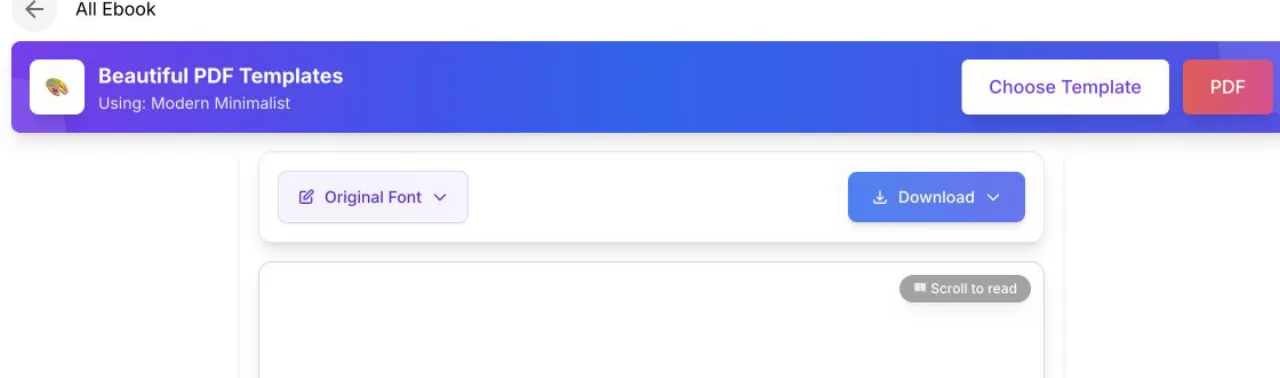
Use the reader preview to catch obvious layout issues before starting print setup. - 02
Inspect the print interior
The Lulu-ready interior uses a selected print preset, fixed trim size, margins and embedded assets.
Current app screenOpen full size: Automateed managed paperback setup panel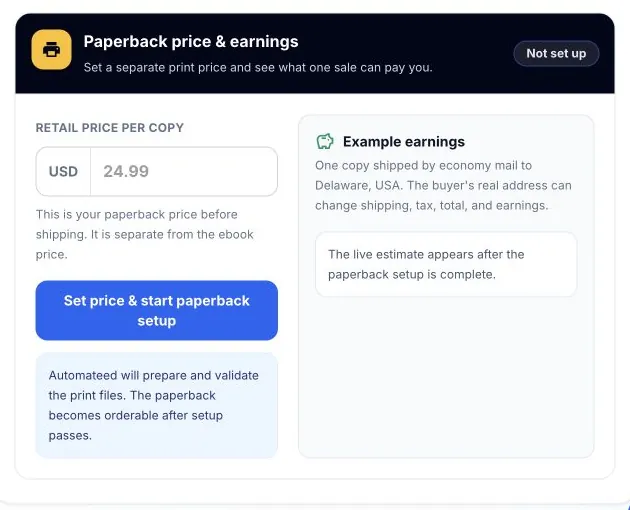
The managed setup prepares and validates separate production files; a normal reader PDF is not the complete print package. - 03
Inspect the wraparound cover
Paperback production combines front, spine and back at a size calculated from the final print setup.
- 04
Read the Lulu file check
Use the reported interior, cover size and cover status to decide whether managed print setup is ready.
- 05
Review the available digital checks
Inspect the production output carefully; this workflow does not show a control for ordering a physical proof through Automateed.
Success check
Confirm that it worked
- You can distinguish the ordinary reader PDF from the Lulu-ready interior PDF and wraparound cover PDF.
- Lulu file check reports the interior, calculated cover size and cover validation state for the print product.
Important notes
- Automateed can select a print preset and calculate the required cover dimensions during managed paperback setup.
- This workflow exposes digital production checks but no control for ordering a physical proof through Automateed.
Troubleshooting
If it still does not work
The reader PDF looks correct but the paperback is not ready
Treat the managed interior and cover files as separate production assets and rely on the paperback status and Lulu file check instead of uploading or judging only the reader PDF.
The interior passes but the cover check does not
Review the selected print preset and the calculated wraparound cover size, then wait for or request correction of the managed cover rather than substituting a front-cover image.