🌸 SPRING SALE — Fresh Start, Fresh Savings
Spring Into SavingsSpring Pricing 🌼
AI Tools

MathPal Review (2026): Honest Take After Testing

Stefan
11 min read
#Ai tool

Table of Contents

MathPal screenshot

What Is MathPal?

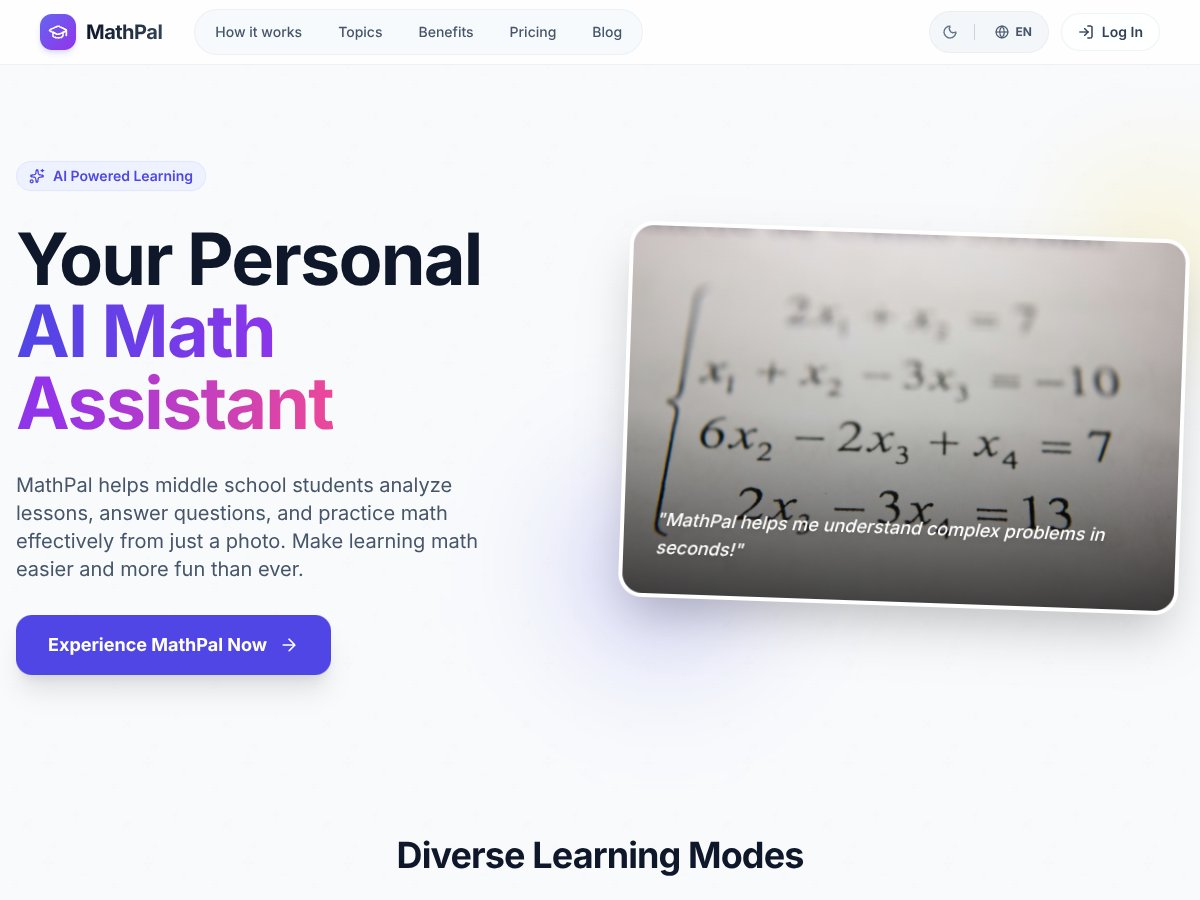
Honestly, when I first heard about MathPal, I was a bit skeptical. There are so many AI-powered math tools claiming to make learning easier, and most of them just end up being quick solutions that don’t really help you understand anything. But I was curious about this one because it promises to do more than just spit out answers — it’s supposed to analyze math problems from a photo, explain concepts, and even give you practice questions. The idea sounded promising, especially for middle school students who struggle with the transition from rote memorization to actual understanding.

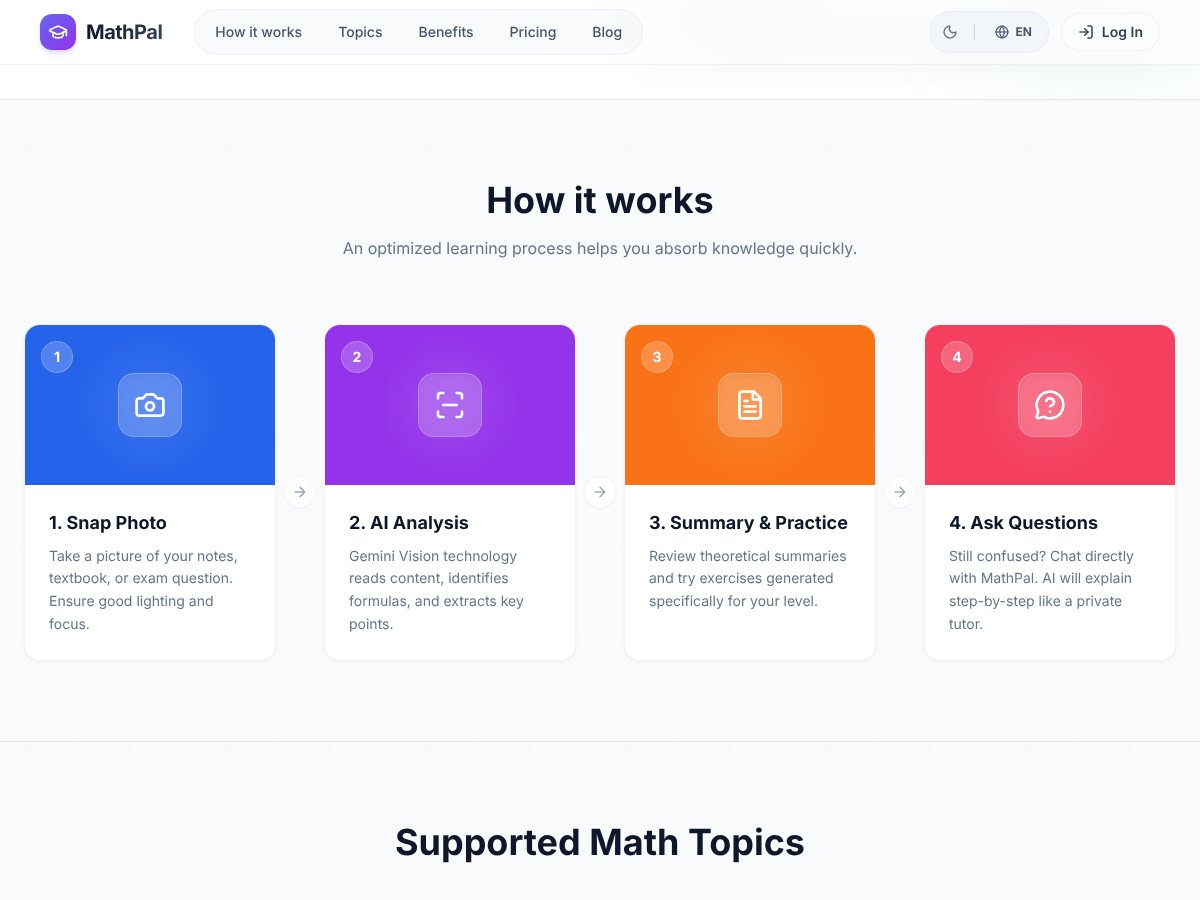
In plain English, MathPal is a tool that lets you take a picture of a math problem — like from your textbook or homework — and then it uses AI to analyze what’s in the photo. It explains formulas, breaks down definitions, and helps you practice by generating similar questions. The core problem it’s trying to solve is the frustration of not knowing where to start when faced with tricky math problems, especially if your teacher’s explanation isn’t enough or if you’re just trying to learn on your own. It aims to be a kind of digital tutor that’s always available, helping students build understanding rather than just giving answers.

I looked into who’s behind MathPal, and it appears to be developed by a team focused on educational technology, with some connection to university research. The website doesn’t go deep into the company or team details, which is a bit of a red flag — I’d like to see some transparency there. My first impression was that it looks fairly straightforward: a minimalist, clean interface that’s designed for middle schoolers. When I tested it, it mostly did what it advertised: I could snap a photo, and it would analyze the problem. But I want to be upfront — it’s NOT a full-blown learning platform with videos, progress badges, or a curriculum. It’s more of a focused assistant for specific math questions.

In terms of what it’s not — don’t expect it to replace a teacher or a comprehensive math course. It’s a tool for quick help and understanding, not a curriculum. Also, I didn’t find any integrated videos or extensive resources. So, if you’re hoping for a one-stop shop for math mastery, this isn’t it. But if you want something to help clarify problems on the spot, it might be worth trying.

MathPal Pricing: Is It Worth It?

MathPal interface
MathPal in action
Plan Price What You Get My Take
Free $0 Access to limited modes, no history saving, no detailed statistics Great for testing out the basics, but you’ll quickly hit feature limits. Perfect if you just want to see if it works for your needs without committing.
Basic Trial Free trial (no specific price listed) All modes (limited), no history saved, no statistics Good for a short test run. But remember, the trial seems to be short, and features are limited.
Pro $89.99/year All learning modes, advanced practice, detailed statistics, learning history, priority support, and other features This seems like the best bang for your buck if you’re serious about consistent practice and tracking. It’s roughly $7.50/month, which isn’t bad for a personalized AI tutor. But, compare it to free alternatives like Khan Academy, and you might wonder if the extra features justify the cost.
Premium $189 one-time payment + optional $29.99/year after year 1 All features plus the highest priority support, first-year upgrade free, and long-term access This might be a dealbreaker for some—paying a lump sum upfront for what’s essentially a year’s worth of access and support. If you’re committed long-term, it could pay off, but it’s a hefty initial expense.

Here’s the thing about the pricing: MathPal seems to position itself as a premium, personalized learning tool, but it’s important to compare this to free resources that already do a lot of heavy lifting—like Khan Academy’s free lessons and practice problems. The Pro plan at ~$90/year is reasonable if you value the AI-driven features, detailed progress tracking, and the curated practice, but it's not exactly cheap for a middle school student or a parent on a tight budget.

What they don’t tell you on the sales page is whether the free tier provides enough value for a casual user or if you’ll need to upgrade quickly. Also, it’s not clear if there are any hidden usage caps—like limits on the number of questions, photos, or practice exercises you can do per day. Fair warning: if you expect unlimited usage at the free level, that might not be the case.

My honest take? If you’re a parent or student who’s highly motivated and wants a structured, tracked approach with personalized feedback, the Pro plan could be worth it. But if you’re just dabbling or comparing options, don’t overlook free resources first. And for long-term use, the premium one-time fee might be appealing, but only if you’re confident your kid will stick with it for years.

The Good and The Bad

What I Liked

  • Photo-based problem capture: The ability to snap a picture of a handwritten note or textbook problem makes it super convenient—no need to type out complex formulas or equations.
  • Step-by-step explanations: The AI tutoring feature is genuinely helpful, especially for students who get stuck after trying to solve on their own.
  • Progress tracking and analytics: The student dashboard visualizes strengths and gaps, which can help tailor study sessions more effectively.
  • Adaptive practice questions: The auto-generated problems at different difficulty levels keep students engaged and challenged without feeling overwhelmed.
  • Integration with concepts and formulas: The tool doesn’t just give answers—it deconstructs the problem, which supports deeper understanding—something many competitors lack.
  • Responsive customer support: Based on user feedback, support seems proactive and helpful, which is a big plus for educational tools.

What Could Be Better

  • Lack of user testimonials or reviews: There are no real user stories or feedback available, which makes it hard to gauge real-world effectiveness.
  • Limited feature transparency: The absence of detailed feature descriptions—especially on the free tier—raises questions about what’s actually accessible without paying.
  • Pricing is somewhat opaque: Without clear, publicly listed plans or usage caps, it’s hard to know if the monthly or yearly plans will meet your needs or if there are hidden costs.
  • Limited math topics listed: While basic geometry and algebra are covered, more advanced topics or real-world problem-solving are not mentioned, which could be a limitation for serious students.
  • No mention of offline capabilities or integrations: If your internet goes out or you want to use it on different devices, it’s unclear if that’s possible.

Who Is MathPal Actually For?

MathPal interface
MathPal in action

MathPal is best suited for middle school students (grades 6-9) who are motivated to reinforce their math skills through guided practice and concept review. It works well for students who prefer visual learning—taking photos of their notes or textbook problems—rather than typing out questions. If your child struggles with understanding formulas or concepts and benefits from personalized explanations, MathPal can be a helpful supplement.

It’s ideal for students who like structured practice and tracking their progress over time. For example, a student preparing for standardized tests or trying to improve specific weak areas could find the detailed analytics and personalized roadmap very motivating. Teachers or parents who want a tool to help their learners practice independently and get instant feedback will also appreciate the AI tutoring aspect.

However, it’s less suitable for advanced learners covering high school or beyond, or for those who need extensive video lessons or a broader curriculum. Also, if the student isn’t highly motivated or engaged, the tool’s effectiveness might be limited since it relies heavily on user interaction and effort.

Who Should Look Elsewhere

If you’re looking for a free, no-strings-attached math practice app, or if you prefer a solution that simply provides quick answers without much explanation, MathPal might not be the right fit. For instance, Photomath offers instant problem verification and solution steps—often faster and more straightforward for quick checks—though it lacks in-depth concept support.

Similarly, if you want a comprehensive curriculum with extensive video lessons, interactive exercises, and teacher-led guidance, platforms like Khan Academy or IXL might serve you better. They often come with free content or more transparent pricing, making them more accessible for families on a budget.

Finally, if your child needs a tool that works offline or integrates with specific classroom platforms, MathPal’s current features seem limited in that regard. It’s also worth noting that students who aren’t self-motivated or don’t want to engage actively with the learning process might not benefit much from an AI-driven approach that requires effort to see results.

How MathPal Stacks Up Against Alternatives

Photomath

  • Photomath focuses on instant solution verification by scanning handwritten or printed math problems. It’s great for quickly checking answers but doesn't emphasize conceptual understanding or guided learning.
  • Pricing is usually free with optional paid features for step-by-step explanations, but most core features are free.
  • Choose this if you need quick answer verification and don’t mind limited guidance beyond solution steps.
  • Stick with MathPal if you want a more interactive, guided learning experience that develops understanding rather than just solutions.

Khanmigo (Khan Academy)

  • Khanmigo offers a conversational tutoring experience rooted in Khan Academy’s vast curriculum, emphasizing Socratic questioning and broad subject coverage.
  • It's free to use, supported by Khan Academy’s nonprofit model.
  • Choose this if you want a broad curriculum with a focus on conceptual understanding across subjects.
  • Stick with MathPal if you prefer a tool specifically tailored for grade 6-9 math with detailed progress tracking and adaptive difficulty.

iCodePal

  • iCodePal is geared towards programming and coding education, offering AI-driven coding practice and explanations, not focused on general math problems.
  • Pricing details are similar to MathPal, often subscription-based, but specifics vary.
  • Choose this if you’re looking to improve coding skills rather than math problem-solving.
  • Stick with MathPal if your goal is mastering middle school math concepts and problem-solving skills.

MathGo

  • MathGo is an AI math solver available on mobile platforms, offering quick solutions and step-by-step guidance similar to Photomath but often with more app features.
  • Pricing is usually free with premium options for additional features.
  • Choose MathGo if you prefer a mobile app for quick solutions and on-the-go practice.
  • Stick with MathPal if you want a more personalized, progress-tracking learning companion designed for sustained skill development.

Bottom Line: Should You Try MathPal?

Overall, I’d rate MathPal a solid 7/10. It’s a well-designed tool that really leans into understanding math concepts and building problem-solving skills, especially for grades 6-9. The adaptive features and progress tracking are useful, but it does require motivated students who are eager to learn rather than just get answers.

If you’re a student who needs help understanding math deeply and appreciates guided practice, MathPal is definitely worth trying — especially since it offers a free tier to test out its core features. The paid version might be worth upgrading if you want in-depth reports and full access to all practice material.

However, if you’re someone who just wants quick answers or is looking for a tool to help with homework without much interaction, simpler apps like Photomath or MathGo might serve you better. Personally, I’d recommend it for committed learners who want to improve their math skills over time.

If your main goal is conceptual understanding and progress tracking, give MathPal a shot. If you just need quick solutions now and then, maybe stick with a more straightforward app.

Common Questions About MathPal

Is MathPal worth the money?
It’s worth it if you value guided, conceptual learning and progress tracking. If you just want quick answers, cheaper or free alternatives might suffice.
Is there a free version?
Yes, MathPal offers a free tier with limited features, ideal for trying out the basic functions before deciding to upgrade.
How does it compare to Photomath?
MathPal emphasizes understanding and guided practice, while Photomath focuses on quick solution verification. MathPal is better for learning, Photomath for quick checks.
Can I use it on my phone?
Yes, MathPal is accessible via its Chrome extension and mobile-friendly platforms, making it convenient for on-the-go practice.
Does it support all math topics?
It covers a wide range of middle school math topics but may have limited advanced topics beyond grade 9.
Can I get a refund if I’m not satisfied?
Refund policies depend on the platform where you subscribe; check their specific terms at purchase.
Is it effective for homework help?
Yes, especially if students are motivated to understand concepts rather than just get answers.

As featured on

Automateed

Add this badge to your site

Stefan

Stefan

Stefan is the founder of Automateed. A content creator at heart, swimming through SAAS waters, and trying to make new AI apps available to fellow entrepreneurs.

Related Posts

Sweep Review – An AI Assistant for JetBrains IDEs

Sweep Review – An AI Assistant for JetBrains IDEs

Sweep enhances productivity in JetBrains IDEs

Stefan
AI Song Maker Review – Simple & Creative Music Generation

AI Song Maker Review – Simple & Creative Music Generation

easy way to create music with AI

Stefan
Topview AI Review – AI Video Maker for Marketers

Topview AI Review – AI Video Maker for Marketers

create engaging marketing videos quickly affordably

Stefan

Create Your AI Book in 10 Minutes