Table of Contents
If you’re trying to get more replies without spending every weekday writing the same “just checking in” email… I get it. Overloop is one of those outbound automation tools that promises you can run prospecting campaigns with AI help, plus track what’s working. I tested it for a few months (roughly from late January through early April), and here’s what I actually noticed—what felt smooth, what took tweaking, and where it didn’t magically fix everything.
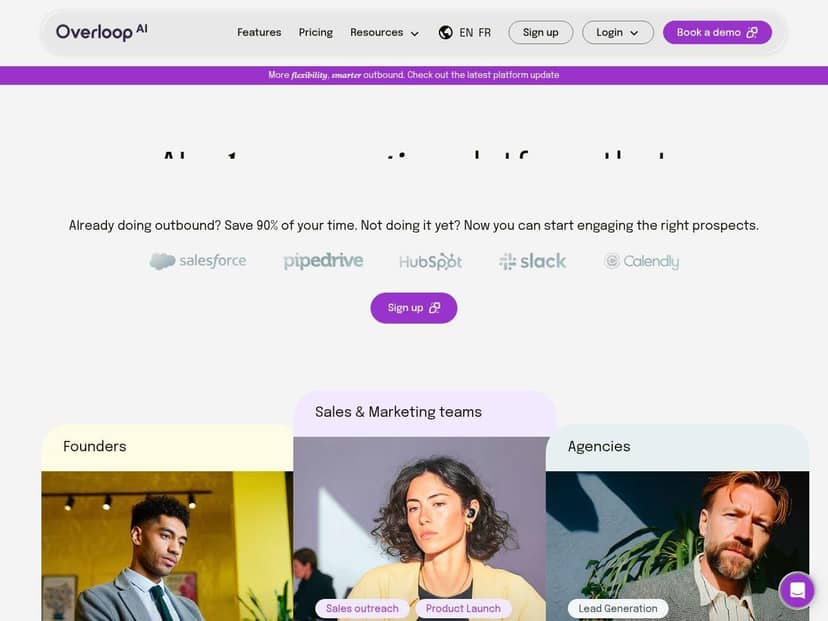
Overloop Review: What It’s Like After You Actually Set It Up
Here’s the honest version: Overloop is at its best when you treat it like an outreach “engine” you still supervise. If you just hit auto and hope AI will write a perfect message for every lead… yeah, you’ll probably waste credits and get mediocre results.
In my setup, I focused on a pretty common scenario: exporting/importing a targeted list, writing a clear value prop, then letting Overloop handle sequencing (initial email + follow-ups) while I watched the metrics and adjusted. I also tested LinkedIn outreach alongside email, but I mainly judged the tool based on email performance because that’s where I could compare apples-to-apples.
My campaign setup (the part that matters)
- Lead list: I started with a small batch first (about 100–150 leads) so I could see deliverability and response behavior before scaling. I didn’t want to burn through credits on a setup that might be off.
- Targeting: I narrowed by role and company type (think: decision-maker titles + companies that match our ideal customer profile). Overloop’s lead sourcing is strong, but garbage-in still equals garbage-out.
- Messaging: I used AI to draft the first pass, then I edited for clarity, tone, and specificity. For example, one subject line I ended up using was: “Quick question about your {process}”. Not fancy, but it felt personal without being creepy.
- Follow-ups: I ran a simple 3-email sequence over ~10–14 days. The first email was short. The follow-ups added a slightly different angle (one offered a mini case study, one asked a direct yes/no question).
What I noticed in results
Before using Overloop, my typical reply rate on a similar list hovered around the low single digits (roughly 2–4% depending on the week and how fresh my messaging was). With Overloop, I saw replies climb into the mid single digits after I adjusted two things: (1) tightening the targeting and (2) rewriting the AI output so it didn’t sound “templated.”
Was it night-and-day? Not automatically. But once I stopped treating the AI draft as the final message, things improved. In my experience, the best lift came from making the first email more direct and the follow-ups more “reasoned” (not just “bumping this”).
Analytics: actually useful, not just decorative
The dashboard helped me answer questions like: Are people opening but not replying? Are clicks happening but no one converts? I liked that I could spot weak steps (for me, it was usually the first message angle, not the follow-up timing). I ended up changing one variable at a time—subject line and first sentence—then watching the opens and reply trend for a week.
Also, the tool’s multi-channel approach (email + LinkedIn, plus calls depending on your configuration) made follow-ups feel less repetitive. If you’re running outreach daily, that matters. It’s easy to get stuck in “email-only loops.”
Key Features: What They Do (and How They Worked for Me)
- AI-powered personalized email drafting
- I’ll be straight with you: the AI drafts are a great starting point, but they don’t replace your judgment. What I did that worked well was prompting with context (industry, pain point, and the specific reason I’m reaching out). The output got closer to “human” after I edited the intro and added one concrete detail.
- Example of what I changed: AI would sometimes write a broad statement like “We help companies improve efficiency.” I replaced that with something tied to the lead’s likely situation (one sentence). That’s the difference between “interesting” and “generic.”
- Lead sourcing from a database of 450M+ professionals
- In practice, the size of the database matters less than how well you filter. When I used tighter filters, the leads behaved better (more opens, more replies). When I loosened targeting, my engagement dropped fast—classic outbound reality.
- My takeaway: yes, the database is broad, but you still need to be picky about role/company fit.
- Multi-channel outreach (email, LinkedIn, and calls)
- I liked having one place to manage sequencing. LinkedIn can be a great “second touch,” especially when email is getting ignored. That said, LinkedIn behavior is sensitive—your account history and limits matter, and you can’t fully remove platform friction with a tool like this.
- Automation of outbound campaigns and follow-ups
- This is where Overloop saves time. I didn’t have to manually schedule each follow-up, and it kept the workflow consistent. I’d estimate I saved 2–4 hours per week once I had one working campaign template (depending on how many variants I tested).
- One limitation: automation is only as good as your initial setup. If your first email is weak, the follow-ups can’t completely rescue it.
- Performance analytics (opens, clicks, replies)
- Analytics are more than a dashboard when you use them to decide what to change. In my case, opens were decent but replies were the real bottleneck. I adjusted messaging before changing anything about the schedule.
- I also found it helpful to watch engagement over time instead of obsessing over day one. Outbound usually needs a little runway.
- CRM integrations (Salesforce, HubSpot, Pipedrive)
- I tested syncing in a lightweight way (mapping fields and confirming it was creating/updating records properly). The integration felt straightforward, but I did run into one common snag: field mapping isn’t always perfectly aligned, especially if your CRM uses custom properties.
- If you’ve got a heavily customized HubSpot setup, plan for a little extra time to map “what Overloop should write” into “what your CRM expects.”
- Lead enrichment (company data and signals)
- This helped me write more relevant lines. When the enrichment was solid, the email felt more specific. When enrichment was off (or the lead data was outdated), the AI output sounded less convincing. So again: personalization is only as good as the underlying data.
- Self-onboarding with support options
- Onboarding wasn’t painful for me, but I do think you’ll move faster if you already know your outreach basics (ICP, messaging angle, sequence length). If you’re brand new to outbound, you might spend extra time deciding what to say and how to structure follow-ups.
Pros and Cons: The Real Tradeoffs
Pros
- Time savings that show up in your week: Once I had a working template, I stopped rewriting outreach from scratch. For me, that was about 2–4 hours/week saved depending on how many campaigns I ran.
- Good starting point for personalization: AI drafts helped me move faster, but the real win was editing them into something specific (not copying/pasting blindly).
- Multi-channel follow-ups reduce “email fatigue”: Switching channels for touch #2 or #3 made my outreach feel less repetitive.
- Analytics helped me iterate: I didn’t just wait for results—I adjusted messaging based on opens/clicks/replies patterns.
Cons
- Costs can creep up with credits + accounts: If you run multiple sequences, test lots of variants, or add extra email accounts, credits add up fast. I had to be disciplined about what I tested.
- Setup still takes attention: The “easy” part is the UI. The “hard” part is getting targeting, messaging, and CRM mapping right.
- AI can drift into generic if you don’t supervise it: If you don’t provide context (or you skip editing), the emails can sound like they were produced at scale.
- Deliverability isn’t magic: If your email accounts aren’t warmed up or your messaging is too salesy, you’ll still see issues. Tools don’t override basic email hygiene.
Pricing Plans: What You Get for $69, $99, and Beyond
Overloop has three plans. The pricing I saw listed was:
- Starter: $69 per user/month with 250 credits
- Growth: $99 per user/month with 500 credits
- Enterprise: custom pricing, unlimited credits, and dedicated support
In my opinion, the Starter plan is fine if you’re testing one campaign and you’re willing to keep your lead list tight. If you’re planning multiple sequences (email + LinkedIn touches) and doing A/B tests, Growth starts to make more sense quickly.
Wrap up
Overloop is genuinely useful if your goal is to reduce the boring parts of outbound—scheduling follow-ups, managing sequences, and speeding up first drafts. But it won’t replace good targeting and it won’t magically turn generic outreach into “high intent” conversations. What worked best for me was using the AI to get moving fast, then editing for real specificity and iterating based on the analytics.
If you’re already doing outbound and you want a tool that helps you run it consistently (instead of starting over every week), Overloop is worth considering. Just go in with a plan, and don’t skip the part where you make the message yours.