Table of Contents
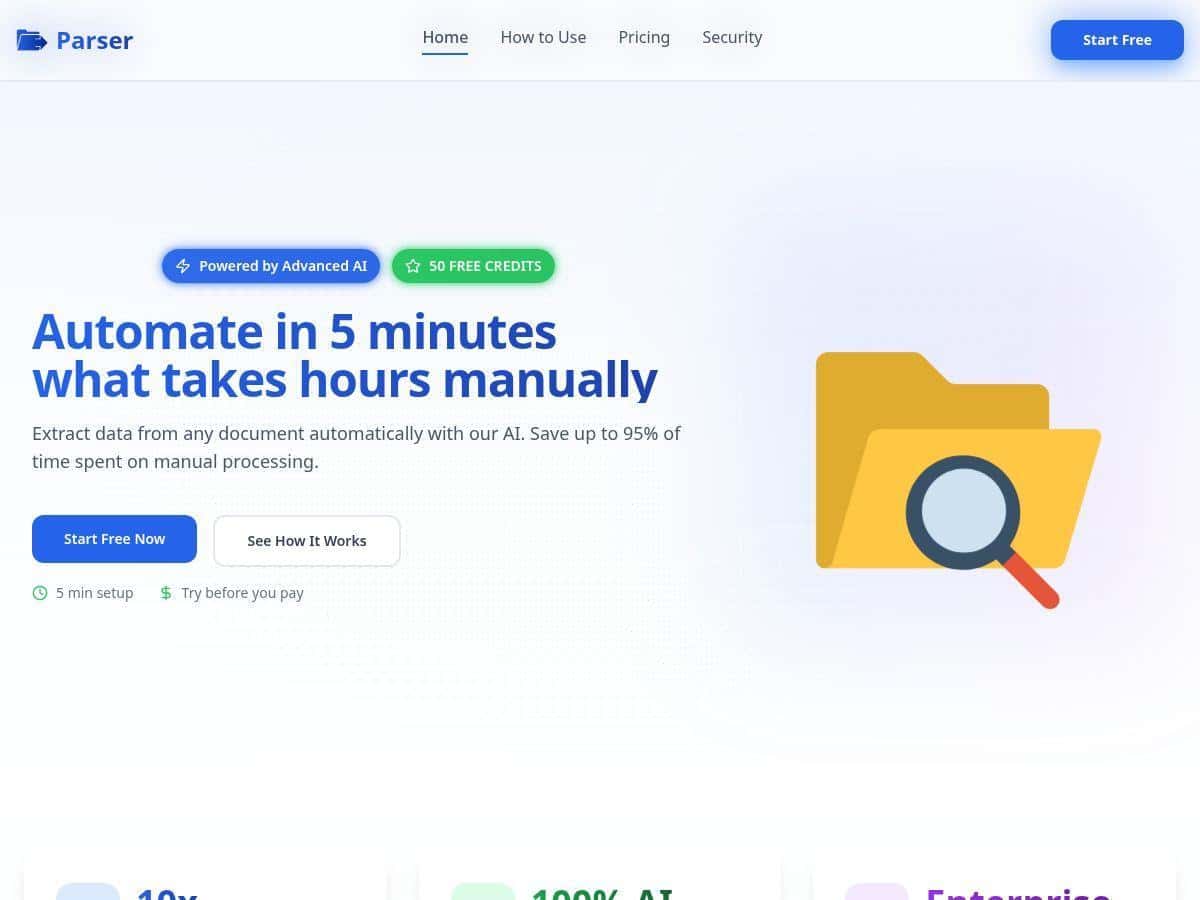
I wanted to see if Parser could actually replace the annoying copy/paste part of document processing—not just “AI does things” marketing. So I tested it with a mix of real-world files I deal with at work: invoices, a couple of contracts, and a handful of forms.
Here’s what I noticed: the setup is quick, the interface is pretty friendly, and for clean, typed documents it can get you from upload to extracted fields fast. But if the layout is messy, the document is heavily formatted, or there’s handwriting in the mix, you’ll need to do a little cleanup. That’s normal for OCR + extraction tools, but it’s still worth knowing up front.
Parser Review: What I Actually Got From Invoices, Contracts, and Forms
First things first: getting started was painless. I didn’t have to fight with setup for hours. The upload flow felt straightforward, and I liked that I could test multiple document types without jumping through weird steps.
For my test, I ran 12 documents total:
- Invoices: 6 (mostly typed PDFs, 1–3 pages each)
- Contracts: 4 (2–6 pages, more complex formatting)
- Forms: 2 (one typed, one with a bit of messy handwriting)
I focused on a few fields I’d normally have to type manually: invoice number, invoice date, vendor name, totals, and line items. For contracts, I looked at party names and key dates. And for forms, I checked whether it could reliably pull the “label → value” pairs.
Example 1: Invoice extraction (typed PDF)
One of the invoices was a clean, standard layout (2 pages). Parser pulled:
- Invoice number: matched what I saw on the document
- Invoice date: correct format and value
- Vendor name: correct
- Line items: item descriptions + quantities came through in the right order
- Total: correct number (including decimals)
What I liked here wasn’t just “it extracted something.” It extracted the stuff I care about without making me re-check every field. In practice, this is where you actually save time.
Example 2: Invoice with tighter spacing (still typed)
Another invoice had tighter spacing and a slightly different table structure. Parser still did a decent job, but I did notice a couple of issues:
- One line item description came back slightly truncated
- One quantity was off by a digit (easy to catch during review, but still wrong)
So yeah, it wasn’t perfect—but it wasn’t useless either. If you’re doing a quick validation pass, it’s workable.
Example 3: Contract pages with complex formatting
On contracts, the tool handled the “obvious” parts better than the dense sections. Party names and dates were usually fine. Where it struggled was more about context—like when a date appears multiple times or when the document uses unusual spacing for headings.
Typical problems I saw:
- Wrong date selection (pulled a date from a clause instead of the “effective date” spot)
- Missing field when the label wasn’t consistent across pages
Example 4: Forms with handwriting / messy inputs
This is where I saw the biggest drop. The handwritten form didn’t fail completely, but accuracy dipped in a way that would slow me down.
Common errors:
- Misread numbers (especially around decimals)
- Swapped fields when two labels were close together
- Blank outputs for a couple values where handwriting was hardest to interpret
If your workflows include handwriting frequently, I’d treat Parser as “assistive” rather than fully hands-off.
Time savings: what “up to 95%” means in my test
Parser claims big time reductions, and I get why. In my test, the fastest documents went from something like 10–15 minutes of manual typing per invoice down to about 1–3 minutes for review and quick fixes. That’s a huge improvement for clean PDFs.
But if I had to correct more fields (like the tighter table invoice or the handwriting form), the time savings dropped. So my takeaway is: you can absolutely get 80–95% savings on clean, structured docs, but you probably won’t hit that consistently on messy layouts without a validation step.
My overall extraction accuracy (rough estimate):
- Typed invoices: about 90–95% of fields correct on the first pass
- Contracts: closer to 80–90% depending on where the field appears
- Handwritten/messy forms: around 60–80% for the trickiest fields
Those aren’t lab-grade numbers, but they’re realistic for how much you’ll still need to check.
Key Features: Where Parser Actually Helps
- AI-powered document extraction: It doesn’t just OCR text—it tries to map extracted content into fields (like invoice numbers, totals, and line items) instead of dumping raw text.
- Multiple document types: Invoices, contracts, and forms were the best match in my testing.
- Upload methods: I used direct upload during testing, and it also supports uploads via email and API (useful if you’re routing documents from other systems).
- Pre-trained models (what that means): In practice, it’s like having templates for common document layouts. You don’t start from zero with every file—you get better results when your documents resemble the supported patterns.
- Integrations: Parser positions this for “plug into your workflow” use. If you’re looking at real integrations, it’s worth checking what’s available for your stack—especially accounting/ERP and Zap-style automation.
Pros and Cons: The Honest Tradeoffs
Pros
- Big time savings on clean docs: For typed invoices, my review time dropped dramatically (often to just a couple minutes).
- Works well with typical business formats: Tables, totals, and labeled fields are usually handled better than free-form text.
- Simple to test: I didn’t need a long learning curve to get usable output.
- Free trial helps you validate fit: It’s the fastest way to find out whether your document layouts behave.
Cons
- Accuracy drops with complexity: Dense contract formatting and inconsistent labels can cause missing fields or wrong date selection.
- Handwriting is hit-or-miss: Expect misread numbers and occasional blanks on messy forms.
- AI still means occasional errors: Even when it’s “mostly right,” you’ll still want a validation step for critical fields like totals and dates.
- Cost can climb with high volume: If you process lots of multi-page documents, per-page usage adds up fast—especially when you need reprocessing or manual correction.
Pricing Plans: What to Expect (and how to estimate cost)
Parser offers a free trial with 50 credits to start. I’d use those credits on your most common document type first (usually invoices) and then test one “worst case” file (complex contract or messy form). That way you don’t waste the trial on documents that are already easy.
As for paid pricing, the exact numbers can vary, and the site should have the most current details. In general, many document AI tools land around $0.33 to $1 per page or start around $39/month for subscriptions. If you’re comparing options, don’t just look at the monthly fee—calculate your real usage.
A simple cost sanity check (example):
- If you process 500 pages/month and it’s roughly $0.50/page, that’s about $250/month just for extraction.
- If your documents are multi-page (contracts often are), the page count matters more than the number of files.
- If you need to reprocess because outputs aren’t clean, your costs can creep up quickly.
If you want the most accurate estimate, grab a sample batch and count pages exactly. It sounds boring, but it’s the difference between “looks affordable” and “wait, why is this so expensive?”
Wrap up
Parser is a strong option if your document processing is mostly typed, structured, and label-driven—invoices are where it really shines. I’d still plan on doing a quick review pass for important fields, especially for contracts and anything with messy formatting or handwriting.
If you’re deciding whether it’s worth trying, here’s my quick checklist:
- Are most of your docs typed PDFs (not scans with blur)?
- Do you have consistent fields (invoice #, dates, totals, line items)?
- How often do you deal with handwriting or unusual layouts?
- Do you process enough volume that per-page costs will matter?
- Do you need an integration (API/email workflow) to fit into your system?
Give the free trial a shot with a realistic sample. That’s the only way you’ll know if it’ll cut your workload without creating extra cleanup.