LIFETIME DEAL — LIMITED TIME
Get Lifetime AccessLimited-time — price increases soon ⏳
AI Tools

Queryable Review – Effortlessly Search Your Photos

Updated: April 20, 2026
4 min read
#Ai tool

Table of Contents

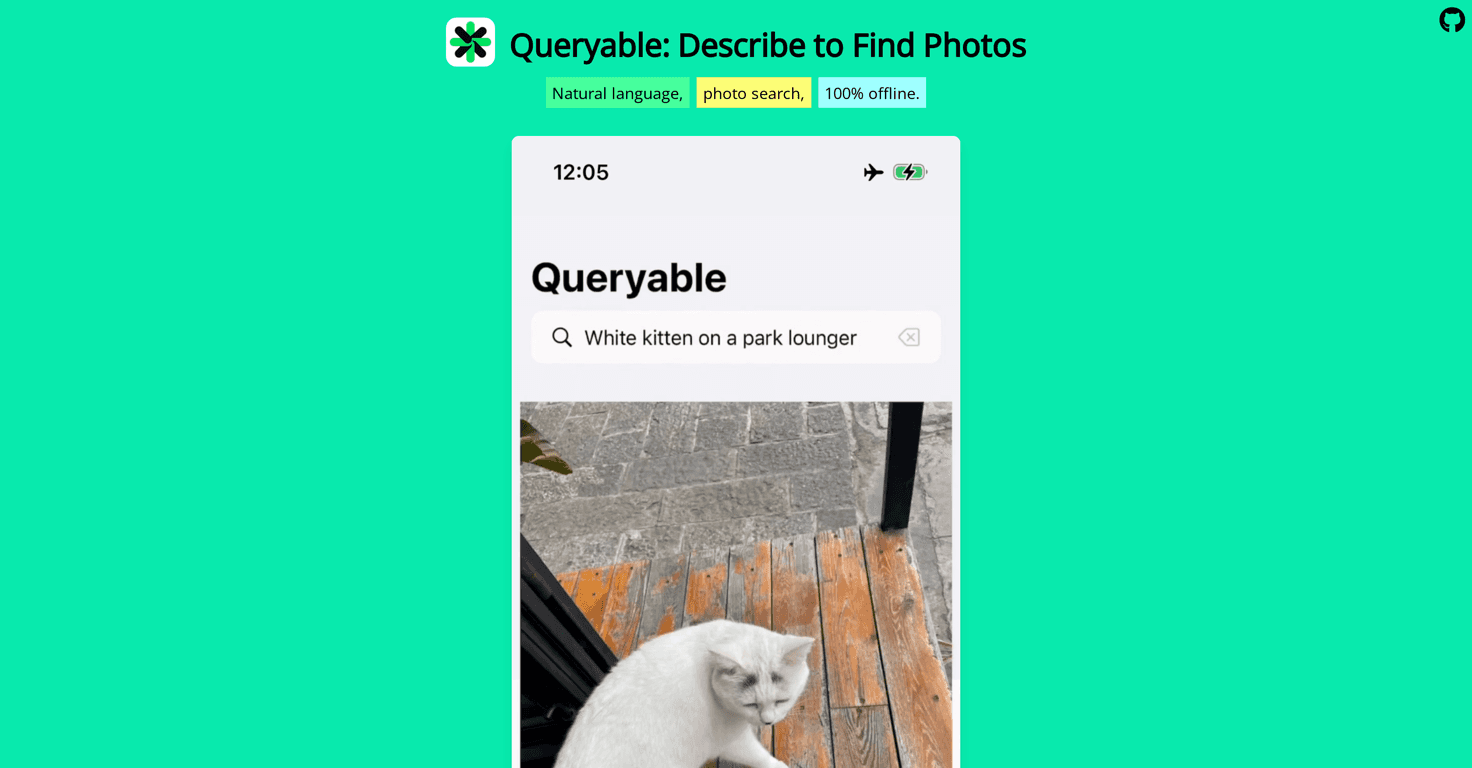
I’ve got a pretty big photo library, and I’ll be honest—most of the time I don’t “browse” it. I just scroll until I find something… and then I forget what I was even looking for. That’s why I was excited to try Queryable. The idea is simple: search your photos by describing what you want, like “sunset at the beach” or “my dog playing in the backyard.” No more trying to remember whether you named that album “Beach 2022” or “Florida Trip.”

Queryable

Queryable Review

Queryable is a photo search app that leans on natural language processing. Instead of digging through folders or relying on whatever keywords you remember, you just describe the scene. In my testing, that felt surprisingly natural—like I was asking my phone a question rather than running a “search” with strict filters.

One detail I really liked: Queryable is designed to work offline. That means your photos and search activity don’t have to travel to the internet for basic searching. I’m not going to pretend every app is perfect, but offline-first is a big deal for privacy-minded people (and honestly, for anyone who doesn’t want their photo data handled by yet another service).

It’s also open-source under the MIT license, which I always appreciate. When something is open-source, you can actually see what’s going on, and the community can improve it instead of waiting for one company roadmap.

That said, it’s not a universal solution. Right now, it’s iOS-only, and it needs local photo storage. If you’re used to having everything in the cloud with minimal device storage, you may hit friction. Still, if you’ve got the space and you want something privacy-focused, Queryable feels like a breath of fresh air.

Key Features

Here’s what stood out most when I used Queryable:

  • Natural Language Photo Search: Describe what you want in plain English (examples: “sunset at the beach”, “dog in the backyard”, “birthday cake”).
  • Offline Functionality: Designed to search without relying on a constant internet connection.
  • Open Source (MIT License): Transparent codebase and community-driven improvements.

What “natural language” actually looks like in practice

When I typed short, specific prompts, results were noticeably better. For example, “beach sunset” worked better than “sunset” alone. And “my dog running” beat “dog” for me. It’s not magic, but it’s close enough to make searching feel effortless.

If you try it, don’t be afraid to iterate. Try a prompt, look at the results, then tweak one detail—location, subject, or action. That quick back-and-forth is where the app really shines.

Offline searching: the privacy angle

I like that Queryable is positioned around offline use. In my experience, privacy features are only “real” when they don’t require you to trust a server. Offline functionality helps with that. Just make sure you’re comfortable keeping enough photos locally for the app to search them effectively.

Pros and Cons

Pros

  • Privacy Protection with No Internet Connectivity: Offline-first behavior reduces the need to send photo data over the network.
  • Search feels simple: You don’t need to remember exact filenames or tags—just describe what you’re looking for.
  • Open-source transparency: The MIT license makes it easier to trust the approach and encourages improvements from others.

Cons

  • Limited to iOS devices: If you’re on Android or desktop-first, you’ll have to wait.
  • Local storage required: You’ll need enough space on your device for the photos to be available for searching.

My honest take on who it’s best for

Queryable is perfect if you:

  • Have a large photo library and hate manual searching
  • Care about privacy and prefer offline behavior
  • Want a more “human” way to find photos without strict keyword management

It might be frustrating if:

  • You don’t want to store lots of photos locally
  • You expect cross-device syncing to just work automatically
  • Your prompts are super vague (like just “party”)

Pricing Plans

Good news: Queryable is free to download from the Apple App Store. No paid tier required to get started, which makes it easy to test whether the natural-language search fits how you actually use your photos.

Wrap up

Overall, I found Queryable to be a genuinely useful way to search photos without turning it into a scavenger hunt. The offline-first approach is a big plus for privacy, and the natural language search makes it feel less like “querying” and more like asking for what you remember.

Just keep expectations realistic: it’s iOS-only right now, and you’ll need local photo storage. If you can live within those limits, Queryable is the kind of app I’d actually keep installed—because it saves time the moment you stop trying to remember where everything is.

Stefan

Stefan

Stefan is the founder of Automateed. A content creator at heart, swimming through SAAS waters, and trying to make new AI apps available to fellow entrepreneurs.

Related Posts

Needle Review – Streamline Your Data Search Effortlessly

Needle Review – Streamline Your Data Search Effortlessly

AI-powered platform simplifies your data experience

Stefan

Snap Enhancer Review – Elevate Your Photos Effortlessly

AI-driven portrait enhancement tool for photos

Stefan
Hi Music Review – Create Free AI Music Effortlessly

Hi Music Review – Create Free AI Music Effortlessly

hassle-free way to generate music

Stefan

Create Your AI Book in 10 Minutes