Table of Contents
If you’ve ever sat down to build a resume and thought, “Why is this so hard?”, you’re not alone. I’ve watched friends and coworkers get stuck on the same things: what order to put sections in, how to write bullet points that don’t sound robotic, and how to make sure the formatting survives when you export to PDF. That’s where SwiftResume comes in.
In my experience, SwiftResume is the kind of resume builder that’s meant to get you from “blank page” to “ready to apply” without a ton of fiddling. You pick a template, plug in your info, and use prompts to help you write stronger content. But does it actually help—or is it just another template site? Let’s walk through what I noticed, including the parts I think are great and the parts that feel a little limiting.
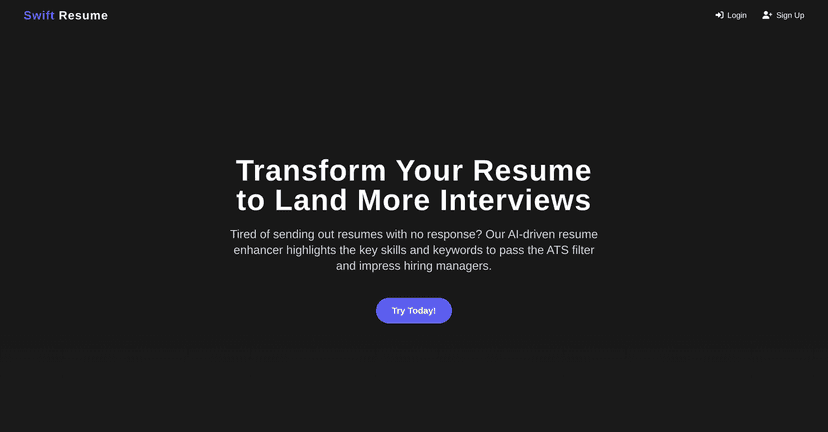
SwiftResume Review: What It’s Like to Build a Resume Here
SwiftResume is an online resume builder built for people who want something clean and professional without spending hours learning formatting rules. You start by choosing a template, then you customize it with your details—experience, education, skills, and whatever else you want to include.
What I liked right away is that it doesn’t feel overwhelming. The interface is pretty straightforward, and the prompts help you avoid the “blank bullet” problem. Instead of staring at a text box like, “Okay… what do I write here?”, you get guidance on what to say and how to structure it.
It also supports both beginners and more experienced job seekers. If you already know what you want to say, you can move fast. If you don’t, the site nudges you in the right direction.
Key Features That Actually Matter
- Easy-to-use interface — I didn’t have to fight the editor. The layout stays readable while you work, which is a big deal when you’re trying to finish quickly.
- Customizable templates — You get multiple template options, and you can adjust the content to fit your background. That said, customization isn’t “unlimited,” and some templates feel more locked in than others.
- Section-by-section writing guidance — This is where SwiftResume earns points. For example, it helps you turn responsibilities into stronger bullets (the difference between “Responsible for scheduling” and “Scheduled 20+ weekly appointments, improving on-time starts by X%” is huge).
- Export options — You can export to formats like PDF and Word. In my test, the formatting looked consistent enough for applications, which is what you really care about.
- Job-specific tailoring tips — SwiftResume includes prompts and suggestions for tailoring. I found it useful when I was applying to different roles and needed to adjust keywords and emphasis.
Pros and Cons (My Honest Take)
Pros
- Beginner-friendly — If you’re new to resume writing, the guidance helps you avoid common mistakes like vague bullets and messy section ordering.
- Polished templates — The templates look professional without requiring design skills. I didn’t feel like I needed to “fix” the overall look much.
- Helpful examples — The examples and prompts make it easier to write content that sounds like you know what you’re doing.
- Edits anytime — You can go back and update your resume when you gain new experience or want to swap keywords for a specific job.
- Works on different devices — Since it’s browser-based, you can work on it from anywhere you have internet.
Cons
- Some templates feel limited — A few designs don’t give you much control over spacing, fonts, or layout. If you’re very picky about formatting, you might get frustrated.
- Advanced features may be paywalled — Like a lot of resume tools, the “best” options aren’t always included in the free tier.
- No dedicated cover letter builder — You won’t get an automatic cover letter creation feature. You’ll need to write one separately (or use another tool) if the application requires it.
Pricing Plans: What You’ll Likely Pay
SwiftResume offers a free tier that covers basic resume creation. If you just need a solid resume to apply, you can probably get started without paying.
For more functionality—like additional templates and extra export options—the premium plan is available for a monthly fee. I’d only suggest upgrading if you know you’ll benefit from the extra template choices or if you’re applying across multiple roles and want more flexibility with exports and customization.
Quick question: are you applying to one job right now, or are you sending out a bunch over the next few weeks? That answer usually decides whether premium is worth it.
Wrap up
Overall, SwiftResume is a practical choice if you want a professional resume without a steep learning curve. The editor is easy to use, the templates look good, and the writing prompts help you turn experience into clearer, more convincing bullets. If you’re the type of person who needs structure (and doesn’t want to spend an entire weekend formatting), it’ll probably feel like a relief.
Just keep expectations realistic: you may hit limits with certain templates, and you won’t get a built-in cover letter tool. But for resumes, it does what it promises—help you get something ready to apply faster.
Promote SwiftResume