Inkfluence Creator
$9.99/mo
35 chapter credits per month
A 12-chapter book uses roughly one third of the monthly allowance. EPUB and DOCX are included; audiobook generation is capped at 15 chapters.
The closest direct alternative, compared plan by plan with July 2026 pricing
Inkfluence AI is one of the closest direct alternatives to Automateed: both generate complete books from a brief, both make covers, and both export real files. As of July 2026, Inkfluence sells chapter-based subscriptions with one-click Etsy and Gumroad listing, while Automateed sells generation credits attached to a wider stack: 16+ structured book creators, KDP-ready paperback exports, a built-in marketplace with worldwide checkout, author websites, audiobooks, courses and funnels.
The pricing difference that matters
The headline prices are not measured in the same unit. Compare what you can finish, not only the monthly fee.
Inkfluence Creator
$9.99/mo
35 chapter credits per month
A 12-chapter book uses roughly one third of the monthly allowance. EPUB and DOCX are included; audiobook generation is capped at 15 chapters.
Automateed Standard
$25/mo
8 complete book generations
One credit covers the full book workflow rather than one chapter: outline, long-form chapters, cover, chapter images, formatting and the editable project.
What the extra $15 buys
The publishing stack after the draft
KDP paperback preparation, native marketplace checkout, worldwide payout tracking, author websites, related courses and funnels stay attached to the title.
See the products, not only the table
Inkfluence is a focused ebook workspace. Automateed keeps the generated title connected to export, paperback, audio, marketplace and author-site workflows.
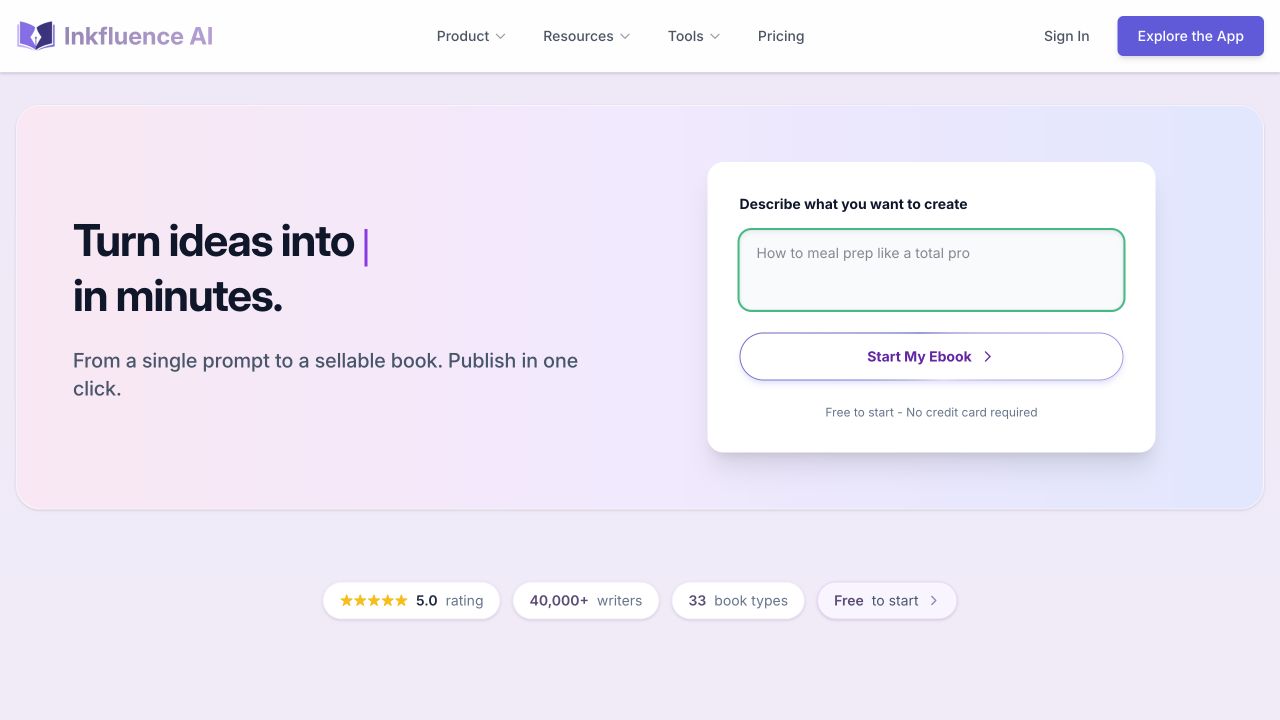
Choose Inkfluence AI if you want the cheapest focused path from prompt to a sellable PDF, EPUB or DOCX, with Etsy and Gumroad listing built in ($9.99–$19.99 per month as of July 2026). Choose Automateed if the book is the start of a business: 16+ structured book creators, KDP-ready paperback exports, built-in marketplace checkout, author websites, audiobooks and courses stay attached to one project. Both offer free starts, so test the same book idea on each.
Reviewed 2026-07-16 against 6 official sources. Pricing and limits change; the linked vendor pages remain the source of truth.
Our verdict for this exact matchup
Inkfluence AI is a strong, honest pick for creators who mainly want to generate a guide or ebook cheaply and list it on Etsy or Gumroad. Automateed is the broader publishing-business platform, and contrary to Inkfluence's comparison page, Automateed does not require a $90 lifetime payment to use: it has a no-card free preview, $25 and $50 monthly subscriptions, top-ups and optional lifetime offers.
The shortest answer
Choose Automateed for authors building a publishing business with direct selling, paperback, audio and author websites. Choose Inkfluence AI for creators who want a cheap, streamlined ai ebook workflow feeding etsy or gumroad.
Feature comparison
This table focuses on the jobs that matter in an Automateed versus Inkfluence AI decision. It is not a generic checklist: each row follows the work from creators who want a cheap, streamlined ai ebook workflow feeding etsy or gumroad toward authors building a publishing business with direct selling, paperback, audio and author websites.
Automateed
Brief-to-book workflow: promise, outline approval, full chapter generation and in-editor revision, priced in ebook generation credits (8 per month on Standard, 30 on Pro) so a full book never depends on counting chapters.
Inkfluence AI
Prompt-to-book workflow with outline, chapters and Smart Continue. Capacity is chapter-based: 5 chapters plus 5 per month free, 35 chapters per month on Creator, unlimited on Premium (as of July 2026).
Automateed
Dedicated creators for 16+ formats — cookbooks, workbooks, planners, storybooks, coloring and puzzle books, trivia, poetry, travel guides, language books, logbooks and more — each with its own structure, fields and print-ready layout.
Inkfluence AI
Templates for guides, ebooks and lead magnets (20+ advertised) plus a published list of book types the AI can write; specialist interactive formats like puzzles or coloring pages are not a listed workflow.
Automateed
AI cover generation plus editable chapter images and 26+ formatted PDF styles applied across the whole book, so the cover and interior stay part of one editable project.
Inkfluence AI
Basic cover designer on the free tier and an advanced designer with premium templates on paid plans; interiors follow the selected template system.
Automateed
PDF, EPUB and DOCX from every book project, plus per-chapter audio files. Projects stay editable after export so you can revise and re-export the same title.
Inkfluence AI
PDF on every plan including free; EPUB and DOCX unlock on Creator ($9.99/mo) and Premium ($19.99/mo). Exports carry no watermark on any tier.
Automateed
A dedicated KDP export wizard prepares paperback interiors and covers with trim, ISBN guidance and paperback pricing help — a differentiator Inkfluence does not advertise an equivalent for.
Inkfluence AI
No published KDP paperback wizard as of July 2026; authors take the exported files and format print editions elsewhere.
Automateed
AI narration generates chapter audio from any book in the workspace, and the audio edition stays linked to the same catalog entry as the ebook.
Inkfluence AI
AI audiobook generation with 38 voices, capped at 15 audiobook chapters per month on Creator and 30 on Premium, with audiobook merging reserved for Premium.
Automateed
Built-in marketplace with worldwide checkout, a seller dashboard and royalty tracking. Readers can buy directly without you configuring a third-party store.
Inkfluence AI
One-click listing drafts for Etsy and Gumroad with title, description, price, tags and AI disclosure pre-filled. The actual checkout, fees and payouts happen on Etsy or Gumroad.
Automateed
Publisher sites let each author launch a branded website with their catalog, subscriber capture and checkout attached to the same account.
Inkfluence AI
No author website builder; creators link their Etsy or Gumroad shop or build a site with a separate tool.
Automateed
Free preview without a card, then Standard $25/mo (8 ebook generations) or Pro $50/mo (30 generations), plus top-ups and optional lifetime offers. One generation covers a complete book, not a chapter.
Inkfluence AI
Free tier, Creator $9.99/mo (billed $89/yr) and Premium $19.99/mo (billed $179/yr), chapter credit packs at $9.99–$24.99 that never expire, and AppSumo lifetime tiers at $49, $99 and $299.
Workflow comparison
The main difference is not a single AI feature. It is who owns the next handoff, which files exist and how the title reaches a reader or buyer.
Automateed
Long-form AI workflows for ebooks, novels and specialized book formats. Inkfluence AI approaches this stage through prompt-to-book workflow with outline, chapter generation, smart continue and editing; Automateed instead keeps the outline and long-form manuscript attached to the book project that will later be designed and sold.
Inkfluence AI
Prompt-to-book workflow with outline, chapter generation, Smart Continue and editing
Automateed
AI covers and chapter images plus 26+ formatted PDF styles. The practical alternative to Inkfluence AI's cover designer with basic and advanced tiers plus premium templates by plan is a book-first design step where the cover, chapter imagery and selected layout remain part of one editable title.
Inkfluence AI
Cover designer with basic and advanced tiers plus premium templates by plan
Automateed
Editable projects with PDF, EPUB and DOCX export plus online previews. Compare that with Inkfluence AI's pdf on every plan; epub and docx on creator and premium: the deciding question is whether the result must continue as a publication project after the file is exported.
Inkfluence AI
PDF on every plan; EPUB and DOCX on Creator and Premium
Automateed
Automateed marketplace, worldwide checkout, author sites and KDP-ready files. Because Inkfluence AI centers its commercial path on one-click listing drafts for etsy and gumroad; no native storefront checkout, Automateed is the relevant option when checkout, royalties and the public author catalog must stay connected to the original title.
Inkfluence AI
One-click listing drafts for Etsy and Gumroad; no native storefront checkout. Book creation, export and marketplace listing drafts.
Automateed strengths
Inkfluence AI strengths
Decision guide
If you need
Create, format, publish and sell from one connected system
Best fit
Automateed
Why
Authors building a publishing business with direct selling, paperback, audio and author websites
If you need
Prioritize ai book creation over a broader author commerce stack
Best fit
Inkfluence AI
Why
Creators who want a cheap, streamlined AI ebook workflow feeding Etsy or Gumroad
If you need
Add author websites, worldwide checkout, paperback, audio or courses around a book
Best fit
Automateed
Why
These workflows remain connected to the same author catalog and seller dashboard.
Pricing context
Check generation limits, exports, commercial rights, required add-ons and what happens after the manuscript. A lower subscription can still require more paid tools.
Automateed offers a no-card free preview. Current monthly options are Standard at $25 per month for 8 ebook generations and Pro at $50 per month for 30 ebook generations; annual billing, credit top-ups and optional lifetime offers are also available.
Inkfluence publishes a free tier (5 chapters plus 5 per month, PDF only), Creator at $9.99 per month (35 chapters/month, billed $89 yearly) and Premium at $19.99 per month (unlimited chapters, billed $179 yearly), plus chapter credit packs at $9.99 for 15, $12.99 for 25 and $24.99 for 50. Its official AppSumo page also advertises one-time lifetime tiers at $49, $99 and $299.
Compare units, not just prices: Inkfluence meters chapters, Automateed meters whole-book generations. A 12-chapter book consumes about a third of Inkfluence's Creator monthly allowance but exactly one Automateed generation.
Factor in the selling stack. Inkfluence routes sales through Etsy or Gumroad, which charge their own listing and transaction fees; Automateed's marketplace checkout and author sites are part of the subscription.
Already using Inkfluence AI?
Moving from Inkfluence AI to Automateed is low-risk because your Inkfluence exports are standard files. Migrate one book first, compare results, then decide about the rest.
If you already use Inkfluence AI, preserve the source material and one representative pdf on every plan; epub and docx on creator and premium result first. Recreate that project in Automateed, then compare the editing effort and the path from one-click listing drafts for etsy and gumroad; no native storefront checkout to authors building a publishing business with direct selling, paperback, audio and author websites before moving the rest of the catalog.
Step 1
Download PDFs on any tier, and EPUB and DOCX if you are on Creator or Premium. Free-tier users should copy chapter text out of the editor, since only PDF export is included.
Step 2
Use the same topic, audience and tone. No card is needed for the preview, so you can compare outline quality and chapter depth against the Inkfluence version before spending anything.
Step 3
Generate a new cover or upload your existing one, pick a formatted PDF style, and export PDF, EPUB and DOCX to confirm parity with the files you had.
Step 4
List the book on the Automateed marketplace and an author website. Keep existing Etsy or Gumroad listings live during the transition — nothing requires deleting them.
Step 5
Run the KDP paperback wizard for a print edition, generate an audiobook edition, and connect the title to a course or funnel if your business uses them.
Fact check
We use current public product and pricing pages, distinguish vendor claims from independent facts and avoid guessing when a competitor does not publish enough detail.
False as of July 16, 2026. Automateed lets a new user create a free preview without a card. Its public pricing page offers monthly Standard ($25) and Pro ($50) subscriptions, annual billing and an optional lifetime offer.
Source: Automateed official pricingFalse. Automateed model integrations and platform features are maintained centrally; a user is not pinned to the AI model that existed when they purchased. The current workflow includes structured book creators, image generation, publishing, audio, print and author-commerce features.
Source: Automateed official ebook workflowThat framing omits both companies' other purchase options. Inkfluence itself sells AppSumo lifetime tiers at $49, $99 and $299, while Automateed sells monthly subscriptions in addition to optional lifetime access.
Source: Inkfluence AppSumo lifetime plansConfirmed on the official Inkfluence pricing page as of July 16, 2026, including 15 audiobook chapters per month on Creator, 30 on Premium, and a free tier limited to PDF export with 5 chapters plus 5 per month.
Source: Inkfluence AI pricingConfirmed as a listed Creator and Premium feature: listing drafts with title, description, price, tags and AI disclosure are prepared for Etsy and Gumroad. Checkout and payouts still run on those third-party stores, which is different from a native marketplace with its own royalty ledger.
Source: Inkfluence AI pricingFAQ
Yes, within its lane. Inkfluence generates structured ebooks, guides and lead magnets from a prompt, edits chapter by chapter and exports clean PDF on every tier, with EPUB and DOCX on paid plans. It is weakest after export: there is no native storefront checkout, author website or KDP paperback wizard, so publishing operations happen in other tools.
As of July 2026 the free tier includes 5 chapter credits at signup plus 5 more each month, 3 Smart Continue generations per day, basic templates, a basic cover designer and PDF-only export with no watermark. Audiobooks, EPUB/DOCX export and Etsy/Gumroad publishing require Creator or Premium.
No. That claim on Inkfluence's comparison page is outdated. Automateed offers a free preview without a credit card, monthly Standard ($25) and Pro ($50) subscriptions, annual billing and top-ups. Lifetime access is an optional offer, not the only way in.
Yes. Its official AppSumo welcome page lists one-time lifetime tiers at $49, $99 and $299 alongside the Free, Creator and Premium subscriptions, and its pricing FAQ tells AppSumo buyers to manage those plans on AppSumo.
Automateed. Structured formats are its differentiator: dedicated creators for cookbooks, workbooks, planners, activity books and more generate the right page structures (recipes, exercises, trackers) and print-ready layouts. Inkfluence's workflow is built around chaptered guides and ebooks rather than field-structured interiors.
Yes, on paid plans. Creator includes 15 audiobook chapters per month and Premium includes 30, both with 38 AI voices; Premium adds audiobook merging. Automateed also generates chapter audio and keeps the audio edition attached to the same catalog listing as the ebook.
Yes. Every plan includes commercial rights, and paid plans add one-click listing drafts for Etsy and Gumroad. The difference is where money moves: Etsy and Gumroad handle checkout and take their fees. Automateed includes its own marketplace checkout, seller dashboard and author websites, so direct sales do not depend on a third-party store.
Inkfluence exports PDF, EPUB and DOCX but does not advertise a KDP paperback wizard as of July 2026. Automateed includes a KDP export flow with print-ready interior and cover files, trim guidance, ISBN help and paperback pricing support.
Inkfluence has the lower sticker price: $9.99–$19.99 per month versus Automateed's $25–$50. But the units differ — Inkfluence meters chapters (35 per month on Creator), Automateed meters whole books (8 or 30 generations). If you need paperback files, direct checkout or an author site, Inkfluence's price also excludes the extra tools you would add; if you only need ebook files for Etsy, it is genuinely the cheaper stack.
Purchased credit packs do not expire, per the official pricing page. Monthly plan allowances reset on the billing cycle (free-tier chapters reset on the 1st). Automateed subscription generations likewise refresh monthly, with top-ups available for busy months.
Export your files (PDF everywhere; EPUB/DOCX on paid tiers), then recreate one representative book as a free Automateed preview and compare quality. If it is better, rebuild the cover and formatting, publish to the marketplace or your author site, and add paperback and audio editions. Your Etsy or Gumroad listings can stay live during the move.
Yes, Inkfluence ships a native iOS app for iPhone and iPad. Automateed is a web application that works in mobile browsers, with the full creation and publishing stack on desktop.
Keep researching
Compare next
A credit-based book generator with sister-site handoffs, versus one platform that keeps publishing in-house
Read comparison AI Book CreationOne-click nonfiction volume for KDP versus a complete author platform
Read comparison AI Book CreationBudget ebook generation with lifetime deals versus a connected author commerce stack
Read comparisonTest with your own idea
Create a free Automateed preview, inspect the generated chapters and visual direction, then make the comparison using your real project.