01
How-to guide
Teach one defined process through sequenced steps, examples and implementation checks.
Book format playbook
Turn one focused idea into an outlined, illustrated and professionally formatted ebook you can edit, export, publish or sell.
Reviewed by Stefan Mitrović, Founder of Automateed · Updated July 16, 2026

Direct answer first
To write an ebook with AI, open Automateed’s ebook creator, describe the topic, reader and language, and generate a chapter outline you can rename, reorder or trim before any prose exists. Automateed then drafts the full book with AI chapter images, applies one of 26+ PDF layout styles, and lets you edit every chapter, design the cover and export PDF, EPUB or DOCX — or publish the ebook to a public sales page.
Built for
Experts and consultants
Core output
Quality focus
Every chapter advances the central promise
The real job
The useful unit is not a prompt or a chapter. It is the complete reader journey from the first promise to the final action. AI can accelerate research organization, outlining and first drafts, but the author still decides what the book claims and whether every chapter earns its place.
A dedicated ebook system keeps structure and presentation connected. When you revise a chapter, the project still knows its hierarchy, cover, images and export settings. That is materially different from copying chatbot output into a document and rebuilding the book by hand.
See the format, not a placeholder
A complete ebook workflow connects the outline, chapters, visuals and final layout instead of leaving the author with raw text.
The visual is only the promise. The structure, examples and reader outcome described in this guide are what make the finished book useful after someone opens it.
Choose the right angle
The format should follow how the reader will use the book. These are distinct editorial structures, not title variations applied to the same outline.
01
Teach one defined process through sequenced steps, examples and implementation checks.
02
Package a defensible point of view, method or professional framework for a specific audience.
03
Solve one urgent problem quickly and connect the result to a relevant next step.
04
Organize concepts, definitions, examples and reference material for repeat use.
05
Connect several real cases through a shared question, method and set of lessons.
06
Use diagrams, screenshots and examples where the image carries part of the explanation.
Inside the finished project
The exact sections vary by subject, but these production elements prevent a useful manuscript from becoming an unfinished document.
Step-by-step workflow
These stages describe the real product flow — creators, outline editor, chapter editing, cover tools and the Export Center — plus the author judgment each stage still requires.
Describe the topic, reader and goal in Automateed’s guided ebook flow — or start from an existing website URL or Word document — and choose the writing language from more than 100 options.
Automateed generates the chapter outline before any long-form prose. Rename, reorder, add or remove chapters, or set chapter counts in the advanced outline editor, until every chapter has a distinct job.
The draft is written chapter by chapter with AI images where they help. Open any chapter in the built-in editor to rewrite, expand or correct it without breaking the book’s structure or layout.
Generate a cover with AI, apply a template preset or upload artwork, then adjust the title typography, color and position. The interior uses one of 26+ professional PDF styles so formatting stays consistent.
Download PDF, EPUB or DOCX from the Export Center, build an Amazon-ready KDP package with a spine-calculated cover, or publish to a public Automateed sales page at your price — including free.
Prompt templates
Replace the bracketed fields with real constraints, examples and source material. A longer prompt is not automatically better; specific production rules are.
Use when: You have a method or body of expertise to package
Create a practical ebook for [specific reader] who wants to [measurable result]. Build [number] chapters that move from diagnosis to method, application and next steps. Give each chapter a distinct job, include one concrete example and one action, flag claims requiring a source, and avoid repeating the same advice.
Use when: The ebook supports a service, newsletter or product
Plan a concise ebook that solves [urgent problem] for [audience] within [time or scope]. Deliver a useful first result before mentioning [offer]. Include a checklist, a worked example and a final next step that follows naturally from the content rather than reading like an advertisement.
Use the guided Automateed flow to turn the brief into an outline and inspect a free preview before continuing.
Create a free previewAI ebook generator
A chatbot returns text into a conversation; the structure, images, layout, cover and files remain your problem. An AI ebook generator holds the entire project: the approved outline, every chapter, the visual style and the export settings stay connected, so revising chapter four does not force you to rebuild the document by hand.
Automateed’s production snapshot shows why that matters: 70,380 ebook projects, an average of 43.7 generated sections per structured book, and 2,922 finished ebooks published to public reader pages. Books at that scale need a system, not a scrolling chat history.
how to create an ebook for free
Start with the free preview: describe the book, review the generated outline and inspect the early content and design direction without paying. This stage answers the two questions that matter — does the structure fit your reader, and is the writing close enough to edit into your voice?
Full generation, images and premium exports use credits, so treat the free stage as validation rather than the finished product. Preview two or three competing angles, keep the one with the strongest outline, and spend credits only on the version you would actually publish.
how to make an ebook to sell
Selling raises the production standard: the promise in the title must survive the sample, the layout must look deliberate on a phone, and the file must be the format buyers expect. Export EPUB for marketplace readers and a fixed-layout PDF for direct downloads, then proof both on real devices.
Automateed keeps the sales path inside the same project: publish the ebook to a public page with your price, sell through worldwide checkout, or present it on an author website beside your other titles. For Amazon, generate the KDP package and follow the current listing and disclosure rules.
Publishing formats
Best when the exact page layout, branding and printable appearance must stay fixed.
Best for reflowable reading in ebook apps and marketplaces where readers control font size.
Best as an editable handoff for further review, collaboration or a separate publishing workflow.
Who this serves
Turn a repeatable method into an authority asset.
Package an audience topic into a deeper owned resource.
Create customer education, lead assets or internal guides.
Create and publish a focused digital book without assembling separate tools.
Ebook FAQ
Still weighing it up? Start a free preview and judge the outline on your own topic.
Create a free previewRelated tools and guides
Evidence from Automateed
The useful signal is not the raw number of prompts. It is whether projects become structured books and public reader destinations.
Projects recorded with the ebook workflow in the production snapshot.
Average chapter and subchapter count among ebook projects that contain generated sections.
Published ebook entries available through the Automateed publisher catalog.
Real public examples
These are live public author pages, not sample titles invented for this guide. They show presentation and positioning; inclusion does not certify every claim inside a book.
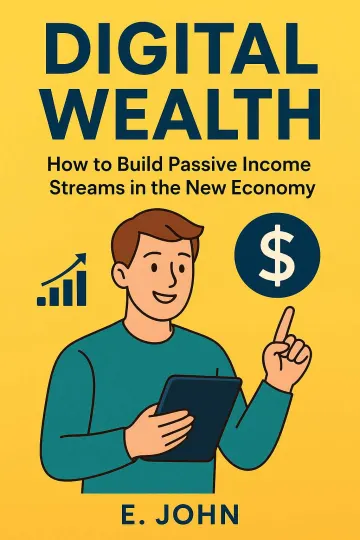
Business ebook
A public example of a focused business title presented as a complete reader-facing book rather than a loose collection of prompts.
View public book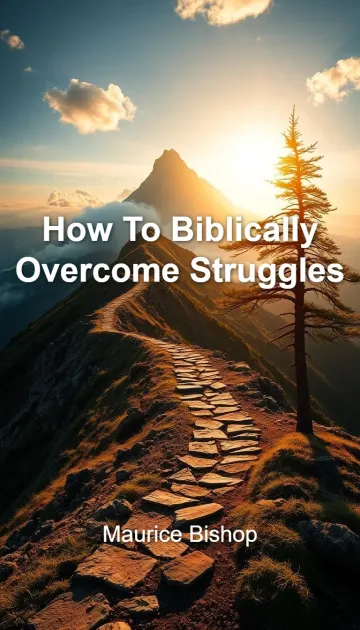
Christian nonfiction
This public title shows how a specific spiritual promise can organize a longer practical manuscript for a defined reader.
View public bookData note: Counts come from an aggregate Automateed production snapshot. Public-category counts use the category selected by the publisher and are descriptive, not a market forecast. Snapshot: July 16, 2026.
Quality gate
Run these checks against the actual manuscript, files and reader journey before publishing.
Every chapter advances the central promise
Examples are specific enough to use
Claims and facts are checked
The final file works on the target device
Continue the exact workflow
Editorial note
This page is a practical workflow, not a promise of sales, ranking, publishing approval or a specific reader outcome. Platform rules and professional requirements should be checked at the point of use.
Our broader publishing report is based on an anonymized analysis of more than 77,000 Automateed book projects across 216 countries.
Read the independent press releaseExplore next
Shape expertise, research or lived experience into a coherent argument with evidence, examples and a serious editorial process.
Open guideCreate a focused cookbook with consistent recipe fields, original food visuals, practical organization and files built for real kitchen use.
Open guideTurn a method or learning outcome into instructions, exercises, worksheets and printable space that produce a visible reader result.
Open guideUse your own topic
Review the outline, visual direction and available chapters before deciding whether to continue the full project.