☀️ HOT SUMMER SALE — Beat the Heat with Lifetime Access
Get Summer Deal

Publishing field guide

Selling Ebooks: Build a checkout and delivery flow readers can trust

Learn pricing, sample strategy, sales pages, worldwide payments, royalties and what happens after the purchase.

Reviewed by Stefan Mitrović, Founder of Automateed · Updated July 16, 2026

60-second summary

Quick answer

Selling an ebook needs four working parts: a public page that explains the promise, a price buyers can defend, a checkout that delivers the file instantly, and a payout route for the author. In Automateed the Publish dialog creates all four at once — a hosted book page with checkout and delivery, your price in USD, and 85% of every sale paid to you through Stripe or PayPal, Wise, Payoneer or bank transfer.

Real product steps

How to sell an ebook in Automateed

The selling flow starts from a finished book with a saved cover — the Publish dialog will ask for the cover before it lets a listing go live.

Workflow map

The selling ebooks path inside one account

01

Create your publisher profile

The first publish prompts for an author or pen name, contact email and a short bio (10–500 characters), with optional social links. This profile fronts every listing you publish.

02

Write the listing inside the Publish dialog

Set the public title, then the description — write it yourself or click Generate with AI and edit the draft until every sentence is a promise the book keeps. Choose the category buyers would browse.

03

Price it deliberately

Enter the USD price. Paid plans set any price from zero up; free accounts publish one book at $0 — genuinely useful as a lead product. Anchor the number against comparable books, not hope.

04

Publish and test the live page

Click Publish to Automateed Store. The page is live immediately at its own URL with cover, description, author profile, price and checkout. Open it, and if it is priced, run one real test purchase to verify delivery.

05

Set up how you get paid

In payout settings choose your route: connect your own Stripe account for automatic bank payouts, or select Automateed payouts by PayPal, Wise, Payoneer or bank transfer. Earnings show in the Seller Dashboard — 85% to you, 15% platform fee.

06

Prepare the off-platform editions

For buyers on other marketplaces, use the Gumroad and Etsy preparation tabs: each generates listing copy plus a ready-to-upload sales bundle ZIP with a suggested price.

This diagram mirrors the product steps above so the guide remains usable even when the interface evolves.
  1. 01

    Create your publisher profile

    The first publish prompts for an author or pen name, contact email and a short bio (10–500 characters), with optional social links. This profile fronts every listing you publish.

  2. 02

    Write the listing inside the Publish dialog

    Set the public title, then the description — write it yourself or click Generate with AI and edit the draft until every sentence is a promise the book keeps. Choose the category buyers would browse.

  3. 03

    Price it deliberately

    Enter the USD price. Paid plans set any price from zero up; free accounts publish one book at $0 — genuinely useful as a lead product. Anchor the number against comparable books, not hope.

  4. 04

    Publish and test the live page

    Click Publish to Automateed Store. The page is live immediately at its own URL with cover, description, author profile, price and checkout. Open it, and if it is priced, run one real test purchase to verify delivery.

  5. 05

    Set up how you get paid

    In payout settings choose your route: connect your own Stripe account for automatic bank payouts, or select Automateed payouts by PayPal, Wise, Payoneer or bank transfer. Earnings show in the Seller Dashboard — 85% to you, 15% platform fee.

  6. 06

    Prepare the off-platform editions

    For buyers on other marketplaces, use the Gumroad and Etsy preparation tabs: each generates listing copy plus a ready-to-upload sales bundle ZIP with a suggested price.

Every step above describes the current Automateed interface — open a free preview and follow along with your own project.

Create a free preview

The full guide

Ebook pricing strategy that survives contact with buyers

Price communicates category before it communicates value: $2.99–$9.99 reads as marketplace ebook, $15–$49 reads as specialist guide or professional resource sold direct. The same manuscript can honestly live at either point depending on channel and audience — experts selling to practitioners routinely charge direct-sale prices that would die on a marketplace shelf.

Set the first price from comparables, then treat it as an experiment with a calendar: measure visits against purchases for a few weeks before moving it. Repricing weekly teaches you nothing except impatience.

What a converting ebook sales page contains

Buyers decide from five elements: a title that names the outcome, a cover that signals the genre, a description that speaks to one reader instead of everyone, proof the author is credible on this topic, and a visible, unambiguous price with format details. The hosted book page supplies the structure; your job is the words. Write the description as answer-first — what changes for the reader — and cut every sentence that only praises the book.

The author profile matters more than new sellers expect: a real name, bio and photo convert better than an anonymous listing at identical prices.

Checkout, delivery and refunds buyers silently test

Direct sales live or die on logistics trust. Instant delivery after payment, a file that opens on the first try, and visible refund terms are silent conversion factors — their absence is felt as risk even when nothing is stated. Hosted checkout handles payment and file delivery automatically; your test purchase is how you verify the promise end to end.

Answer pre-sale questions in the description proactively: which format the buyer receives, roughly how long the book is, and who it is not for. Every clarified expectation is a refund avoided.

Author royalties, safety holds and payout minimums explained

Direct-sale economics on Automateed are flat and public: 85% of each sale to the author, 15% to the platform, no monthly seller fee. New earnings sit through a short safety hold of about two weeks — standard fraud protection — and become payable once your available balance reaches $100. Sellers with Stripe-supported countries can route payouts automatically through their own Stripe account; everyone else chooses PayPal, Wise, Payoneer or bank transfer.

The Seller Dashboard separates gross, platform fee and your net per sale, which makes tax-time accounting a report instead of an archaeology project.

Decisions that change the result

Decide what the buyer is actually buying (so your checkout matches the promise)

Before you touch price or publish buttons, write a one-line “purchase promise” that you can point to. Example structure: “After payment you receive a downloadable EPUB and PDF ebook containing [what result/topic], written for [who], not [who it isn’t for].” This matters because ebook sales fail when the checkout delivers something different from what the page implied (wrong format, missing workbook pages, unclear length, unclear read permissions, or delivery that requires extra steps).

Your formats section should answer the questions a buyer would otherwise test with support emails: Can they open it on phone and desktop? Is there more than one file? Will the buyer get both EPUB and PDF or only one? Is the sample included in the full download or is it a preview that differs from the complete edition? If you don’t know, you don’t have to guess—decide now and document it in the listing text you’ll submit during Publish and/or in the file upload you’ll attach to delivery.

Choose direct vs marketplace with a “trust tax” checklist

Direct sales (your own hosted listing) are usually better when your ebook needs more trust than a marketplace buyer can spend. Trust taxes come from: a niche promise, an unusual format (like bundled templates), or a specific audience who needs to know the author will deliver the right kind of material. Marketplace sales are often better when the buying behavior is already established and your cover and title slot neatly into a category shelf.

Use this checklist to decide where to publish first: (1) Does your ebook require the buyer to understand format details before buying? (2) Is your audience small enough that clarity in the description will reduce refunds? (3) Do you plan to update the ebook (new edition) and want a stable place for those changes? If you answered “yes” to any, direct publication first makes your delivery expectations easier to control.

Set a price that reflects packaging, not just the manuscript

For ebooks, buyers pay for packaging as much as content. Packaging includes: cover clarity, how fast the ebook can be used, whether it includes working materials (templates, checklists, prompt pages), and how complete the edition is. Two authors can sell the same number of pages at very different prices because one edition includes companion assets or a structured walkthrough while the other is mostly narrative.

When you pick your first price, treat it as a boundary: it tells the right buyers to click and the wrong buyers to self-select out. If you price too low for a specialized guide, the wrong readers can still buy, then demand more than your edition promises—creating refunds or chargebacks. If you price too high for a beginner-level overview, the page may get clicks but fewer purchases. Your goal is fewer, better-fit sales that match your delivery exactly.

Worked example

Worked publishing example: launch a reader-trust ebook in Automateed

You finished an ebook called “Workflow Checklists for Freelance Writers.” You have a cover image and the final ebook files. You intend to sell directly first, then prepare Etsy/Gumroad options later.

  1. 01

    Define the purchase promise in one sentence before publishing

    You write: “Download EPUB or PDF immediately after payment: a set of freelance writing workflow checklists and planning templates for independent writers who already know basic tools.” You also write a short “not included” line for the page draft: “This ebook does not include marketing strategy playbooks or client acquisition scripts.” You will carry these lines into the description so delivery matches the promise.

  2. 02

    Publish with a clear format expectation

    In the Publish dialog, you set the listing title to name the format benefit: “Workflow Checklists + Planning Templates (EPUB/PDF).” In the description you keep format details near the top: you specify that buyers get EPUB and PDF, and you mention what’s inside without exaggerating (number of checklists, presence of templates, and that it’s structured for planning sessions). You keep the author bio short and practical so the reader understands why you’re credible on workflow and not only general writing advice.

  3. 03

    Price with a self-filtering goal

    You compare similar checklists-style ebooks in the same category and choose a first USD price that signals “template-based practical guide,” not a casual short read. You don’t change the price immediately after first traffic; instead, you give the live page a measurement window long enough to see whether the page attracts the right buyers who value templates.

  4. 04

    Run one end-to-end delivery test purchase

    After publishing, you open the live public page and click the checkout button yourself using a test method you trust (or a second payment method you can control). You confirm: (1) payment completes, (2) delivery occurs without extra steps, (3) both EPUB and PDF open correctly, and (4) the downloaded files match the description (no missing pages, no wrong version, no corrupted fonts). If any file differs, fix the file pack before you promote.

A trustworthy ebook launch is less about the checkout button and more about alignment: your description’s format promises must match your delivered files, and your test purchase is the only way to verify that the promise survives real payment and real downloads.

Avoidable mistakes

What usually breaks this workflow

Listing says one format, delivery includes another

If the page implies EPUB and PDF but the delivery bundle only includes one format (or an older edition), buyers treat it as a broken purchase. Fix by re-checking the file pack you associate with the listing before you do any promotion.

Price set to “hope” instead of audience fit

A price that doesn’t match the perceived packaging invites the wrong buyers. If your ebook is a template-heavy working guide, price it in a way that signals practicality rather than “general advice.” If it’s a short narrative, don’t expect readers to pay guide-level pricing.

Skipping the purchase promise and relying on praise

General praise (“great ebook,” “must read”) doesn’t prevent refunds when delivery doesn’t match expectations. Replace vague praise with specific outcomes, audience fit, and explicit “included vs not included” statements.

Testing only the page, not the checkout-to-file path

A hosted page can look perfect and still fail delivery due to file issues. Only an actual purchase test proves the end-to-end flow.

Evidence from Automateed

Public listing data shows the reader side of the workflow

Creation counts alone do not prove commercial success. Public listings and recorded views show whether projects reached a reader-facing destination where price and delivery can be tested.

public ebook listings
2,922

Published ebook entries in the Automateed catalog.

recorded ebook views
1.61M

Cumulative views across those public ebook listings.

average listed ebook price
6.81 USD

Average stored price across the public ebook records in the snapshot.

Real public examples

Books readers can inspect now

These are live public author pages, not sample titles invented for this guide. They show presentation and positioning; inclusion does not certify every claim inside a book.

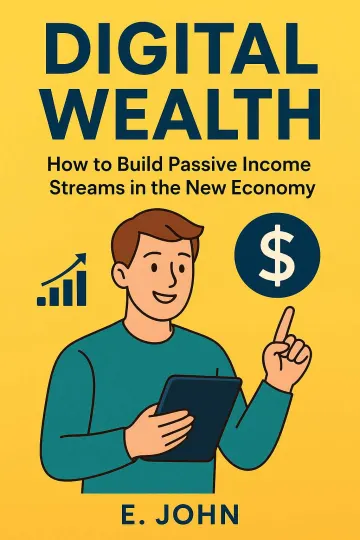
Digital Wealth book cover

Business ebook

Digital Wealth

A public example of a focused business title presented as a complete reader-facing book rather than a loose collection of prompts.

View public book
Rediscovering Yourself book cover

Personal-development ebook

Rediscovering Yourself

This public example frames personal development as a guided reader journey rather than a stream of generic encouragement.

View public book

Data note: Counts come from an aggregate Automateed production snapshot. Public-category counts use the category selected by the publisher and are descriptive, not a market forecast. Snapshot: July 16, 2026.

Quality gate

What to verify before acting on selling ebooks

Run these checks against the actual manuscript, files and reader journey before publishing.

Price is visible

Format is explained

Refund terms are clear

Author payout details are complete

Editorial note

What this guide does and does not prove

This page is a practical workflow, not a promise of sales, ranking, publishing approval or a specific reader outcome. Platform rules and professional requirements should be checked at the point of use.

Questions specific to Selling Ebooks

Before you start

What percentage do I keep selling ebooks on Automateed?

85% of every sale. The platform fee is a flat 15%, with no monthly seller fee — the split published on the sell-worldwide page and shown in the Seller Dashboard.

How fast is a book live after publishing?

Immediately. The Publish dialog returns the public URL as soon as the listing saves — no review queue for standard books. Test the live page right away.

Can I sell without a Stripe account?

Yes. Choose Automateed payouts and receive earnings by PayPal, Wise, Payoneer or bank transfer — designed for authors outside Stripe-supported countries.

When do I actually receive money?

After a safety hold of roughly 14 days, earnings become available, and balances of $100 or more can be paid out to your chosen method.

Can I change the price later?

Yes — reopen the Publish dialog and update the listing. Treat price changes as experiments with a measurement window rather than reactions to a slow day.

What does the free plan allow?

One public book at $0 with a shareable reader page. It is a real lead-generation channel; charging money and publishing more titles requires a paid plan.

How do I sell on Etsy or Gumroad too?

The Publish dialog’s Etsy and Gumroad tabs generate platform-appropriate listing copy and a downloadable sales-bundle ZIP with a suggested price. You upload it to your own account — nothing posts automatically.

Do buyers get the file automatically?

Yes — hosted checkout delivers the book after payment without you touching email attachments. Your one job is the test purchase that proves it.

Should my first ebook be free or paid?

If you are building an audience, a $0 book that earns an email address often outperforms a $4.99 book that earns silence. If you already have an audience, price for the value and let the sample do the persuading.

What usually blocks the first sale?

Traffic, not the page. A live listing with zero visitors sells zero copies. Pair the page with one deliberate acquisition channel — your list, one platform, one collaboration — before judging the offer.

How should I present what buyers receive if my ebook has multiple assets (templates, worksheets, bonus chapters)?

List the assets by category and state where they appear in the download (for example: “checklists + templates in the main ebook PDF,” “bonus prompts included as additional pages,” or “separate worksheet file included alongside the ebook”). Keep the description consistent with the exact files you attach for delivery so buyers don’t expect separate folders or missing workbook pages.

What should I verify after a price change if I don’t change the book files?

After updating the price, open the live page and complete another delivery test purchase (at least once). Price changes can cause you to unintentionally edit the listing details while saving, and a quick checkout-to-file check prevents mismatch between updated listing text and the previously tested delivery pack.

Explore next

More publishing guides

Use your own topic

Test the “Choose direct or marketplace sales” direction with a free preview.

Review the outline, visual direction and available chapters before deciding whether to continue the full project.

Create a free preview
Your book in 10 minutes