LIFETIME DEAL — LIMITED TIME
Get Lifetime AccessLimited-time — price increases soon ⏳
AI Tools

Automina Review – The Future of Browser Automation

Updated: April 20, 2026
5 min read
#Ai tool#Automation

Table of Contents

If you’ve ever found yourself repeating the same browser steps—open a site, click through a few menus, copy a value, paste it somewhere else—then you already know how quickly that eats your day. I tested Automina for a bunch of those “small but constant” tasks, and honestly, it felt like someone finally took the busywork out of my workflow.

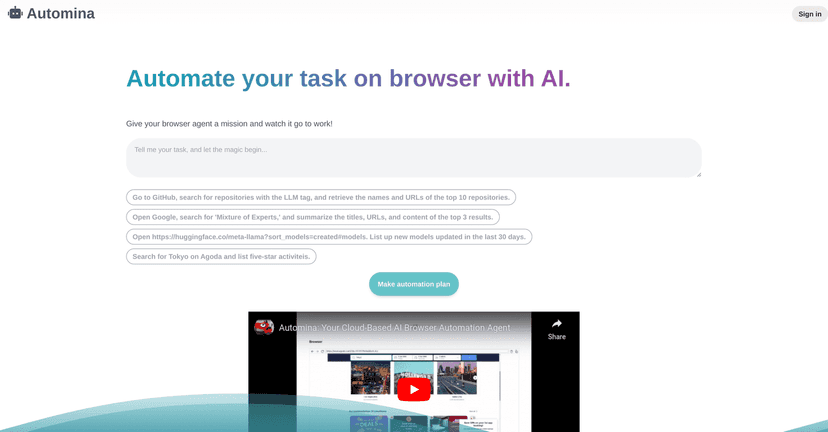
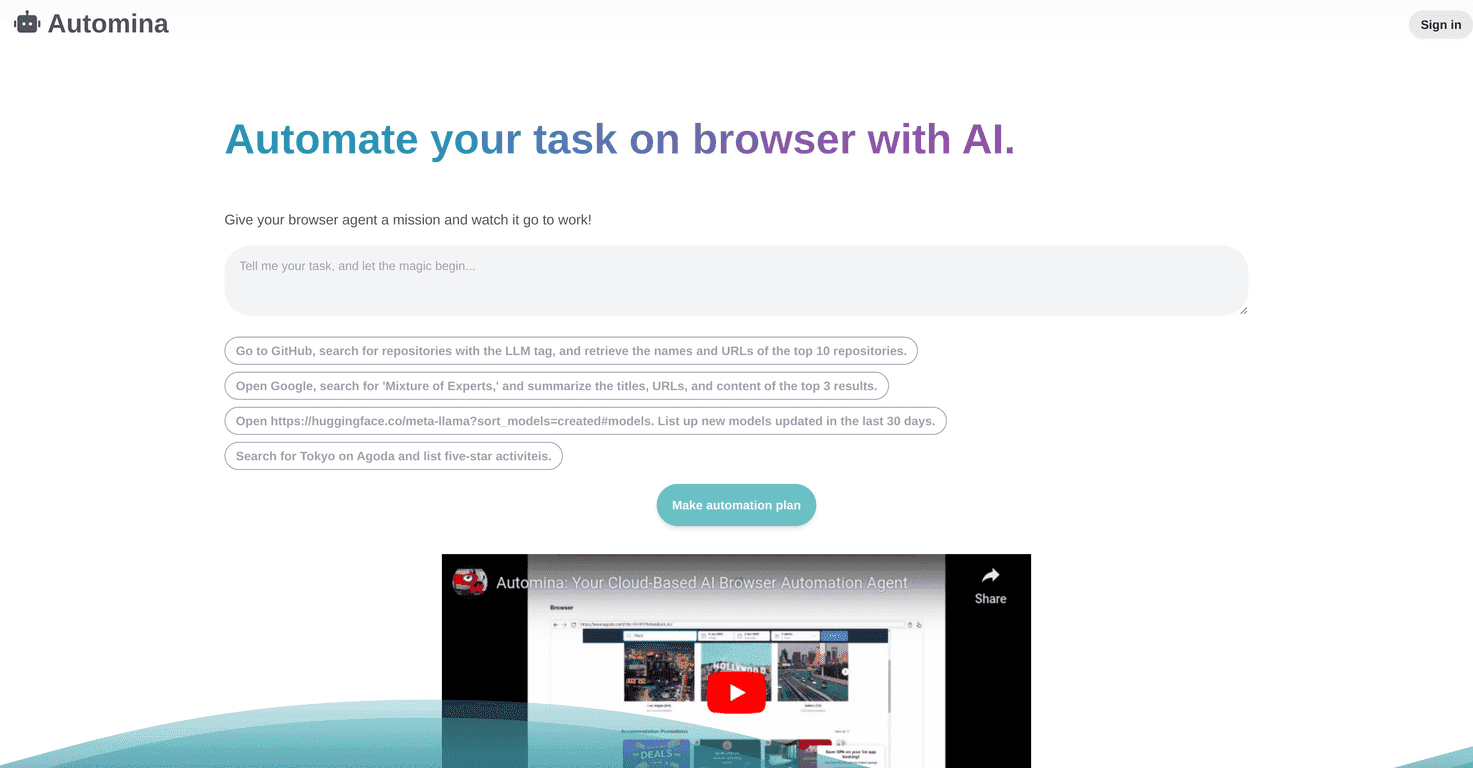
Automina is an AI-driven browser automation agent. The idea is simple: you describe what you want done, and it handles the clicking, navigation, and data retrieval for you. That can be as basic as grabbing info from a web page, or as involved as end-to-end testing for a web app. Plus, it’s cloud-based, so you’re not stuck running everything locally on your machine.

Automina

Automina Review

What I liked right away is that Automina doesn’t feel like you need to learn a new “automation language” before you can get results. You’re basically telling it what you want, and it translates that into browser actions.

In my experience, this kind of tool is only useful if it actually nails the details: the right page, the right button, the right field. Automina does a decent job with that, especially for straightforward workflows like pulling specific information from a site.

One thing to keep in mind, though: the more dynamic the page is (changing layouts, A/B tests, heavy client-side rendering), the more you may have to be specific in your instructions. It’s not “magic,” but it can still save you a lot of time when the task is repetitive.

Automina also positions itself for end-to-end testing. If you’re a developer, this is where it can start to feel more interesting—automating a sequence of actions through your app and verifying outcomes. I didn’t try to replace my full test suite with it, but I can see it being handy for quick regression checks or demo-style flows.

Key Features

  1. AI-powered browser automation that’s aimed at repetitive tasks. I found that it works best when you describe the goal clearly (what you want, where it lives, and what you want extracted).
  2. E2E testing capabilities for checking end-to-end flows. If you’re testing a multi-step user journey, having something that can click through and validate results can cut down manual testing time.
  3. Cloud-based execution, which means you can run tasks without setting up everything on your own machine. For teams, that’s a big plus—less “works on my computer” drama.
  4. User-friendly task input. You don’t need to be a scripting expert to get started. I could create workable automations without feeling like I was staring at a wall of configuration.
  5. Task examples (like GitHub data retrieval). This is where it shines for practical use cases—things like pulling repository names or grabbing details from a page without doing it by hand every time.
  6. Video demonstrations that help you understand the automation flow before you try it yourself. When you’re evaluating a tool like this, seeing the process matters.

Pros and Cons

Pros

  • Less manual clicking: the main win is reducing the boring “do the same steps again” work. Even if you only automate one or two workflows, it adds up fast.
  • Better productivity: once the task is set up, you can run it again and again instead of starting from scratch.
  • Cloud access: I like that you’re not tied to a single local environment. If you’re collaborating or switching devices, that flexibility is real.
  • Beginner-friendly: you can start without deep technical knowledge, which is huge if you’re not trying to hire automation engineers just to scrape a page.
  • Useful for “information retrieval” tasks: pulling data from web pages is a very natural fit for this kind of agent.

Cons

  • Not every browser/task combination is guaranteed. If your workflow depends on a niche browser feature or a very specific UI element, you might run into limitations.
  • Complex workflows may need extra guidance. For multi-step tasks, vague instructions can lead to incorrect clicks or missing fields. You’ll probably need to refine prompts or add more detail.
  • UI changes can break things. Websites evolve. If the layout shifts, automations that relied on specific buttons/labels may require updates.

Pricing Plans

When I checked, Automina lets users explore the beta version for free. If you want the latest pricing details (since these things can change quickly), it’s best to confirm on the official Automina website.

In other words: start with the free beta, test your real tasks, and only then decide if it’s worth paying for. That’s the approach I recommend with any browser automation tool.

Wrap up

Automina is a solid option if you’re trying to cut down repetitive browser work—especially the “open a page, find something, copy it, repeat” type of tasks. I wouldn’t call it perfect for every edge case, and you may need to refine instructions for complex flows or frequently changing sites, but the overall value is there.

If you’re a developer, the E2E testing angle is promising for quick checks and guided flows. If you’re not, it still has a lot of appeal for everyday productivity. Either way, it’s the kind of tool that can save you real time once you map out a few workflows you do over and over.

Promote Automina

Stefan

Stefan

Stefan is the founder of Automateed. A content creator at heart, swimming through SAAS waters, and trying to make new AI apps available to fellow entrepreneurs.

Related Posts

Figure 1

Strategic PPC Management in the Age of Automation: Integrating AI-Driven Optimisation with Human Expertise to Maximise Return on Ad Spend

Title: Human Intelligence and AI Working in Tandem for Smarter PPCDescription: A digital illustration of a human head in side profile,

Stefan
AWS adds OpenAI agents—indies should care now

AWS adds OpenAI agents—indies should care now

AWS is rolling out OpenAI model and agent services on AWS. Indie authors using AI workflows for writing, marketing, and production need to reassess tooling.

Jordan Reese
experts publishers featured image

Experts Publishers: Best SEO Strategies & Industry Trends 2026

Discover the top experts publishers in 2026, their best practices, industry trends, and how to leverage expert services for successful book publishing and SEO.

Stefan

Create Your AI Book in 10 Minutes