Table of Contents
If you’ve ever stared at a blank post editor at 11:47pm thinking, “I swear I had ideas yesterday,” then yeah—you’re definitely not alone. I’ve been there. The hardest part of blogging isn’t writing once. It’s finding topics consistently, keeping momentum, and not publishing something that feels generic.
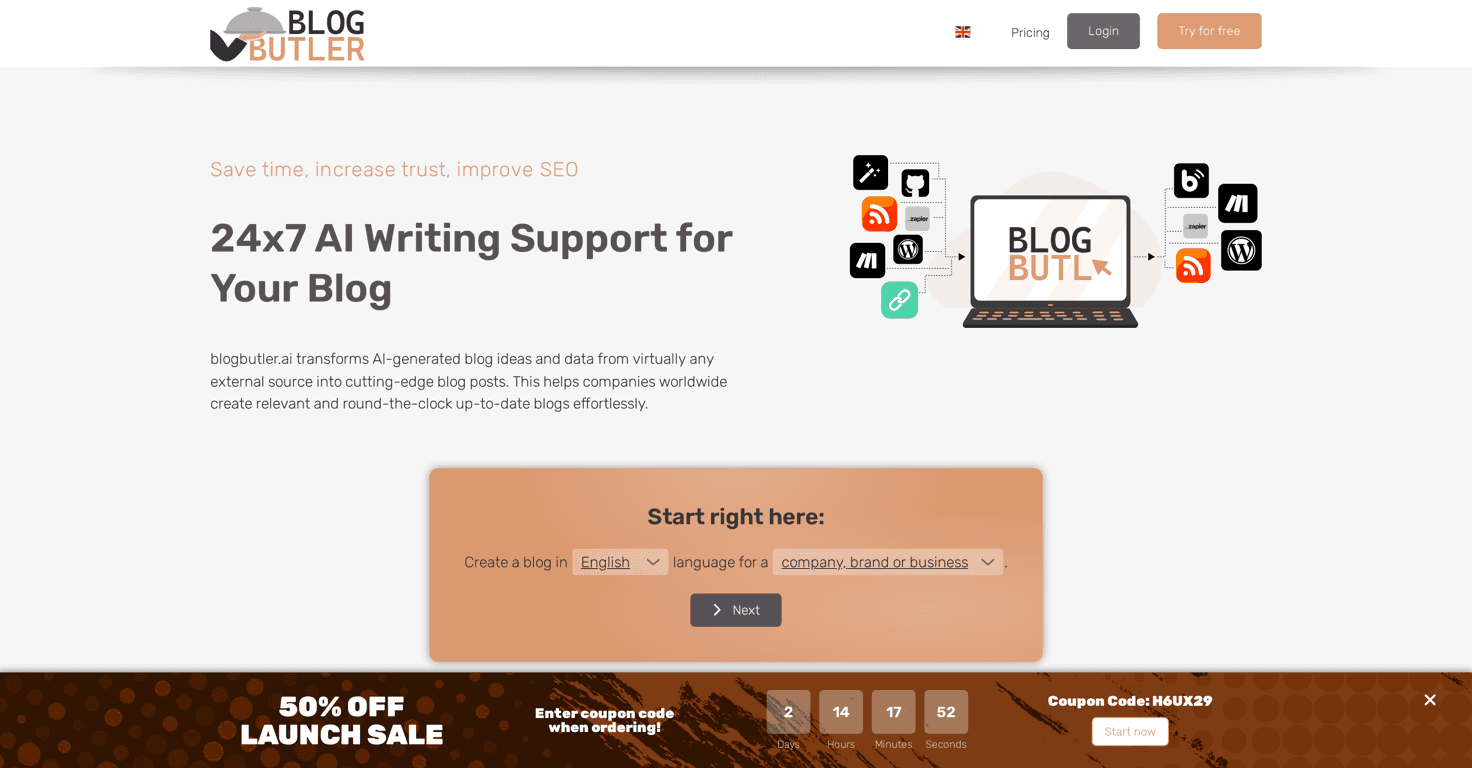
That’s why I decided to test BlogButler. It’s an AI-powered platform built to automate a big chunk of the “blogging workflow”: idea sourcing, drafting posts, and helping with SEO so your content has a better shot at getting found.
So does it actually help? In my experience: it can, especially if you publish often or you manage multiple sites/clients. But it’s not a “set it and forget it” tool. You still need to bring your voice and judgment to the final draft.
BlogButler Review: Does It Actually Make Blogging Easier?
Here’s what BlogButler is trying to solve: the “content treadmill.” You know the one—research, outline, write, edit, optimize, publish… and repeat. BlogButler focuses on automating the parts that usually eat the most time.
From what I tested, it works like this:
- Idea monitoring: It continuously pulls potential topics from across the web. That includes blogs, RSS feeds, and news articles.
- Draft generation: You can generate posts on-demand or run drafts on a schedule.
- Review before publishing: There’s a moderation/editing step so you can tweak the output before it goes live.
- Publishing + SEO support: It’s built to integrate with blogging platforms (like WordPress) and includes SEO-focused tools to help improve visibility.
- Business integrations: It also mentions connecting with external systems like CRM/ERP, which is useful if you’re doing content at company scale.
Now, the big question: does it sound like you? Sometimes. But more often than not, the AI draft is a strong starting point—not the finished product. I still had to tighten phrasing, adjust examples, and make sure it matched what I’d actually say to my audience.
Key Features I’d Actually Use
- 24/7 Idea Monitoring for relevant blog topics
- This is the part that helps most when you’re running low on inspiration. Instead of hunting for ideas from scratch, you get a steady stream of topic prompts pulled from multiple sources (blogs, RSS feeds, news).
- On-demand content writing capabilities
- If you’ve got a specific keyword or a campaign you want to support, you can generate content when you need it. In practice, this is great for “we need a post this week” situations.
- Easy moderation and publication integration
- What I like here is the ability to review and edit before publishing. I don’t want AI content going live untouched—no one does. Integration with WordPress-style workflows is also a plus if you already have your publishing setup.
- SEO optimization tools for enhancing visibility
- SEO is where most drafts fall flat if you don’t pay attention. BlogButler includes optimization tools to help your posts get better search visibility. I still recommend you do your own quick checks (headings, intent match, internal links), but it reduces the “blank page SEO” problem.
- Integration with external systems including CRM and ERP
- If you’re writing for a team, this kind of integration can be useful. It’s not something a solo blogger always needs, but companies often do.
Pros and Cons (The Honest Version)
Pros
- Saves time: Automating idea sourcing and drafting means you spend less time “starting” and more time editing and improving.
- Fresh topic flow: Continuous monitoring helps you avoid the dead zone where you’re stuck waiting for inspiration.
- More than basic writing: It’s not just a text generator. The workflow includes moderation/publishing and SEO support, which matters if you actually publish.
- Plays nice with existing systems: Integration with blogging platforms (like WordPress) makes it more practical than tools that leave you with copy/paste chaos.
Cons
- AI voice can feel generic: Even when the draft is good, it can miss your unique tone. I found it often needs a human pass to add real opinions, sharper transitions, and specific examples.
- Quality depends on inputs: If the source data or topic framing isn’t great, the writing can drift or become overly broad.
- There’s a learning curve: If you’re not used to AI tools, figuring out how to guide outputs (topics, angles, edits, SEO checks) takes a little time.
- Not a full replacement for editing: You’ll still want to review for accuracy, clarity, and alignment with your audience.
Pricing Plans: What You Should Know Before You Commit
BlogButler is currently offering a launch sale with a 50% discount. For the most up-to-date pricing details (and to see which plan fits your publishing needs), you’ll want to check the official pricing page on their site.
If you’re comparing options, I’d also think about this: how often are you publishing? If you’re posting weekly or managing multiple blogs, automation can pay off fast. If you only publish occasionally, you might not get as much value.
Wrap up
Overall, BlogButler is a solid option if you want to keep your blog moving without spending every day hunting for ideas and drafting from scratch. The idea monitoring and draft generation can genuinely reduce the time between “I should write something” and “it’s published.”
Just don’t expect it to replace your voice. In my experience, the best results come when you use the AI as a starter—then you edit like a real human: tighten the structure, add your perspective, and make sure the post actually matches what your readers care about.
If you want to see whether it fits your workflow, you can try BlogButler (including the free option mentioned by the service) and judge it based on your own content needs.