LIFETIME DEAL — LIMITED TIME
Get Lifetime AccessLimited-time — price increases soon ⏳
AI Tools

ChatTube Review 2026: Ultimate Tool to Learn from YouTube

Updated: April 20, 2026
4 min read
#Ai tool#engagement

Table of Contents

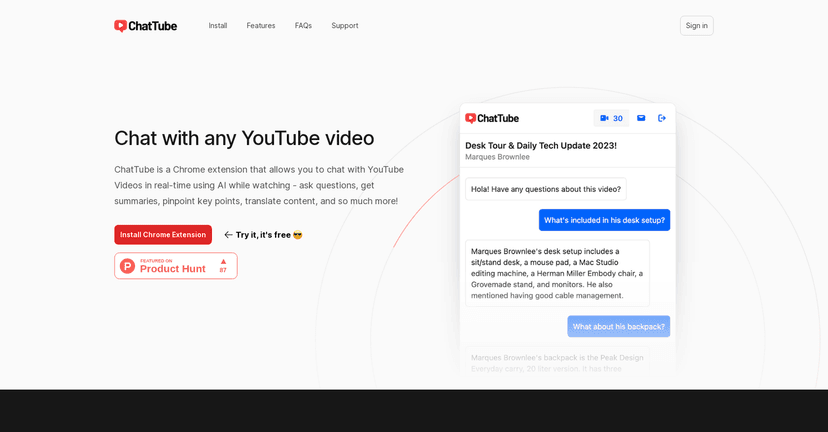
I’ve always liked YouTube, but I’ve also had that frustrating moment where I think, “Wait… what did they say around minute 12?” You can rewind, sure. But it’s still pretty passive. That’s exactly what ChatTube is trying to fix—turn a video into something you can actually talk to.

In my experience, ChatTube works best when you want to go beyond watching and start pulling out the details: ask a question, get a quick answer, and jump back to the part you care about. It also offers summaries and (when available) uses the transcript to keep the conversation grounded in what the video actually says.

Chattube

Table of Contents

ChatTube Review: Is It Actually Useful for Learning?

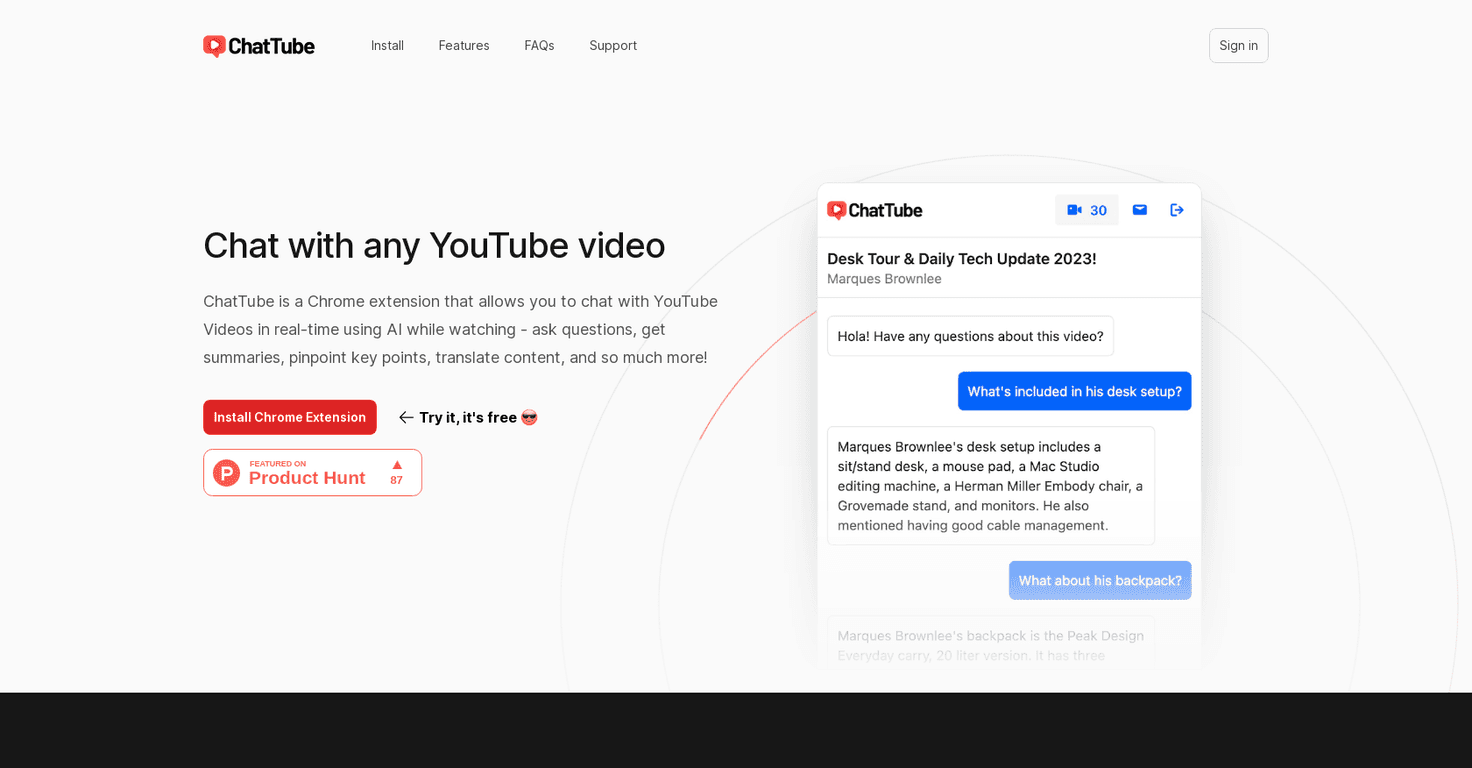
ChatTube is basically a “chat with the video” layer for YouTube. Instead of just watching and hoping you catch every detail, you can ask questions while you go. I tested it on a mix of tech explainers and longer educational videos, and the experience felt most helpful when I had a specific goal—like understanding a concept, not just consuming the content.

Here’s what stood out to me:

  • It turns questions into something you can act on. If you’re studying, it’s easier to ask “What’s the main takeaway here?” than to scrub through the timeline.
  • Summaries aren’t just fluff. They’re useful for getting oriented quickly, especially for videos that are 20–40 minutes long.
  • Saved chat history is a big deal. I didn’t have to re-explain my question from scratch the next time I came back.

That said, it’s not magic. If a video is messy, heavily jargon-heavy, or the audio is unclear, your results won’t be perfect. And like any AI-based tool, you still need to sanity-check answers—especially for technical or factual topics.

Key Features That Matter (Not Just the Marketing List)

  1. Real-time chat with YouTube videos — You can interact with the content instead of passively watching.
  2. Ask questions and get instant answers — Great for “Wait, what does that mean?” moments.
  3. Summaries + key points — Useful when you want the gist before going deeper.
  4. Translation support — Helpful if you’re watching non-English content and want to follow along.
  5. Works even when there’s no transcript — This is a big plus for older videos or less “polished” channels.
  6. Chat records are saved — In my use, it made revisiting a video a lot smoother.
  7. Chrome extension — Quick access without jumping through extra steps.
  8. Multiple language support — Both for understanding and for interacting.
  9. Priority email support / early access on higher tiers — If you’re paying, you probably want support that actually responds.

Pros and Cons From My Actual Testing

Pros

  • More engaging than “just watching.” The chat makes you pay attention in a different way.
  • AI discussion stays tied to the video. The answers feel more relevant than generic summaries.
  • Handles videos without transcripts. This alone expands the number of videos you can use it on.
  • Simple interface. I didn’t feel like I needed a tutorial to get started.
  • Chrome extension is convenient. It’s the kind of tool you’ll actually open while browsing.
  • Higher plans get priority support. If you’re using it for teaching or work, that matters.

Cons

  • Free tier is pretty tight. I noticed the limit right away—only 3 videos per day on the free plan can feel restrictive.
  • More features cost money. If you’re doing this daily, you’ll likely end up on a subscription.
  • Primarily optimized for Chromium browsers. If you’re not on Chrome/Edge-based browsers, your mileage may vary.

Pricing Plans (What You Get for Each Tier)

ChatTube has three plans, and the daily video interaction limits are the real deciding factor. Here’s the breakdown:

  • Essential: $4.99/month — 30 videos per day
  • Growth: $9.99/month — 100 videos per day
  • Pro: $14.99/month — unlimited video interaction

If you’re a student or you only use it occasionally, Essential might be enough. If you’re an educator, researcher, or you binge a lot of long-form content, Pro is the one that makes sense—because you won’t hit limits mid-session.

Wrap up

Overall, I think ChatTube is a genuinely practical way to learn from YouTube. It’s not just “cool AI.” When you’re trying to understand something, ask better questions, or review key points later, the chat-and-summary format saves time.

If you like YouTube but want more than passive watching, ChatTube is worth trying—just be aware that the free tier is limited and you’ll probably upgrade if you use it heavily.

Promote ChatTube

Stefan

Stefan

Stefan is the founder of Automateed. A content creator at heart, swimming through SAAS waters, and trying to make new AI apps available to fellow entrepreneurs.

Related Posts

documenting your progress as you learn featured image

Documenting Your Progress as You Learn: The Ultimate Guide for 2026

Discover how to effectively document your learning progress, use reflection, and leverage tools for continuous growth. Start tracking today for smarter learning!

Stefan
perfectit featured image

PerfectIt: The Ultimate Consistency Tool for 2026

Discover how PerfectIt enhances proofreading with advanced consistency checks. Learn tips, best practices, and industry insights to elevate your editing process.

Stefan
YouTube content calendar template featured image

YouTube Content Calendar Template: The Ultimate Guide for 2026

Discover the best YouTube content calendar template for 2026. Learn how to plan, optimize, and schedule videos for maximum growth and SEO success.

Stefan

Create Your AI Book in 10 Minutes