Table of Contents
If you’ve ever tried to set up automated testing and thought, “Wait… I have to write code for this?” you’re not alone. In my experience, that’s usually where momentum dies—between wiring tools together, figuring out selectors, and spending hours just to get the first test running. That’s why I was curious about GenixFlow.
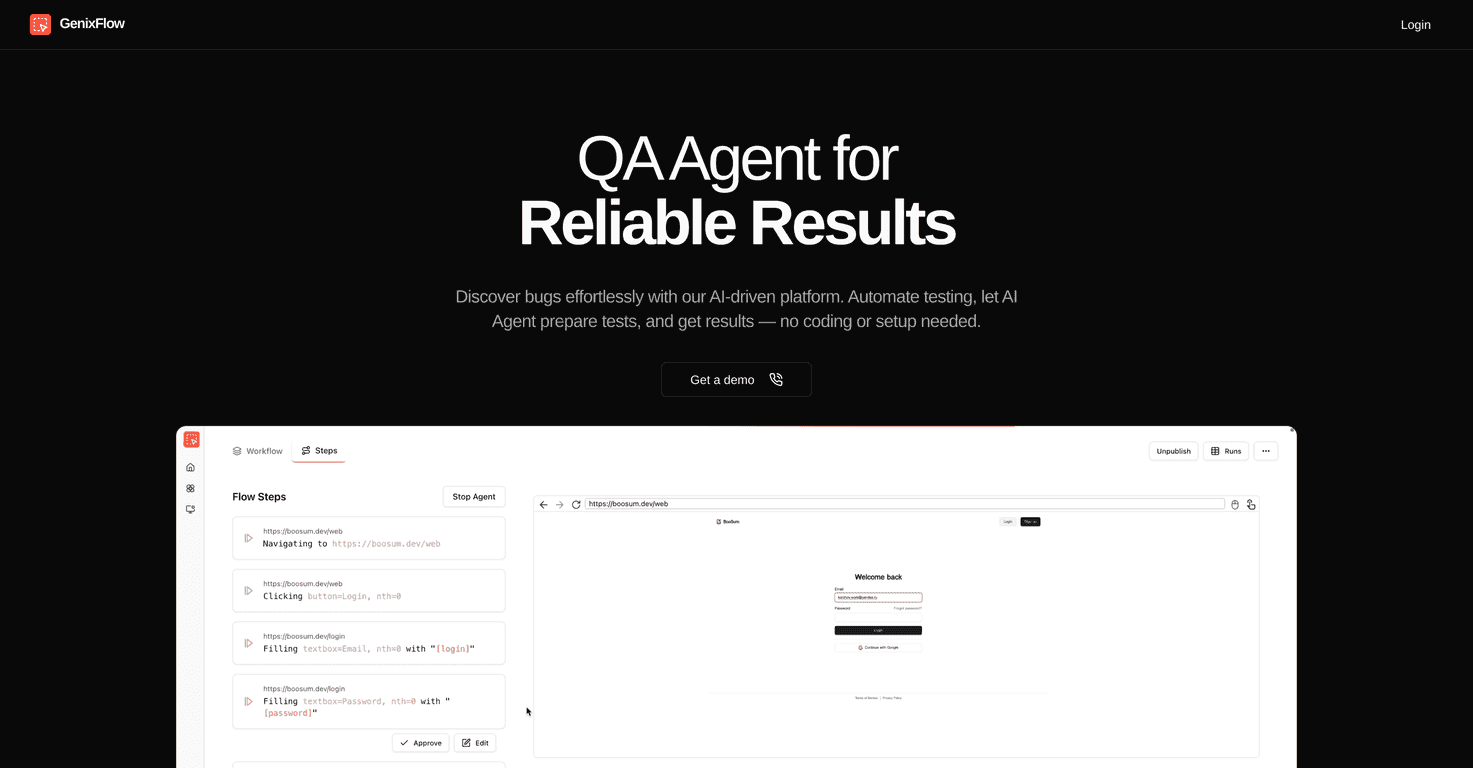
GenixFlow is an AI-powered testing platform that focuses on a simple idea: you share a product page link, and the platform helps generate and run tests without you building everything from scratch. I tested the workflow by starting with a few real page URLs (think: product detail pages with buttons, forms, and dynamic sections). What I liked right away was how little “setup” felt like setup. No long ramp-up. No wrestling with a bunch of configuration screens before you can see results.
GenixFlow Review: AI Testing Without the Headache
GenixFlow’s biggest selling point is how quickly you can get from “I have a page” to “I have test results.” The platform’s AI Agent helps with test creation, and instead of asking you to map out everything manually, you can start by dropping in a product page link. From there, it handles the heavy lifting so you can focus on the actual issues you care about.
In my tests, I paid attention to a few practical things:
- How fast it gets to a first run: I didn’t have to spend hours setting up fixtures or figuring out what format the tests needed. The “try it now” vibe is real.
- What the results look like: When something fails, you want more than a red X. GenixFlow aims to provide clear explanations so you know what to fix and where to look.
- Whether it supports real-world pages: Product pages aren’t static. They have buttons, popups, add-to-cart flows, and sometimes weird UI states. The platform is designed to handle that kind of testing without you becoming an automation engineer first.
And yes, I ran multiple tests as well. Being able to kick off more than one at a time matters when you’re iterating during releases. Waiting around for one slow run at a time gets old fast.
Key Features That Actually Matter
- Automated Test Creation: Give it a product page URL and let the AI build the test logic. This is the feature that saves the most time for non-developers.
- Effortless Test Automation: Run multiple tests with minimal clicks. In practice, this helped me re-check a handful of pages after small UI changes without starting from scratch.
- AI Agent Control: I like that you’re not completely locked out. There’s an approval-style approach, which is important if you don’t want the AI deciding everything blindly.
- Bug Detection + Clear Fix Guidance: The value isn’t just “something broke.” It’s getting an explanation you can act on—so you can fix issues faster instead of guessing.
Pros and Cons (My Honest Take)
Pros
- No coding or complex setup required: If you’re coming from manual QA, this feels approachable right away.
- Time savings are noticeable: The AI-driven setup reduces the boring parts of test creation.
- Parallel testing helps: Running several tests at once is a big deal when you’re checking multiple pages or flows.
Cons
- AI-first workflow might not fit everyone: If you prefer fully manual control and want to handcraft every assertion, you may feel constrained.
- Pricing isn’t transparent upfront: I wasn’t able to find clear pricing tiers in the info provided. If you’re budgeting, you’ll likely need to book a demo or request details.
One more thing I’ll mention: automated testing is only as good as the pages you feed it and how stable those UI elements are. If your site has frequent layout shifts or heavy personalization, you may still need to review results carefully.
Pricing Plans: What I Could Find
GenixFlow doesn’t show full pricing details right away in the materials I reviewed. Instead, the path is to book a demo to discuss what you need and what it’ll cost. If you’re trying to compare options, I’d treat that as a heads-up—great tool or not, you’ll want clarity before you commit.
Wrap up
Overall, I think GenixFlow is a solid option if you want automated testing without turning it into a long technical project. The AI-driven approach is geared toward getting tests created quickly, running them efficiently, and giving you results you can actually act on.
It’s especially appealing if you’re a beginner, a small team, or anyone who’s tired of spending more time configuring tests than fixing the bugs themselves. Just keep in mind the pricing transparency gap, and if you’re the kind of person who wants total manual control, you’ll want to evaluate how much flexibility you truly get.
Promote GenixFlow