Table of Contents
Here’s a question that trips up almost every first-time self-publisher: you want a few physical copies of your book before it’s for sale — to hand to early readers, chase a couple of blurbs, and print those quotes on the back cover — but you don’t want the book going live on Amazon before it’s ready. Can KDP even do that?
A new author asked exactly this in r/KDP while helping their dad publish his first book, and the thread that followed is one of the cleaner explanations of KDP’s pre-launch printing options I’ve seen. I answered in it too (disclosure: I’m Stefan, the founder of Automateed, an AI ebook creator), so I’ll pull the practical bits together here.
r/KDP
Question about review copies printed through KDP
“He wants to have a small handful of advance copies printed (maybe five) so that he can distribute them… in the hopes of getting a review that we can then place on the back cover, and THEN publish the book on Amazon for purchase. Is that something we can do, or is there no way to print a book via KDP without making it ‘live’ on Amazon?”
View on Reddit →⚡ TL;DR – Key Takeaways
- •Yes, you can hold a printed book from KDP before it’s live — that’s exactly what proof copies are for. Order them while the paperback is still in draft; nothing goes on sale.
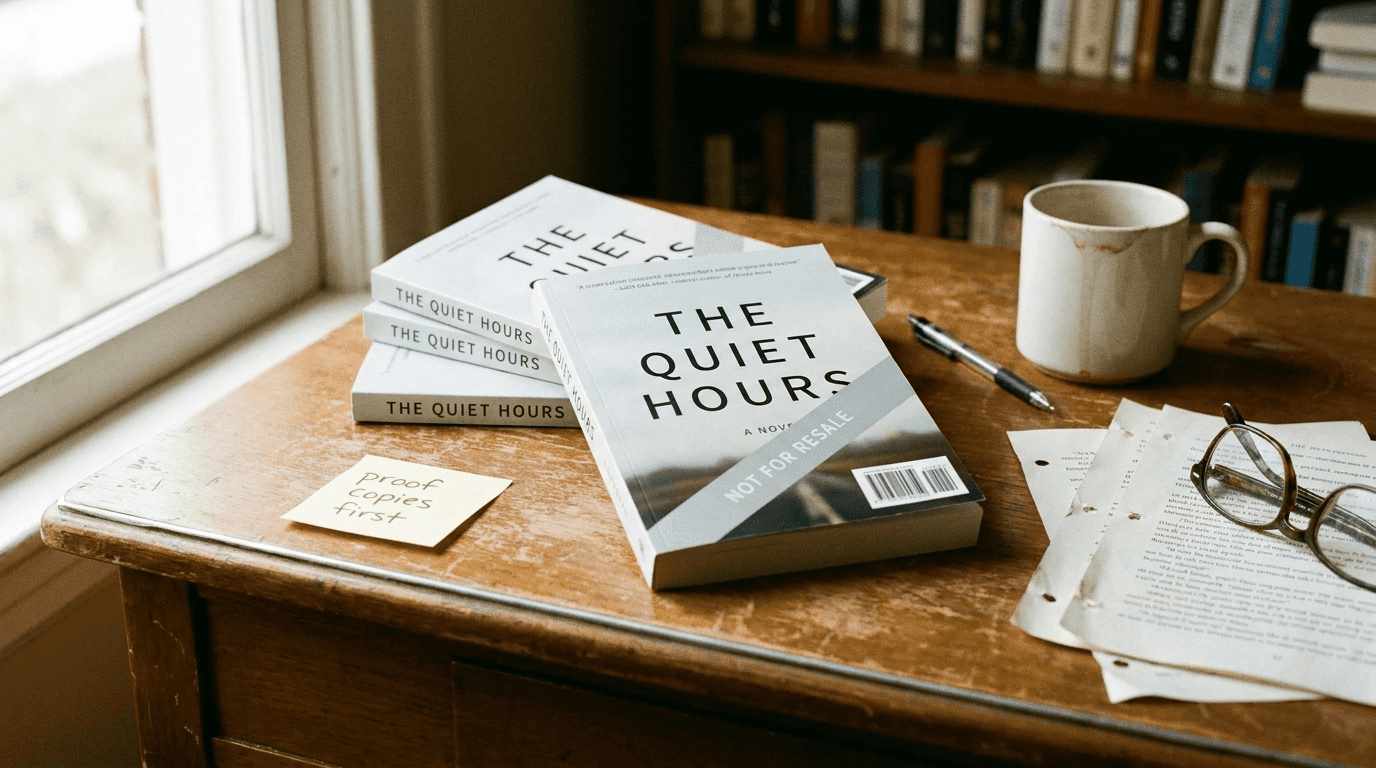
- •Proof copies print with a “Not for Resale” banner across the cover and a barcode block. You can order up to 5 at a time and pay only printing + shipping.
- •Author copies are the clean-cover alternative: schedule a future release date (up to 90 days), then order up to 999 with no banner — but the book is technically published, just not yet released.
- •For most authors the cheaper move is a digital eBook pre-order plus emailing the file to reviewers — no printing, no shipping, faster turnaround.
- •Whatever you send, tell reviewers it’s an advance copy so a rough proof cover or minor typo doesn’t color the review.
Short answer: yes, and the tool is called a proof copy
You do not have to publish your book to hold a printed copy of it. KDP has a built-in feature for exactly this moment: the proof copy. Once you’ve set up the paperback and uploaded a formatted interior and cover, an option appears under the paperback edition to request proof copies. The book stays in draft — nothing is listed, nothing is for sale — and you pay only the printing and shipping cost.
As one redditor put it, proofs are “intended primarily for the author to review how the book actually prints out” and catch formatting errors, but there’s nothing stopping you from handing those same copies to early reviewers. You can order up to five at a time, which lines up neatly with the “maybe five advance copies” the original poster wanted.
The reason this matters: a proof copy is the only way to get a real printed book in your hands through KDP without any Amazon listing existing. Everything else involves the book being technically published first.
Proof copies vs. author copies: the two real routes
The thread landed on two distinct paths, and it’s worth being precise about the difference because they behave very differently.
Route 1 — Proof copies (book stays unpublished)
After you set up the print book and upload the manuscript, order proof copies. Order at least one for yourself to confirm the trim size, margins, and cover wrap look right — this is genuinely useful even if you never touch ARCs. You can order up to five at a time, and you can keep editing the book while it sits in draft. The catch, covered below, is the cover.
Route 2 — Author copies (schedule a future release)
KDP doesn’t offer a pre-order for print books, but it lets you schedule a future release date up to 90 days out. Once the book is set up and verified (usually with a proof or two first), you can order author copies — up to 999 at a time, at printing + shipping cost, with no “Not for Resale” banner. The trade-off: the book is technically published the moment you finalize it, even though it won’t become buyable until your release date. So author copies get you clean covers, but not the “nothing exists yet” status that proofs give you.
r/KDP
“One nuance on proof copies, since that’s really the only way to get a physical book without any Amazon listing: they print with a ‘Not for Resale’ banner across the cover and a barcode block, so they read fine but don’t look like the finished product. Totally usable for gathering review quotes, just tell your reviewers it’s a proof so the rough cover doesn’t throw them.”
View on Reddit →The “Not for Resale” catch nobody warns you about
This is the part that surprises people, and it’s the reason I jumped into the thread. Proof copies don’t look like the finished book. Every proof prints with a light diagonal “Not for Resale” banner across the cover and a barcode block in the corner. The interior is identical to the final book, so it reads perfectly — but if you hand a proof to a reviewer expecting a polished paperback, the marked-up cover can throw them.
The fix is simple: tell your reviewers up front that it’s an advance proof, not the final printing. Reviewers who work with indie authors are used to this — a one-line note (“this is an early proof, the finished cover won’t have the Not-for-Resale marking”) is all it takes. If you specifically need clean-cover copies for a photo, a bookstore meeting, or a press kit, that’s when the author-copy route earns its keep.
The digital route most first-timers skip
Before you spend anything on printing and shipping, it’s worth asking whether you need paper at all. In 2026, most review copies are digital, and the thread made a strong case for it. If you’re also publishing an eBook (and you probably should be), you can set the Kindle edition up as a pre-order, then simply email the manuscript file to your reviewers. The book won’t publish until the date you set — up to a year out — and you can keep editing during the pre-order window.
That saves you the cost, the shipping time, and the “Not for Resale” cover problem entirely. It also scales: emailing a file to 30 reviewers costs nothing, while printing and mailing 30 proofs adds up fast. Reader platforms like NetGalley and BookSirens exist precisely to distribute these digital advance copies, and I’ve written a fuller breakdown of the options in how to secure and use review copies.
Print still has its place — some local press, blurb sources, and older reviewers genuinely prefer a physical book — so a small hybrid batch (a few proofs for the people who want paper, digital for everyone else) is often the sweet spot.
A simple pre-launch workflow to get back-cover blurbs
Pulling it together, here’s the sequence that gets you review quotes on the back cover without accidentally putting your book on sale:
- Finalize your interior first. Proofs and blurbs are worthless if the formatting is broken, so get the manuscript print-ready before you order anything — our guide to formatting a book for a print-ready PDF covers the common trip-ups.
- Upload the paperback and order one proof for yourself. Check trim, margins, and the cover wrap in your hands. Fix anything, re-upload, re-proof if needed.
- Order up to five proofs for reviewers (or set an eBook pre-order and email the file). Tell each reviewer it’s an advance copy.
- Give reviewers a real deadline tied to your planned release — a few weeks of lead time is realistic. A small, organized launch team makes this far less stressful than chasing people one by one.
- Collect the best lines, add them to your back cover, then publish (or let your scheduled release date arrive). If you want more reviews rolling in after launch too, these review tactics keep the momentum going.
If you’re assembling the book itself and want the outline-to-formatted-file part to go faster, that’s the lane our AI ebook generator sits in — but the proof-copy mechanics above are pure KDP and apply no matter how you wrote the book.
What proof copies cost and how long they take
Proof copies aren’t free, but they’re cheap enough that ordering one should be a default step, not a splurge. You pay Amazon’s printing cost — the same per-unit price that gets deducted from your royalty on a real sale — plus shipping. For a typical black-and-white paperback that’s usually a few dollars per copy; full-color interiors and higher page counts cost more. There’s no separate “proof fee” on top.
Turnaround is the thing to plan around. Between printing and delivery, proofs commonly take anywhere from several days to a couple of weeks depending on where you are, and reviewers then need time to actually read the book. If you want blurbs on the back cover before launch, work backward from your release date: order proofs, allow shipping time, give reviewers two to three weeks, then collect quotes and finalize the cover. Authors who leave this to the last minute end up either delaying the launch or shipping without the blurbs they wanted.
Three mistakes to avoid with pre-launch copies
Ordering copies before you’ve proofed the interior. The whole point of a proof is to catch problems in the physical book. If you order five at once and then spot a margin or trim issue, you’ve wasted the batch. Order one, check it in your hands, fix anything, then order the copies for reviewers.
Forgetting the “Not for Resale” banner when you photograph the book. A proof is perfect for reading but not for your launch photos or press kit — the marked cover will show. Use the author-copy route (or your final published copy) for anything that needs a clean cover on camera.
Sending copies with no ask and no deadline. A book handed over with “let me know what you think” quietly disappears. Tell the reviewer what you’re hoping for (an honest review, a back-cover blurb), give a specific date, and follow up once. That single habit separates authors who launch with reviews from those who launch with silence.
FAQ
Can I order a printed copy from KDP without publishing my book?
Yes. Order a proof copy while your paperback is still in draft. The book is never listed or put on sale, and you pay only printing and shipping. Proof copies are the only way to get a physical book through KDP with no Amazon listing existing at all.
How many proof copies can I order at once?
Up to five per order. You can place more than one order, but many authors just grab one to check formatting and a few more for early reviewers.
What is the difference between a proof copy and an author copy?
A proof copy can be ordered while the book is unpublished and prints with a “Not for Resale” banner across the cover. An author copy has a clean cover and can be ordered in large quantities (up to 999), but only after the book is finalized — you’d schedule a future release date (up to 90 days out) to keep it off sale in the meantime.
Will the “Not for Resale” banner ruin my ARC?
No, as long as you flag it. The interior is identical to the final book; only the cover carries the marking. Tell reviewers it’s an advance proof and it won’t affect their reading or their review.
Is it cheaper to send digital review copies instead?
Usually, yes. Setting up a Kindle pre-order and emailing the file to reviewers avoids printing and shipping costs entirely and turns around faster. Many authors use a hybrid: a few printed proofs for people who prefer paper, digital advance copies for everyone else.