Table of Contents
If you’ve ever had to build eLearning lessons on a deadline, you already know the pain: storyboarding takes forever, formatting is fiddly, and by the time you’re ready to publish, you’re exhausted. That’s why I was curious about Mindsmith v2—it’s an authoring tool that mixes generative AI with a pretty straightforward editor, so you can go from idea to interactive lesson faster.
In my experience, Mindsmith v2 is strongest when you already know what you want your learners to do (or learn), but you don’t want to spend days writing every slide, quiz, and explanation from scratch. You describe your goal, and the AI helps draft lesson content. Then you polish it in the editor—especially for interactive bits like quizzes and flashcards.

Mindsmith v2 Review: Does It Actually Speed Up eLearning Creation?
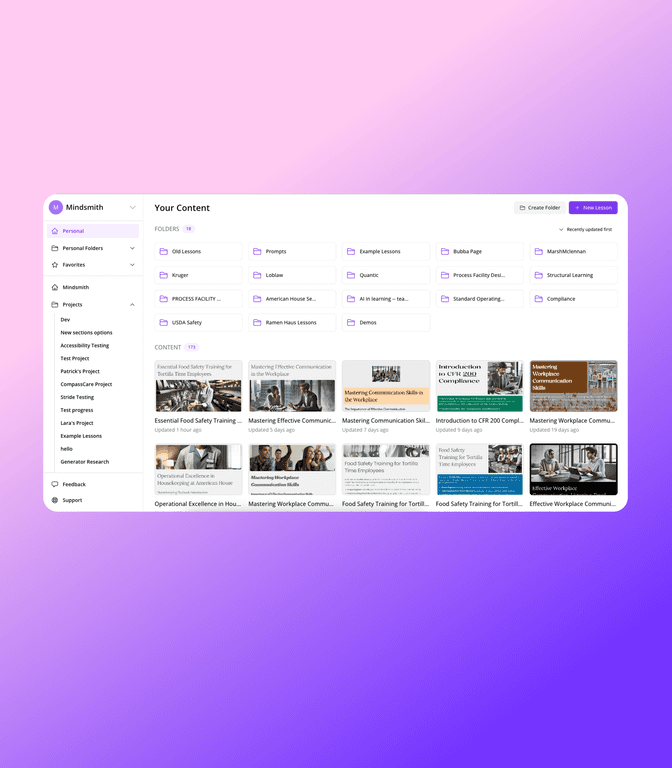
Here’s what I like right away: Mindsmith v2 doesn’t feel like you’re wrestling a complicated authoring suite. It’s built for people who want to move quickly—without sacrificing the basics like formatting, lesson structure, and branding.
When you use the generative AI, you’re not just getting random text. You’re essentially starting from a lesson draft. I found that helpful for things like:
- Turning a rough topic into a full lesson outline
- Generating example scenarios (especially for compliance-style training)
- Populating quiz questions and answer choices so you can edit instead of starting from zero
And yes, the drag-and-drop editor matters. In my tests, adding interactive elements didn’t feel like a “build it manually” job. Quizzes and flashcards are easy to insert and rearrange, which is usually the part that slows me down the most.
One detail I paid attention to: the layout stays readable. A lot of AI-assisted tools spit out content that looks fine in a chat box, but gets messy in a lesson. Mindsmith v2 does a better job keeping things structured so you’re not constantly reformatting.
Branding is another practical win. If you’re training employees, you probably have brand guidelines—colors, fonts, logos, that kind of thing. Mindsmith v2 lets you apply branding so your lessons don’t look like generic templates from 2018.
Finally, the assessment side is where it becomes “all-in-one” instead of “AI draft + export somewhere else.” Mindsmith v2 includes assessment options and AI grading. That’s useful when you want faster feedback loops—especially for short knowledge checks.
Quick reality check: AI drafts are a starting point. You’ll still want to review accuracy, tone, and whether the questions truly match your learning objectives. But if your goal is to cut production time, this tool is built for that.
Key Features I Look For (And What Mindsmith v2 Does Well)
- Generative AI for content creation – helps draft lesson plans, questions, and supporting text from your input.
- Interactive elements with drag-and-drop – quizzes and flashcards are quick to add and rearrange.
- Built-in assessments + AI grading – speeds up feedback on learner responses.
- AI-generated audio narration – useful for making lessons feel more “finished” without recording everything manually.
- Custom branding options – helps align lessons with your organization’s look and feel.
- Real-time collaboration tools – handy if multiple people review or build different sections.
- Flexible export options – lets you distribute lessons in formats that fit your workflow.
- Lesson analytics – gives you insight into how learners are doing so you can improve future versions.
Pros and Cons (My Honest Take After Trying It)
Pros
- Time efficiency: the “up to 12x faster” claim feels directionally true when you’re starting from an outline and need drafts quickly. You’ll still edit, but you’re not building everything from scratch.
- WYSIWYG editing: it’s easy to see what you’re building, and changes don’t feel like guesswork.
- Collaboration is actually usable: when teams are reviewing, it’s a lot smoother than doing versioning via email.
- Export flexibility: you’re not locked into one narrow distribution method.
- AI support for translation and grading: these are practical features, not just “cool AI” demos.
Cons
- LMS integration matters: if your setup relies on a specific LMS workflow, you’ll want to confirm Mindsmith v2 plays nicely with what you use.
- Monetization/courses selling is limited: if you’re building a full course business (checkout, subscriptions, etc.), you may need extra tools.
- There’s still a learning curve: even with a friendly interface, getting the best results from AI prompts and lesson structure takes a little practice.
Pricing Plans: What You Get for Free (and What to Watch)
Mindsmith offers a free plan at $0/month. In that plan, you can create and edit lessons without paying, and you can share up to 2 lessons. If you’re testing it with a real training topic, that’s enough to see whether it fits your style.
For full pricing and any paid tiers, you’ll want to check the Mindsmith website directly since plan details can change over time. (I’d also suggest confirming any limits that affect your exact use case—like number of collaborators, export formats, and analytics depth.)
Promote Automateed
Wrap up
Mindsmith v2 is the kind of eLearning authoring tool I’d recommend if you care about speed and you want to build interactive lessons without spending your whole week formatting quizzes and rewriting the same lesson components. The AI help is genuinely useful, and the drag-and-drop workflow makes it easier to turn drafts into something presentable.
Just don’t treat AI output as “final.” I still think the best results come when you review it like a designer—tighten the wording, make sure questions match your objectives, and tweak anything that feels off for your audience. If you do that, Mindsmith v2 can save you a ton of time.