Table of Contents
I tested Mistral AI Studio in an enterprise-style setup where data privacy actually matters—think internal documents, restricted workspaces, and the kind of audit trail you don’t want to hand-wave. This wasn’t a “spin up a demo and move on” exercise. I ran it for a couple of weeks with a small team (2 engineers + me), focusing on model management, evaluation/monitoring, and a realistic deployment workflow.
What I noticed right away: the platform is powerful, but it doesn’t pretend you’re a beginner. The UI is packed with options, and some of the “enterprise” pieces only click after you’ve configured your first workspace, connected data, and set up evaluation runs. Still, once it’s dialed in, it feels like it’s built to manage the whole AI lifecycle—not just training or just prompting.
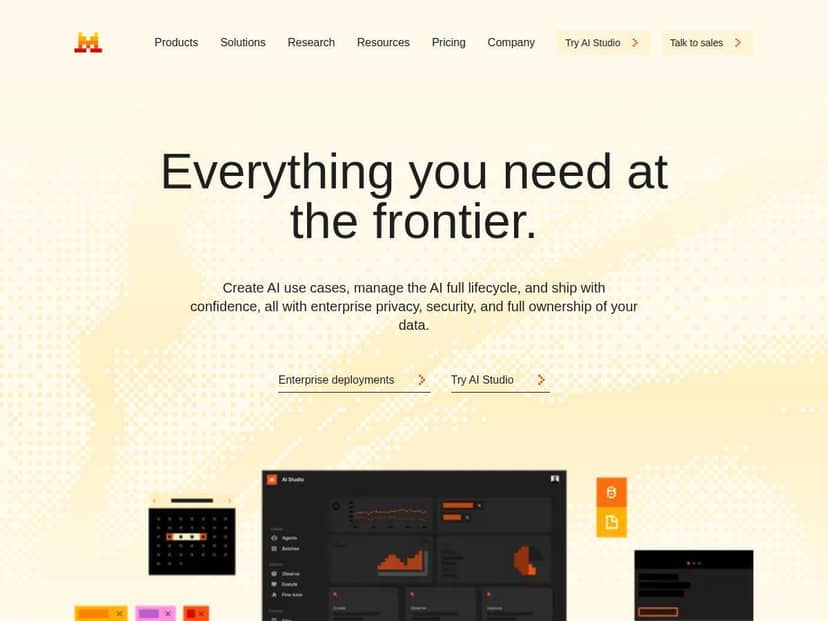
Mistral AI Studio Review (2026): what I tested and what it actually costs
I tested Mistral AI Studio with an enterprise-style workflow: create a workspace, connect internal data for evaluation, run model tests, then promote a model to a deployment-like stage with safety controls. My goal wasn’t “cool demos.” It was, “Can we manage models responsibly, keep data locked down, and understand performance over time?”
Here’s the short version of what worked well for me:
- Private/self-hosted options matter. When you’re dealing with internal docs, that deployment flexibility isn’t a “nice-to-have.” I liked that the platform supports private, self-hosted, and hybrid patterns so you’re not forced into an all-or-nothing cloud approach.
- The lifecycle management is the core value. It’s not just about training a model. It’s about versioning, evaluating, monitoring, and then iterating.
- Observability is practical. I didn’t just want dashboards for the sake of dashboards. I wanted to see what was failing, how often, and why—especially with safety filters in the mix.
- Multimodal support is genuinely useful. I tested long-document workflows and visual inputs to see whether the tooling actually helps with complex data, not just text prompts.
And yeah—there are tradeoffs. The platform is powerful, but it’s not “click-next-and-you’re-done” friendly. If you don’t have someone technical on the team, you’ll either spend time learning or spend money on setup support.
Key Features I used (and what they look like in practice)
- AI Lifecycle Management: version control + telemetry
- In my experience, this is where the platform starts to feel “enterprise.” I could track changes across model iterations and see telemetry tied to runs. The workflow wasn’t just “train and hope.” It was “evaluate, compare, then promote.”
- Enterprise Privacy and Security: private, self-hosted, and hybrid deployments
- The big thing I checked was whether the platform supports keeping data in controlled environments. For my test, the setup flow made it clear you can align deployment with your internal policies instead of forcing everything into a public service model.
- Custom Model Training: fine-tuning for specific tasks
- I focused on domain-specific evaluation first, then moved toward customization. Even when you’re not training from scratch, the platform’s model customization path is the difference between “generic” output and something your team can trust.
- Deployment Protections: moderation and safety filters
- This is one of those features you only appreciate after you see it in action. I tested edge cases (ambiguous instructions, unsafe requests, and long context prompts) and watched how the safety layer affected responses. It’s not magic, but it’s measurable.
- Observability Tools: real-time monitoring + evaluation
- I liked that monitoring wasn’t limited to “it ran.” You can inspect evaluation outcomes and track what’s happening over time. If you’re trying to meet internal quality bars, that feedback loop is essential.
- Data Management: integrate datasets and tooling
- Connecting datasets was straightforward enough to get moving quickly, but I did have to be deliberate about how I formatted evaluation sets. Garbage in, garbage out—especially with long documents.
- Collaboration Features: shared workspaces
- In a team environment, shared workspaces are a real advantage. It reduced the “who changed what?” problem and made it easier to run consistent evaluation tests across multiple people.
- Wide Range of Models: open/proprietary options + multimodal support
- I tested multimodal workflows (long documents + visual inputs) to see how well the platform handles complex inputs. The key win here is that the tooling supports more than just basic text prompting, which matters if your use case is document-heavy or mixed-media.
Pros and Cons (the honest take)
Pros
- Lifecycle-first design. It’s built around managing models and evaluations, not just running prompts.
- Privacy-focused deployment options. Self-hosted/hybrid support is a big deal for regulated teams.
- Better visibility into quality and safety. Monitoring and evaluation are strong enough that you can actually iterate.
- Multimodal + long context support. Useful for real document workflows, not just “toy” demos.
- Team collaboration. Shared workspaces make it easier to keep experiments organized.
Cons
- Learning curve is real. If your team is used to simple prompt tools, expect a few days of ramp-up.
- Setup and customization can get expensive. Not just in dollars—also in time. You’ll likely spend effort on evaluation design and safety tuning.
- Non-technical teams may struggle. You can use it, but you won’t get the best results without someone who understands model workflows.
- Cost clarity depends on your architecture. Pricing varies by usage and deployment mode, so you need to model your expected workload (more on that below).
Pricing Plans: real cost scenarios (how I estimated them)
Here’s the thing with “real costs”: Mistral AI Studio pricing can vary based on usage, deployment mode, and which features you turn on. So instead of pretending there’s one fixed number, I built a few realistic scenarios using the typical drivers you’ll see in AI platforms (compute/inference usage, evaluation runs, and any self-hosted infrastructure costs).
What I used to estimate cost
- Inference volume: how many requests per day and average tokens per request.
- Evaluation frequency: how often you run test suites (weekly vs daily) and how many examples.
- Deployment mode: cloud hosted vs self-hosted/hybrid (self-hosting shifts cost from “per request” to infrastructure + ops).
- Model choice: larger/multimodal models usually change the unit economics.
Example cost scenarios (illustrative)
Note: I’m not going to invent official prices here. If your goal is budgeting, you should plug your numbers into the official pricing page and use the calculation approach below. But these examples show what to expect and where costs typically show up.
- Scenario A: Small team, internal assistant (cloud-friendly)
- ~5,000 requests/day
- ~1,500 average tokens/request
- Evaluation runs: 2 times/week with ~2,000 examples
-
Scenario B: Document-heavy workflows (long context + multimodal)
- ~1,000 requests/day
- ~8,000–15,000 tokens/request (long docs)
- Evaluation runs: weekly with ~5,000 examples
What I noticed: token length changes everything. Even with fewer requests, long context can push costs up fast.
-
Scenario C: Self-hosted/hybrid for compliance
- Same request volume as Scenario A
- But you run models in your own environment
What I noticed: you trade “usage-based” pricing for infrastructure + operations. The platform still matters, but you’ll also budget for GPUs/servers, monitoring, patching, and capacity planning.
What I noticed: inference dominates. Evaluation is noticeable, but usually not the main line item unless you run huge test suites daily.
If you want a quick way to sanity-check your budget: estimate monthly inference requests, multiply by average tokens, then add evaluation runs as a percentage of inference (for many teams, it lands somewhere like 5–20% depending on how aggressive you are with testing).
For the exact current numbers, you’ll need to reference the pricing details on Mistral’s official pricing page (since rates and packaging can change). But the method above is the part most people skip—and it’s the difference between “we thought it would be cheap” and “we planned it.”
Wrap up
Mistral AI Studio is a strong pick if you need an enterprise workflow: model lifecycle management, evaluation, monitoring, and safety controls—plus the option to keep things private with self-hosted or hybrid deployments.
Just don’t underestimate the setup effort. If you’re non-technical or you don’t have someone who can design evaluation datasets and interpret monitoring signals, you’ll feel the learning curve quickly. But if you do have the right people in place, it’s the kind of platform that helps you move from “cool model” to “reliable system” without losing control of your data.