Table of Contents
If you want to illustrate a children's book but can't draw, StoryArtAI is built for exactly that problem. It's an AI-powered illustration tool — one of a new wave of AI art tools — that turns a short text prompt into finished storybook art in a chosen style, so writers, parents, book authors and indie publishers can create picture-book visuals without hiring an artist. In this StoryArtAI review I'll walk through what the tool does well, where it falls short, what it costs, and who should actually use it.
⚡ TL;DR – StoryArtAI in 30 seconds
- •StoryArtAI is an AI image generator aimed specifically at children's book and story illustrations — you type a prompt, pick a style, and get usable art in seconds.
- •Best for: non-artists, indie authors and teachers who need consistent, on-theme visuals fast and on a budget.
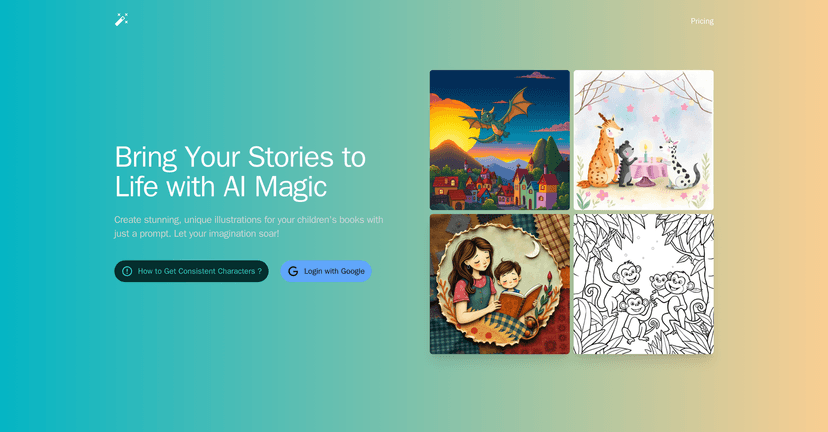
- •Strengths: multiple art styles (comic, watercolor, line art, pixel, naive, collage), a user-friendly interface, and tone-aware AI art that helps captivate young readers.
- •Weaknesses: pricing isn't shown clearly up front, and character consistency across a whole book still takes manual effort.
- •Verdict: a strong, low-friction starting point for storybook art — pair it with a proper book tool when you're ready to lay out the finished book.
What Is StoryArtAI?
StoryArtAI is an AI illustration platform designed for writers and illustrators who want to generate visually striking images without extensive art skills. Instead of a general-purpose image model, it's tuned for storytelling: you describe a scene, choose an art style, and the tool produces an illustration that matches the narrative and tone of your story. That makes it a natural fit for children's books, where the visuals carry as much of the story as the words.
Using it is refreshingly simple. Thanks to the user-friendly interface, you select an art style, type a story prompt, and the image generation happens in seconds — no design software, no layers, no learning curve. In testing, the most useful trait was how the model responds to tone: ask for something whimsical, adventurous or gentle and the mood of the AI-generated illustration shifts to match. There are also basic customization options for aspect ratio and style intensity, and for anyone who has stared at a blank page unable to picture their own characters, that alone is worth a lot.
It helps to understand why tools like this have appeared now. Self-publishing children's books has become a real market rather than a niche hobby — the children's book self-publishing service market is projected to grow from USD 5.62 billion in 2025 to USD 6.82 billion by 2032, and print-on-demand has removed most of the upfront cost that used to block first-time authors. Illustration was the last expensive step, and AI tools like StoryArtAI are aimed squarely at closing that gap.
StoryArtAI Key Features: What This AI Tool Does
- Variety of art styles: comics, watercolor, line art, pixel art, naive art and collage illustrations, so the look can match the age group and mood of the book.
- Prompt-to-image simplicity: a few words of description are enough to generate illustrations that feel finished.
- Tone-aware AI art: the model adapts visuals to the emotional register of your story, not just the literal objects in the prompt, which helps tailor each scene to the mood you want.
- User-friendly interface: nothing to install and no design experience required.
- Customization options: tweak style and framing, and regenerate variations quickly until a scene feels right.
How StoryArtAI Turns a Prompt Into an Illustration
The workflow is short enough to learn in one sitting:
- Pick an art style that fits your book's age group — soft watercolor for bedtime stories, bold comic styles for older kids.
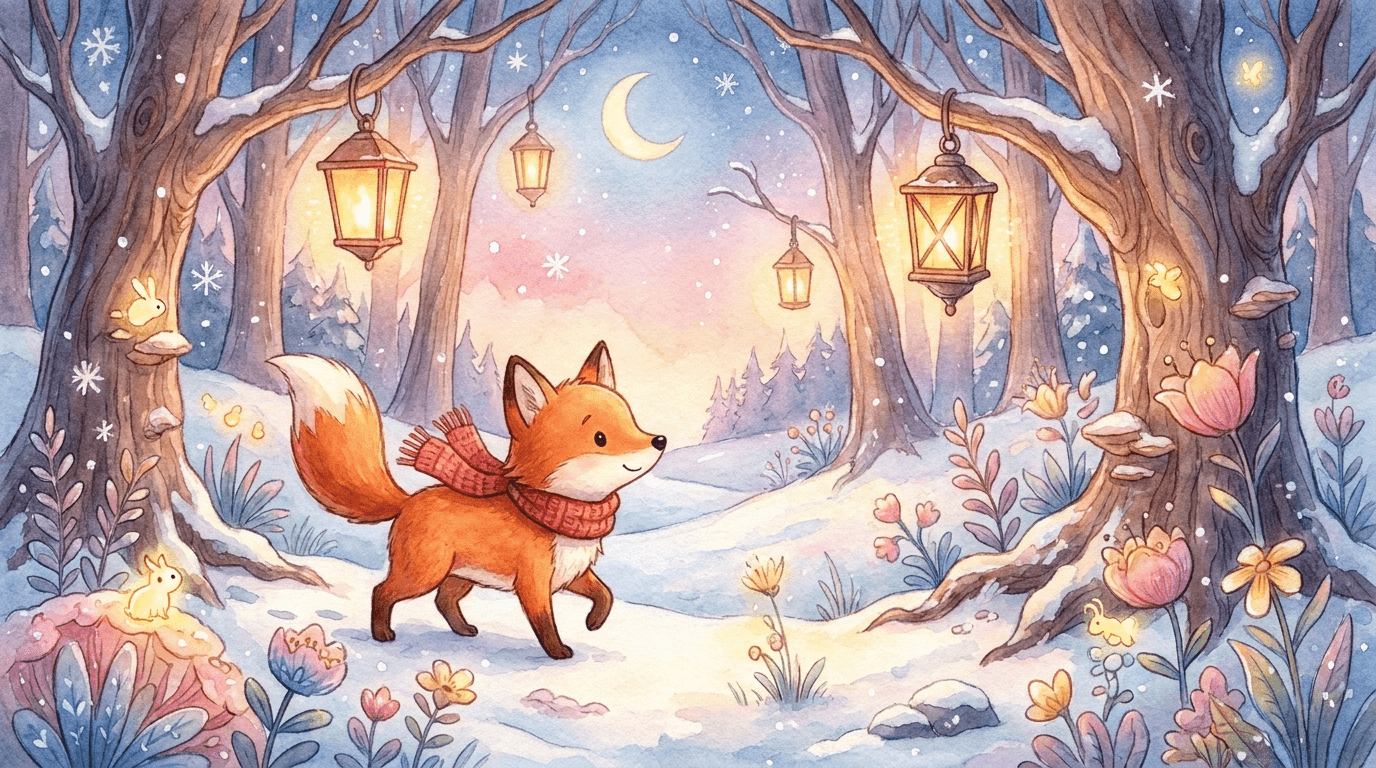
- Write a scene prompt describing the character, setting and action (for example, "a small fox in a red scarf lost in a snowy forest at dusk").
- Generate and review the illustration, then regenerate if the composition or mood is off.
- Refine the wording — small prompt changes (lighting, expression, camera angle) usually fix most problems faster than starting over.
- Export and lay out the finished images in your book design tool of choice.
Pros and Cons
Pros
- Creates unique, customized illustrations from plain text prompts.
- A wide range of styles suited to different types of stories and age groups.
- Genuinely usable by people with zero artistic skill.
- Fast enough to test many visual ideas cheaply.
Cons
- Pricing isn't presented clearly up front — you have to dig into the site to confirm current plans.
- Keeping visual cohesion — the same character looking identical across every page — still takes prompt effort and some luck.
- Limited public detail on commercial-use and licensing terms, which matters if you plan to sell the book.
Pricing Plans
StoryArtAI indicates that paid plans are available, but as of 2026 the specific tiers and prices aren't clearly published on the landing page, so you'll want to confirm current costs directly on their pricing page before committing. If transparent, predictable pricing is important to you, treat that as a factor in your decision. For a quick, low-commitment test, generate a few sample illustrations first and judge the output quality against your book's needs.
Who Should Use StoryArtAI: Book Authors, Parents and Teachers
StoryArtAI is a good fit if you're a self-publishing author, a parent making a personalized story, or a teacher creating classroom material and you need on-theme art without a designer. It's also handy for storyboarding and pitching an idea before you invest in final artwork.
It's a weaker fit if you need pixel-perfect brand characters that never vary, complex multi-character scenes with precise staging, or guaranteed commercial licensing spelled out in writing. In those cases, AI illustration is best used for drafts and concepts, with a human illustrator finishing the hero images.
StoryArtAI and the Rest of Your Book Workflow
Illustration is only one piece of making a children's book. Once your art is ready, you still need to write and structure the story, lay out text and images together, and export a print-ready file. I build Automateed partly for that reason — to handle the writing and book-assembly side so a tool like StoryArtAI can focus on the visuals. If you're new to the whole process, our guides on publishing children's books and creating illustrated books walk through how the pieces fit together, and if you want to compare options, our roundup of AI image generators puts StoryArtAI in context. Writers working on longer fiction may also find our notes on story pacing useful.
Frequently Asked Questions
Is StoryArtAI good for children's book illustrations?
Yes — it's one of the better-targeted tools for this use case because it's tuned for story scenes and offers styles that suit picture books. It's especially good for drafts, concepts and personalized one-off books.
Can I use StoryArtAI images commercially?
The platform doesn't publish detailed licensing terms up front, so if you plan to sell your book, confirm the current commercial-use policy directly before publishing. This is the single most important thing to check for any AI illustration tool.
Does StoryArtAI keep characters consistent across pages?
Partially. Reusing detailed character descriptions in every prompt helps, but exact page-to-page consistency still takes effort — a common limitation across today's AI illustration tools, not just StoryArtAI.
What are good alternatives to StoryArtAI?
General AI image generators can produce storybook art too, though they're less specialized. See our comparison of AI image generators to weigh flexibility against ease of use.
Final Verdict: StoryArtAI Review Summary
StoryArtAI is an easy, low-friction way to turn story ideas into illustrations, and its style range plus tone-aware output make it genuinely useful for non-artists creating children's books. The main caveats are unclear pricing and the usual AI limitation around character consistency. Treat it as a strong starting point for your visuals: generate a few test images, confirm current pricing and licensing, and pair it with a dedicated book-creation tool to take your story from idea to finished, published book.
Promote StoryArtAI