LIFETIME DEAL — LIMITED TIME
Get Lifetime AccessLimited-time — price increases soon ⏳
AI Tools

VectorUbi Review – Create Stunning Illustrations in Seconds

Updated: April 20, 2026
5 min read
#Ai tool#Design

Table of Contents

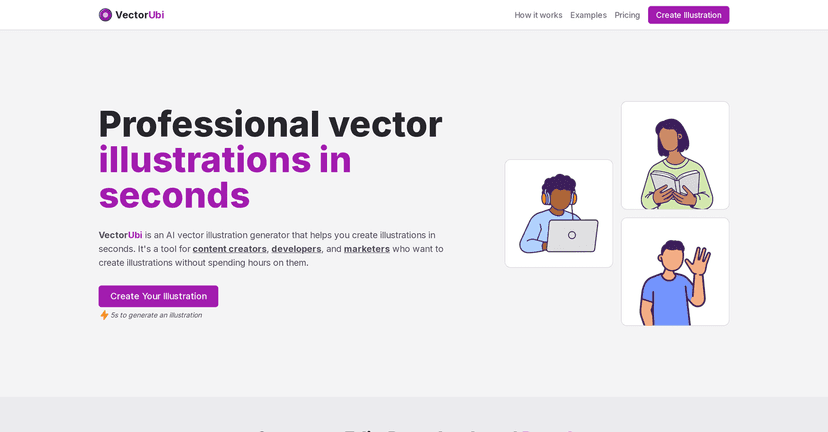
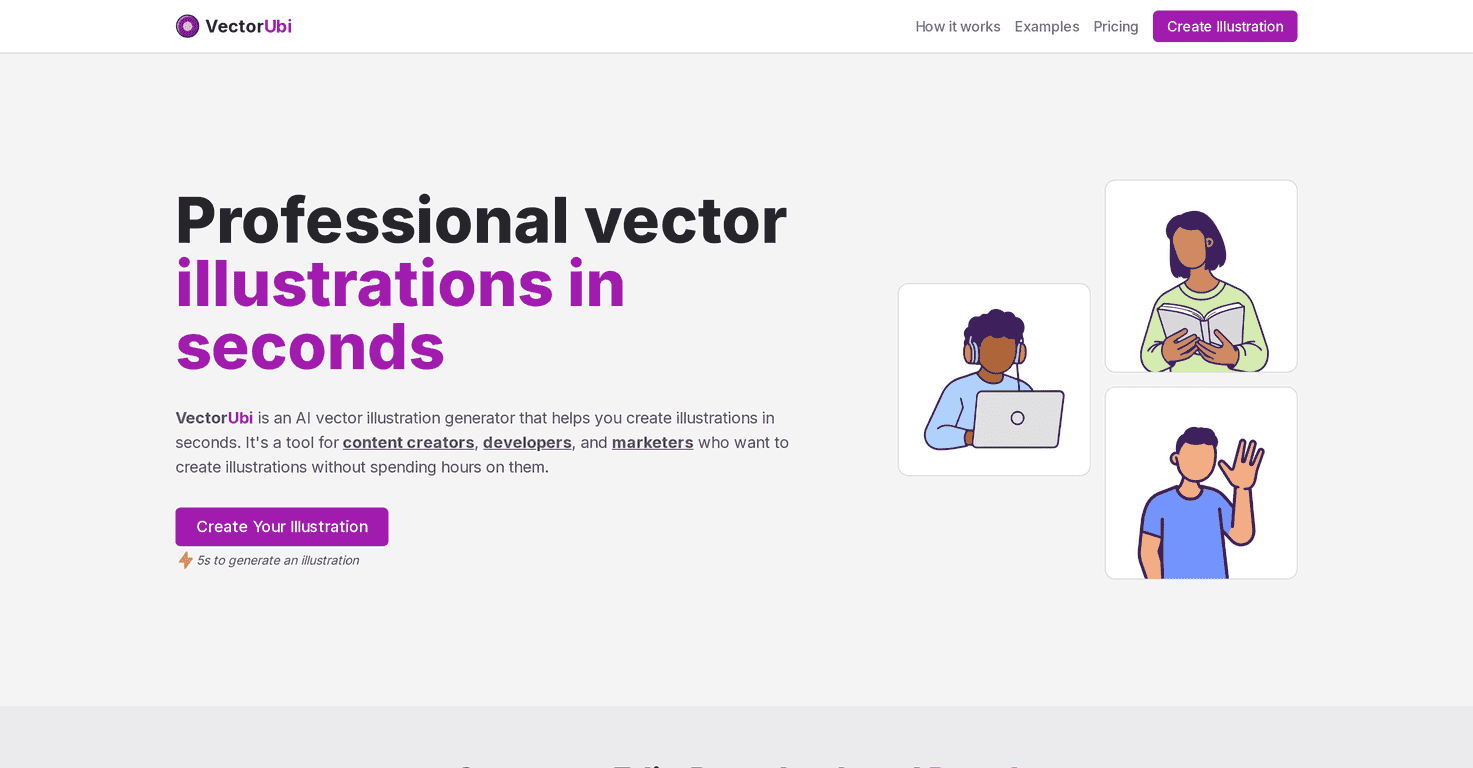
If you’ve ever tried to whip up vector-style illustrations for a blog, a landing page, or a client deck… and then realized how long it takes to get “just right,” you’ll probably get why I’m interested in VectorUbi. It’s an AI vector illustration generator that lets you type a prompt and get results fast. No complicated setup. No waiting around for a designer to come back with a first draft.

Vectorubi

In my testing, the biggest selling point is speed. VectorUbi aims to generate an illustration in under 5 seconds. That’s the kind of turnaround that actually helps when you’re iterating—like when you’re testing 5 different hero image directions for a campaign, or you need a quick icon variation for a UI section.

What I also liked is that the output isn’t just a “pretty picture.” You’re working with vector-friendly formats (SVG) and also get PNGs. That matters because SVG is what you want when you’re placing artwork into tools like Adobe Illustrator or Figma and you need to scale without weird pixelation. In other words: it’s easier to keep things crisp across different screen sizes and export sizes.

One more detail that stood out: the downloads are described as unlimited for both SVG and PNG. I can see that being genuinely useful if you’re doing a lot of small variations—think social posts, app screenshots, or multiple versions of the same illustration for different landing pages. If you’ve ever hit a download cap mid-project, you know how annoying that is.

Now, I’m not going to pretend it’s perfect. The free version has limitations, and if you want access to everything comfortably, you’ll likely end up upgrading. Also, while the interface is straightforward, getting the “best” results sometimes takes a little design sense—especially if you’re trying to fine-tune spacing, balance, or match a specific brand style.

VectorUbi Review: Fast Vector Illustrations Without the Usual Headaches

Here’s how VectorUbi works in plain terms: you describe what you want (style, subject, vibe), and it generates an illustration you can use right away. In my experience, that “right away” part is what makes it useful. It’s great for first drafts, quick mockups, and production-ready assets when you’re not trying to spend an entire afternoon nudging nodes around.

Customization is another big reason people will like it. The tool is built to support editing workflows—especially if you’re already using design software like Adobe Illustrator or Figma. That means you can adjust the output to match your branding instead of settling for whatever default look the AI produced.

Also, the consistency across generated illustrations is something I care about. If you’re making a series (like 10 icons for a feature list), you don’t want every image to look like it came from a different artist. VectorUbi’s output style is meant to stay cohesive, which helps when you’re building a set.

Finally, let me be honest about expectations: you’ll still want to review the generated results. Sometimes you’ll get something close on the first try, and other times you’ll need a second prompt or a bit of editing to dial in details. That’s normal with AI tools. The difference here is that the turnaround is quick enough that iteration doesn’t feel painful.

Key Features I Think Matter

  1. AI-powered generation for quick illustration drafts
  2. SVG output for vector-friendly editing (great for Illustrator/Figma workflows)
  3. Fast production speed—aiming for under 5 seconds per result
  4. Unlimited SVG and PNG downloads (useful when you’re producing lots of variations)
  5. Consistent illustration style across multiple generations

Pros and Cons (What You’ll Actually Feel)

Pros

  • Speed is legit—when you’re iterating, waiting minutes instead of seconds can kill momentum
  • SVG + PNG combo is practical for real projects (web use + design tool edits)
  • Unlimited downloads are a nice fit for heavy users and content teams
  • It’s easy to start using even if you’re not a design pro

Cons

  • Free version limitations can push you toward paid plans sooner than you’d expect
  • If you want “perfectly on-brand” results, you may need basic graphic design skills to refine the output

Pricing Plans: Lite, Standard, Premium

VectorUbi uses a quota-style pricing setup. From what they list, there’s a Lite Plan for basic access, a Standard Plan for mid-level usage, and a Premium Plan for more features. One consistent point across plans is that SVG and PNG downloads are included as unlimited.

If you’re deciding which one to pick, I’d base it on how often you generate illustrations. If you’re doing a handful of images a month, Lite might be enough. If you’re building a library of assets (like icons, banners, or product illustrations), Standard or Premium will probably feel more comfortable.

Wrap up

VectorUbi is one of those tools that feels designed for people who need illustrations now—not “eventually.” The combination of quick generation, SVG/PNG output, and unlimited downloads makes it especially attractive if you’re producing a lot of visual content. Just remember: you might still need to tweak prompts or do some light editing to get the exact look you’re after, especially if you’re matching a strict brand style. If that doesn’t scare you, it’s a solid option to add to your workflow.

Promote VectorUbi

Stefan

Stefan

Stefan is the founder of Automateed. A content creator at heart, swimming through SAAS waters, and trying to make new AI apps available to fellow entrepreneurs.

Related Posts

StoryArtAI Review – Create Stunning Illustrations Now

StoryArtAI enhances storytelling with stunning illustrations

Stefan

Brushless Review – Create Stunning Vector Illustrations

AI-driven vector illustrations effortlessly created

Stefan

AI Ease Review – Create Stunning AI Headshots for Free

create high-quality professional headshots instantly

Stefan

Create Your AI Book in 10 Minutes