Table of Contents
Are you looking for a unique way to bring your cherished photos to life? AI Hug offers an innovative solution that turns your images into delightful hug videos with just a few clicks. Imagine sharing those special moments with friends and family in an engaging format!
In this AI Hug review, we’ll explore how this user-friendly tool not only simplifies video creation but also transforms static pictures into dynamic embraces. Let’s dive in to discover what makes AI Hug an exciting option for anyone seeking to create meaningful video content.
From its advanced features to its cost-effective profile, you’ll see why AI Hug is quickly gaining popularity for personal and professional projects alike.
AI Hug Review
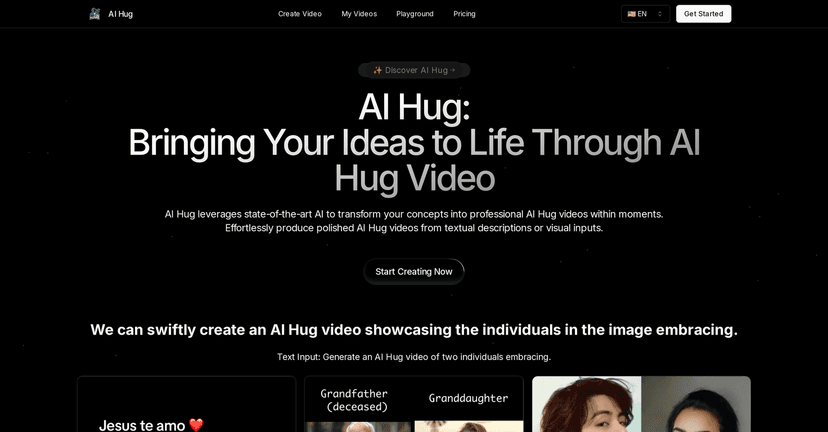
AI Hug is a revolutionary online tool that makes video creation a breeze. By harnessing the power of artificial intelligence, it takes your uploaded photos or descriptions and magically transforms them into heartwarming hug videos. This unique feature allows users to create engaging content without the hassle of traditional video production processes.
The interface is designed with ease of use in mind, ensuring that anyone can navigate the platform without prior video editing skills. Just upload your images or input your text, and let AI Hug handle the rest. The tool works efficiently to produce high-quality videos that look professional and realistic, all in a matter of minutes.
Key Features
- AI-Powered Video Generation that enhances creativity
- User-Friendly Interface for quick navigation
- Cost-Effective solution for personal and business use
- Versatile application across sectors such as marketing and education
- High Video Quality with realistic effects and visuals
Pros and Cons
Pros
- Ease of Use – No prior video editing skills needed
- Fast Production – Ideal for time-sensitive needs
- Affordability – Budget-friendly compared to traditional methods
- Professional Quality – Generates realistic and engaging videos
Cons
- Limited Free Trial – Currently no free trial due to costs
- Dependence on Quality Inputs – Output quality varies based on input relevance
Pricing Plans
AI Hug operates on a credit-based pricing model. For specific pricing details, you’ll need to visit the AI Hug website. They also address potential dissatisfaction with a mention of possible refunds, which shows their commitment to customer satisfaction.
Wrap up
To wrap up, AI Hug is an incredible tool for anyone who wants to add a personal touch to their photos through video. Its user-friendly interface and impressive features make it a strong contender in the video creation space. Whether for marketing campaigns, educational purposes, or just for fun, AI Hug can help you share your story in a captivating format. Don’t miss the chance to explore this innovative platform and create unforgettable hug videos!
Promote AI Hug