Table of Contents
Most to-do apps are just digital lists — you still do all the organizing. Peaches is an AI to-do list app that tries to do the organizing for you: you speak your tasks out loud, and it sorts and prioritizes them, then keeps you moving with gamification and progress charts. This 2026 review covers what Peaches does, where it shines, what it costs, and whether an AI to-do list actually helps or just adds another app to check.
⚡ TL;DR – Key Takeaways
- •Peaches is an AI to-do list app that lets you add tasks by voice and auto-organizes them.
- •It gamifies productivity — complete tasks to level up — and shows weekly and monthly progress charts.
- •A built-in journaling system and custom reminders round out the app.
- •Pricing (at time of writing): free tier, with premium via in-app purchase around $4.99/month (a larger $24.99 option exists too) — confirm on the App Store.
- •The problem it targets is real: workers are interrupted roughly every 2 minutes during core hours (Microsoft 2025 Work Trend Index), and it takes about 25 minutes to refocus after a switch.
What Is Peaches?
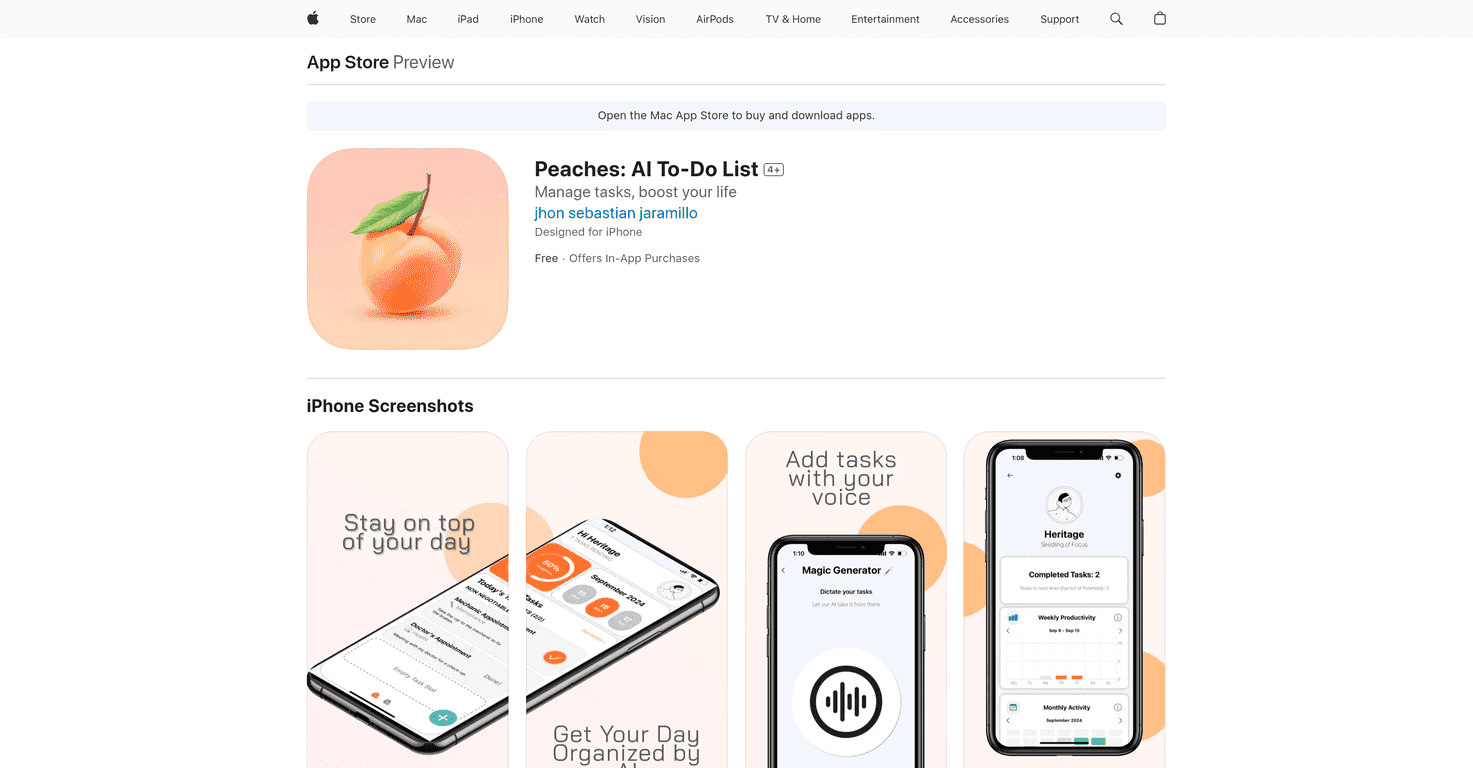
Peaches is a mobile AI to-do list built to act as a personal productivity assistant rather than a passive checklist. Its headline trick is voice entry: you say a task out loud and Peaches captures it, then uses AI to organize and prioritize your list automatically. On top of that it layers habit-forming features — gamified levels, weekly productivity charts, a monthly overview, journaling, and custom reminders — to keep you actually working the list instead of just staring at it.
Why an AI To-Do List Can Actually Help
The case for offloading task organization to AI comes down to how fragmented modern attention is. Microsoft's 2025 Work Trend Index found that employees are interrupted roughly every two minutes during core working hours by meetings, emails, and pings. And research on task-switching, popularized by UC Irvine's Gloria Mark and widely cited by Harvard Business Review, shows knowledge workers toggle between apps and windows well over a thousand times a day and lose meaningful time reorienting after each switch. In that environment, the value of a to-do app is not the list itself — it is reducing the friction of capturing and prioritizing tasks so a fleeting thought does not become one more interruption. Voice capture and auto-prioritization are aimed squarely at that friction.
Key Features
- Voice task management for hands-free entry.
- AI that organizes and prioritizes tasks automatically.
- Weekly productivity charts for visual progress.
- Monthly activity overview to reflect on what you finished.
- Built-in journaling for quick notes and reflection.
- Gamification — complete tasks to level up and raise your rank.
- Custom reminders to keep tasks from slipping.
- A clean, beginner-friendly interface.
Pros and Cons
Pros
- Voice entry makes capturing tasks genuinely fast.
- Auto-organization removes the mental work of sorting a list.
- Gamification keeps some users engaged where plain lists lose them.
- Journaling and progress charts add reflection, not just tracking.
- Free tier lets you test before paying.
Cons
- There is a short learning curve to the AI features.
- Voice recognition can misfire and needs occasional correction.
- Gamification is motivating for some and noise for others.
- Currently centered on the Apple ecosystem.
Pricing (2026)
Peaches offers a free version with the core features, and unlocks premium tools through in-app purchases — around $4.99 for monthly premium access, with a larger $24.99 option for additional features. Because app pricing shifts frequently, check the current listing on the App Store before subscribing.
Who Should Use Peaches?
Peaches suits people who capture tasks on the go and want the app to do the sorting — and who respond well to gamified nudges. If you already run a disciplined system in something like Todoist or a plain notebook and it works, Peaches may not add much. But if your problem is that tasks never make it into a list in the first place, voice capture plus auto-prioritization is a real fix.
I run Automateed, where a lot of our work is about letting AI absorb the busywork around a creative project so the person can stay in flow — the same instinct behind an AI to-do list. If productivity tooling is your thing, compare Peaches with our reviews of OneTask, Todof, and Optodolce, and our roundup of publishing productivity tools.
Frequently Asked Questions
Can I really add tasks just by talking?
Yes — voice task management is Peaches' core feature. You speak a task and the app captures it, then uses AI to slot it into your list.
Is Peaches free?
There is a free version with the basic features. Premium features are unlocked via in-app purchase, starting around $4.99/month at the time of writing.
What makes Peaches different from a normal to-do app?
The AI auto-prioritization, voice entry, and gamified progress system. It tries to do the organizing for you rather than leaving you to manage a static list.
Does the gamification actually help?
It depends on the person. Some users stay far more consistent with levels and streaks; others find it distracting. The free tier lets you find out cheaply.
Wrap Up
Peaches is a well-rounded AI to-do list that leans on voice entry, auto-prioritization, and gamification to keep you moving. Against a backdrop where workers are interrupted every couple of minutes, the real value is lowering the friction of capturing and ordering tasks. Start on the free tier, see whether the gamified loop clicks for you, and upgrade only if it earns it.