Table of Contents
I’ve tried a lot of “productivity” tools over the years—most of them end up being either too simple to be useful or too complicated to stick with. Cerebrella caught my attention because it’s trying to be one place for planning, brainstorming, and actually turning ideas into something you can use.
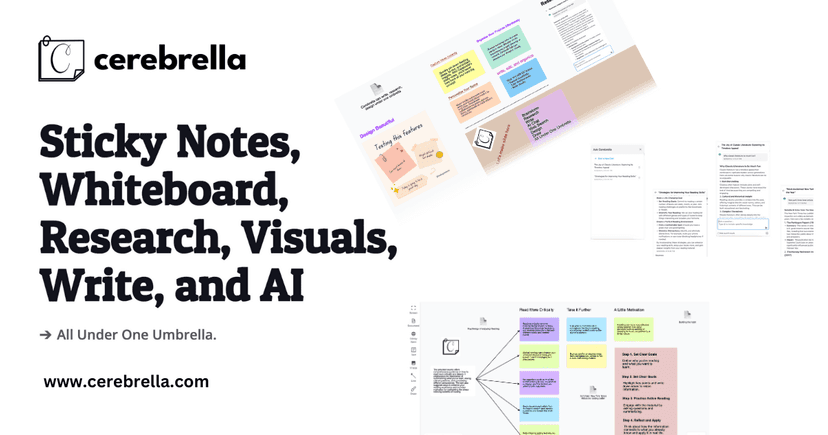
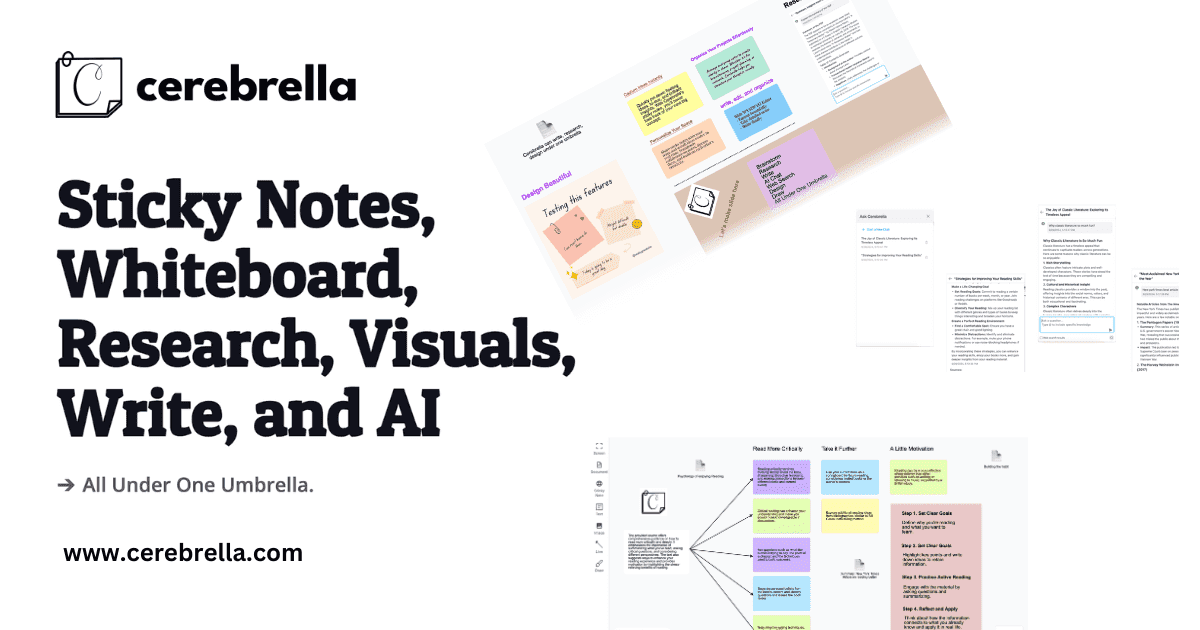
At a glance, it’s built around sticky notes, a collaborative whiteboard, and research/content tools. Then there’s the AI side, which is where it gets interesting—because it’s not just “write something for me,” it’s more about helping you move faster when you’re stuck (or when you’ve got way too many tabs open). In my experience, that’s usually the real bottleneck: getting from messy ideas to a clean next step.

Cerebrella Review
Cerebrella is positioned like an all-in-one workspace. And honestly, that’s the main promise: instead of bouncing between a notes app, a whiteboard, and a research doc, you can keep everything in one flow.
Here’s what stood out to me when I used it for a few sessions:
- Sticky notes feel practical, not gimmicky. I used them for quick “capture” moments—dumping ideas, questions, and next steps without overthinking formatting.
- The collaborative whiteboard is great for messy thinking. If you’ve ever had to explain a concept to someone and wished your notes were more visual, this is the part that scratches that itch.
- Research tools help when you’re building content. I liked having a place to gather info while I’m still organizing the outline, rather than doing the classic “research first, write later” shuffle.
- AI integration is most useful when you’re stuck. I didn’t treat it like a magic button. Instead, I used it to tighten wording, generate options, and help me move from “blank page” to a usable draft faster.
- Visual design tools make it easier to present ideas. I’m not saying it replaces a full design suite, but for pitches, summaries, or project snapshots, it does the job.
One thing I’ll be upfront about: if you already have a workflow you love (like a dedicated task manager + a separate document tool), Cerebrella may feel like a lot at first. But if your current setup is scattered—notes here, brainstorming there, research somewhere else—this is exactly the kind of “bring it together” tool that can save time.
Key Features
- Sticky Notes for quick referencing and brainstorming
- Collaborative Whiteboard for team collaboration and visual planning
- Research Tools for gathering and creating content in one workspace
- Visual Design tools for presenting ideas more clearly
- AI Integration to assist with productivity and help you go from rough ideas to next steps
If you want a simple way to use Cerebrella, here’s a workflow I actually liked:
- Start with sticky notes for the raw brainstorm (no structure yet).
- Move the best ideas to the whiteboard and group them into themes.
- Use the research tools to pull in supporting info while the outline is still forming.
- Let AI help with drafts (summaries, rewrites, alternative phrasing) so you’re not staring at the same paragraph for 45 minutes.
- Finish with visual design if you need something shareable.
Pros and Cons
Pros
- It’s genuinely “all-in-one” for ideation and content work. I didn’t have to jump between as many tools to get momentum.
- Clean, approachable interface. It’s not the kind of platform where everything feels buried under menus.
- Collaboration is a real strength. The whiteboard especially makes group work feel more natural than sending a doc back and forth.
- AI assistance can speed up the boring parts. When you’re rewriting, summarizing, or trying to improve clarity, it helps.
Cons
- There’s a learning curve. Not huge, but you’ll want a little time to figure out the “where does this go?” flow.
- Specialists will still prefer specialist tools. If you’re looking for a dedicated project management system or a full-on design platform, Cerebrella might feel limited compared to those.
- AI is only as good as your prompt. If you give vague input, you’ll get vague output. I found myself getting better results when I was specific about the goal and audience.
Pricing Plans
Cerebrella’s pricing details aren’t listed in the content I received here, so I don’t want to guess. For the most accurate, up-to-date pricing, check Cerebrella’s official website directly.
Wrap up
Overall, I think Cerebrella is a strong pick if you want one workspace for brainstorming, organizing, researching, and presenting—especially if you collaborate with other people. The sticky notes + whiteboard combo is where it feels most natural, and the AI features are most helpful when you use them to accelerate drafts and improve clarity (not when you expect them to do all the thinking for you).
If your workflow is scattered across multiple apps, Cerebrella could be a nice way to reduce friction. Just know it may take a bit to fully settle into the way it organizes work.