Table of Contents
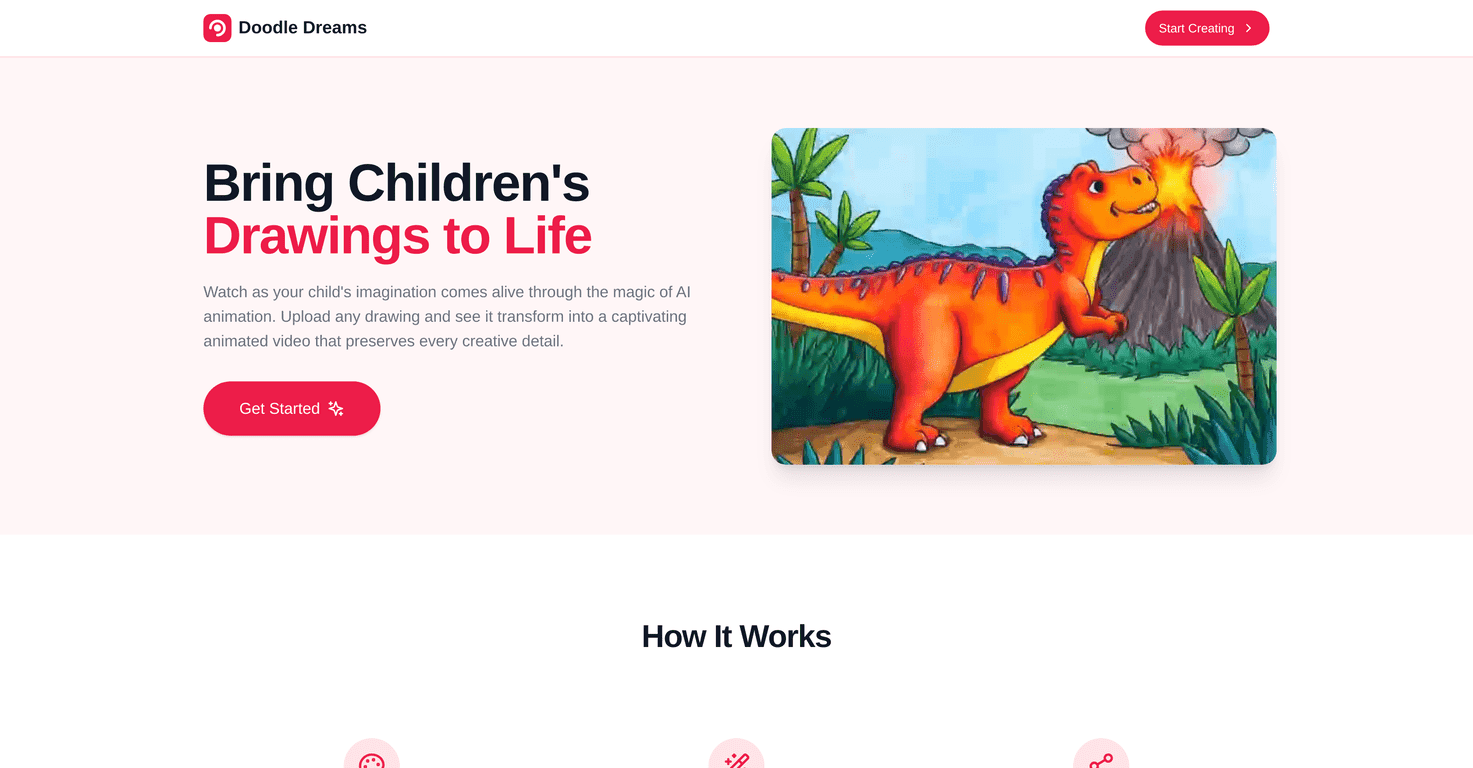
Doodle Dreams is one of those ideas that sounds simple… until you actually try it. The basic promise is: upload your kid’s drawing, and it turns into a short animated video. No fancy design skills needed. Just paper, crayons/markers, and a little patience while it processes.
In my experience, the “wow” moment hits fast—especially for kids. They draw something, you upload it, and suddenly their characters aren’t just sitting there on the page. They’re moving. And honestly, as a parent, it’s pretty satisfying to see the details they worked hard on still recognizable after the animation.
Doodle Dreams Review: Turning Kids’ Drawings Into Animation
What I like about Doodle Dreams is that it doesn’t pretend your kid needs to be a digital artist. You’re starting with something they already know—scribbles, characters, stick figures, full-on scenes. Then the tool animates it so it feels more like a story than a still image.
Here’s what stood out to me when I tested it: the platform tries to keep the original drawing recognizable. Lines that are clear tend to come through better. If the picture is super faint or messy (hey, kids happen), the animation may look more “generic” and less like your specific character. That doesn’t mean it’s bad—it just means the input matters.
Also, the process is pretty kid-friendly. Even if you’re the one uploading, kids can still feel involved. They’ll ask to see the preview. They’ll point out what they think should move. And for a lot of families, that interaction is half the fun.
Key Features That Matter (Not Just the Marketing)
- AI animation for static drawings — Upload a drawing and get a short animated result. The motion is the main event, and it’s usually what gets kids excited right away.
- Simple upload flow — I didn’t have to fight with settings. It’s built for quick use, which is exactly what you want when you’re working with a child who’s on a countdown timer.
- Preserves the “look” of the original — When the drawing has clear shapes and defined lines, the animation tends to keep those details. I noticed that bold outlines and distinct features (eyes, mouths, characters) help a lot.
Quick tips I’d actually use before uploading
- Use good lighting: If you’re taking a photo, avoid shadows. A bright, even light makes a noticeable difference.
- Fill the frame: Crop so the drawing takes up most of the image. Tiny drawings can lose detail during processing.
- Go for clear outlines: Thick marker lines and defined shapes usually animate better than super-light pencil.
- Don’t overcomplicate the scene: If the drawing is packed with tiny text or extremely detailed backgrounds, the result can flatten a bit.
Pros and Cons (My Honest Take)
Pros
- Kids genuinely enjoy it — This isn’t “look, a tool.” It feels like a mini magic trick. My experience: the animated output is what gets the biggest reactions.
- Easy uploads — The interface is straightforward, so you’re not spending your afternoon troubleshooting.
- Encourages more drawing — After seeing one animated video, kids often want to make another. It turns art time into a repeat activity.
Cons
- Customization is limited after the animation — You can’t always tweak motion, style, or effects the way you might expect from a full editor.
- Quality depends on the original artwork — If the drawing is light, blurry, or crowded with tiny details, the animation may not capture everything as well.
Pricing Plans: What I Found (and What to Check)
Pricing information isn’t included in the content I received. Since plans and costs can change, I recommend checking the Doodle Dreams website directly for the latest pricing or contacting their support team for up-to-date details.
Wrap up
Doodle Dreams is a fun, parent-approved way to turn kids’ drawings into something you can actually watch—not just hang on the fridge. If your child likes to draw (and you want an easy way to make it feel special), it’s worth trying. Just remember: clearer, bolder drawings tend to produce better animation results, and you won’t get the same level of control as a professional video editor.
Promote Doodle Dreams