LIFETIME DEAL — LIMITED TIME
Get Lifetime AccessLimited-time — price increases soon ⏳
AI Tools

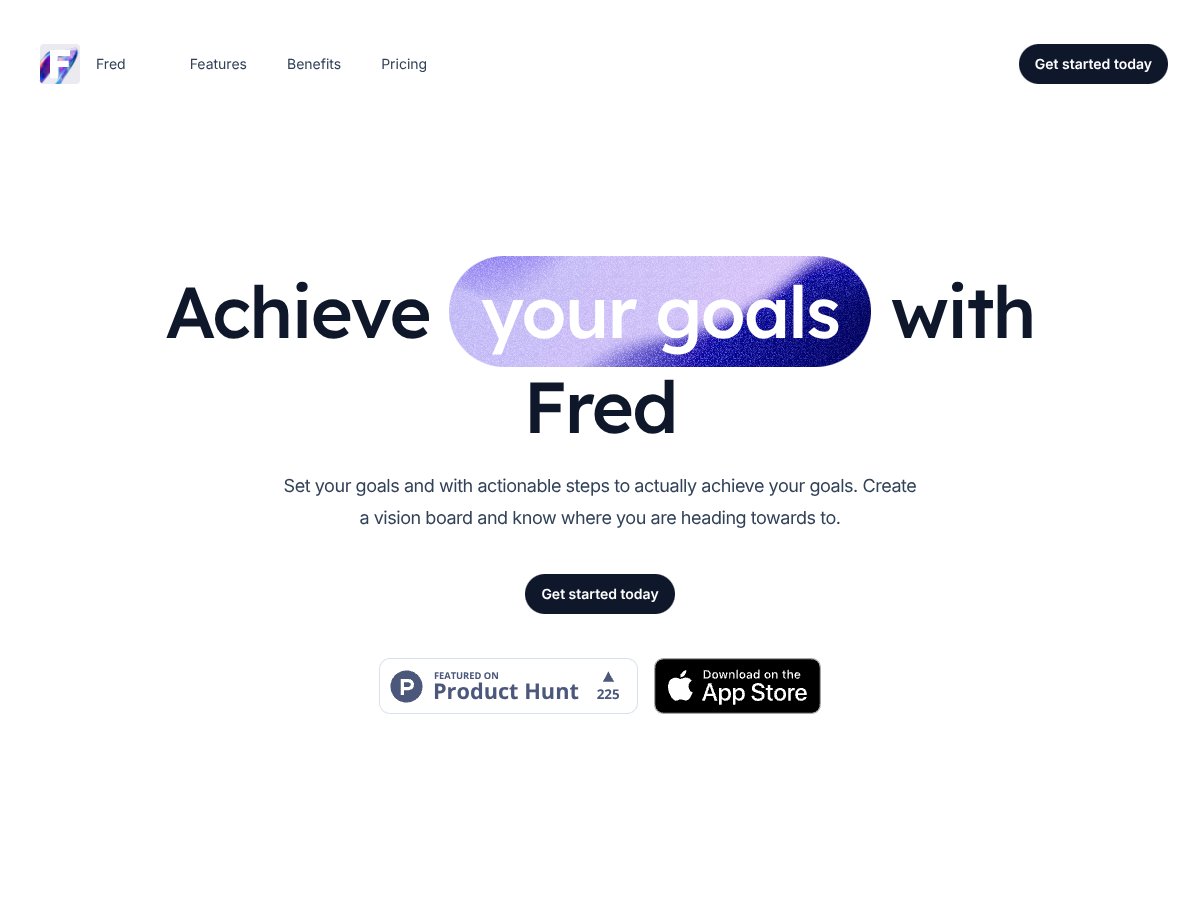
Fred for iOS Review (2026): Honest Take After Testing

8 min read
#Ai tool

Table of Contents

Fred for iOS screenshot

What Is Fred for iOS?

Honestly, when I first heard about Fred for iOS, I was a bit skeptical. The app promises to help you set goals, create vision boards, and generate actionable steps to reach your dreams — all powered by AI. That’s a lot of buzzwords packed into a single app, and I’ve seen plenty of goal-setting tools before, so I was curious to see if Fred actually delivers anything new or if it’s just another digital planner with a fancy name.

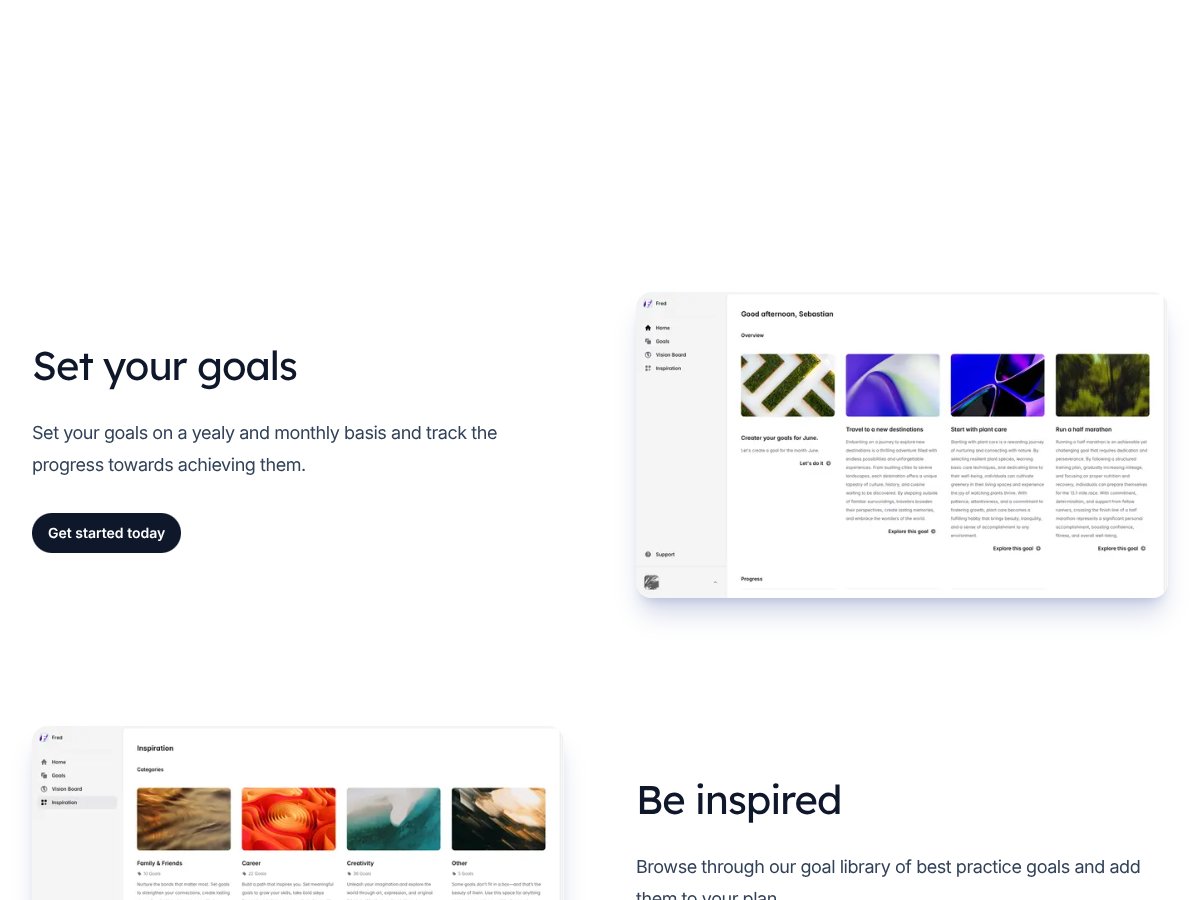
What it actually does, from what I gathered, is provide a space where you can define your goals (like getting fit, saving money, or learning a new skill), visualize them through a digital vision board, and get AI-generated steps on how to move forward. The idea is to make goal setting less vague and more actionable. It’s trying to solve the common problem many people face: knowing what you want but struggling to break it down into manageable chunks.

The app is created by a team that seems to focus on personal development, though I couldn’t find much info about the people behind it. That’s not a huge red flag, but it’s worth noting that there’s no big brand or well-known developer attached to it. My initial impression was that the app is straightforward — it’s as simple as the website suggests, with a clean, minimal design that doesn’t overwhelm you.

Now, to manage expectations: Fred isn’t a magic bullet. It’s not a comprehensive productivity suite, nor does it seem to replace dedicated habit trackers or project management tools. It’s more of a goal visualization and planning app with some AI help. If you’re expecting a powerhouse app with tons of features or deep integrations, you might be disappointed. What I appreciated is that it’s pretty upfront about what it does — but I was surprised to find that it doesn’t do much beyond goal setting, vision boarding, and generating a handful of steps.

In sum, Fred for iOS feels like a digital mood board combined with a basic goal planner and AI assistant. It’s not trying to be everything, but it might be useful if you’re into visualizing your goals and want a bit of help breaking them down. Just don’t expect it to handle tracking habits or integrate with your calendar — those aren’t part of the picture.

Fred for iOS Pricing: Is It Worth It?

Fred for iOS interface
Fred for iOS in action
  • AI-generated steps for 1 goal per month
  • Unlimited goals
  • Goal library with 200+ best practice goals
  • Vision board to visualize goals
  • Analytics to track progress
  • Email and chat support
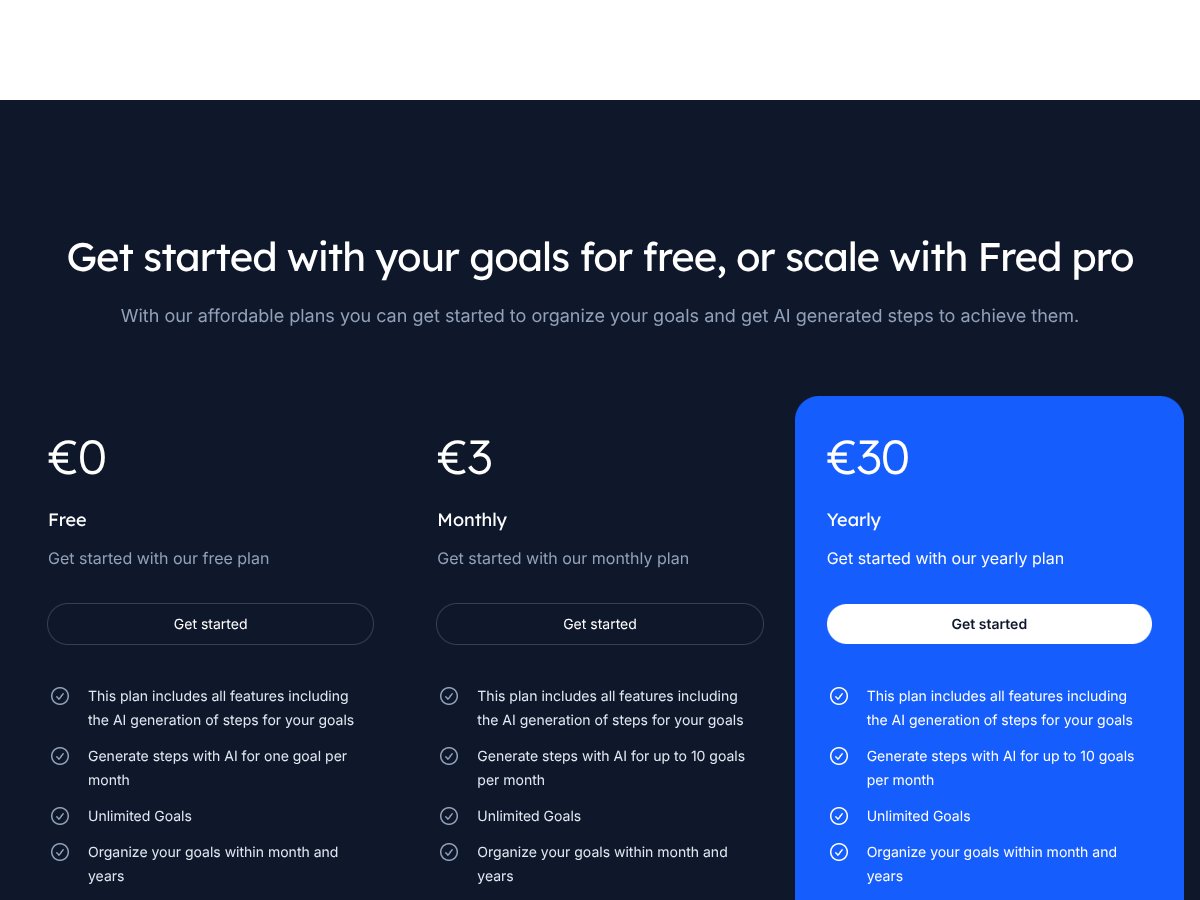
Plan Price What You Get My Take
Free €0 This seems like a decent entry point for casual users or newcomers wanting to try the core features without commitment. The limit of one AI-generated goal per month might be a dealbreaker for someone with multiple ambitions.
Monthly €3
  • AI-generated steps for up to 10 goals per month
  • Unlimited goals
  • All other features included in free plan
This is affordable and gives more flexibility if you have several goals. For just a few euros, you can generate steps for multiple goals each month, which makes it more practical for serious goal-setters.
Yearly €30
  • Same as monthly—AI steps for up to 10 goals per month
  • Unlimited goals
  • All core features
Paying upfront for the year saves you a bit compared to monthly payments, which can be good if you’re committed. But still, the AI-generated steps limit might be restrictive if you're managing many complex goals.

Here’s the thing about the pricing: compared to many goal-setting apps that charge a hefty premium for advanced features or integrations, Fred’s pricing is quite modest. However, the core limitation—AI-generated steps for only a handful of goals per month—might be a surprise if you didn’t read the fine print. If you’re someone looking for a comprehensive goal planner with automated workflows, this may not be enough.

What they don’t tell you on the sales page is whether the AI-generated steps are truly personalized or just generic suggestions. Also, there’s no mention of any additional costs for premium features or integrations—so if you expect to connect Fred with other apps or services, be aware that it might not support that yet.

My honest take? The prices are fair for what they offer, especially for light users or those just starting out. But if you’re planning to use this as your primary goal management tool with multiple goals per month, you might find yourself wanting more AI support or features down the line. Fair warning: the AI feature is a nice start, but it’s not a full automation suite.

How Fred for iOS Stacks Up Against Alternatives

Habitica

- Habitica turns your goals into a game, allowing you to earn rewards and level up by completing tasks. It’s more gamified and community-driven, which can be motivating if you like social accountability. - Price-wise, Habitica is free with optional paid features for customization and perks, making it accessible without a subscription. - Choose this if you thrive on gamification and social features; it’s great if you want a more interactive, community-based approach to goal tracking. - Stick with Fred for iOS if you prefer a more straightforward, AI-guided experience focused on personalized motivation rather than social gaming.

Todoist

- Todoist is a powerful task manager that helps you organize goals into projects, set deadlines, and prioritize tasks with labels. It’s more task-focused, less about emotional motivation and more about structured planning. - Pricing starts free, with premium plans at around $3/month, offering advanced features like reminders and labels. - Choose this if you need a robust task manager that integrates with your calendar and apps, and you’re comfortable self-motivating. - Stick with Fred for iOS if you want a more holistic, AI-driven approach that also offers motivational coaching rather than just task management.

Fabulous

- Fabulous emphasizes building healthy habits through science-backed routines, daily prompts, and guided challenges. It’s more about forming long-term habits than setting specific goals. - It offers a free tier, with premium plans around $9.99/month, which unlocks personalized coaching and advanced features. - Choose this if your focus is on building daily habits and routines with a structured, habit-forming app. - Stick with Fred if you prefer goal setting with AI guidance and motivation rather than habit formation per se.

Strides

- Strides helps you track progress on various goals through customizable charts, streaks, and habit tracking. It’s very flexible but less personalized. - The app is free, with optional upgrades for cloud sync and additional features. - Choose this if you like detailed tracking and visual progress but don’t need much in the way of coaching or AI support. - Stick with Fred if you want personalized guidance and motivational nudges alongside your goal tracking.

Coach.me

- Coach.me offers goal tracking combined with access to real coaches for accountability and advice. It’s more interactive and personalized than most apps. - Pricing varies; coaching sessions are paid separately, starting around $15 per week. - Choose this if you want human support and accountability to supplement your goal-setting. - Stick with Fred if you prefer an AI-driven approach that doesn’t involve human coaching but still offers tailored motivation.

Bottom Line: Should You Try Fred for iOS?

Fred for iOS interface
Fred for iOS in action

Overall, I’d rate Fred for iOS around 7/10. It’s a solid choice if you’re looking for an app that combines goal setting with personalized AI-driven motivation. It’s not the most feature-rich or customizable app out there, but it’s straightforward and easy to use.

If you’re someone who benefits from gentle, AI-powered nudges and a simple interface, Fred could be a great fit. However, if you need more complex task management, social accountability, or detailed habit tracking, you might want to look elsewhere.

The free version is worth trying to see if the AI coaching resonates with you. Upgrading to the paid plan could be worthwhile if you want more personalized guidance and motivation. Personally, I’d recommend it if you’re just starting out with goal setting or need a gentle nudge to stay on track.

If you want a straightforward, motivational app that feels like having a supportive friend in your pocket, give Fred a shot. If you need a more comprehensive productivity suite or human coaching, explore other options like Habitica or Coach.me.

Common Questions About Fred for iOS

  • Is Fred for iOS worth the money? - It depends on your needs. If you appreciate AI-driven motivation and a simple interface, it’s worth trying. If you want more features or human support, other apps might be better.
  • Is there a free version? - Yes, there’s a free tier that offers basic goal setting and tracking. The paid plan provides more personalized features and guidance.
  • How does it compare to Habitica? - Habitica gamifies your goals with social features, making it more engaging for some. Fred is more about personalized AI nudges, which might feel less overwhelming.
  • Can I use it on Android? - No, Fred for iOS is only available on Apple devices.
  • Does it sync with other apps? - As of now, there’s limited info on integrations. It primarily focuses on in-app goal tracking and AI guidance.
  • Can I get a refund? - Refund policies depend on the App Store. Typically, you can request a refund through Apple if the app doesn’t meet expectations within a certain period.

As featured on

Automateed

Add this badge to your site

Stefan

Stefan

Stefan is the founder of Automateed. A content creator at heart, swimming through SAAS waters, and trying to make new AI apps available to fellow entrepreneurs.

Related Posts

best practices for honest affiliate reviews featured image

Best Practices for Honest Affiliate Reviews in 2026

Discover proven strategies for creating honest, transparent affiliate reviews that build trust, boost conversions, and ensure compliance in 2026. Learn more now!

Stefan
Verdent Review – Honest Insights on Verdent

Verdent Review – Honest Insights on Verdent

reliable tool to boost your gardening skills

Stefan
FaceSymmetryTest Review – Honest Look at Free AI Tool

FaceSymmetryTest Review – Honest Look at Free AI Tool

FaceSymmetryTest is a fun online tool

Stefan

Create Your AI Book in 10 Minutes